aioway compiles machine learning pipelines the way a query optimizer compiles SQL
AI on the way. An auto deep learning pipe dream. An RDBMS approach to deep learning. Declarative, explainable, scalable, optimizable, easy to deploy, all that good stuff.
At a glance
- What is it?
- AioWay treats a model or an algorithm as instructions and builds the training pipeline from them, putting a SQL shaped interface on top of PyTorch. The tooling around it is careful, but the README carries no install command, no example and no timing, so the speed and explainability claims stay unproven.
- Who is it for?
- AioWay is a design worth reading before it is a dependency worth installing: the compile the pipeline idea, the SQL shaped front end and the koila lineage are coherent, and the tooling in the repository shows how its author expects work to happen here. What the page cannot support is the claim that any of it runs today, since the README holds no install command, no example and no timing.
- Can I use it commercially?
- Yes. Apache-2.0 is a permissive licence: you can use, modify and sell software built on it, as long as you keep its copyright and licence notices.
- Is it still maintained?
- Yes. The repository received new commits within the last day.
- What is it written in?
- Mainly Python, according to GitHub's language statistics.
Answers come from the project's GitHub data, last synced on November 7, 2026, and from our analysis. They are not legal advice.
Star history
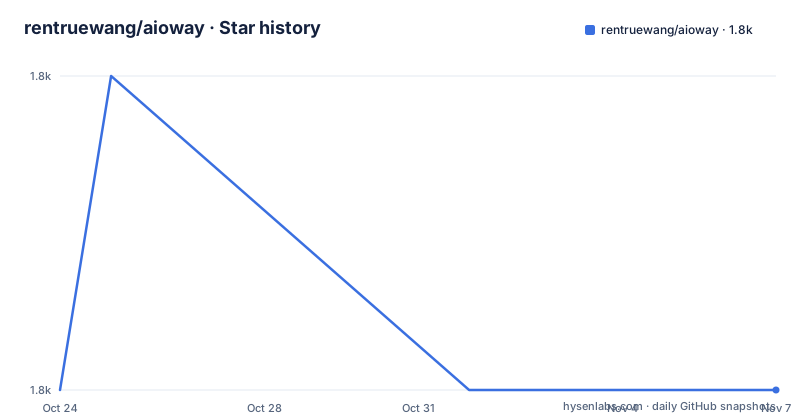
- rentruewang/aioway1,822 ★ · +0
| Repository | 2026-10-24 | 2026-11-07 |
|---|---|---|
| rentruewang/aioway | 1.8k | 1.8k |
0 Stars in the last 14 days, measured from the daily GitHub snapshot. Compare with other projects
Editorial analysis
Rule-based optimization in place of architecture search
AioWay calls itself an optimizing compiler for ML algorithms, and its repository topics spell out the parts: `auto-deep-learning`, `compiler`, `neural-architecture-search`, `lazy-evaluation`, `relational-algebra`, `pytorch`. A model or an algorithm is treated as instructions, and the pipeline gets built from those instructions instead of being wired by hand. That is aimed squarely at teams who already know their data and their metrics but do not want to own a search loop of their own. The case against neural architecture search here is time, not accuracy, because most search procedures need backtracking while a rule driven optimizer does not. The feature list promises detection of the task at hand, of the resource available, and a choice among algorithms and models. Nowhere in the README is there a timing figure, so the speed claim is about approach only.
A SQL shaped plan compiled onto PyTorch operations
Two front doors are offered, a relational algebra interface described as SQL like and a python library interface, which is why `relational-algebra` and `lazy-evaluation` sit in the topic list next to `pytorch`. A plan that has not executed yet can still be rewritten, and that is the whole argument for putting SQL in front of a model. Extension happens at the same level: the project is meant to be extensible with custom pytorch, and the models it produces are meant to be white box because the pipeline itself stays inspectable. The ancestry explains the shape of the design. Aioway builds on koila, now kept on a branch of the same repository, which stopped being maintained after the torch team built `FakeTensor`, something the project says overlapped a lot with koila functionality. Aioway keeps that way of thinking but moves up one level: not `Tensor` ops, but algorithm building.
No install command, so the Makefile is the real entry point
The README carries a PyPI version badge plus 3 workflow badges for unit tests, pre-commit checks and publishing, and then it stops. No install command, no import, no run. What is executable sits in the Makefile, where the setup target chains a cleanup step with a deps step, and that deps step branches on `uname -s`. Read those targets as the first run:
setup: cleanup deps

deps:
	@echo "Installing dependencies for $(OS)"

install:
	@$(SH) pdm install "-G:all"

sync:
	@$(SH) pdm sync "-G:all"
On Linux the installer runs through `sudo -E` with `bash ci/install-linux.sh`, so the dependency step wants root. macOS takes `bash ci/install-mac.sh` without it. Any other kernel prints `Unsupported OS: $(OS)` and stops with exit code 1, which fixes the supported set at exactly those two. Inside GitHub Actions the wrapper swaps to `python3 ci/group-actions.py` and adds a cleanup script that also runs under `sudo -E`. One detail is easy to miss: `PYTEST_FLAGS` is defined empty, so the pytest target executes a bare pytest with none of the installed plugins switched on.
Python 3.14 only, over dependency floors that jump major versions
The interpreter line is unusually narrow for a package at this stage: `requires-python = ">=3.14,<3.15"` accepts the 3.14 series only, so anything below it is out regardless of what the rest of the stack supports. The 14 core dependencies then jump major versions across the board.
requires-python = ">=3.14,<3.15"
dependencies = [
    "numpy>=2",
    "pandas>=3",
    "torch>=2",
    "torchvision>=0.25",
    "pillow>=12",
    "av>=17",
    "transformers>=5",
    "datasets>=5",
    "torchrl>=0.13",
    "lightning>=2",
    "captum>=0.9",
]
`pandas>=3` and `numpy>=2` set the dataframe layer, `pillow>=12` and `av>=17` cover images and video, `torchrl>=0.13` and `lightning>=2` bring training loops. `captum>=0.9` is the single dependency that speaks to the explainability claim. Docs get their own group with `sphinx>=9`, `furo>=2025.12.19` and `myst-parser>=5`, built through `make -C docs html`.
Extras decide graphs, vectors and the serving layer
Five optional groups decide what kind of pipeline you are building, and the split is more fine grained than the core list.
[project.optional-dependencies]
networkx = [
    "networkx>=3",
    "matplotlib>=3",
]
gym = [
    "gymnasium>=1",
]
faiss = [
    "faiss-cpu>=1",
]
A graph topology comes from the networkx group with `matplotlib>=3` for drawing it, reinforcement work comes from the gym group through `gymnasium>=1`, and vector retrieval comes from the faiss group with `faiss-cpu>=1`. Classical baselines sit in the sklearn group rather than in the core dependencies, so a scikit-learn path is opt-in. Serving is separate too, through the api group pairing `fastapi>=0.141` with `fastmcp>=3`, which is the only place an HTTP surface shows up at all. The install target passes `-G:all` and never names an extras marker, and no command in the repository shows how a group such as api gets pulled in.
mypy settings with no mypy, and two build front ends
One configuration block sits unused. pyproject.toml sets `[tool.mypy]` with `show_error_codes = true` and `check_untyped_defs = true`, yet mypy appears in no dependency group and no Makefile target. What runs instead covers sources, notebooks and tests together.
autoflake:
	@$(SH) pdm run autoflake . $(CHECK_FLAG)

black:
	@$(SH) pdm run black . $(CHECK_FLAG)

isort:
	@$(SH) pdm run isort . $(CHECK_FLAG)

pyrefly:
	@$(SH) pdm run pyrefly check src notebooks tests
Formatting is autoflake, black and isort, with black held at a line length of 88 and isort on `profile = "black"`; the autoflake block sets `in-place = true`, `recursive = true` and an `exclude` of `__init__.py`. The only guard is `$(if $(CHECK),--check,)`, so a plain black run rewrites your working tree. Version numbers are written nowhere either: `dynamic = ["version"]` hands the job to setuptools-scm, while every Makefile target goes through pdm and the tree carries `pdm.lock`.
Promised capability, unpolished, with nothing to run against
The feature list opens by admitting that most of these features are done but not polished yet, and the same page still asks for a star, a fork and a donation. Nothing in the README offers a result to check that admission against: no SQL statement, no Python snippet, no model summary, no timing. The white box promise, the ability to upgrade parts of a model and scale it to a different model size and different machines, and the detection of task plus available resources are all stated without a worked case. The page does not document rollback either. The roadmap targets `v0.1.0` before July 2026 and defers the detail to an external tracking board. The last push was on 2026-09-20, and the repository carries no GitHub releases, so that target has no shipped artifact behind it. The package metadata marks it `Apache-2.0`, with `LICENSE.md` in the tree.
Four alternatives named, and what each one does differently
Against neural architecture search the claim is that backtracking is what costs time. Against current AutoML frameworks the objection is a fixed set of models behind a UI, still a black box, where aioway instead rewrites a plan and upgrades parts of it in place. Against pretrained models and LLMs the objection is cost and opacity, yet `transformers>=5` and `datasets>=5` sit in the core dependency list, so the difference lies in the pipeline layer rather than in avoiding pretrained weights. Against traditional methods the objection is new multimodal data, answered by `pillow>=12`, `av>=17` and `datasets>=5`. The cleanest alternative is koila itself, and its history is the honest comparison: the same idea moved one level up, from `Tensor` ops to algorithm building, after `FakeTensor` absorbed the layer koila worked on.
Editorial conclusion
AioWay is a design worth reading before it is a dependency worth installing: the compile the pipeline idea, the SQL shaped front end and the koila lineage are coherent, and the tooling in the repository shows how its author expects work to happen here. What the page cannot support is the claim that any of it runs today, since the README holds no install command, no example and no timing. Read pyproject.toml for the 3.14 pin, then run the install target on a machine you can afford to let `sudo -E` run on.
Frequently asked questions
How do I install aioway?
The README gives no install command at all, so the Makefile is the path. Its install target runs `pdm install "-G:all"`, and the deps target runs `bash ci/install-linux.sh` under `sudo -E` on Linux or `bash ci/install-mac.sh` on macOS.
Which Python versions does aioway support?
Only the 3.14 series. The `requires-python = ">=3.14,<3.15"` line in pyproject.toml excludes anything older, so an existing environment would need a separate interpreter.
Does aioway offer both a SQL interface and a Python interface?
The feature list names both a relational algebra interface, described as SQL like, and a python library interface, and the repository topics include relational-algebra and sql. No statement and no Python snippet for either one appears in the README.
Is aioway related to koila or FakeTensor?
Aioway builds on koila, which now lives on a branch of the same repository. koila stopped being maintained after the torch team built `FakeTensor`, and aioway works one level higher, on algorithm building rather than `Tensor` ops.
How do I run the aioway test suite?
The pytest target runs `pdm run pytest $(PYTEST_FLAGS)` and `PYTEST_FLAGS` is defined empty in the Makefile. pytest-xdist>=3, pytest-randomly>=4, pytest-timeout>=2 and pytest-testmon>=2 sit in the tests group, yet no flag is passed to activate them.
Official sources
Add this badge to your README
If you maintain this project, the badge below links readers to this analysis and shows its maintenance status from the daily GitHub snapshot. Paste the markdown into your README; add ?metric=license or ?metric=stars to the image URL for a different field.

[](https://hysenlabs.com/projects/rentruewang-aioway)Star history chart for your README
[](https://hysenlabs.com/projects/rentruewang-aioway)Was this useful?