afl.rs: AFL++ Fuzzing for Rust
🐇 Fuzzing Rust code with American Fuzzy Lop
At a glance
- What is it?
- afl.rs integrates AFLplusplus with Rust through the afl library, cargo-afl tooling, and an LLVM instrumentation pass. It is aimed at developers who need coverage-guided fuzz testing, persistent-mode state control, and configurable AFL++ instrumentation.
- Who is it for?
- afl.rs fits Rust developers who are prepared to manage AFL++ instrumentation, host configuration, and build variables. It does not fit developers seeking a complete one-command installation or a documented rollback process.
- Can I use it commercially?
- Yes. Apache-2.0 is a permissive licence: you can use, modify and sell software built on it, as long as you keep its copyright and licence notices.
- Is it still maintained?
- Yes. The repository last received commits 10 days ago.
- What is it written in?
- Mainly Rust, according to GitHub's language statistics.
Answers come from the project's GitHub data, last synced on October 23, 2026, and from our analysis. They are not legal advice.
Star history
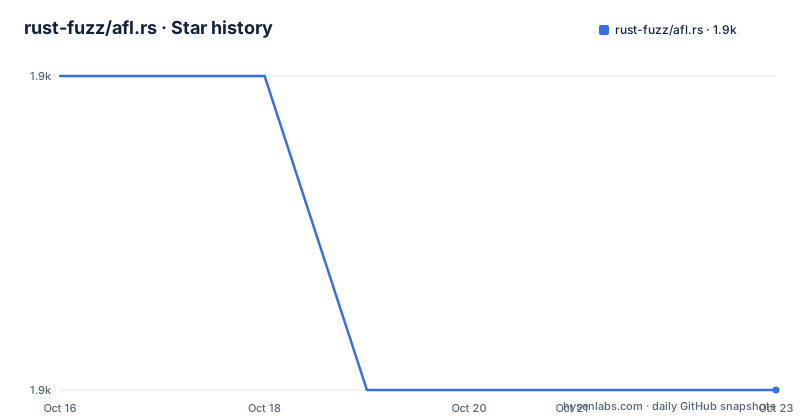
- rust-fuzz/afl.rs1,854 ★ · -1
| Repository | 2026-10-16 | 2026-10-23 |
|---|---|---|
| rust-fuzz/afl.rs | 1.9k | 1.9k |
-1 Stars in the last 7 days, measured from the daily GitHub snapshot. Compare with other projects
Editorial analysis
Why afl.rs Connects Rust and AFL++
afl.rs allows developers to run AFLplusplus on code written in Rust. AFL++ is a fuzz testing tool based on American Fuzzy Lop. Fuzz testing supplies pseudo-random data as input to software to find security and stability issues. The project is therefore aimed at Rust developers who already have code that accepts byte input and want AFL++ to explore that input space.
The repository is a Cargo workspace with members named `afl`, `cargo-afl`, and `cargo-afl-common`. The directory structure includes the Rust-facing library under `afl/`, Cargo integration under `cargo-afl/`, shared support under `cargo-afl-common/`, and an LLVM pass at `plugin/src/afl-llvm-pass.o.cc`. This is more than a macro-only wrapper. It is an integration surface for building instrumented Rust code and connecting it to AFL++.
The README describes afl.rs as a library for running AFLplusplus on Rust code. It does not present afl.rs as a standalone service with its own web interface, input corpus manager, or campaign scheduler. Those responsibilities remain associated with AFLplusplus and the surrounding Rust build process.
Cargo Instrumentation and the fuzzing Configuration
The workspace's root `Cargo.toml` declares `afl`, `cargo-afl`, and `cargo-afl-common` as members. It also configures Rust linting for `cfg(fuzzing)`. The configuration explicitly allows `cfg(fuzzing)` while denying unexpected configuration names. That indicates that the `fuzzing` condition is a defined part of the afl.rs build integration.
The README states that the `fuzzing` config is set when `cargo-afl` builds a fuzzing target. It also says that the default AFL++ CMPLOG feature is activated. The project uses compiler instrumentation rather than relying only on source-level macros. The LLVM pass in the repository layout provides evidence of a build-time transformation component.
The documented configuration can be changed. Setting `AFL_NO_CFG_FUZZING=1` prevents the `fuzzing` config from being set during a build. Setting `AFLRS_NO_CMPLOG=1` omits CMPLOG instrumentation from the built target. These are build-time controls, not AFL++ campaign options. The distinction matters when a team builds different artifacts for different campaign roles.
Persistent Mode and Resettable Rust State
AFL++ persistent mode runs a fuzz target in a loop. A Rust program compiled for persistent mode may retain static state between iterations. The README specifically calls out `OnceLock`, `lazy_static`, and `once_cell::Lazy`, which initialize once and can cause later iterations to skip code paths. The documented consequence is a lower AFL stability metric, not necessarily an immediate crash.
afl.rs provides `fuzz_with_reset!` for this case. The macro accepts a target closure receiving `&[u8]` and a reset closure. The reset closure is called after each successful iteration. The README's example uses `Mutex<Option<Vec<u8>>>` because the cited static initialization types do not provide an out-of-the-box reset operation.
The example below is copied from the README. It stores an input-derived vector and clears it after each successful iteration:
use std::sync::Mutex;

static CACHE: Mutex<Option<Vec<u8>>> = Mutex::new(None);

fn main() {
    afl::fuzz_with_reset!(|data: &[u8]| {
        let mut cache = CACHE.lock().unwrap();
        if cache.is_none() {
            *cache = Some(data.to_vec());
        }
        drop(cache);
        // ... fuzz logic ...
    }, || {
        // Reset closure: called after each successful iteration
        *CACHE.lock().unwrap() = None;
    });
}
The reset closure is suitable only when the target's state can be safely cleared. A target that depends on permanent initialization, external resources, or process-wide state that cannot be reset may be a poor fit for this macro. The README also documents `fuzz_with_reset_nohook!`, which does not override the panic hook, but it does not define broader crash recovery behavior.
Host Setup Before the First Campaign
The README recommends reconfiguring the system before starting a fuzzing campaign. It identifies this step as relevant to performance and crash detection. The documented command is:
cargo afl system-configThe README states that this subcommand requires root and uses `sudo` internally. A user may therefore be asked for a password. The command changes host configuration, so it should not be treated as an ordinary application build command. The README does not enumerate every system setting modified by the command, and it does not provide a project-specific replacement for environments where `sudo` is unavailable.
For a first use, the reset example above supplies a Rust target pattern. The README links to `afl/examples/reset_demo.rs` for a complete example. The cleaned README does not document a complete sequence for installing rustup, AFLplusplus, or the afl.rs workspace. It directs readers to the Rust Fuzz Book at `https://rust-fuzz.github.io/book/afl.html` for full documentation, so a reproducible installation cannot be assembled from the commands shown here without consulting that documentation.
CMPLOG Control Across AFL++ Instances
The README says that AFL++ CMPLOG is enabled by default because it helps improve code coverage. It also gives a specific warning: CMPLOG is not beneficial on more than two instances. This makes parallel campaign design a concrete configuration concern rather than a general performance suggestion.
There are two documented ways to reduce CMPLOG use. At runtime, AFL++ accepts the command-line parameter `-c -` to disable CMPLOG for an instance. At build time, `AFLRS_NO_CMPLOG=1` omits CMPLOG instrumentation from the target entirely. The two controls operate at different stages. The first is an invocation option for AFL++, while the second changes the instrumented binary.
The README also documents `AFL_NO_CFG_FUZZING=1` for preventing the `fuzzing` config when building. It does not provide a full `cargo afl` build command for combining that variable with a release profile or a specific AFL++ invocation. Operators should therefore treat the environment variables as documented inputs to the build integration, not as a complete standalone build recipe.
A campaign with multiple workers may use `-c -` for workers that do not need CMPLOG while retaining CMPLOG on a limited number of instances. The README supports that distinction, but it does not document worker scheduling, corpus sharing, or restart behavior for afl.rs itself.
IJON Annotations and Rust Naming
afl.rs exposes AFL++ IJON-related macros. The README links to `afl/examples/maze.rs` as an example of using IJON to help fuzzing coverage through code annotation. IJON is not a separate fuzzing engine in this project. The README describes it as an AFL++ feature, while afl.rs provides Rust-facing names and imports.
The documented imports are:
use afl::ijon_hashint;
use afl::ijon_hashstr;
The README also notes that IJON macro names have been converted to lowercase for Rust. As a result, a macro name written as `IJON_MAX(x)` in AFL++ documentation is written as `ijon_max(x)` in Rust. That naming rule is important when adapting an AFL++ example to a Rust target.
The README does not document the full syntax for placing annotations, the required AFL++ launch configuration for the maze example, or the expected output from an IJON campaign. The linked example and AFL++ IJON documentation are the relevant places to inspect those details. Without them, the supported surface is clear at the import and naming level but incomplete as a standalone IJON tutorial.
License and Upgrade Boundaries
The repository uses the `Apache-2.0` license. The repository includes a `LICENSE` file and a `CHANGES.md` file. This review does not interpret the license terms or provide legal advice.
The repository is not archived. Its last push was on 2026-10-13. However, no GitHub releases are listed. That means the available project information does not identify a GitHub release artifact or a formal release version to pin in a deployment. The practical upgrade surface includes the `afl` library, `cargo-afl`, `cargo-afl-common`, the LLVM pass, environment variables, and Cargo configuration.
The README does not document rollback procedures, an AFLplusplus compatibility matrix, or a version-pinning policy. It also does not explain which changes require rebuilding the instrumented target. An adopter should inspect `Cargo.toml`, the workspace crates, and `CHANGES.md` before changing versions. The first upgrade check should be whether `cfg(fuzzing)`, CMPLOG behavior, and `fuzz_with_reset!` semantics remain unchanged for the campaign.
Editorial conclusion
afl.rs fits Rust developers who are prepared to manage AFL++ instrumentation, host configuration, and build variables. It does not fit developers seeking a complete one-command installation or a documented rollback process. Before adoption, verify that `cargo afl system-config` is acceptable on the target host, then confirm the behavior of `cfg(fuzzing)`, CMPLOG, and persistent-mode resets in a controlled build. The repository is not archived and its last push was on 2026-10-13, but it has no GitHub releases, so upgrade planning must account for repository changes rather than a release artifact.
Frequently asked questions
How do I install afl.rs?
The README directs users to the Rust Fuzz Book for complete documentation and does not provide a complete installation command sequence. It specifically documents `cargo afl system-config` as a host preparation step that invokes `sudo` internally.
How do I reset Rust state between AFL++ persistent-mode iterations?
Use `afl::fuzz_with_reset!` and provide a reset closure that clears the relevant static state. The README notes that the example uses `Mutex<Option<T>>` because `OnceLock`, `OnceCell`, and similar types do not support resetting out of the box.
How can I disable CMPLOG in afl.rs?
Use the AFL++ parameter `-c -` for a campaign instance, or set `AFLRS_NO_CMPLOG=1` while building when the target should omit CMPLOG instrumentation entirely. The README warns that CMPLOG is not beneficial on more than two AFL++ instances.
Does afl.rs support IJON annotations?
Yes. The README says to consult `afl/examples/maze.rs` for an example and notes that IJON macro names are lowercase in Rust, such as `ijon_max(x)`. It documents imports for `afl::ijon_hashint` and `afl::ijon_hashstr`.
Official sources
Add this badge to your README
If you maintain this project, the badge below links readers to this analysis and shows its maintenance status from the daily GitHub snapshot. Paste the markdown into your README; add ?metric=license or ?metric=stars to the image URL for a different field.

[](https://hysenlabs.com/projects/rust-fuzz-afl-rs)Star history chart for your README
[](https://hysenlabs.com/projects/rust-fuzz-afl-rs)Was this useful?