SwiftUIBackports: modern SwiftUI names for older deployment targets
A collection of SwiftUI backports for iOS, macOS, tvOS and watchOS
At a glance
- What is it?
- SwiftUIBackports is a Swift package that reimplements recent SwiftUI APIs so an app can keep an older deployment target, and the design choice that makes it pleasant is that it mirrors Apple's names, shapes, behavior and documentation rather than inventing its own. It also ships a line oriented JSONL index of what it actually implements, plus an agent skill, because a README full of examples goes stale faster than a generated index.
- Who is it for?
- Adopt SwiftUIBackports if your app still supports deployment targets below the version that introduced the SwiftUI API you want, and you want the backport to look like Apple's API so you can delete it in one pass later.
- Can I use it commercially?
- Yes. MIT is a permissive licence: you can use, modify and sell software built on it, as long as you keep its copyright and licence notices.
- Is it still maintained?
- Yes. The repository last received commits 148 days ago.
- What is it written in?
- Mainly Swift, according to GitHub's language statistics.
Answers come from the project's GitHub data, last synced on November 7, 2026, and from our analysis. They are not legal advice.
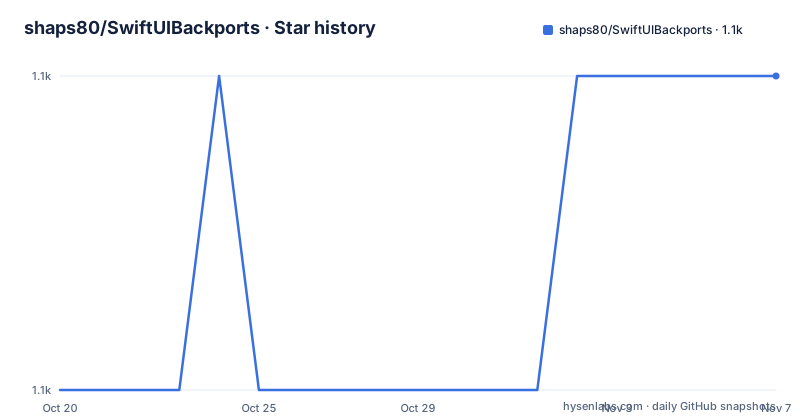
Star history
- shaps80/SwiftUIBackports1,100 ★ · +1
| Repository | 2026-10-20 | 2026-11-07 |
|---|---|---|
| shaps80/SwiftUIBackports | 1.1k | 1.1k |
1 Stars in the last 18 days, measured from the daily GitHub snapshot. Compare with other projects
Editorial analysis
The whole idea is that the name stays the same
SwiftUIBackports lets you use modern SwiftUI APIs while still supporting older Apple platforms, and the mechanism is that it mirrors Apple's SwiftUI API names, shapes, behavior, documentation and availability where practical. The README is explicit about the payoff, that this keeps app code familiar today and easy to migrate away from once your deployment target reaches the native API. That last clause is the reason to care about the mirroring, because the alternative is a wrapper library with its own vocabulary, and migrating off it later means rewriting every call site. With a mirrored API, the migration is a deletion pass, and the README's framing of keeping the backports easy to find and remove once the target reaches the native API is the whole operational story. The package also notes that additional APIs, when present, are kept separate from the Apple API matching backports, which is a small but useful piece of taxonomy, because a backport you will never delete deserves to be visibly different from one you will.
Three ways to reach a backport, and the escape hatch
The API surface is small, and there are three discovery mechanisms, each for a different kind of thing. View modifiers come from a `.backport` prefix on the view.
sheetContent
    .backport.presentationDetents([.medium, .large])
Backported types are usually available from the `Backport` namespace.
Backport.LabeledContent("", value: 0)If the compiler needs the fully qualified namespace, the generic form is available.
Backport<Any>.LabeledContent("", value: 0)Environment backports use a `backport` prefix on the key.
@Environment(\.backportRequestReview) private var requestReviewThe fully qualified form is the detail worth remembering, because a type nested in a namespace can be ambiguous in some call positions, and the `Backport<Any>` spelling is how you disambiguate it. The three prefixes are also a self documenting convention, since a reader who sees `.backport` or `\.backport` in a file knows immediately that the call is a compatibility shim rather than Apple's own API.
The index is the source of truth, not the README
The supported backports are indexed in a file under the skills directory, `skills/swiftui-backports/references/Backports.jsonl`, and the README says plainly that the line oriented index lists the implemented backports, their kind, their source location and their platform availability, and that you should prefer it over static README examples, which get stale quickly. This is the design decision that separates a maintained compatibility package from a pile of documentation, and the format is chosen well. JSONL means one backport per line, which is trivially greppable, trivially diffable, and consumable by a tool without a parser that has to cope with a YAML or Markdown structure. The same idea drives the bundled agent skill at `skills/swiftui-backports/SKILL.md`, which tells an agent to check the project deployment target, search the bundled backport index, prefer native SwiftUI when the target is new enough, and use the `.backport`, `Backport` or `backport` environment keys when a matching backport exists. The skill is installed with a single command, `npx skills add shaps80/SwiftUIBackports`.
The version line and the platform floor
There is a caution notice about the next major version, and it is the kind of notice that decides whether you can adopt the package at all. From v27, SwiftUIBackports will require iOS 15 or later, macOS 12 or later, tvOS 15 or later and watchOS 8 or later, and if you need to support older platform versions the instruction is to remain on 26.x. The release tags in the repository show how the numbering has moved, with 26.0.1 and 2.8.1 both from late November 2025 and 1.9.0 from October 2022, so the modern line is numbered by year and the older tags by a simple sequence. That matters when you pin, and it also explains why the Swift Package Manager requirement in the README is given as `.upToNextMajor(from: "2.0.0")` even though the current release is numbered 26.0.1, since a major version boundary in the package manager and a year based release number are two different things. Installation is either Swift Package Manager, which the README marks as preferred, or copying the files in the `Sources` directory by hand.
A reference for writing your own backports
The README says the repository can also serve as a reference for building practical SwiftUI backports with minimal hacks, and that framing is a fair description of what the source is. A backport of a SwiftUI modifier is not a trivial thing to write, because the behaviour of the real API depends on platform internals that are not public, so the work is in approximating the behaviour and in reproducing the availability semantics so that the same source compiles on both an old and a new target. When a package like this mirrors the API exactly, including the documentation, the result is something a developer can read the backport source and the Apple documentation side by side, which is exactly what you need when the backport behaves differently from the original in a subtle way. The repository topics list the areas the collection covers, with modal, presentation, photo picker, share sheet, text view and property wrapper entries, which are the SwiftUI features most often needed in an app that has not yet raised its deployment target.
Maintenance, tooling and how the package is set up
The repository carries a MIT licence in a `LICENSE.md` file, an `AGENTS.md` and a `CONTEXT.md` at the root, a `Package.swift` and a `Package.resolved`, a `.spi.yml` for the Swift Package Index, a `.swiftpm/` directory, and the `Sources/` directory that holds the implementation, alongside `docs/`, `refs/` and the `skills/` tree. The last push was on 2026-06-12 and the most recent release is 26.0.1 from 2025-11-29, so the project is maintained but on a slower cadence than the SwiftUI itself, which is the right pace for something whose job is to lag the platform. The `AGENTS.md` and `CONTEXT.md` files, together with the machine readable index and the packaged skill, are the clearest signal of how the project is run. A compatibility package is consumed by machines as much as by people, and this one is set up so that a coding agent working in your app can find the right backport without you having to remember the naming conventions.
Editorial conclusion
Adopt SwiftUIBackports if your app still supports deployment targets below the version that introduced the SwiftUI API you want, and you want the backport to look like Apple's API so you can delete it in one pass later. Do not adopt it as a permanent layer, because the package itself announces a floor, with v27 requiring iOS 15, macOS 12, tvOS 15 and watchOS 8, and anyone needing older systems is told to stay on 26.x. Before you use a backport, read the bundled `Backports.jsonl` index rather than the README examples, since the index lists what is implemented, its kind, its source location and its platform availability, and it is generated, so it does not drift. The licence is MIT, the newest release is 26.0.1 from 2025-11-29, and the last push was on 2026-06-12.
Frequently asked questions
How do I use a SwiftUIBackports backport?
View modifiers are available from `.backport`, for example `.backport.presentationDetents([.medium, .large])`, backported types from the `Backport` namespace, or fully qualified as `Backport<Any>.LabeledContent("", value: 0)` when the compiler needs it, and environment values through a `backport` prefix such as `@Environment(\.backportRequestReview)`.
Where can I find the list of available backports?
In the bundled index at `skills/swiftui-backports/references/Backports.jsonl`, a line oriented file listing the implemented backports, their kind, their source location and their platform availability. The README recommends using it rather than the static README examples, which get stale quickly.
What are the platform requirements for SwiftUIBackports?
From v27 the package requires iOS 15 or later, macOS 12 or later, tvOS 15 or later and watchOS 8 or later. The README says that if you need to support older platform versions you should remain on 26.x.
How do I install SwiftUIBackports?
Through Swift Package Manager, which the README prefers, by adding the package with the requirement `.package(url: "https://github.com/shaps80/SwiftUIBackports.git", .upToNextMajor(from: "2.0.0"))` to the dependencies in your Package.swift, or manually by copying the files in the Sources directory. A bundled agent skill can be installed with `npx skills add shaps80/SwiftUIBackports`.
Official sources
Add this badge to your README
If you maintain this project, the badge below links readers to this analysis and shows its maintenance status from the daily GitHub snapshot. Paste the markdown into your README; add ?metric=license or ?metric=stars to the image URL for a different field.

[](https://hysenlabs.com/projects/shaps80-swiftuibackports)Star history chart for your README
[](https://hysenlabs.com/projects/shaps80-swiftuibackports)Was this useful?