Elastdocker: the Elastic Stack 9 template that boots one node with TLS on
🐳 Elastic Stack (ELK) v9+ on Docker with Compose. Pre-configured out of the box to enable Logging, Metrics, APM, Alerting, ML, and SIEM features. Up with a Single Command.
At a glance
- What is it?
- A Docker Compose template for the Elastic Stack 9 that turns on security, transport TLS, APM and stack self monitoring before the first container starts, aimed at demos, MVPs and small production deployments.
- Who is it for?
- Elastdocker fits a demo, an MVP or a small production box where one operator wants the Elastic Stack 9 running with security on, a persisted keystore and host level log shipping without editing five Compose files. It is the wrong choice for a cluster that must survive a node loss, for a host where unrelated workload logs must not end up in one searchable store, and for anyone needing a signed certificate upfront.
- Can I use it commercially?
- Yes. MIT is a permissive licence: you can use, modify and sell software built on it, as long as you keep its copyright and licence notices.
- Is it still maintained?
- Yes. The repository last received commits 6 days ago.
- What is it written in?
- Mainly Dockerfile, according to GitHub's language statistics.
Answers come from the project's GitHub data, last synced on November 7, 2026, and from our analysis. They are not legal advice.
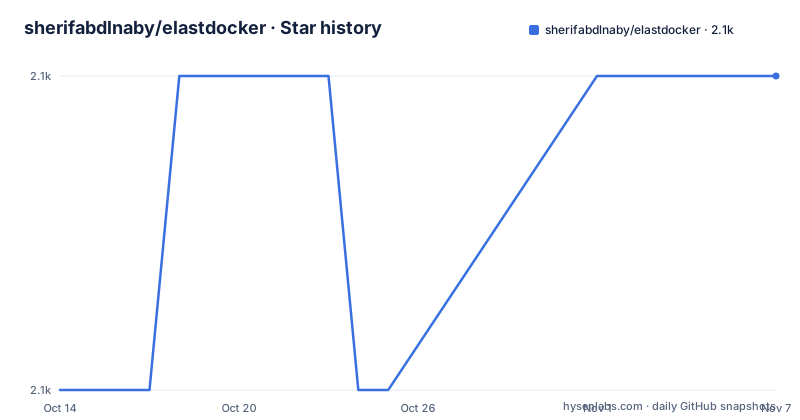
Star history
- sherifabdlnaby/elastdocker2,068 ★ · +1
| Repository | 2026-10-14 | 2026-11-07 |
|---|---|---|
| sherifabdlnaby/elastdocker | 2.1k | 2.1k |
1 Stars in the last 24 days, measured from the daily GitHub snapshot. Compare with other projects
Editorial analysis
One node, TLS and a directory per component
Elastdocker is a Docker Compose template around the Elastic Stack 9 images, aimed at demos, MVPs and small production deployments. Its argument is that the security layer is already on when the first container starts instead of being bolted on afterwards.
Based on the repository layout, the template ships five Compose files at the top level: a base `docker-compose.yml` plus separate logs, monitor, nodes and setup overlays. Beside them sit one directory per component, covering elasticsearch, kibana, logstash, apm-server, filebeat and metricbeat, along with a `secrets/` directory for the keystore and certificates and a `setup/` directory.
Two of those component directories decide the shape of the whole stack. filebeat turns a running host into a log source, and metricbeat feeds the stack's own numbers back into itself, which is the self monitoring the project claims for ES 9 and later. Neither role is something the upstream images do for you, and both are why the ingest side is opinionated rather than empty.
Every stack operation is a mise task, not a plain docker command
Every stack command here is a mise task, and mise appears under Requirements at 2026.9.13 or newer rather than as an optional convenience. A `mise.toml` and a `mise.lock` sit at the top level, so the task definitions travel with the repository.
Installing mise is the one manual step:
brew install mise                   # or: curl https://mise.run | sh
echo 'eval "$(mise activate zsh)"' >> ~/.zshrc   # bash: mise activate bash
mise doctor                         # confirm the install is healthy
Run `mise doctor` before anything else so a broken shell hook does not surface later as a task that refuses to start. After cloning, `mise trust` lets the repository's own task definitions load. From that point names such as `mise run elk:setup` are the documented entry points, and the comparison with deviantony/docker-elk lists task wrapping as one of the differences.
From git clone to Kibana on port 5601
Clone the repository, then trust its task definitions:
git clone https://github.com/sherifabdlnaby/elastdocker.git
cd elastdocker
mise trust
Next, generate the Elasticsearch keystore and the self signed TLS certificates:
mise run elk:setupOn Linux Docker hosts, virtual memory has to be raised as root before Elasticsearch will start:
sysctl -w vm.max_map_count=262144Then bring the stack up:
mise run elk # <OR> docker compose up -dKibana listens on `https://localhost:5601`, and the browser needs the `https://` prefix because TLS is on by default. Credentials begin as `elastic` with the password `changeme`. Edit `.env` before anything else, at minimum `ELASTIC_PASSWORD` for that superuser plus `ELASTICSEARCH_HEAP` and `LOGSTASH_HEAP` for the two JVMs. The stated floor for the host is 4GB RAM, and on Windows and macOS that memory has to be given to Docker's virtual machine.
The Elastic version lives in .env, not in the version badge
The badge at the top of the README reads 9.4.2, yet nothing in the Compose file hardcodes that number. The elasticsearch service resolves its image from two environment variables:
image: ${ELASTICSEARCH_IMAGE_NAME}:${ELK_VERSION}Both the image repository and the tag come from `.env`, and the build argument passes `ELK_VERSION` into the image built under `elasticsearch/`. Change the variable and rebuild your images, which is why any version >= 9.0.0 is called compatible with the template. The badge documents the tested default rather than pinning anything.
The same split runs through the rest of the service definition. `ELASTIC_USERNAME`, `ELASTIC_CLUSTER_NAME`, `ELASTIC_NODE_NAME`, `ELASTIC_INIT_MASTER_NODE`, `ELASTIC_DISCOVERY_SEEDS` and `ELASTICSEARCH_PORT` are all injected from the environment instead of being written into the file, so one `.env` edit retargets the cluster. A dedicated upgrade notes section covers moving from 8.x to 9.x, and the README does not describe a path back down.
Nine secret files stand between clone and first boot
Nothing starts until `secrets/` holds the generated files, and `docker-compose.yml` mounts each one by name:
elasticsearch.keystore:
  file: ./secrets/keystore/elasticsearch.keystore
elastic.ca:
  file: ./secrets/certs/ca/ca.crt
The list runs to nine entries: the keystore, the service tokens, and a certificate and key pair for elasticsearch, kibana and apm-server, all produced by `mise run elk:setup`. Keeping them outside the image is the point, because the elasticsearch service sets `restart: unless-stopped` and a recreated container has to find the same keystore instead of generating a fresh one that no longer matches the stored credentials.
Kibana then serves HTTPS using a self signed certificate. The moment a host is exposed to a network, that certificate becomes the weak link, and the guidance is blunt: terminate public traffic with your own signed certificates rather than forwarding the self signed one. Publishing the host makes port 5601 reachable as soon as the firewall allows it, which makes the `changeme` password the first thing to change.
Heap size and bootstrap checks travel in one variable
Heap sizing and the production checks move together inside a single environment entry:
ES_JAVA_OPTS: "-Xmx${ELASTICSEARCH_HEAP} -Xms${ELASTICSEARCH_HEAP} -Des.enforce.bootstrap.checks=true -Dlog4j2.formatMsgNoLookups=true"One `.env` value sets both `-Xmx` and `-Xms`, so the heap is pinned at startup rather than resized later. The flag `-Des.enforce.bootstrap.checks=true` is what makes this a production single node cluster, and it turns a bad discovery setting into a refusal to start instead of a node that joins nothing, with `ELASTIC_INIT_MASTER_NODE` and `ELASTIC_DISCOVERY_SEEDS` injected beside it for that purpose.
One detail in that block rewards a slow read. An option that would lock the heap into RAM is present but commented out, and the note next to it explains the reason it ships disabled: rootless backends such as rootless podman cap `RLIMIT_MEMLOCK` far below the heap size, so the enforcement fails. Run rootless and leave that option alone.
How Elastdocker diverges from deviantony/docker-elk in defaults
deviantony/docker-elk is the reference point the project measures itself against, and the differences claimed are mostly about what arrives preconfigured. Credentials come from `.env` instead of a hardcoded `elastich:changeme` repeated across component configs. Data persists in a volume by default. SSL is enabled on the transport layer together with initial master node settings, which is what production mode means here. The generated keystore is persisted and can be recreated by an extendable script. Heap size is parameterized, ulimits and swap disabling are applied, and the layout is meant to grow into a multi node cluster. Self monitoring, a filebeat agent that ships the stack's own logs back into itself, Prometheus exporters and the mise tasks are all included.
That comparison also contains a contradiction worth naming before you decide anything about licensing: the feature list says the stack enables a Trial License, while the same comparison claims security is enabled by default using a Basic license, not Trial, and nothing in the repository settles which of the two a given checkout actually ships.
The places a single node template stops working
Several limits are visible in the configuration rather than hidden in documentation. There is one Elasticsearch node, and the multi node compose file is described as an option for experimenting, so losing one host takes logging, metrics and the Kibana interface down together. The project is announced for small production deployments, while its feature list also carries machine learning, anomaly detection and SIEM, and each of those runs inside the same single node as the search cluster.
Reach is the other limit. `mise run elk:collect-docker-logs` makes filebeat discover every Docker container on the host, so logs from unrelated workloads land in one searchable store that answers on port 5601 with a password still set to `changeme` until `.env` is edited. The project's own remedy is to put signed certificates in front of the host.
There is no documented rollback either. The upgrade notes cover 8.x to 9.x, and no procedure is given for backing up the keystore, restoring a node, or reversing a version change.
Editorial conclusion
Elastdocker fits a demo, an MVP or a small production box where one operator wants the Elastic Stack 9 running with security on, a persisted keystore and host level log shipping without editing five Compose files. It is the wrong choice for a cluster that must survive a node loss, for a host where unrelated workload logs must not end up in one searchable store, and for anyone needing a signed certificate upfront. Verify three things first: set ELASTIC_PASSWORD in .env before the stack is reachable, confirm ELK_VERSION against the stack you want, then read what the 2026-09-25 push changed.
Frequently asked questions
How do I start the Elastdocker stack without using mise?
The setup steps list `docker compose up -d` as an alternative to `mise run elk`, so Compose can drive the stack directly. The task that creates the keystore and certificates is documented only as `mise run elk:setup`.
What are the default Elastdocker credentials for Kibana?
The username is `elastic` and the password is `changeme`. Setting `ELASTIC_PASSWORD` in `.env` sets that superuser password before the stack starts.
Which Elastic Stack version does Elastdocker run?
The version badge reads 9.4.2, and any version >= 9.0.0 is described as compatible with the template. The value actually used comes from `ELK_VERSION` in `.env` and is applied when you rebuild your images.
Does Elastdocker collect Docker container logs automatically?
Running `mise run elk:collect-docker-logs` starts collection from all Docker containers on the host. filebeat discovers them, parses the logs and ships them to Elasticsearch for viewing in Kibana.
What does Elastdocker need on the host before it will start?
Docker 20.05 or higher with Docker Compose v2, at least 4GB RAM, and mise 2026.9.13 or newer. Linux Docker hosts also need the virtual memory limit raised with `sysctl -w vm.max_map_count=262144`.
What licence is Elastdocker under?
It is MIT licensed, and a `LICENSE` file sits at the top level of the repository next to the Compose files and component directories.
Official sources
Add this badge to your README
If you maintain this project, the badge below links readers to this analysis and shows its maintenance status from the daily GitHub snapshot. Paste the markdown into your README; add ?metric=license or ?metric=stars to the image URL for a different field.

[](https://hysenlabs.com/projects/sherifabdlnaby-elastdocker)Star history chart for your README
[](https://hysenlabs.com/projects/sherifabdlnaby-elastdocker)Was this useful?