axios-hooks for React Requests and SSR
🦆 React hooks for axios
At a glance
- What is it?
- axios-hooks adds request state, caching, cancellation, and server-side rendering support to React components using Axios. It fits React applications that want hook-based requests without replacing Axios itself.
- Who is it for?
- Adopt axios-hooks when a React application wants Axios requests exposed through a hook with caching and SSR support. Do not choose it if its module-level cache is unsuitable for the application's test isolation or data lifetime.
- Can I use it commercially?
- Check first. The repository uses a licence we do not classify automatically, so read its LICENSE file before any commercial use.
- Is it still maintained?
- Yes. The repository last received commits 27 days ago.
- What is it written in?
- Mainly JavaScript, according to GitHub's language statistics.
Answers come from the project's GitHub data, last synced on November 7, 2026, and from our analysis. They are not legal advice.
Star history
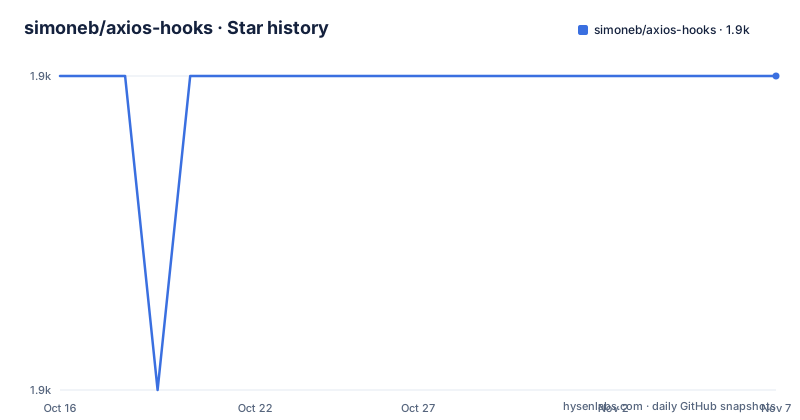
- simoneb/axios-hooks1,889 ★ · +0
| Repository | 2026-10-16 | 2026-11-07 |
|---|---|---|
| simoneb/axios-hooks | 1.9k | 1.9k |
0 Stars in the last 22 days, measured from the daily GitHub snapshot. Compare with other projects
Editorial analysis
The request problem axios-hooks puts inside React
axios-hooks is for React developers who already use Axios but do not want each component to own the same request lifecycle code. It does not replace Axios. The hook accepts the same URL or request configuration accepted by Axios, then exposes the result through React hook state. Its documented return value is `[{ data, loading, error, response }, execute, manualCancel]`, so a component can render data, show a pending state, inspect an error, rerun a request, or cancel one that is still outstanding.
The immediate request is controlled by four documented options. `manual` defaults to `false`, so a hook normally runs its request when invoked. Setting it to `true` prevents that automatic request and leaves execution to the returned `execute` function. `useCache` defaults to `true` for automatic requests, while an `execute` call bypasses cache by default unless its own `useCache` option says otherwise. `ssr` defaults to `true`, and `autoCancel` also defaults to `true`.
This is useful for more than loading indicators. A form can defer a non-GET request, a filter can rerun the same endpoint with changed Axios configuration, and a server application can serialize collected responses into its own payload. The README links examples for pagination, request chaining, token refresh, infinite scrolling, and manual cancellation. Those are documented scenarios, not proof that every application is compatible.
Installation and the first useAxios request
Install Axios as a separate peer dependency together with axios-hooks. The README gives this installation command, and `axios` must be installed explicitly rather than relying on a transitive dependency.
npm install axios axios-hooksA first component can call `useAxios` with a URL and render the returned loading, error, and data fields. The README's example requests `https://reqres.in/api/users?delay=1` and exposes `refetch` through a button.
import useAxios from 'axios-hooks'

function App() {
  const [{ data, loading, error }, refetch] = useAxios(
    'https://reqres.in/api/users?delay=1'
  )

  if (loading) return <p>Loading...</p>
  if (error) return <p>Error!</p>

  return (
    <div>
      <button onClick={refetch}>refetch</button>
      <pre>{JSON.stringify(data, null, 2)}</pre>
    </div>
  )
}
During the request, the documented `loading` value becomes true. A successful response exposes its data through `data`; an unsuccessful automatic request populates `error`. The complete Axios response is also available as `response` when the component needs fields beyond `data`.
Version selection matters. The README states that `[email protected]` is compatible with `[email protected]`. It also states that `[email protected]` and earlier target `[email protected]`. The package metadata confirms that Axios `>=1.0.0` is a peer dependency for the current package. React is another peer dependency, with declared support from React `^16.8.0` through `^19.0.0`.
Manual execution, reruns, and cancellation paths
Automatic execution is not the only route. Setting `manual: true` creates a hook that does not send its request immediately. The returned `execute` function is intended for non-GET requests that should run because of a user action or later application logic. It also provides a way to invoke the endpoint manually when cached automatic behavior is not wanted.
The documented call shape is `execute([config[, options]])`. Its optional `config` uses the same shape as an Axios request config and is shallow-merged with the configuration passed to the hook. This matters for requests whose URL, method, body, or headers need to change at execution time. Its optional `options.useCache` defaults to `false`, so the manual path bypasses cache unless the caller opts in.
`execute` returns a promise containing the response. The README explicitly says an unsuccessful request rejects that promise and must be handled manually. This differs from a component that only renders the automatic `error` state. A caller using `execute` therefore needs its own rejection handling if it awaits the call in application code.
Cancellation is automatic by default through `autoCancel`, and outstanding requests can also be stopped with `manualCancel`. The README does not document an Axios exception type specific to cancellation in this API section, so applications should not build behavior around an undocumented value. It also does not claim that cancellation reverts data, clears errors, or changes cache entries.
Cache control for data reuse and test isolation
Caching is built into the hook rather than added through a separate data-fetching framework. Automatic requests use cache by default, while manual `execute` calls bypass it by default. Cache use can be disabled per hook through `useCache`. At application level, `configure` accepts an `lru-cache` instance or `false`, which permits cache replacement or complete disabling.
A shared hook configuration can also replace Axios itself. The `axios` argument accepts an Axios instance, allowing components to use a configured client instance. `defaultOptions` changes hook defaults and is merged with the package defaults. `makeUseAxios({ cache, axios, defaultOptions })` produces another hook bound to the supplied objects.
The most important caching constraint is test isolation. The README labels this as important because default caching can interfere with tests. It does not describe a built-in per-test reset procedure, so a test suite should not assume that data from one case is automatically isolated from the next. This design favors reuse within an application or process, but it imposes cleanup work on tests that expect a fresh cache.
Cache data also outlives the individual hook result. The README documents serializing the request-response cache and loading it back, but it does not define a public cache key customization scheme. Applications with complex endpoint variants should inspect the behavior required for their Axios configuration rather than assuming every distinction affects cache identity.
Server-side rendering through serializeCache and loadCache
Server-side rendering support is built around two named exports. `serializeCache()` returns a promise for a serializable array representing the request-response cache. That representation can be placed into an SSR application payload. `loadCache(cache)` then populates a cache from the serialized data.
The package also exports `configure`, `makeUseAxios`, and the two cache functions alongside its default `useAxios` export.
import useAxios, {
  configure,
  loadCache,
  serializeCache,
  makeUseAxios
} from 'axios-hooks'
This mechanism addresses a specific SSR problem: requests can collect response data on the server, and that cache can then be made available to the client-side application. The README describes this flow, but it does not show an Express route, framework integration, or exact placement in an HTML payload. It therefore should not be presented as a complete server framework recipe.
SSR support defaults to enabled through the hook's `ssr: true` option, but the README does not explain every internal timing detail. It also does not claim that serialized cache entries replace a separate data-validation step. A production adoption should verify how the application embeds the output from `serializeCache()`, when client hydration calls `loadCache()`, and how cached errors are represented. Those integration details remain with the application.
AWISC licensing and version upgrade consequences
The repository identifies the software license as `AWISC`, described in the README as the Anti War ISC license. GitHub classifies the license as other because it is custom, so the project should not be described as carrying a standard MIT, Apache-2.0, or ISC license based only on the package name. The repository includes `LICENSE.md`, which is the place to inspect the exact permitted and prohibited uses. This article does not interpret those terms or provide legal advice.
The package metadata records version `5.1.1`, and the release list identifies v5.1.1 as the latest listed release on 2025-03-20. The repository is not archived, and its last push was on 2026-10-12. Development therefore continued after the latest listed release, although the release list alone does not establish compatibility with every newer commit on `master`.
Upgrading across major lines requires checking Axios compatibility. Version 5.x targets Axios 1.x, while 4.x and earlier target Axios 0.x. An application cannot treat an Axios major upgrade as an internal replacement without reviewing this boundary. React 16.8 is the minimum declared peer range because the library is built around hooks. Consumers should also review the custom license at each upgrade rather than assuming that the package's ISC-derived name conveys the repository's full terms.
Where axios-hooks differs from direct Axios calls
Direct Axios usage keeps request execution inside a component, effect, state manager, or custom data layer. A developer manually coordinates loading state, errors, cancellation, reruns, and caching. axios-hooks moves those common operations into a hook while continuing to accept Axios URLs and configuration objects. The difference is request orchestration, not a new HTTP protocol or transport.
Compared with a generic state-management data-fetching library, axios-hooks has a narrower scope. Its documented API centers on `useAxios`, Axios configuration, an `lru-cache` instance, manual execution, cancellation, and SSR cache transfer. The README does not describe normalized entity storage, cross-request deduplication rules, query invalidation graphs, optimistic mutation helpers, or a general-purpose query key language.
It is also not a replacement for a custom hook when an application needs coordination across several requests. The package supplies one Axios-focused primitive and configurable instances. A multi-request workflow may still need React context, routing code, or another layer to decide when endpoints should run and how their results remain consistent.
The practical tradeoff is convenience against shared behavior. Automatic requests, automatic cancellation, and default caching reduce repeated component code, but they also introduce lifecycle and isolation rules. Direct Axios gives the application full control with more boilerplate. axios-hooks is the better fit when that common lifecycle is wanted consistently, not when every request needs a bespoke policy.
Editorial conclusion
Adopt axios-hooks when a React application wants Axios requests exposed through a hook with caching and SSR support. Do not choose it if its module-level cache is unsuitable for the application's test isolation or data lifetime. Before adoption, verify the AWISC license, the Axios 1.x compatibility requirement, React version, and cache behavior in the exact environments where requests run.
Frequently asked questions
What versions of Axios and React does axios-hooks require?
axios-hooks 5.x requires Axios 1.x, while 4.x and earlier support Axios 0.x. Its peer dependency range includes React 16.8, 17, 18, and 19.
How do I run a request manually with axios-hooks?
Set the hook's `manual` option to `true`, then call its returned `execute` function. A failed manual request rejects the returned promise and must be handled manually.
Does axios-hooks support caching and server-side rendering?
The package uses `lru-cache` by default and supports `serializeCache()` and `loadCache()` for transferring request-response cache data in SSR scenarios. Cache behavior can also be replaced or disabled through `configure`.
Official sources
Add this badge to your README
If you maintain this project, the badge below links readers to this analysis and shows its maintenance status from the daily GitHub snapshot. Paste the markdown into your README; add ?metric=license or ?metric=stars to the image URL for a different field.

[](https://hysenlabs.com/projects/simoneb-axios-hooks)Star history chart for your README
[](https://hysenlabs.com/projects/simoneb-axios-hooks)Was this useful?