gibo fetches .gitignore boilerplates with shell redirection
Easy access to gitignore boilerplates
At a glance
- What is it?
- gibo wraps one upstream template repository in a single Go binary, so a project appends Swift, Python or Xcode boilerplates through a shell redirect instead of a copied file. What the README does not cover is where those templates land on disk, or what sits behind the three commands it shows.
- Who is it for?
- gibo is a thin, dependable front end to a single upstream repository, and it earns its place on a developer machine that already has git, a shell and a habit of appending to .gitignore. It earns none on a locked-down box with no GitHub access, because go.mod pulls in github.com/go-git/go-git/v5 v5.19.3 to reach github.com/github/gitignore and the README says nothing about a cache directory or an offline mode.
- Can I use it commercially?
- Yes. Unlicense is a permissive licence: you can use, modify and sell software built on it, as long as you keep its copyright and licence notices.
- Is it still maintained?
- Yes. The repository received new commits within the last day.
- What is it written in?
- Mainly Go, according to GitHub's language statistics.
Answers come from the project's GitHub data, last synced on October 23, 2026, and from our analysis. They are not legal advice.
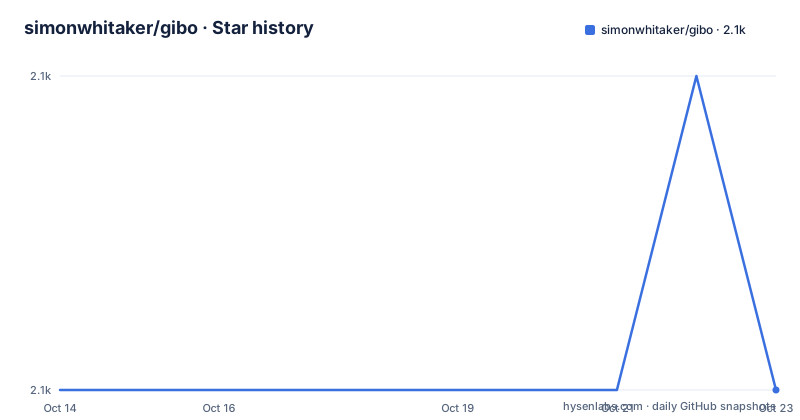
Star history
- simonwhitaker/gibo2,083 ★ · +0
| Repository | 2026-10-14 | 2026-10-23 |
|---|---|---|
| simonwhitaker/gibo | 2.1k | 2.1k |
0 Stars in the last 9 days, measured from the daily GitHub snapshot. Compare with other projects
Editorial analysis
gibo clones github/gitignore with an embedded Git client
gibo does one job: hand you boilerplate from the single repository github.com/github/gitignore without opening a browser tab. go.mod names three direct dependencies, github.com/go-git/go-git/v5 v5.19.3 for Git work, github.com/spf13/cobra v1.10.2 for the command layer, and golang.org/x/term v0.46.0 so help output fits the terminal it prints into. The tree at the root is small: main.go beside cmd/, utils/ and tools/, with go.mod and go.sum above them.
Nobody remembers the right ignore rules for a framework they touch twice a year, and a file pasted from a web page is frozen at whatever upstream said that day. gibo reads from upstream instead, which makes it a tool for developers who already keep git on the machine and want the boilerplate to match the current state of the source repository.
dump writes to stdout so the shell does the appending
The documented command surface is narrow, and the typical invocation takes one or more template names:
gibo dump Swift Xcode >> .gitignoreTwo names in one call means both templates arrive in a single pass, which is what a Swift project needs when the language and the IDE keep separate files. The redirect does the writing: gibo emits on standard output and the shell appends, so nothing inside the tool decides whether a file you already have survives. Swap the append redirect for a single greater-than sign and the same command truncates that file instead, and no documented flag stands in the way. Beyond this one example, the README points at `gibo help` and shows no preview flag, no template listing, and no way to read one template without redirecting it into a file.
Five install routes and one binary name on every platform
Five routes reach the same binary, and the route you pick decides how fresh your templates can be. Homebrew comes first:
brew install giboA second Homebrew option points at the maintainer's own tap, which the README says may be slightly more up to date than the main formula:
brew install simonwhitaker/tap/giboThat caveat is worth reading closely, because it admits the packaged build can trail the source tree. Windows has two package managers, one bucket step plus install for Scoop:
scoop bucket add main
scoop install main/gibo
and a single command for Chocolatey:
choco install giboGo developers can skip the package managers entirely:
go install github.com/simonwhitaker/gibo@latestCloning and running `go install .` puts the same module through your own toolchain, while a prebuilt artifact is just `gibo` or `gibo.exe` dropped somewhere on the path. Both .goreleaser.yaml and .goreleaser.windows.yaml sit at the root, matching those separate Unix and Windows instructions.
The Docker image runs update before its entrypoint starts
The container is where a close read turns up something the usage sections leave out. The image compiles with golang:1.26-alpine, links a static binary with CGO_ENABLED=0 GOOS=linux, then copies that single file into a bare Alpine base:
FROM alpine:3.18.2

WORKDIR /

COPY --from=build /gibo /gibo
RUN /gibo update

ENTRYPOINT [ "/gibo" ]
No git client, no shell scripts and no package manager reach that second stage, so template retrieval has to happen inside the Go binary rather than through a git command on the path. The build then runs `/gibo update`, which bakes a template checkout into an image layer at build time instead of container run time, and the README never names that subcommand. Its usage sections show dump, completion and help, then pass every other question to `gibo help`. Two more details stand out: the runtime base is pinned at alpine:3.18.2 while the compiler comes from the 1.26 line, and the documented invocation hands the entrypoint no arguments at all:
docker run --rm simonwhitaker/giboBecause the example uses --rm, whatever a run writes inside the container is deleted along with it, and no volume mount for a template cache appears anywhere in the documentation.
Completion covers bash, zsh, fish and Powershell
Completion is aimed at people who type template names all day:
gibo completionFour shells are named, bash, zsh, fish and Powershell, and the README stops there. There is no per-shell example, no profile snippet, and no statement about whether the generated text goes to a file or to standard output, so the wiring is whatever that command prints on your machine. The topic tags add another oddity: the repository declares shell and shell-script, yet no file ending in .sh appears among the root entries. Nothing is produced by a checked-in script. The completion text is generated by the binary itself, and github.com/spf13/cobra v1.10.2 is what lets one subcommand cover four different shell conventions.
Reusing dump for .hgignore depends on the glob header
The same output also feeds Mercurial, with one condition placed in front of it. The glob syntax for .hgignore is compatible with .gitignore syntax, so templates can be appended to .hgignore as long as that file declares glob:
echo 'syntax: glob' > .hgignore
gibo dump Python >> .hgignore
The header is written by hand in a step separate from the dump, which puts that responsibility on the reader. There is no Mercurial mode in the tool, and nothing inspects an existing header or reports a missing one. A project that keeps both files therefore pulls the same upstream templates twice, once per repository, with no single command that covers both, and no documented way to compare the two generated sections.
The newest tag is five months older than the newest commit
Rebuilding from source has one hard floor, written straight into go.mod:
module github.com/simonwhitaker/gibo

go 1.26.0
Module path and install path match exactly, so `go install github.com/simonwhitaker/gibo@latest` and a local `go install .` inside a cloned gibo directory yield the same command name, and the Dockerfile builds against that same 1.26 line. The last push was on 2026-10-04, while the newest of three listed releases is v3.0.22 from 2026-05-01, following v3.0.21 on 2026-04-20 and v3.0.20 on 2026-04-04. Code is published under the Unlicense, with a LICENSE file at the root. Twenty-one indirect requirements ride along, from dario.cat/mergo v1.0.2 to gopkg.in/warnings.v0 v0.1.2, most of them belonging to the Git library rather than the command layer. The root also holds .pre-commit-config.yaml and .runny.yaml, which govern how a change gets checked rather than how gibo runs.
No cache path, no offline mode, no custom template source
This is where the documentation stops, and the gaps are specific rather than vague. No cache path is given: nothing says where the github.com/github/gitignore checkout lands, how large it grows, or how to discard it. No offline story appears either, and no flag points gibo at a private template repository or a fork. The README is candid that it is partial, since it routes every extra question to `gibo help`, so silence is not proof that a flag is missing, yet nothing on the visible surface covers these cases. The workable alternative is to drop the tool out of the loop: open a template in github.com/github/gitignore, paste it into .gitignore, and edit it by hand. That file survives review line by line, needs no cache and no network when you regenerate it, and drifts from upstream on its own schedule. What such a route gives up is precisely what gibo exists to supply, a boilerplate refreshed from upstream without reopening the file.
Editorial conclusion
gibo is a thin, dependable front end to a single upstream repository, and it earns its place on a developer machine that already has git, a shell and a habit of appending to .gitignore. It earns none on a locked-down box with no GitHub access, because go.mod pulls in github.com/go-git/go-git/v5 v5.19.3 to reach github.com/github/gitignore and the README says nothing about a cache directory or an offline mode. Check `gibo help` before scripting it: only dump is documented, and the update subcommand the container image depends on never appears in the usage sections.
Frequently asked questions
How do I install gibo on macOS?
Homebrew offers two routes: `brew install gibo`, or `brew install simonwhitaker/tap/gibo` from the maintainer's tap, which the README says may be slightly more up to date. Go developers can instead run `go install github.com/simonwhitaker/gibo@latest`.
Does gibo run on Windows?
Yes, through Scoop, Chocolatey or a prebuilt binary. The README documents `scoop bucket add main` followed by `scoop install main/gibo`, `choco install gibo`, and dropping `gibo.exe` on the path, and the root carries a .goreleaser.windows.yaml beside .goreleaser.yaml.
Can gibo generate .hgignore files for Mercurial?
Yes, provided the file uses the glob syntax. Write `syntax: glob` as the first line of .hgignore, then append a dump such as `gibo dump Python >> .hgignore`.
Where does gibo keep the templates it fetches?
The templates come from github.com/github/gitignore, and go.mod pins github.com/go-git/go-git/v5 v5.19.3 for that Git work. The README does not say where the clone is stored, how to point gibo at a private template repository, or how to work without network access.
What Go version does gibo need to build from source?
go.mod declares go 1.26.0, and the Dockerfile compiles with golang:1.26-alpine. Running `go install .` inside a cloned checkout builds the same module path, github.com/simonwhitaker/gibo.
Official sources
Add this badge to your README
If you maintain this project, the badge below links readers to this analysis and shows its maintenance status from the daily GitHub snapshot. Paste the markdown into your README; add ?metric=license or ?metric=stars to the image URL for a different field.

[](https://hysenlabs.com/projects/simonwhitaker-gibo)Star history chart for your README
[](https://hysenlabs.com/projects/simonwhitaker-gibo)Was this useful?