gulp-rev Content-Hash Filenames and Manifests for Gulp
Static asset revisioning by appending content hash to filenames: `unicorn.css` → `unicorn-d41d8cd98f.css`
At a glance
- What is it?
- gulp-rev appends content hashes to static asset filenames and can emit a manifest mapping original paths to revised paths. It fits Gulp 4 pipelines that need cache-safe output, with explicit handling required for streams and merged manifests.
- Who is it for?
- gulp-rev is appropriate for Gulp 4 projects that need content-addressed asset names and a machine-readable path map. It is unsuitable for streaming sources without `gulp-buffer`, pipelines that cannot control manifest output, or workflows expecting new features.
- Can I use it commercially?
- Yes. MIT is a permissive licence: you can use, modify and sell software built on it, as long as you keep its copyright and licence notices.
- Is it still maintained?
- Yes. The repository last received commits 50 days ago.
- What is it written in?
- Mainly JavaScript, according to GitHub's language statistics.
Answers come from the project's GitHub data, last synced on November 7, 2026, and from our analysis. They are not legal advice.
Star history
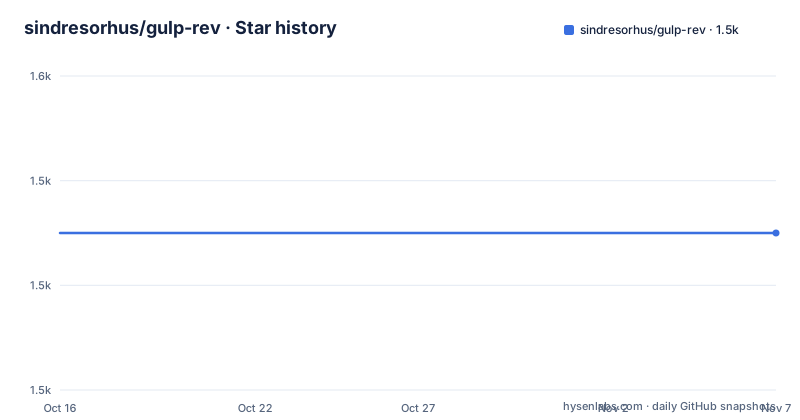
- sindresorhus/gulp-rev1,535 ★ · +0
| Repository | 2026-10-16 | 2026-11-07 |
|---|---|---|
| sindresorhus/gulp-rev | 1.5k | 1.5k |
0 Stars in the last 22 days, measured from the daily GitHub snapshot. Compare with other projects
Editorial analysis
Why gulp-rev Changes Static Asset Names
gulp-rev solves a narrow build-pipeline problem: giving static files names that change when their contents change. Its documented transformation is `unicorn.css` to `unicorn-d41d8cd98f.css`, where the inserted value is a hash derived from the file. This lets templates and manifests refer to revised asset names without using the original URL indefinitely. The README also makes an operational condition explicit: these assets need cache headers that prevent them from expiring. A content-hash filename only provides a new URL when the content changes, so the deployment and web-server configuration remains part of the solution.
The intended users are developers building static CSS, JavaScript, and similar files through Gulp. gulp-rev is not a complete cache policy, HTML rewriter, or deployment tool. It handles filename revisioning and can record the relationship between original and revised paths. A separate integration layer may still need to update application references, and the README lists packages such as `gulp-rev-rewrite` and `gulp-rev-css-url` for that work.
The project describes itself as feature complete and says pull requests adding new features will not be accepted. That policy makes the package easier to evaluate as a stable building block, but it also means missing capabilities should be covered by composing other tools rather than expecting new functionality from gulp-rev.
The Vinyl File Flow Inside a Gulp Pipeline
gulp-rev operates inside a Gulp stream and changes the filenames of Vinyl files. The implementation represented by `index.js` uses the project dependencies for file handling, hashing, path generation, filename modification, and manifest preparation, but the README does not publish its internal algorithm or expose additional low-level settings for hash format. At the API level, the useful outputs are properties on each file and, when requested, a JSON manifest.
For every revised file, `file.revOrigPath` records the original path. The computed value is also stored at `file.revHash`. These properties allow another transform or manifest builder to control naming or format differently. The standard `rev()` call performs the filename change itself, while `rev.manifest()` produces a mapping from original paths to their revised counterparts.
The manifest defaults to `rev-manifest.json`. Its `base` and `cwd` options both default to `process.cwd()`. An existing manifest is replaced by default, while `merge: true` combines it with an existing file. The manifest transformer defaults to `JSON`, but it can be replaced by an object exposing `parse` and `stringify`. This makes the format extensible without requiring gulp-rev itself to define every manifest structure used by different applications.
Path layout matters. The asset-manifest example explicitly sets Gulp's source base to `assets` because Gulp would otherwise select `assets/css` as the base. Getting this wrong changes the keys written into the manifest, even if hashing and filename revisioning still occur.
Installing gulp-rev and Revising the First Asset
The package requires Node.js `>=20`, declares Gulp `>=4` as an optional peer dependency, and uses ES modules. Install it as a development dependency in the project that owns the asset pipeline. This command is taken directly from the README:
npm install --save-dev gulp-revA minimal build imports both Gulp and gulp-rev, selects CSS files from `src`, passes them through `rev()`, and writes the result to `dist`:
import gulp from 'gulp';
import rev from 'gulp-rev';

export default () => (
	gulp.src('src/*.css')
		.pipe(rev())
		.pipe(gulp.dest('dist'))
);
With a source file such as `unicorn.css`, the documented result uses a name of the form `unicorn-d41d8cd98f.css`. The exact hash belongs to the actual file content, so the example hash should not be treated as a required output for every input. The source repository's `package.json` exposes only `./index.js` as the package export and defines `test` as `xo && ava`, but the README does not describe application-specific commands for executing a local project build after installation.
Writing and Merging rev-manifest.json
A manifest is useful when another part of the application needs to resolve the revised filename without duplicating gulp-rev's naming logic. The documented pipeline first copies the original assets, then writes revised copies and the manifest into `build/assets`:
import gulp from 'gulp';
import rev from 'gulp-rev';

export default () => (
	gulp.src(['assets/css/*.css', 'assets/js/*.js'], {base: 'assets'})
		.pipe(gulp.dest('build/assets'))
		.pipe(rev())
		.pipe(gulp.dest('build/assets'))
		.pipe(rev.manifest())
		.pipe(gulp.dest('build/assets'))
);
The resulting `build/assets/rev-manifest.json` has the shape shown in the README:
{
	"css/unicorn.css": "css/unicorn-d41d8cd98f.css",
	"js/unicorn.js": "js/unicorn-273c2c123f.js"
}
Replacement is the default. Incremental or partial builds need a different behavior because rewriting the whole manifest can discard entries that are still required. In that case, pass the previous output directory as `base` and enable `merge`:
gulp.src(['assets/css/*.css', 'assets/js/*.js'], {base: 'assets'})
	.pipe(gulp.dest('build/assets'))
	.pipe(rev())
	.pipe(gulp.dest('build/assets'))
	.pipe(rev.manifest({
		base: 'build/assets',
		merge: true
	}))
	.pipe(gulp.dest('build/assets'))
A custom output name can be supplied as `rev.manifest('manifest.json')`. Before adoption, inspect the paths expected by the template or runtime consumer, since the README documents file location options but does not define a separate application integration API.
Streaming, Concatenation, and Stable Hash Constraints
gulp-rev does not support streaming files. A source such as Browserify must be converted into a buffered Vinyl stream before revisioning. The documented pipeline places `gulp-buffer` after `source()` and before `rev()`:
import gulp from 'gulp';
import rev from 'gulp-rev';
import browserify from 'browserify';
import source from 'vinyl-source-stream';
import buffer from 'gulp-buffer';

export default () => (
	browserify('src/index.js')
		.bundle({debug: true})
		.pipe(source('index.min.js'))
		.pipe(buffer())
		.pipe(rev())
		.pipe(gulp.dest('dist'))
);
Hash stability is another practical constraint. The README says stream ordering is not guaranteed, and plugins such as `gulp-concat` can cause final file content and its hash to change. For concatenated JavaScript with sourcemaps, it recommends setting `cwd` and `path` manually on the `gulp-concat` instance. The documented configuration is:
gulp.src('src/*.js')
	.pipe(sourcemaps.init())
	.pipe(concat({path: 'bundle.js', cwd: ''}))
	.pipe(rev())
	.pipe(sourcemaps.write('.'))
	.pipe(gulp.dest('dist'))
The README points to `gulp-sort`, `gulp-unchanged`, and incremental Gulp builds as ways to reduce changes for unchanged files. It does not promise deterministic behavior for every plugin pipeline, so a project that concatenates content should verify whether its stream ordering and final bytes remain stable.
Manifest Integration Versus Query-String Cache Busting
A real alternative is to keep stable asset paths and append a query string such as a build version to references. That approach does not rename the files themselves. It changes the request URL without requiring gulp-rev's Vinyl path modification, `file.revOrigPath`, `file.revHash`, or manifest mapping. The trade-off is that the physical output filename stays the same even when its content changes, and the entire build version may need to change to invalidate references.
gulp-rev instead binds the URL identity to file content. It can preserve the logical asset layout while changing only the filename's hash component, and it provides a manifest when other build steps need to discover the generated path. That is more useful for consumers that require content-addressed files, but it creates additional responsibilities: source bases must be set correctly, partial builds must merge the manifest, and streaming sources must be buffered.
Query-string cache busting is the wrong choice when downstream systems need to find revised files on disk or when filenames themselves must represent content. gulp-rev is the wrong choice when the pipeline receives an unbuffered stream, relies on unpredictable concatenated output, or cannot consume generated manifest paths. Neither approach documented here replaces the need to configure cache expiration on the server or CDN.
Release Scope, Node.js Upgrades, and the MIT License
The repository is not archived. Its last push was on 2026-09-18, and the documented releases include `v12.0.0` on 2025-10-31, `v11.0.0` on 2023-11-03, and `v10.0.0` on 2022-12-12. The current `package.json` requires Node.js `>=20`, so adopting version 12 requires checking the runtime and build environment before changing the dependency. An older Node.js release cannot satisfy the declared engine range.
Because gulp-rev works in a build pipeline, an upgrade may require a full asset rebuild. Old hashed files can remain in the output unless the surrounding workflow removes them. The README lists `gulp-rev-outdated`, `rev-del`, and `gulp-rev-dist-clean` as possible related packages, but it does not define a built-in cleanup command or a rollback procedure. It also does not document automatic cleanup of previous manifests.
The package is licensed under MIT. That license permits use and modification under its terms, but this review does not interpret those terms. Projects should retain the applicable license notices and review the repository's `license` file as part of their normal compliance process.
Editorial conclusion
gulp-rev is appropriate for Gulp 4 projects that need content-addressed asset names and a machine-readable path map. It is unsuitable for streaming sources without `gulp-buffer`, pipelines that cannot control manifest output, or workflows expecting new features. Before adoption, verify that Node.js 20 or later is available, that the complete input has been buffered, and that the generated manifest paths match the consumer's build layout. For this use case, its fixed feature set and defined manifest API make it a practical fit within a compatible Gulp pipeline.
Frequently asked questions
Does gulp-rev support Gulp 4 and modern Node.js?
Yes. `package.json` declares Gulp `>=4` as an optional peer dependency and Node.js `>=20` as the supported engine range.
Why does gulp-rev fail or produce unreliable hashes for streaming input?
The plugin does not support streaming files. The README recommends inserting `gulp-buffer` after the stream source and before `gulp-rev`. For concatenated output, it also warns that changing final content can produce a new hash.
How do I preserve entries in an existing gulp-rev manifest?
Pass the existing output location as `base` and set `merge: true` in `rev.manifest()`. Without `merge`, the default behavior replaces `rev-manifest.json`.
Official sources
Add this badge to your README
If you maintain this project, the badge below links readers to this analysis and shows its maintenance status from the daily GitHub snapshot. Paste the markdown into your README; add ?metric=license or ?metric=stars to the image URL for a different field.

[](https://hysenlabs.com/projects/sindresorhus-gulp-rev)Star history chart for your README
[](https://hysenlabs.com/projects/sindresorhus-gulp-rev)Was this useful?