is-online connectivity checks for Node.js and browsers
Check if the internet connection is up
At a glance
- What is it?
- is-online returns a Promise<boolean> based on live network checks rather than local interface state. It suits Node.js applications and bundled browser code that need a practical internet-access signal, with timeout, abort, DNS, IPv6, and fallback URL controls.
- Who is it for?
- Adopt is-online when an application needs one asynchronous internet-access decision across Node.js or bundled browsers, especially when DNS, multiple public services, and configurable failure handling matter. Do not treat its result as proof that every destination is reachable, because a false result can reflect blocked endpoints, DNS failure, captive portals, ad blockers, or proxy configuration.
- Can I use it commercially?
- Yes. MIT is a permissive licence: you can use, modify and sell software built on it, as long as you keep its copyright and licence notices.
- Is it still maintained?
- Yes. The repository last received commits 50 days ago.
- What is it written in?
- Mainly JavaScript, according to GitHub's language statistics.
Answers come from the project's GitHub data, last synced on November 6, 2026, and from our analysis. They are not legal advice.
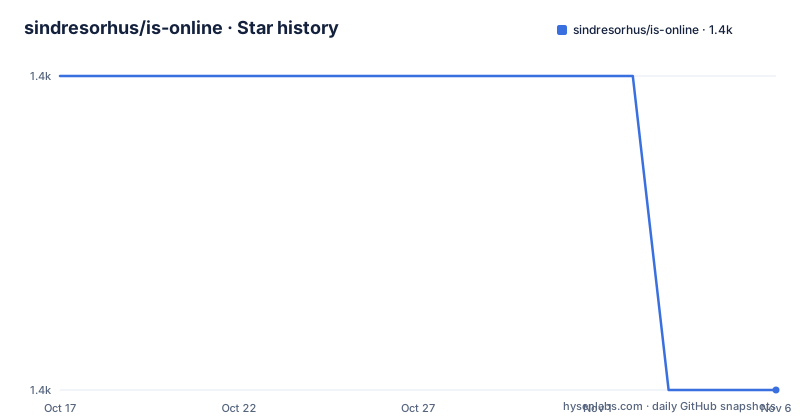
Star history
- sindresorhus/is-online1,356 ★ · -1
| Repository | 2026-10-17 | 2026-11-06 |
|---|---|---|
| sindresorhus/is-online | 1.4k | 1.4k |
-1 Stars in the last 20 days, measured from the daily GitHub snapshot. Compare with other projects
Editorial analysis
Why is-online differs from navigator.onLine
is-online addresses a narrow but common application problem: deciding whether public internet services can be reached. Node.js applications and browser applications often need to branch between online and offline behavior without designing their own collection of requests, DNS queries, timeouts, and error handling.
The browser platform already exposes `navigator.onLine`, but the README explicitly rejects treating that value as an internet-access test. It reports whether the device has a local connection, not whether remote internet services are accessible. That distinction matters when a laptop is attached to a network that cannot route public traffic, or when a browser can reach local resources but cannot retrieve external endpoints.
The package is intended for developers who want one `Promise<boolean>` result from several practical checks. Its default operation is broader than checking a local network interface. The result remains a coarse connectivity signal, however. The documentation does not claim that a successful check proves access to an application API, DNS service, mail server, or other private destination.
How Node.js and browser probes are combined
The implementation runs its checks in parallel and resolves `true` as soon as a check succeeds. In Node.js, the documented probes retrieve an IP address from `icanhazip.com`, using `ipify.org` as a fallback. The package also queries DNS entries associated with `myip.opendns.com` and `o-o.myaddr.l.google.com`, retrieves Apple's captive portal test page, and checks Cloudflare's website over HTTPS.
Using several destinations reduces dependence on one public endpoint, but it does not eliminate environmental ambiguity. Corporate networks may permit some endpoints while blocking others. DNS may fail independently of ordinary HTTP routing. Captive portal systems can interfere with public requests. A public service can also be unavailable for reasons unrelated to the local connection.
Browser behavior is narrower. The browser implementation retrieves `icanhazip.com`, with `ipify.org` as its documented fallback. Browsers must bundle the package and need support for the `fetch` API. The package metadata selects `index.js` for Node.js and `browser.js` through the default export condition, so an ESM consumer receives an environment-appropriate entry point.
The API's default timeout is 5000 milliseconds. Passing `ipVersion` as `4` or `6` allows a caller to target an Internet Protocol version. The default is IPv4, while explicitly selecting IPv6 can be useful when IPv6 connectivity is the property the application needs to assert.
Installing is-online and running the first check
The documented installation command adds `is-online` to the project's dependencies:
npm install is-onlineThe package is ESM, as indicated by `"type": "module"` in `package.json`. A first check imports the default function, awaits it, and prints the Boolean result:
import isOnline from 'is-online';

console.log(await isOnline());
//=> true
A `true` result means that at least one of the package's connectivity checks succeeded. A `false` result means that the operation did not obtain a successful result from its checks. The output shown after the example is an illustrative README value, not a guarantee about any particular network.
For browser use, the README says that a bundler is required and that the browser must support `fetch`. It does not document a standalone browser script installation, so applications should follow their existing bundler configuration rather than assuming the package can be loaded directly with a plain script tag.
Controlling timeouts, cancellation, and failure diagnostics
Network checks can wait, so callers may need to define how long they will block application logic. The `timeout` option is measured in milliseconds and defaults to `5000`. A longer interval can accommodate slow links, while a shorter one can prevent an interface from remaining pending too long.
The package also accepts an `AbortSignal`. Aborting causes the promise to resolve to `false`, which is important because callers receive a Boolean result rather than an exception from this cancellation path:
import isOnline from 'is-online';

const controller = new AbortController();

setTimeout(() => {
	controller.abort();
}, 500);

const result = await isOnline({
	timeout: 3000,
	signal: controller.signal
});

console.log(result);
//=> false
This example demonstrates cancellation before the longer timeout expires. It does not mean that every request must wait the full three seconds after the signal is aborted.
Node.js users can subscribe to failure diagnostics through the Diagnostics Channel. The documented channel is `is-online:connectivity-check`, and each event includes `timestamp`, `url`, and `error`:
import {subscribe} from 'node:diagnostics_channel';
import isOnline from 'is-online';

subscribe('is-online:connectivity-check', message => {
	console.log('Failed URL:', message.url);
	console.log('Error:', message.error);
});

await isOnline();
This facility is available only in Node.js. It can expose which endpoint failed and provide error details, but the README does not prescribe a production logging policy or guarantee that any particular failure is caused by the user's internet service.
Fallback URLs and their environment-specific ordering
`fallbackUrls` gives the caller additional HTTP or HTTPS endpoints to check. No other URL schemes are supported. The request behavior is documented as `HEAD` where possible, with `GET` as a fallback.
The ordering differs by environment, and applications should account for that difference. In Node.js, fallback URLs are checked only after all default connectivity checks fail. In browsers, they run in parallel with the default checks to improve resilience against ad blockers.
The documented example uses three public destinations:
import isOnline from 'is-online';

const result = await isOnline({
	fallbackUrls: [
		'https://www.google.com',
		'https://www.github.com',
		'http://example.com'
	]
});

console.log(result);
//=> true
These URLs expand the set of services that can establish a positive result, but they also add dependencies on third-party hosts and network policy. The inclusion of `http://example.com` is valid under the documented API, yet an HTTPS URL is generally a more security-conscious choice for a connectivity probe. The package does not promise that any fallback is geographically stable, independently administered, or suitable for every deployment.
Fallback handling is especially relevant in browsers, where privacy extensions may block particular requests. A blocked default probe does not automatically mean that the entire network is offline if another probe or fallback URL succeeds.
Operational limits, proxies, and the is-reachable distinction
The central limitation is that `true` and `false` summarize external probes rather than certify general internet access. A successful public request supports the conclusion that at least one destination responded. It does not establish that DNS resolution works for every domain, that a particular API is reachable, or that the user can access private corporate resources.
A false result is also not perfectly specific. The README identifies failed public endpoints, DNS queries, captive portal handling, and proxy support as parts of the context. It does not guarantee that every false result means the device has no internet connection. A network may block `icanhazip.com`, DNS resolvers may reject the documented DNS entries, or a policy may prevent access to the tested services.
Proxy support requires additional setup with `global-agent`. The README does not provide a project-specific proxy configuration snippet, so there is no basis here for inventing environment variables or startup commands.
For a different question, `is-reachable` checks whether particular servers are reachable. That is a closer fit when an application needs to verify its own dependency or endpoint. `is-online` instead answers the broader question of whether public internet access appears available through its built-in probes.
Maintenance, upgrades, and licensing boundaries
The repository is not archived, and its last push was on 2026-09-18. Recent releases include `v12.0.0` and `v12.0.1` on 2025-09-10, followed by `v12.0.2` on 2025-11-15. That release history indicates recent project activity around the current package version, but the README does not provide a compatibility policy for upgrading between major versions.
The package declares `>=20` for the Node.js engine and uses ESM. An upgrade therefore requires checking the target Node.js runtime and reviewing the API or entry-point changes in the release being adopted. The package also supports browser consumers through `browser.js`, subject to bundling and `fetch` support. A browser migration should confirm that the bundler resolves the default export to the browser entry point.
The repository is licensed under MIT. That identifier permits use under the terms included in the repository's `license` file, but this review does not interpret those terms or provide legal advice. Upgrade cost includes checking runtime requirements, reviewing changes between versions, and testing behavior behind DNS, proxy, captive portal, or browser extension policies.
Editorial conclusion
Adopt is-online when an application needs one asynchronous internet-access decision across Node.js or bundled browsers, especially when DNS, multiple public services, and configurable failure handling matter. Do not treat its result as proof that every destination is reachable, because a false result can reflect blocked endpoints, DNS failure, captive portals, ad blockers, or proxy configuration. Verify Node.js 20+ or `fetch` support, the behavior of `fallbackUrls` in the intended environment, and proxy requirements before integrating version 12.0.2.
Frequently asked questions
How do I install and use is-online?
Install it with `npm install is-online`, then import `isOnline` and await `isOnline()`. Node.js 20 or later is required, while browser use requires a bundler and `fetch` support.
Does is-online work in a browser?
Yes, but the README says browser usage requires a bundler and a browser with `fetch` support. The browser implementation performs an IP retrieval check with `ipify.org` documented as its fallback.
What happens when is-online is aborted?
When the supplied `AbortSignal` is aborted, the promise resolves to `false`. The option can be combined with a timeout in milliseconds.
Does is-online support proxies?
The README says proxy support requires setting up `global-agent`. It does not document a complete proxy configuration inside is-online.
Official sources
Add this badge to your README
If you maintain this project, the badge below links readers to this analysis and shows its maintenance status from the daily GitHub snapshot. Paste the markdown into your README; add ?metric=license or ?metric=stars to the image URL for a different field.

[](https://hysenlabs.com/projects/sindresorhus-is-online)Star history chart for your README
[](https://hysenlabs.com/projects/sindresorhus-is-online)Was this useful?