spring-cloud-stream gives your Spring app one messaging API and several brokers
Framework for building Event-Driven Microservices
At a glance
- What is it?
- Spring Cloud Stream is a framework for building message-driven microservice applications that builds on Spring Boot and uses Spring Integration for connectivity to message brokers, providing opinionated configuration of middleware from several vendors through the concepts of persistent publish-subscribe semantics, consumer groups and partitions. Out of the box it ships binder implementations for Apache Kafka and RabbitMQ, plus a Kafka Streams binder that skips message channels entirely.
- Who is it for?
- spring-cloud-stream is the right choice when a Spring Boot application has to talk to more than one broker, or when you want the consumer group and partition semantics of Kafka without writing the broker client code that produces them, because that is exactly the layer the framework provides.
- Can I use it commercially?
- Yes. Apache-2.0 is a permissive licence: you can use, modify and sell software built on it, as long as you keep its copyright and licence notices.
- Is it still maintained?
- Yes. The repository last received commits 2 days ago.
- What is it written in?
- Mainly Java, according to GitHub's language statistics.
Answers come from the project's GitHub data, last synced on November 7, 2026, and from our analysis. They are not legal advice.
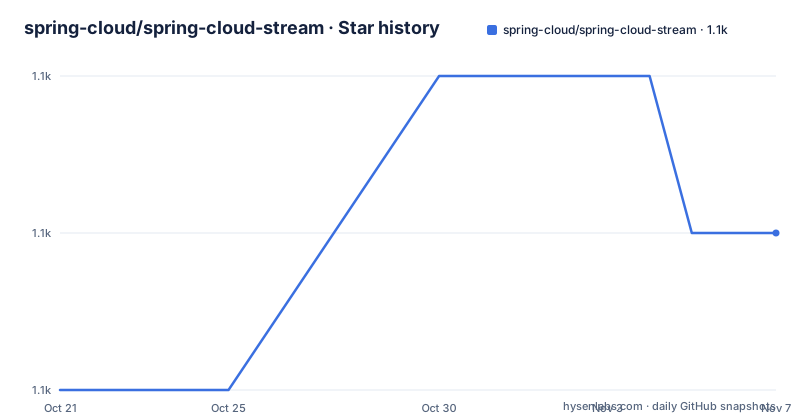
Star history
- spring-cloud/spring-cloud-stream1,071 ★ · +1
| Repository | 2026-10-21 | 2026-11-07 |
|---|---|---|
| spring-cloud/spring-cloud-stream | 1.1k | 1.1k |
1 Stars in the last 17 days, measured from the daily GitHub snapshot. Compare with other projects
Editorial analysis
The layer between your code and the broker
Spring Cloud Stream is a framework for building message-driven microservice applications, and it builds upon Spring Boot to create standalone, production-grade Spring applications, using Spring Integration to provide connectivity to message brokers. The value of that arrangement is that the application code does not know which broker it is talking to. Instead of configuring a KafkaConsumer or a RabbitTemplate, an application declares a functional interface, binds it to a destination, and the framework works out the transport. The framework also provides opinionated configuration of middleware from several vendors, and it does that by introducing three concepts, persistent publish-subscribe semantics, consumer groups and partitions, which are called binder implementations in the parlance of Spring Cloud Stream. Those three concepts are the portable subset of what the supported brokers can do, and the abstraction is exactly as good as that subset.
Three binders, and one of them does not use channels
Out of the box, Spring Cloud Stream provides binder implementations for Apache Kafka and RabbitMQ, and while those two are based on Message Channels, there is another binder implementation for Kafka Streams that does not use message channels but native Kafka Streams types such as KStream and KTable. That distinction is the one worth understanding before you choose, because the two message channel binders are for code that consumes and produces messages, while the Kafka Streams binder is for code that is a stream processing topology, where the unit of work is a transformation on a stream rather than a handler for a message. Using a message channel binder for a stateful stream application means you rebuild the state management, and the Kafka Streams binder means you give up the portability that the other two give you. The repository layout reflects the split, with a binders/ directory, a bus/ directory for the event bus abstractions, a core/ directory, a schema-registry/ directory and a bom/ for the dependency management.
Adding a binder is one Maven dependency
The usage documentation for each binder is a dependency and nothing else, which is the clearest sign of how thin the layer is. For the Apache Kafka binder you add spring-cloud-stream-binder-kafka:
<dependency>
  <groupId>org.springframework.cloud</groupId>
  <artifactId>spring-cloud-stream-binder-kafka</artifactId>
</dependency>
or the starter, spring-cloud-starter-stream-kafka, which brings the broker client with it. The Kafka Streams binder is spring-cloud-stream-binder-kafka-streams, and the RabbitMQ binder is spring-cloud-stream-binder-rabbit, with a matching spring-cloud-starter-stream-rabbit starter. The difference between the binder and the starter is the usual one, where the starter is the convenience wrapper that pulls in the client, the autoconfiguration and the version alignment, and the bare binder is what you use when you already have that machinery. The RabbitMQ binder is built on Spring Integration in the same way as the Kafka one, and the build scripts in the repository root show the scale of the matrix, with separate scripts for the Kafka binder, the Rabbit binder, the Pulsar binder, the schema registry and the dependencies.
Building the source, and the profile you cannot skip
Building the project needs JDK 17, and the build is the standard Spring Cloud one:
$ ./mvnw installYou can install Maven 3.3.3 or newer yourself and run mvn in place of the wrapper, and if you do that you might need to add -P spring if your local Maven settings do not contain repository declarations for Spring pre-release artifacts. The reason that flag exists is the next point, that Spring Cloud projects require the spring Maven profile to be activated to resolve the Spring milestone and snapshot repositories, and if you do not activate it you may experience build errors. The projects that require middleware for testing, Redis is the example given, generally require that a local instance of Docker is installed and running. The memory note is also practical, since you might need to increase the memory available to Maven with MAVEN_OPTS and a value like -Xmx512m, and the project tries to cover that in the .mvn configuration.
The README is generated, and the docs are asciidoc
The file you are reading carries a warning at the top that it should not be edited, because it was generated and manual changes will be lost, and the instruction is to edit the files in the src/main/asciidoc/ directory instead. That is the documentation build, and it is described in the Documentation section. The spring-cloud-build module has a docs profile, and switching it on builds the asciidoc sources from src/main/asciidoc, and as part of that process it looks for a README.adoc and processes it by loading all the includes without parsing or rendering it, just copying it to the main basedir, which defaults to the root of the project. If there are changes in the README they then show up after a Maven build as a modified file in the correct place, and you commit it and push the change. The practical consequence for a contributor is that a documentation fix is two commits, one in the asciidoc source and one in the generated README, and the first one is the one that matters.
Where the abstraction costs you
The trade in this framework is the trade in every portability layer, and it is worth being explicit. A function that takes a payload and returns void, bound to a destination, is the same code against Kafka, RabbitMQ and Pulsar, and that portability is the reason to use it. What you give up is the broker's own vocabulary. Kafka's exactly-once processing, a compacted topic, a transactional producer, the headers that only Kafka has, and RabbitMQ's exchanges and queues with their routing rules, none of which fit the portable subset, so a serious application ends up using the binder for the transport and the native client for the parts that matter, which means you are carrying two abstractions. The second cost is the mental one, since a failure in a message-driven system now has to be reasoned about through the framework's abstractions, and the error messages you get are the framework's rather than the broker's. The third is the version train, since Spring Cloud Stream versions are tied to Spring Boot and Spring Framework versions, so adopting it is a decision about your whole dependency set and not about one library. What you get in exchange is that the service can move to another broker, and for a team that expects to change brokers, that is the feature.
Editorial conclusion
spring-cloud-stream is the right choice when a Spring Boot application has to talk to more than one broker, or when you want the consumer group and partition semantics of Kafka without writing the broker client code that produces them, because that is exactly the layer the framework provides. It is the wrong choice if you are happy with the broker's own client, since the abstraction costs you the ability to use the specific features of your broker, and it is a poor fit for a service that is deeply stateful and stream-processing shaped, which is what the separate Kafka Streams binder exists for. Before you adopt it, look at the binder you would use and check the version line, since the 5.x train is in development with a 5.1.0 milestone published in September 2026.
Frequently asked questions
What does Spring Cloud Stream add on top of Spring Boot?
It builds on Spring Boot and uses Spring Integration to provide connectivity to message brokers, and it provides opinionated configuration of middleware from several vendors by introducing the concepts of persistent publish-subscribe semantics, consumer groups and partitions, which are called binder implementations. Out of the box it ships binders for Apache Kafka and RabbitMQ.
What is different about the Kafka Streams binder?
The Apache Kafka and RabbitMQ binders are based on Message Channels, while the Kafka Streams binder does not use message channels but native Kafka Streams types such as KStream and KTable. It exists for stream processing topologies rather than for message handlers, and it is the binder to add when the unit of work is a transformation on a stream.
How do I build Spring Cloud Stream from source?
You need JDK 17 and then run ./mvnw install, or install Maven 3.3.3 or newer and run mvn instead, adding -P spring if your settings do not declare the Spring pre-release repositories. Projects that need middleware for testing require a local Docker instance running, and the Spring Cloud projects need the spring Maven profile activated or you may hit build errors.
Why does the README say not to edit it?
Because it is generated from the asciidoc sources in src/main/asciidoc. The spring-cloud-build module has a docs profile that builds those sources and copies the processed README into the project root, so a documentation change shows up as a modified README after a Maven build, and both the source change and the generated file are committed.
Official sources
Add this badge to your README
If you maintain this project, the badge below links readers to this analysis and shows its maintenance status from the daily GitHub snapshot. Paste the markdown into your README; add ?metric=license or ?metric=stars to the image URL for a different field.

[](https://hysenlabs.com/projects/spring-cloud-spring-cloud-stream)Star history chart for your README
[](https://hysenlabs.com/projects/spring-cloud-spring-cloud-stream)Was this useful?