prepare_detection_dataset: five scripts that convert detection annotations between COCO, VOC and Labelme
convert dataset to coco/voc format
At a glance
- What is it?
- prepare_detection_dataset is an MIT-licensed Python project of five standalone scripts that convert object detection annotations between CSV, COCO, VOC and Labelme formats, with CSV acting as the universal intermediary. The judgement is that it is a teaching reference rather than a library, and that the CSV intermediate format it standardises is the most useful thing in it.
- Who is it for?
- prepare_detection_dataset fits a student or a researcher who needs to move annotations between COCO, VOC and Labelme and wants a worked example of how each format encodes a bounding box. It does not fit a production pipeline, because the scripts are configured by editing variables in the source and have no command line interface, and it does not fit a project with a large dataset, since the TODO list still lists multiprocessing.
- Can I use it commercially?
- Yes. MIT is a permissive licence: you can use, modify and sell software built on it, as long as you keep its copyright and licence notices.
- Is it still maintained?
- Yes. The repository last received commits 93 days ago.
- What is it written in?
- Mainly Python, according to GitHub's language statistics.
Answers come from the project's GitHub data, last synced on November 7, 2026, and from our analysis. They are not legal advice.
Star history
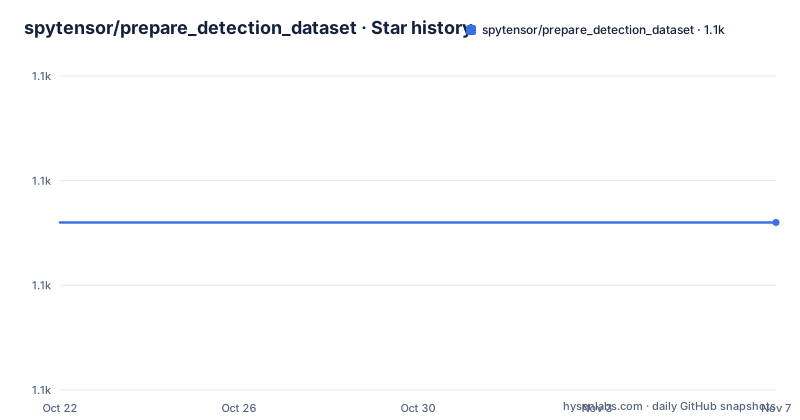
- spytensor/prepare_detection_dataset1,106 ★ · +0
| Repository | 2026-10-22 | 2026-11-07 |
|---|---|---|
| spytensor/prepare_detection_dataset | 1.1k | 1.1k |
0 Stars in the last 16 days, measured from the daily GitHub snapshot. Compare with other projects
Editorial analysis
A blog post's code, packaged as a repository
The project is the code that accompanies a Chinese-language blog series on object detection, and the README opens with the reason it exists. The author had written image recognition blog tutorials before for people who had learned a lot of theory but had no idea where to start with a real project, then moved into object detection, learned from colleagues, and finally wrote up a detection series to share what they had worked out and to save some people the detours of getting into it.
The linked blog post is the first entry of that series, on how to make a dataset, and the repository is where the code for that series lives. The blog address given is `spytensor.com/index.php/archives/48/`, in the first entry of the detection series.
The scope is stated plainly in the content section. The series introduces how to convert between the common data formats, and positions CSV as the universal intermediary format. The list of conversions is five: csv to coco, csv to voc, labelme to coco, labelme to voc, and csv to json.
What is deliberately absent is as informative as what is present. There is no conversion into CSV, because the documentation says that is too simple and because mainstream detection frameworks rarely support CSV as an input format anyway. Instead, the project shows how to write the annotation information into CSV yourself, with a short Python snippet, and the reasoning given is that if you cannot read the annotations out of the raw label file then there is no helping you with that, learn some programming.
So the CSV is a hub rather than a destination. You bring your own annotations in, normalise to CSV, and then convert out to whatever the training framework wants.
The CSV format is narrow, and that is the point
The documentation is unusually firm about the CSV layout, and it opens with a warning: do not run a CSV file just because it is a CSV file, and if the format does not match you should modify the code or the annotation file yourself.
The required directory shape is a `csv/` folder containing `labels.csv` and an `images/` folder with the image files. The `labels.csv` file has one line per annotation in this form:
/path/to/image,xmin,ymin,xmax,ymax,labelThe example shows two rows with real-looking data:
/mfs/dataset/face/0d4c5e4f-fc3c-4d5a-906c-105.jpg,450,154,754,341,face
/mfs/dataset/face/0ddfc5aea-fcdac-421-92dad-144.jpg,143,154,344,341,face
And there is a note attached to the example: please use absolute paths for the images.
That last constraint is the one to watch. The scripts are written to read the image path out of the CSV and then find the file, so a relative path that resolves against the wrong working directory is a silent failure or a crash, depending on which script you are running.
The writing side is given as a snippet that shows how the intermediate format is produced from your own annotation source:
info = [[filename0,"xmin ymin xmax ymax label0"],
          filename1,"xmin ymin xmax ymax label1"]
csv_labels = open("csv_labels.csv","w")
for filename,bboxes in info:
    bbox = bboxes.split(" ")
    label = bbox[-1]
    csv_labels.write(filename+","+bbox[0]+","+bbox[1]+","+bbox[2]+","+bbox[3]+","+label+"\n")
csv_labels.close()
The format is bounding boxes in xmin, ymin, xmax, ymax order, with a single label per line. There is no support in this format for rotated boxes, polygons, segmentation masks or a per-image grouping beyond the path itself, which is a real limit for anyone coming from a Labelme polygon annotation.
Two target formats, and the split that COCO and VOC require
The other two standard formats are described with their directory structures, and the difference in how they split a dataset is the thing that decides how you set the scripts up.
The VOC format is a `VOC2007/` directory with `Annotations/` holding the per-image XML files, `ImageSets/Main/` holding `train.txt`, `test.txt`, `val.txt` and `trainval.txt`, and `JPEGImages/` holding the images. So VOC has an explicit split, expressed as list files.
The COCO format is a `coco/` directory with `annotations/` holding `instances_train2017.json` and `instances_val2017.json`, and `images/` holding `train2017/` and `val2017/` subfolders. The documentation notes that the test set is not used here, which is why there is no test split in the COCO output.
The Labelme format is the simplest: a `labelme/` directory where each image has a matching JSON file next to it.
And the Labelme JSON structure is given in full, minus the `imageData` field which the documentation says is too long to show. The shape is a `version` string, a `flags` object, a `shapes` array where each shape has a `label`, `line_color`, `fill_color`, a `points` array of coordinate pairs and a `shape_type`, then `lineColor` and `fillColor` arrays, `imagePath`, `imageData`, `imageHeight` and `imageWidth`.
The `shape_type` value in the example is `rectangle`, which tells you what the converter can meaningfully read. A Labelme file with `polygon` shapes is a different problem, and the scripts in this repository are written around the rectangle case.
Each script is configured by editing variables in the source
This is the part that most affects whether you can use the project as-is, and it is the reason the scripts read as teaching material rather than as a tool.
The csv2coco script has four settings to change at the top of the file:
classname_to_id = {"person": 1}  # for your dataset classes
csv_file = "labels.csv"  # annatations file path
image_dir = "images/"    # original image path
saved_coco_path = "./"   # path to save converted coco dataset
Then you run `python csv2coco.py`. The documentation says the folders are created automatically and the images are copied to the right place, and shows the resulting `coco/` tree with the two instances JSON files and the two image subfolders.
The csv2voc script follows the same pattern with its own four variables, `csv_file`, `saved_path` pointing at `./VOCdevkit/VOC2007/`, `image_save_path` pointing at `./JPEGImages/` and `image_raw_path` pointing at the original `images/` directory, and you run `python csv2voc.py`.
The labelme2coco and labelme2voc scripts have fewer, because they read from the Labelme directory rather than a CSV. labelme2coco needs `classname_to_id`, `labelme_path` and `saved_coco_path`, and the documentation says the output format is the same as csv2coco. labelme2voc needs `labelme_path` and `saved_coco_path`, with output the same as csv2voc.
The csv2labelme script is the odd one out, because it goes in the other direction. It takes `image_path` and `csv_file`, and the generated JSON files are saved under `image_path`, so you switch the path there and open Labelme directly to view the labels.
There is no command line interface anywhere in this project. Everything is a source edit, which is exactly why it reads as a tutorial and why it does not scale past a single dataset conversion at a time.
The 2026 fixes show which parts were quietly broken
The update log for 2026 lists four fixes, and they are worth reading because each one describes a way the scripts used to fail quietly or produce wrong numbers.
The first is in `labelme2voc.py`, where the glob path used when splitting the dataset was wrong, missing `VOCdevkit`, which caused `train/val/trainval.txt` to end up empty. So the split lists were being written with no entries in them, and a dataset split that way trains on everything or nothing depending on what the training code does with an empty list file.
The second is in `csv2labelme.py`, where the output JSON path had a trailing slash, causing an `IsADirectoryError` that stopped the script running at all.
The third is the one with real consequences for anyone evaluating results. In `labelme2coco.py` the `area` field was hardcoded to `1.0`, and it was changed to be computed as `w*h`. The documentation notes the effect: it affects the AP bucketing in cocoeval. Average precision in COCO is reported at several area ranges, and with every box reporting an area of 1.0, every annotation falls into the smallest bucket, so the small and medium area numbers become meaningless and the large area numbers are empty. Any training run or evaluation that used those metrics from an older copy of the script produced AP figures that were not measuring what they claimed to.
The fourth fix is housekeeping: removing unused dependencies such as `from IPython import embed`, switching path handling to `os.path.basename`, and adding a `requirements.txt`.
That file is the other useful thing in the update. The environment setup is a single `pip install -r requirements.txt`, and the note explains the dependency structure: only `labelme2coco.py` needs the `labelme` package, for decoding `imageData`. The other scripts depend only on numpy, pandas, opencv-python and scikit-learn.
What the project is and what it is not
Two things are true at once about this repository, and a potential user needs both.
It is a good reference. The format documentation is precise, the directory layouts are exactly what the training frameworks expect, and the code shows how each format encodes a bounding box. For anyone learning object detection data preparation, five working scripts with the edge cases named is more instructive than a specification.
It is not a production tool. There is no command line interface, no configuration file, no batch handling, no logging, and no test suite in the repository. The only release is 1.0, the first version, from 2020-08-03, and the release history has not moved since. The last push was on 2026-08-06, and the repository is not archived, so the scripts are being fixed, but the packaging has not been.
The performance limit is stated in the TODO list, which has one item: multiprocessing, unchecked. For a dataset of a few thousand images on a laptop that is irrelevant. For a dataset of a few hundred thousand it is the whole story, because the scripts process images serially with opencv-python and copy files one at a time.
The licence is MIT, with the `LICENSE` file at the repository root, so the code can be taken and modified without restriction, which for a teaching codebase is the right choice. The homepage is the author's blog, and the project was written as part of a series rather than as a package anyone intended to depend on, so there is no version compatibility promise to think about when you copy a script into your own repository.
Editorial conclusion
prepare_detection_dataset fits a student or a researcher who needs to move annotations between COCO, VOC and Labelme and wants a worked example of how each format encodes a bounding box. It does not fit a production pipeline, because the scripts are configured by editing variables in the source and have no command line interface, and it does not fit a project with a large dataset, since the TODO list still lists multiprocessing. Verify first that your annotation format matches the one the script expects, since the CSV format is narrow and requires absolute image paths, that your COCO class list matches the `classname_to_id` map you edit in the script, and that the `area` field is computed correctly in your output, since a hardcoded value of 1.0 was a bug that was only fixed in 2026 and it changes how cocoeval buckets average precision.
Frequently asked questions
Which dataset formats can prepare_detection_dataset convert between?
The five scripts cover csv to coco, csv to voc, labelme to coco, labelme to voc, and csv to json. There is deliberately no script that produces CSV, because the documentation argues that most detection frameworks do not read CSV input anyway, and instead shows how to write the CSV yourself.
How do I install the dependencies for prepare_detection_dataset?
Run `pip install -r requirements.txt`. Only `labelme2coco.py` needs the `labelme` package, for decoding `imageData`; the other scripts depend on numpy, pandas, opencv-python and scikit-learn.
How do I configure the prepare_detection_dataset conversion scripts?
By editing variables at the top of each script before running it. The csv2coco script uses `classname_to_id`, `csv_file`, `image_dir` and `saved_coco_path`; the csv2voc script uses `csv_file`, `saved_path`, `image_save_path` and `image_raw_path`. There is no command line interface.
What format does the labels.csv file need for prepare_detection_dataset?
One line per annotation in the form `/path/to/image,xmin,ymin,xmax,ymax,label`, with the images in an `images/` folder next to the CSV. The documentation notes that image paths should be absolute, and warns against running a CSV file that does not follow this exact structure.
What was fixed in the 2026 update to prepare_detection_dataset?
A wrong glob path in `labelme2voc.py` that left the train, val and trainval split files empty, a trailing slash in `csv2labelme.py` that caused an IsADirectoryError, and a hardcoded `area` value of 1.0 in `labelme2coco.py` that was changed to compute `w*h`, which affects the AP bucketing in cocoeval. Unused dependencies were removed and a `requirements.txt` was added.
Official sources
Add this badge to your README
If you maintain this project, the badge below links readers to this analysis and shows its maintenance status from the daily GitHub snapshot. Paste the markdown into your README; add ?metric=license or ?metric=stars to the image URL for a different field.

[](https://hysenlabs.com/projects/spytensor-prepare-detection-dataset)Star history chart for your README
[](https://hysenlabs.com/projects/spytensor-prepare-detection-dataset)Was this useful?