Package Control default channel: the JSON index behind every Sublime Text package install
Default channel file for Package Control. Follow the directions at:
At a glance
- What is it?
- The package_control_channel repository is not a package manager but the index one is: channel.json, repository.json and a directory of per package JSON files, which a crawler compiles into the single channel_v3.json file that Sublime Text actually downloads. Contributing to it is a pull request against a sorted JSON file, and the project has moved to the sublimehq organisation while its documentation still points at wbond.
- Who is it for?
- package_control_channel fits a maintainer who wants their Sublime Text package listed in the default channel, and who is prepared to add a JSON entry in alphabetical order and wait for the crawler to publish it. It is the wrong repository for anything else, because it holds no code that runs inside Sublime Text, and it is the wrong place to submit a linter or a language server package, since those have their own channels.
- Can I use it commercially?
- Not without permission. GitHub finds no licence file in the repository, and without a licence all rights are reserved by default: you may read the code but not reuse it. Check the README, or ask the authors, before using it.
- Is it still maintained?
- Yes. The repository last received commits 1 day ago.
- What is it written in?
- Mainly Python, according to GitHub's language statistics.
Answers come from the project's GitHub data, last synced on November 7, 2026, and from our analysis. They are not legal advice.
Star history
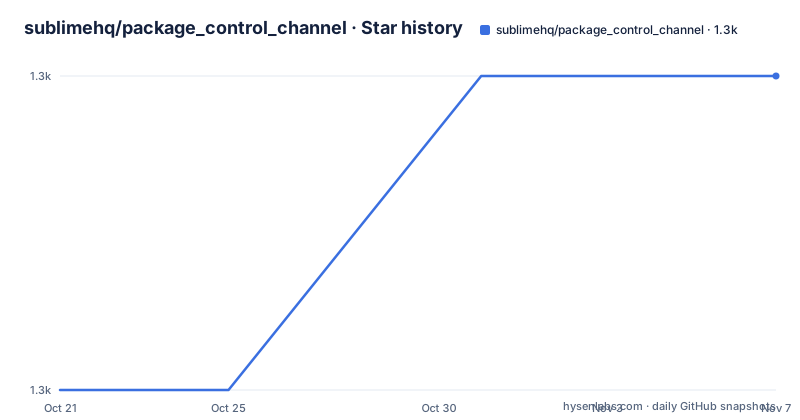
- sublimehq/package_control_channel1,278 ★ · +1
| Repository | 2026-10-21 | 2026-11-07 |
|---|---|---|
| sublimehq/package_control_channel | 1.3k | 1.3k |
1 Stars in the last 17 days, measured from the daily GitHub snapshot. Compare with other projects
Editorial analysis
Three JSON layers and one compiled artefact
The package_control_channel repository is the default channel file for Package Control, and the About section describes the whole thing in three sentences. The channel.json, repository.json and repository/*.json files contain lists of repositories and packages for use with Package Control. These source files are processed by a crawler and compiled into a single file, channel_v3.json, at packagecontrol.io. That single file is the source of all packages available for installation via Package Control.
So the structure is a build pipeline with a very short output. Human-maintained JSON in the repository becomes one large JSON served over HTTP, and the Sublime Text side reads only that.
The three source layers each have a different job. channel.json describes the channels themselves, repository.json is the list of repositories, and the repository/ directory holds one JSON file per package. The README's submission instruction says to add the details of your package, in alphabetical order, to the correct JSON file in the repository directory, and to create a PR and make sure you check all the boxes in the pull request template.
Alphabetical order is a real requirement rather than a style preference. The files are per package and sorted, which means the directory listing is the index, and a package that is out of order is a package a reviewer has to spot and fix. The same applies within a file, since the packages inside it are listed in order too.
The pull request template is linked to a path under the wbond organisation, which is the same place the submission guide points. That is a small historical artefact worth noting, because the repository now lives under sublimehq while its documentation, its template and its own links still point at wbond. The links work because the wbond paths are redirects or because the repositories still exist there, but for a contributor it means the instructions and the code you are editing are in two different organisations.
The primary language in the repository metadata is Python, the licence is recorded as unknown, and the repository is not archived with the last push on 2026-10-15. There are no GitHub releases, which makes sense for a repository whose output is a crawled file rather than a published artefact.
The split: linters, language servers and libraries have their own channels
The section on other notable repositories is the part that changes what you do as a package maintainer, and it is short enough to state plainly.
The package_control_channel repository is the main repository of Sublime Text packages. But linter packages should in most cases be submitted over at SublimeLinter, and any language server protocol packages are managed via SublimeLSP. And libraries, previously named dependencies, have their own registry at the packagecontrol/channel repository.
So there are at least four channels, and which one your package belongs in is decided by its category rather than by anything about the project.
The linter split exists because linters need a common configuration surface. A linter that runs a different tool under the hood, with a different way of declaring the executable and the file patterns, needs somewhere central to describe that, and SublimeLinter is that place. A general purpose package channel has no way to express it, and a maintainer who put a linter in the main channel would find the linter community not using it.
The language server split is the same idea for a different reason. Language server packages are the LSP servers themselves, and the wiring between a language server and an editor, the command to start it, the root markers, the initialisation options, is standardised by the LSP protocol and by the client. SublimeLSP is where that standard is applied for Sublime Text, so a language server belongs with the rest of the language servers rather than in the general channel.
The rename in the libraries entry is worth noting too, because it tells you the terminology moved. Libraries were previously named dependencies, and that naming change is recorded in the README rather than being a fresh concept. The separate registry exists because a library is a shared artefact with versioning and compatibility constraints, which is a different shape from a self-contained tool.
The practical consequence for a maintainer is a question to answer before anything else: is this a general purpose package, a linter, a language server, or a library. Getting that right is the difference between a pull request that gets merged and one that gets redirected to another channel.
What a package entry has to carry, and why the fields matter downstream
The README does not document the schema of a per package file, which is a gap worth naming rather than working around. The submission instruction only says to add the details of your package to the correct JSON file in the repository directory, so the authoritative description of what those details must contain is in the linked guide at docs.sublimetext.io/guide/package-control/submitting.html.
Even without the schema, the shape of the system tells you what a good entry needs to do, because a channel file is consumed by a client that has to decide whether to offer a package and how to fetch it.
The first requirement is identity. The channel is a list of repositories and the repository directory is a list of packages, so an entry has to resolve to a specific package in a specific repository, and the alphabetical ordering means the identifier has to be the thing the directory is sorted by.
The second is provenance. Every package in a Sublime Text channel points at a git repository, and that is what Package Control clones when a user installs. So the entry has to name a repository URL that is reachable, and the version metadata in it has to correspond to something that actually exists in that repository. A package that points at a repository which has been renamed or made private produces an install failure at the user's end rather than at review time, which is why a channel is a distribution surface and not just a list.
The third is the release. A Sublime Text package carries its own version, and Package Control compares that against what the user has installed to decide whether to offer an update. The channel entry and the repository's own tag or version have to agree, because a mismatch is a package that either never updates or updates to something that breaks.
The fourth is the relationship to the wider ecosystem, and that is where the split into four channels pays off. A linter in the general channel is a linter that the linter community does not know about. A language server in the general channel is a server that the LSP client has no configuration for. A library in the general channel is a library that other packages cannot declare a dependency on. The channel split exists so that each category has a place where the shared configuration for that category lives, and putting a package in the wrong one does not break the package, it just makes it invisible to the people who would use it.
So the reviewer's job when checking the boxes in the pull request template is largely a check of these four things: is the entry in the right file, is it in the right order, does it point at a live repository, and does its version exist.
Why the repository is mostly JSON, and what the crawler is not
There is a structural fact about this repository that is easy to underestimate until you go to make a change: almost everything here is data, and the code is a small amount of tooling around it.
The top level listing has a tools/ directory, a utils/ directory, a pyproject.toml, a uv.lock, a .python-version file, an AGENTS.md, an .editorconfig, a .gitattributes, a .github/ directory, a package_control_channel.sublime-project file, and then the JSON: channel.json, repository.json and the repository/ directory. The repository directory is where the per package files live, and the tools/ directory is where the code that maintains them lives, with the tests alongside them.
The pyproject.toml describes the project as utilities for maintaining package_control_channel, with the name package-control-channel, version 0.1.0, and it requires Python 3.13 or newer. The dependencies list is empty, and the dev group has pytest at 9.0.0 or newer, mockito at 2.0.4 or newer and pytest-mockito, which is a pytest plugin for mockito. The pytest configuration sets testpaths to the tools directory, so the tests live next to the tools they cover rather than in a separate test/ tree.
That tells you the crawler and the validation tooling are Python programs in the tools/ directory, with utils/ holding shared helpers, and that the test suite uses pytest with mocking for the parts that would otherwise need a network call. The mocking dependency is a reasonable choice for a tool whose job is to read JSON and write JSON.
The uv.lock and the .python-version file are a modern Python project layout, and the .sublime-project file is the one oddity: the repository is itself editable and navigable as a Sublime Text project, which is a small courtesy to the people who maintain it.
What is not in the repository is as interesting as what is. The crawler that compiles the source files into channel_v3.json is referenced as a thing that processes them, not as a script in this tree, and the tools/ directory here appears to be about maintaining the sources rather than about producing the compiled output. For a contributor that distinction is practical: you change the source JSON and the published file updates on its own schedule, so the pull request you open does not change what users see immediately.
The submission flow in the README matches that picture. You fork, you add the details to the correct JSON file, you create a PR and you check the boxes. There is no release step, no version bump and no changelog entry, because the artefact that changes is the compiled file and the process for producing it is out of scope for this repository.
That also means the review burden falls on the JSON. A reviewer is checking an entry for correctness and ordering, and the pull request template is the mechanism that makes sure the reviewer is not left guessing what to check.
One more practical detail for anyone working here. The repository is under the sublimehq organisation, but the submission guide link, the pull request template link and the repository/ directory link all point at wbond. The two organisations are the same project at different points in its history, and the older paths are what the README still uses. If you are following the instructions literally, you will be reading templates from a repository that is not the one you cloned.
Editorial conclusion
package_control_channel fits a maintainer who wants their Sublime Text package listed in the default channel, and who is prepared to add a JSON entry in alphabetical order and wait for the crawler to publish it. It is the wrong repository for anything else, because it holds no code that runs inside Sublime Text, and it is the wrong place to submit a linter or a language server package, since those have their own channels. Before opening a pull request, read the submitting guide, check whether a package with your name already exists, and confirm which repository your package belongs in, because the channels split the ecosystem by category rather than by project.
Frequently asked questions
What is the package_control_channel repository?
It is the default channel file for Package Control, the Sublime Text package manager. It holds channel.json, repository.json and one JSON file per package under the repository/ directory, which a crawler compiles into a single channel_v3.json file that is the source of all packages available for installation.
How do I submit a package to Package Control?
Fork the repository, add your package details in alphabetical order to the correct JSON file in the repository directory, then open a pull request and make sure you check all the boxes in the pull request template. The documentation points at the submitting guide for the details.
Where should I submit a linter or a language server package?
Not here. Linter packages should in most cases go to the SublimeLinter channel, and language server protocol packages are managed via SublimeLSP. Libraries, previously named dependencies, have their own registry at the packagecontrol/channel repository.
What tools does the package_control_channel repository use?
The pyproject.toml describes it as utilities for maintaining package_control_channel, requires Python 3.13 or newer, has an empty dependency list, and its dev group has pytest, mockito and pytest-mockito with the test paths set to the tools directory. The repository also has a uv.lock, a .python-version file, a utils/ directory and a .sublime-project file.
Official sources
Add this badge to your README
If you maintain this project, the badge below links readers to this analysis and shows its maintenance status from the daily GitHub snapshot. Paste the markdown into your README; add ?metric=license or ?metric=stars to the image URL for a different field.

[](https://hysenlabs.com/projects/sublimehq-package-control-channel)Star history chart for your README
[](https://hysenlabs.com/projects/sublimehq-package-control-channel)Was this useful?