TanStack CLI: a scaffolder for Router and Start apps that also answers JSON to agents
The official TanStack CLI - Project Scaffolding, MCP Server, Agent Skills Installation, etc
At a glance
- What is it?
- The official TanStack CLI creates and manages TanStack Router and Start applications, with add-ons for auth, database, deployment and monitoring, and a set of introspection commands that emit JSON so a coding agent can discover what the CLI can do. This looks at the commands, the telemetry defaults, and the shape of the monorepo behind it.
- Who is it for?
- TanStack CLI fits a team starting a new TanStack Router or Start project that wants the framework's own templates and add-on wiring instead of assembling them by hand, and it fits an agent-driven workflow that needs the CLI to describe itself in JSON rather than prose.
- Can I use it commercially?
- Yes. MIT is a permissive licence: you can use, modify and sell software built on it, as long as you keep its copyright and licence notices.
- Is it still maintained?
- Yes. The repository last received commits 1 day ago.
- What is it written in?
- Mainly TypeScript, according to GitHub's language statistics.
Answers come from the project's GitHub data, last synced on November 6, 2026, and from our analysis. They are not legal advice.
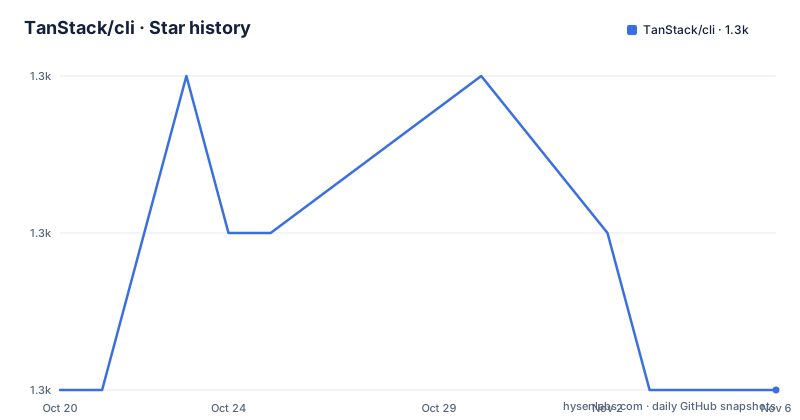
Star history
- TanStack/cli1,302 ★ · +0
| Repository | 2026-10-20 | 2026-11-06 |
|---|---|---|
| TanStack/cli | 1.3k | 1.3k |
0 Stars in the last 17 days, measured from the daily GitHub snapshot. Compare with other projects
Editorial analysis
A scaffolder with a second audience
The TanStack CLI is described as the official CLI for project scaffolding, an MCP server and agent skills installation, and the readme's own summary is that it creates and manages TanStack Router and Start applications.
The interesting part of the feature list is the fourth item. Alongside TanStack Start as the full-stack SSR framework and TanStack Router for type-safe routing, there are add-ons for auth, database, deployment and monitoring, and then there is CLI introspection, described as agent-friendly discovery via JSON CLI output.
That last one changes what the tool is. A scaffolder is normally a human-facing program that prompts, writes files and prints a summary. A CLI that can describe its own capabilities as JSON, and can search its own documentation, is a program built to be driven by something else as well. A coding agent that does not know the command set can call `libraries --json` to see what exists, or `search-docs "loaders" --library router --framework react --json` to find the documentation for a topic, and then act on it.
The rest of the tool is a conventional project generator with a modern surface. The `create` command produces a TanStack Start app by default, which the readme marks as recommended, a Router-only single page application with `--router-only`, and a minimal one-route Start app with `--blank -y` for when the selection prompts are not wanted. Add-ons are named on the command line, and `add` applies the same catalogue to an existing project.
The audience is therefore two overlapping groups: a developer starting a new project, and an agent building one.
The create command, and the flags that matter
The quick start in the readme is the whole interface in one block, and it is worth reading as a map of the decisions a scaffolder makes on your behalf.
# Create TanStack Start app (recommended)
npx @tanstack/cli create my-app

# Create a minimal one-route Start app without selection prompts
npx @tanstack/cli create my-app --blank -y

# Create Router-only SPA (no SSR)
npx @tanstack/cli create my-app --router-only

# With add-ons
npx @tanstack/cli create my-app --add-ons clerk,drizzle,tanstack-query

# Add to existing project
npx @tanstack/cli add clerk drizzle

# List available add-ons
npx @tanstack/cli create --list-add-ons
Two of those flags are about automation rather than about the output. `--blank` produces a minimal one-route Start app, and `-y` skips the selection prompts, which together are the combination an agent or a script wants. The rest are about the shape of the project you want: a full-stack SSR app, a single page app, or an app with third-party wiring already done.
The add-on list is the part that most affects what you get. `clerk` is an auth provider, `drizzle` is a database toolkit and `tanstack-query` is the async state library from the same ecosystem. Choosing them at scaffold time means the generated project already has those dependencies, configuration and boilerplate wired, which is the difference between a working starting point and a checklist of setup steps.
The `add` command is the same idea applied to an existing project, and `create --list-add-ons` is the discovery step, which is what an agent would call first.
Introspection: describing the CLI in JSON
The three introspection commands are the part of the tool that has no equivalent in a conventional generator, and they are what makes the CLI usable by an agent rather than only by a person.
# Agent-friendly introspection
npx @tanstack/cli create --addon-details tanstack-query --json
npx @tanstack/cli libraries --json
npx @tanstack/cli search-docs "loaders" --library router --framework react --json
`--addon-details` returns the metadata for a single add-on. `libraries` enumerates what the CLI knows about. And `search-docs` takes a free-text query, narrowed by library and framework, and returns matching documentation. The `--json` flag is the point of all three, because it is what lets a program consume the answer rather than a person read it.
The repository shows that this is a design commitment rather than a feature bolted on. There is a `domain_map.yaml` at the root, which is the kind of file a tool keeps when it has a structured model of its own domain, and a `skill_spec.md` that describes the skill interface the CLI exposes to agents. The `cli-aliases/` directory suggests the command names are described as data rather than hard-coded, and there are `.agents/`, `.claude/`, `.cursor/` directories plus `AGENTS.md` and `CLAUDE.md`, which is the convention of a repository that expects to be read by automated tooling as well as by people.
The MCP server and agent skills installation named in the project description are the same idea taken further: instead of a JSON output, the CLI exposes itself as a tool an agent can call.
Telemetry that is on unless you are in CI
The telemetry section is unusually specific, and for a scaffolding tool that runs on developer laptops that specificity is appropriate.
TanStack CLI sends anonymous usage telemetry by default. What is sent: command usage, durations, selected framework, package manager and add-on identifiers, and coarse result metadata. What is never sent: project names, file paths, target directories, raw search queries, raw template URLs and paths, add-on config values, environment variables, and raw error messages.
That is a careful list. The exclusion of raw search queries matters given the introspection commands, since a search string is exactly the kind of thing that could carry a project name. The exclusion of raw error messages matters because an error message from a scaffolder can quote a path or a template URL.
The opt-out is automatic in `CI`, or with `DO_NOT_TRACK=1` or `TANSTACK_CLI_TELEMETRY_DISABLED=1`, and it can also be managed afterwards:
tanstack telemetry status
tanstack telemetry disable
tanstack telemetry enable
The behaviour is on by default, and the environment variables cover the cases an organisation usually cares about, because a CI environment is exactly where a policy would forbid sending anything. For a team that wants it off everywhere, the `telemetry disable` command is the answer, and the project ships it as a first-class command rather than only as an environment variable.
The monorepo behind the CLI
The repository is a pnpm and Nx monorepo, and the root manifest shows how it is put together.
The package manager is pinned to `[email protected]`, the type is module, and the build and dev scripts are Nx fan-outs: `nx run-many --target=build --parallel 5` and `nx run-many --target=dev --parallel 20`. The test script chains unit and end to end suites, with `test:e2e:matrix` available as a separate target, which is the shape you expect for a tool that runs a matrix of framework and package manager combinations.
There are also two scripts for dependency hygiene, `check-outdated` and `update-outdated`, both running `node scripts/check-outdated-packages.js`. Releases go through changesets, with a `changeset:generate` script running `node scripts/generate-semantic-changeset.mjs` alongside the standard `changeset` and `changeset:version` and `changeset:publish`.
The tree has `packages/` for the published code, `examples/` with `react/`, `solid/` and `custom-cli/`, a `frameworks/` directory, `docs/`, `cli-aliases/`, `scripts/` and an `_artifacts/` directory. The presence of `examples/custom-cli/` and the `examples/solid/` directory is the interesting part, because both point at a wider scope than a TanStack-only generator.
The dev dependencies are ordinary for a modern TypeScript monorepo: `nx`, `typescript ^6.0.2`, `eslint ^9.20.0` with the TanStack config, `husky`, `@changesets/cli`, `semver` and a fast-glob style resolver set, and the tooling is driven through Nx targets rather than hand-written scripts, which is what keeps a matrix of templates and add-ons manageable.
Where TanStack CLI is the wrong tool
Three limits are clear.
The first is scope. The output is a TanStack Router or TanStack Start project, and the add-ons are the ecosystem's own: an auth provider, a database toolkit, the query library. A team on a different router, a different SSR framework or a different data layer gets no benefit from this catalogue, because the value is in the wiring rather than in the file generation. A generic scaffolder would generate the same directory structure with a different framework's template, and for that you would use the other framework's own generator.
The second is that the tool is young and the version numbers say so. The releases in the history are dated 2026-09-30, and the tags are `[email protected]` and `[email protected]` alongside a dated release tag, which is the pattern of a set of packages versioned in lockstep. A 0.x line of generated templates moves, and a team that intends to keep the generated project in version control and re-run the CLI will find the templates changing under them.
The third is the telemetry default, which is a policy question rather than a defect. It is on by default for developers who are not in CI, and the opt-out is documented and available, but an organisation with a strict stance on outbound telemetry has to set the environment variable or run the disable command in its developer setup, which is a step that has to be in the onboarding documentation.
On maintenance, the record is recent: the last push was on 2026-10-01 and the newest releases are from 2026-09-30. The licence is MIT, with the licence file at the root of the repository, and the documentation is published at tanstack.com/cli with a CLI reference page, alongside the Start and Router documentation.
Editorial conclusion
TanStack CLI fits a team starting a new TanStack Router or Start project that wants the framework's own templates and add-on wiring instead of assembling them by hand, and it fits an agent-driven workflow that needs the CLI to describe itself in JSON rather than prose. It does not fit a team on another framework, since the templates and add-ons are TanStack specific, and it is the wrong tool if you need a project that is generated once and then owned without a CLI in the loop. Before you adopt it in a locked down environment, check the telemetry defaults, since anonymous usage data is sent unless you are in CI or set `DO_NOT_TRACK=1` or `TANSTACK_CLI_TELEMETRY_DISABLED=1`.
Frequently asked questions
How do I create a new TanStack Start app with the CLI?
Run `npx @tanstack/cli create my-app`. The Start app is the default and is what the readme recommends, `--router-only` produces a single page application instead, and `--add-ons clerk,drizzle,tanstack-query` wires the add-ons in at the same time.
Can TanStack CLI create a project without asking any questions?
Yes. `npx @tanstack/cli create my-app --blank -y` creates a minimal one-route Start app without the selection prompts, which is the combination to use in a script or from an agent.
What does the JSON output of the TanStack CLI do?
It makes the CLI introspectable by a program. `--addon-details tanstack-query --json` returns the metadata for one add-on, `libraries --json` enumerates the libraries it knows about, and `search-docs "loaders" --library router --framework react --json` searches its own documentation.
Does the TanStack CLI send telemetry, and how do I turn it off?
It sends anonymous usage telemetry by default, covering command usage, durations, selected framework, package manager and add-on identifiers, and coarse result metadata, and never project names, file paths, raw search queries, env vars or raw error messages. It is disabled automatically in CI, or with `DO_NOT_TRACK=1` or `TANSTACK_CLI_TELEMETRY_DISABLED=1`, and `tanstack telemetry disable` turns it off.
Can I add an add-on to a project I already have?
Yes. `npx @tanstack/cli add clerk drizzle` applies the same add-on catalogue to an existing project, and `npx @tanstack/cli create --list-add-ons` shows what is available.
Official sources
Add this badge to your README
If you maintain this project, the badge below links readers to this analysis and shows its maintenance status from the daily GitHub snapshot. Paste the markdown into your README; add ?metric=license or ?metric=stars to the image URL for a different field.

[](https://hysenlabs.com/projects/tanstack-cli)Star history chart for your README
[](https://hysenlabs.com/projects/tanstack-cli)Was this useful?