tarampampam/error-pages: Server, Docker, and Static Generation
🪂 Tiny, zero-dep HTTP server & Docker image serving pretty, themeable, localized HTTP error pages — drop-in for Traefik, Nginx, Kubernetes, and more
At a glance
- What is it?
- tarampampam/error-pages provides a small Go HTTP server, a rootless Docker image, and a static page generator for themed and localized error responses. It fits reverse proxy and Kubernetes deployments, but its README provides no basic installation command.
- Who is it for?
- Adopt tarampampam/error-pages when a reverse proxy or ingress controller needs a dedicated error response service and self-contained HTML matters. Do not adopt it merely because a static page set would be simpler.
- Can I use it commercially?
- Yes. MIT is a permissive licence: you can use, modify and sell software built on it, as long as you keep its copyright and licence notices.
- Is it still maintained?
- Yes. The repository last received commits 2 days ago.
- What is it written in?
- Mainly Go, according to GitHub's language statistics.
Answers come from the project's GitHub data, last synced on October 23, 2026, and from our analysis. They are not legal advice.
Star history
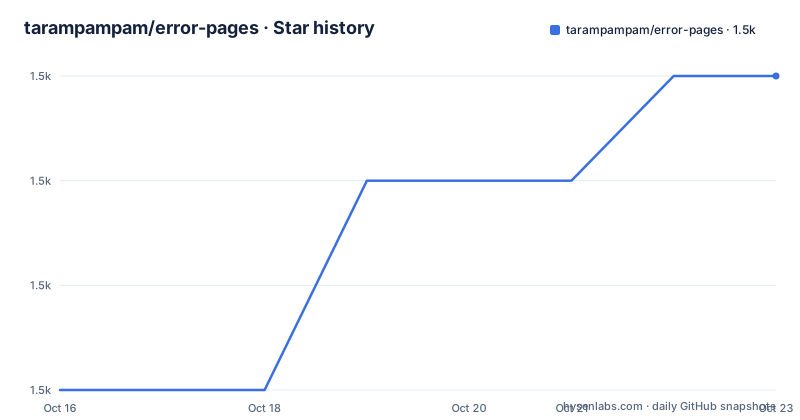
- tarampampam/error-pages1,503 ★ · +3
| Repository | 2026-10-16 | 2026-10-23 |
|---|---|---|
| tarampampam/error-pages | 1.5k | 1.5k |
3 Stars in the last 7 days, measured from the daily GitHub snapshot. Compare with other projects
Editorial analysis
Why error-pages Exists Beside a Reverse Proxy
tarampampam/error-pages replaces the plain error documents emitted by an HTTP server or proxy with branded pages that can respond in HTML, JSON, XML, or plain text. The intended users are operators of Traefik, Nginx, Kubernetes ingress controllers, and similar systems where an error route must remain useful even when the upstream application is unavailable or cannot render its own response.
The project addresses a narrow infrastructure problem. It is not a general-purpose reverse proxy, template framework for application interfaces, or observability system. Its scope is the response returned for HTTP error states. That boundary makes it possible to run it as a separate service and direct proxy error handling toward it.
The repository offers three related forms: a lightweight HTTP server, a static generator, and a pre-rendered archive pack. The Go module is gh.tarampamp.am/error-pages/v4, and the module declaration requires Go 1.27. Both executables are written with the Go standard library and are described as having zero third-party runtime dependencies.
The server accepts HTTP/1.1 and cleartext HTTP/2 through h2c. It applies gzip compression to all supported response formats. For HTML clients, it can select a localized page, and the rendered documents are responsive and self-contained because their styles and images are embedded directly. The exception is the cats template, which fetches actual cat pictures from external servers. That exception deserves attention in privacy, availability, and content-security decisions.
Templates, Negotiation, and Response Flow
The built-in templates include app-down, cats, connection, ghost, hacker-terminal, l7, lost-in-space, noise, orient, shuffle, and win98. They provide different visual treatments for an error response, while custom pages can be created with Go templates. The README does not describe every configuration key, so template naming alone does not establish how a custom template is mounted or selected in a particular deployment.
The documented behavior is that the server returns the representation appropriate to the client request. An HTML client can receive a themed HTML page, while API-oriented requests can receive JSON, XML, or plain text. This matters for a reverse proxy because error responses are not always consumed by browsers. A JSON client should not be forced to parse an illustration intended for a person.
Localization applies to the HTML output, with support for more than 15 languages. Templates are embedded into self-contained documents rather than depending on external stylesheets or image URLs, except for cats. The distinction affects operational behavior. Self-contained pages can avoid additional requests for their presentation assets, while a template that retrieves remote pictures introduces a dependency outside the error service.
The static generator offers a different data flow. Instead of accepting an HTTP request and negotiating a response, it pre-renders pages for deployment as ordinary static files. This reduces runtime behavior and can fit hosts that serve an existing error directory. The HTTP server is the better fit when representation negotiation, localization, or dynamic template handling is required.
Containers and Kubernetes Deployment Forms
The repository ships a prebuilt binary, a minimal Docker image, and a Helm chart for Kubernetes. The container is rootless and scratch-based according to the README. The Dockerfile builds separate server and builder binaries with CGO disabled, then prepares separate root filesystem trees for the server and generator.
The image uses an application account named appuser with numeric identifiers 10001 and a non-login shell. It copies CA certificates into the filesystem and places the compiled executable in /bin. The server image also includes /bin/httpcheck, copied from ghcr.io/tarampampam/microcheck:1, for use by the Docker health check. Although the Dockerfile notes this as a super-lightweight HTTP checking tool, the README does not provide the complete health-check command.
The Docker build sets APP_VERSION to undefined@docker by default. It accepts a version string such as v1.2.3@GITHASH according to the comment in the Dockerfile, but that comment is explanatory rather than a complete documented build command. The repository also contains a deploy directory and states that a ready-to-use Helm chart is included.
This packaging makes the project suitable for an independent error service in a container platform. It does not automatically configure Traefik, Nginx, or a Kubernetes ingress controller. Those integrations still need error routing, status-code handling, and service discovery configured in the relevant proxy or controller. The README says that popular reverse proxies and ingress controllers are supported, but it does not show their complete configuration snippets.
Installing error-pages and Completing a First Request
The README identifies the official project homepage, the Docker image repository, downloadable static page archives, prebuilt binaries, and a Helm chart, but it does not give a basic installation command or a complete first-run configuration. For that reason, this tutorial does not invent a Docker run flag, listening port, volume path, or environment variable.
A first evaluation can begin at the documented project homepage, where the built-in templates are previewable. Start by selecting the intended template and inspect its previewed light and dark variants. Exclude cats if the error response must make no external resource requests, because the README explicitly identifies it as the only built-in template that fetches remote pictures.
Next, choose the delivery mode before configuring infrastructure. Use the HTTP server when the proxy needs content negotiation, localized HTML, and multiple representation formats. Use the pre-rendered static pack when ordinary web-server error files are sufficient. Use the builder when static files need to be generated from the project's templates.
For a container deployment, obtain the project image from its documented Docker image location rather than constructing an undocumented command from assumptions. For Kubernetes, use the repository's Helm chart under deploy. After choosing a route, verify that the proxy forwards the desired HTTP status codes to the error service and that the response content type matches the requesting client. Those integration details are essential because serving a page is only half of the setup; preserving the intended status and format is the other half.
Static Files Versus a Live Error Service
The closest alternative is to serve pre-rendered error pages from the existing web server or proxy. This differs from tarampampam/error-pages in runtime architecture. A static deployment has no dedicated Go request handler, no runtime content negotiation through this service, and no need to keep a separate container healthy. It is usually simpler when the same fixed HTML file is acceptable for every request.
The live service offers capabilities that fixed files do not provide. The README states that it selects HTML, JSON, XML, or plain text according to the request, compresses every response format, and localizes HTML into more than 15 languages. It also provides Go template support. Those features matter for systems whose clients have different representation needs or whose visitors may receive different languages.
A static directory remains the better option when every error should use one fixed document, infrastructure policy prohibits an additional service, or generated artifacts can be mounted directly. The live server is the better option when proxy error handling benefits from a centralized endpoint with request-aware output. The choice is operational, not visual: both modes can use the project's templates.
The static generator does not remove all maintenance. Templates, localization content, generated files, and the deployment process still need updates when the selected template set changes. The HTTP server adds process supervision and health checking to that maintenance list, but the Dockerfile already accounts for an internal health-check utility.
Constraints in Templates, Formats, and External Content
The clearest documented failure condition is the cats template's dependency on external picture servers. If those requests fail, the error page can lose the imagery it expects. External retrieval can also conflict with a policy requiring error responses to remain fully self-contained. The other listed templates are described as self-contained, so cats should not be treated as equivalent to them during template selection.
The cats name also illustrates why documentation examples should not be treated as universal guarantees. A visually attractive error page is not automatically suitable for every deployment. Administrators may need predictable asset behavior, controlled language output, or a response format that a machine client can parse. Selecting the wrong built-in template or allowing the server to return HTML to an API client can leave the client with a syntactically valid HTTP response it cannot use as intended.
The README does not document authentication, access controls, rate limiting, request logging policy, or rollback behavior for the server. Their absence from the README does not prove that they are impossible, but it means an adopter cannot confirm them from that source. Likewise, the README does not enumerate every custom-template variable, proxy configuration directive, or upgrade procedure beyond pointing v3 users to docs/UPGRADE_TO_V4.md.
The project may also be the wrong tool when a large application-owned error experience is required. Its documented feature set centers on status pages, localization, templates, and content negotiation. It is better suited to infrastructure-generated errors than to a full branded application workflow.
Release Cadence, Upgrades, and the MIT License
The repository is not archived. Its last push was on 2026-10-11. Recent releases include v4.2.6 on 2026-10-11, v4.2.5 on 2026-09-01, and v4.2.4 on 2026-07-16. Those dates indicate recent project activity, but they do not by themselves describe compatibility guarantees or the work required for each upgrade.
The upgrade cost depends on how the service is deployed. Binary users must replace the executable, container users must update the image reference, and Kubernetes users must review the Helm values and rendered manifests. The README does not provide a general compatibility matrix or automatic rollback procedure. It does explicitly direct users upgrading from v3 or earlier to docs/UPGRADE_TO_V4.md, indicating that a major-version transition deserves separate review.
The project is distributed under the MIT license. That identifies the repository's declared licensing terms, but this review does not provide legal advice about container distribution, modified templates, third-party assets, or obligations associated with a particular deployment. The cats template's external image behavior is especially worth checking against organizational requirements rather than assuming all template assets follow the same delivery model.
Editorial conclusion
Adopt tarampampam/error-pages when a reverse proxy or ingress controller needs a dedicated error response service and self-contained HTML matters. Do not adopt it merely because a static page set would be simpler. Verify first that the chosen template meets your external-resource policy, then confirm the configuration and migration guidance for the deployment version you plan to use. For upgrades from v3 or earlier, the repository directs adopters to docs/UPGRADE_TO_V4.md.
Frequently asked questions
How do I install tarampampam/error-pages?
The README points to the project homepage, prebuilt binaries, a Docker image, downloadable static archives, and a Helm chart, but it does not include a basic installation command. Choose the delivery form documented by the project rather than assuming an unlisted port, flag, or volume path.
Does tarampampam/error-pages support Docker and Kubernetes?
Yes. The project ships a rootless, scratch-based Docker image and a ready-to-use Helm chart for Kubernetes. Its README also identifies Traefik, Nginx, and other reverse proxies or ingress controllers as supported integration targets.
Which tarampampam/error-pages template loads external resources?
The cats template is the only listed built-in template documented as fetching resources from external servers. The other templates are described as self-contained, with styles and images embedded in the HTML.
Can tarampampam/error-pages return JSON instead of HTML?
The README states that the server returns HTML, JSON, XML, or plain text according to the client request. It also states that gzip compression is applied to all response formats.
What should I check when upgrading tarampampam/error-pages from v3 to v4?
The repository explicitly directs v3 and earlier users to docs/UPGRADE_TO_V4.md. That migration guide is the relevant starting point because the README does not summarize the configuration or behavioral changes.
Official sources
Add this badge to your README
If you maintain this project, the badge below links readers to this analysis and shows its maintenance status from the daily GitHub snapshot. Paste the markdown into your README; add ?metric=license or ?metric=stars to the image URL for a different field.

[](https://hysenlabs.com/projects/tarampampam-error-pages)Star history chart for your README
[](https://hysenlabs.com/projects/tarampampam-error-pages)Was this useful?