Commands are files: what pastel generates for your CLI and what it leaves out
🎨 Next.js-like framework for CLIs made with Ink
At a glance
- What is it?
- pastel is a TypeScript framework for command line apps built on Ink, where every file in a commands folder becomes a command and Zod schemas generate both the flags and the help text. The routing layer is small and legible. The packaging and dependency story around it has some gaps.
- Who is it for?
- pastel is a good fit if you are writing an Ink app and want commands, options and arguments declared once in Zod with help generated from the same declaration. It is a bad fit if you want argument parsing with no React in it.
- Can I use it commercially?
- Yes. MIT is a permissive licence: you can use, modify and sell software built on it, as long as you keep its copyright and licence notices.
- Is it still maintained?
- Activity is slowing. The repository last received commits 7 months ago.
- What is it written in?
- Mainly TypeScript, according to GitHub's language statistics.
Answers come from the project's GitHub data, last synced on November 15, 2026, and from our analysis. They are not legal advice.
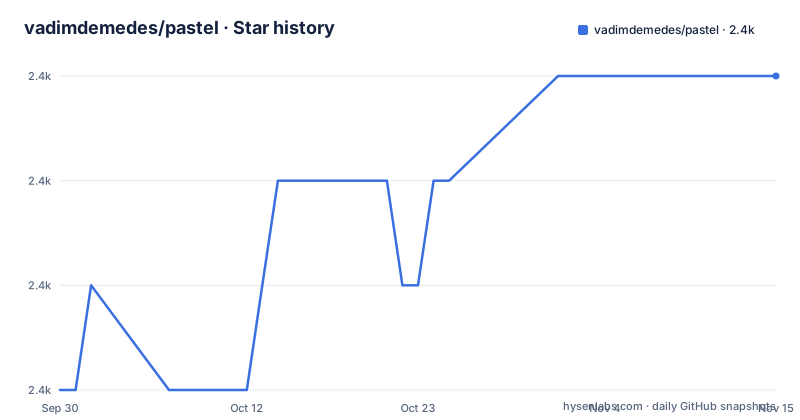
Star history
- vadimdemedes/pastel2,411 ★ · +3
| Repository | 2026-09-30 | 2026-11-15 |
|---|---|---|
| vadimdemedes/pastel | 2.4k | 2.4k |
3 Stars in the last 46 days, measured from the daily GitHub snapshot. Compare with other projects
Editorial analysis
Commands are files, and the filename is the command name
The whole routing model is the directory listing. Every file in the `commands` folder is a command, the filename without its extension is the command's name, and the file is expected to export a React component that gets rendered when the command runs. Folders inside `commands` become subcommands, and nesting can go as deep as you want:
commands/
	deploy.tsx
	login.tsx
	logout.tsx
	domains/
		list.tsx
		add.tsx
		remove.tsx
`index.tsx` is the special case. It runs when no command name is given, which suits a single purpose CLI, and np and fast-cli are named as that shape. A default command is different: it also runs when no name is given, but it keeps its own name and shows up in the help message. You mark one by exporting `isDefault = true`, and Vercel's CLI is the named real world case, where both `vercel` and `vercel deploy` trigger a deploy.
The manual setup never installs the three peer dependencies
The install line near the top of the guide is `npm install pastel ink react zod`, and package.json puts ink >=6.0.0, react >=19.0.0 and zod >=4.0.0 into peerDependencies. The manual setup path, the one inside the collapsible details block that runs through ten numbered steps, never installs any of them. Its second step is `npm install pastel` followed by `npm install --save-dev typescript @sindresorhus/tsconfig`, and React, Ink and Zod appear nowhere in the steps that follow. The sample command file that path tells you to write imports all three by name. Follow it instead of the scaffolder and the steps never tell you to install the peer dependencies yourself.
Zod descriptions are what print in the help output
Options and arguments are declared once, as Zod schemas, and everything downstream comes out of that declaration. The manual setup's index command exports `options` as a `zod.object` holding `name: zod.string().describe('Your name')`, and the help output later in the guide prints `--name Your name` in a column of its own. The same block adds `-v, --version Show version number` and `-h, --help Show help`, which come from the parser underneath rather than from the schema. The feature list claims two results from this arrangement: an auto-generated help message, and full type safety, both because one declaration fixes both what a flag accepts and what the help says about it.
@types/yargs is installed while nothing in the project uses yargs
The feature list states that the framework uses Commander under the hood, and commander ^14.0.1 sits in the runtime dependencies. Among the sixteen devDependencies, though, there is @types/yargs ^17.0.33: type definitions for a package that appears in neither dependencies, nor peerDependencies, nor the guide, nor the tsconfig. It reads as residue from an earlier parser choice, left behind in the manifest. It costs nothing at install time.
Six runtime dependencies, two of them for reshaping text
The runtime list has six entries: @inkjs/ui ^2.0.0, commander, decamelize, plur, read-package-up and zod-validation-error. @inkjs/ui is the only Ink family package installed automatically, yet the examples shown import from `ink` instead. Two of the remaining names describe string transformation, decamelize and plur, which is what a flag generator needs when schema keys are camelCase in TypeScript and dashed on the command line. read-package-up is how a version string is located at run time.
The published package is the build directory and nothing else
The `files` array in package.json holds a single entry, build, and exports resolves types from ./build/index.d.ts and the default import from ./build/index.js. What ships is compiled JavaScript and one declaration file. The manual setup's tsconfig.json extends @sindresorhus/tsconfig, sets outDir to build, turns sourceMap on, and includes only source, so the TypeScript behind it is not part of the package. The manifest declares node >=20, sets type to module, and hands prepare the single command tsc, so a checkout compiles on install. The license file at the repository root is named license, with no extension, and the metadata field says MIT.
Tests run through ts-node while the build runs through tsc
The test script chains three tools in one line: `tsc --noEmit`, then xo, then ava launched with NODE_OPTIONS set to the ts-node ESM loader, the experimental specifier resolution flag, and no warnings. The repository therefore type-checks through one TypeScript pipeline and executes its tests through another, on any Node version the manifest allows from 20 upward. ava runs with concurrency 1, maps both the ts and tsx extensions to module, and sets NODE_NO_WARNINGS in its own environmentVariables, which asks for the same suppression a second time in one test run. The linter extends xo-react with react/prop-types, no-await-in-loop and unicorn/prevent-abbreviations switched off.
The guide ends one clause into the aliases section
The table of contents lists the full scope of the guide. Under Options it lists Types with String, Number, Boolean, Enum, Array and Set, then optional or required options, default value, and alias. Under Arguments it lists String, Number and Enum. After those come Custom app, Custom program name, Custom description, Custom version, and an API section.
Editorial conclusion
pastel is a good fit if you are writing an Ink app and want commands, options and arguments declared once in Zod with help generated from the same declaration. It is a bad fit if you want argument parsing with no React in it. Two things are worth checking before you rely on it. The manual setup path never installs ink, react or zod, so follow the install line or the scaffolder instead. And the last commit on the default branch main is dated 2026-03-21, the same day v4.0.1 was published and five months after v4.0.0, so read that date rather than the version number when judging where the project stands.
Frequently asked questions
What does the pastel package do?
It is a framework for command line apps whose commands are React components rendered by Ink. Each file in a commands folder is one command, Commander handles parsing underneath, and Zod schemas declare the options and arguments that generate the help message.
How do I install pastel and its dependencies?
The install line in the guide is npm install pastel ink react zod, and package.json lists ink >=6.0.0, react >=19.0.0 and zod >=4.0.0 as peer dependencies. For a fresh project the guide points at the create-pastel-app scaffolder through npm create pastel-app.
Which Node version does pastel require?
package.json declares engines.node >=20. The test script goes further and runs ava through the ts-node ESM loader with experimental specifier resolution enabled and warnings suppressed.
What is the newest pastel release?
v4.0.1, published 2026-03-21, and package.json carries the same version number 4.0.1. It follows v4.0.0 on 2025-10-18 and v3.0.0 on 2024-06-06, and the last commit on the default branch main is dated 2026-03-21.
Does the pastel npm package include TypeScript sources?
No. The files field lists build only, and exports points at ./build/index.d.ts for types, so an installed copy holds compiled JavaScript plus one declaration file. The manifest requires node 20 or newer and runs tsc from its prepare script.
Official sources
Add this badge to your README
If you maintain this project, the badge below links readers to this analysis and shows its maintenance status from the daily GitHub snapshot. Paste the markdown into your README; add ?metric=license or ?metric=stars to the image URL for a different field.

[](https://hysenlabs.com/projects/vadimdemedes-pastel)Star history chart for your README
[](https://hysenlabs.com/projects/vadimdemedes-pastel)Was this useful?