dizqueTV: Plex Media as Live TV Channels
Create live TV channels from your own media. Access the streams using the simulated HDHomerun tuner or the generated M3U URl.
At a glance
- What is it?
- dizqueTV turns scheduled Plex media into live television channels exposed through a simulated HDHomeRun tuner or an M3U playlist. It fits private Plex libraries, but playback account requirements, resource use, and manual media updates limit its scope.
- Who is it for?
- Private Plex, Jellyfin, or Emby users who want scheduled linear channels should consider dizqueTV after verifying Plex Pass requirements, transcoding capacity, and how their chosen client handles format changes. Public or multi-user streaming is not an appropriate deployment because the project explicitly limits itself to private use.
- Can I use it commercially?
- Yes. Zlib is a permissive licence: you can use, modify and sell software built on it, as long as you keep its copyright and licence notices.
- Is it still maintained?
- Yes. The repository last received commits 47 days ago.
- What is it written in?
- Mainly JavaScript, according to GitHub's language statistics.
Answers come from the project's GitHub data, last synced on November 7, 2026, and from our analysis. They are not legal advice.
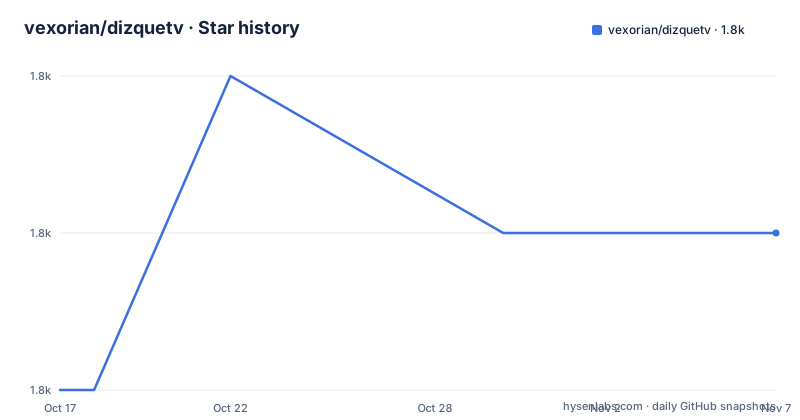
Star history
- vexorian/dizquetv1,772 ★ · +1
| Repository | 2026-10-17 | 2026-11-07 |
|---|---|---|
| vexorian/dizquetv | 1.8k | 1.8k |
1 Stars in the last 21 days, measured from the daily GitHub snapshot. Compare with other projects
Editorial analysis
Why dizqueTV Exists for Private Plex Libraries
dizqueTV solves a specific home media problem: presenting selected Plex files as continuous television channels rather than as separate video library items. It can build a schedule from programs, commercials, prerolls, music videos, and channel branding, then present that schedule as a channel a viewer can join like live TV. This is aimed at people who already organize media on Plex and want scheduled playback that resembles a conventional channel.
The target is primarily a private household or similarly controlled environment. The README explicitly says that dizqueTV is intended for private use and discourages exposing its ports to other users. That boundary matters because the project simulates a tuner and generates stream endpoints. Its documented sharing path is through a Plex IPTV player or another arrangement that avoids making the dizqueTV port public.
It is also not just a Plex-only concept. A channel can be added as a simulated dizqueTV HDHomeRun tuner in Plex, Jellyfin, or Emby, while the generated M3U URL can be used by third-party IPTV applications. The same channel configuration can therefore serve several client types. However, identical behavior across every player is not documented. Client account restrictions, playlist handling, and format transitions still need separate consideration.
How dizqueTV Builds a Channel Schedule
Based on the repository layout and README, dizqueTV combines an Express application, a web interface, server connections, schedule data, and media playback logic. The package entry point is `index.js`, source code is held under `src/`, and the browser application is under `web/`. Persistent configuration and EPG output are kept in the `.dizquetv` directory, including `.dizquetv/xmltv.xml`.
Channels and their programming are defined through the web UI. A channel can include desired programs and filler content, with logos shown during playback. Programs may be selected across multiple Plex servers. The README also describes two schedule modes. One behaves like a channel that continues through its day even when nobody is watching. The other acts on demand and stops its schedule while the channel is not being viewed.
Playback can remain direct or use `ffmpeg`. That choice determines how aggressively dizqueTV prepares media before sending it to a player. The project can force direct play, but the README warns that this approach has caveats. It can also transcode media to reduce playback failures, although that consumes additional resources. Hardware encoding is available for NVIDIA systems, including in Docker.
The output layer has two forms. One mocks an HDHomeRun tuner so a supported client can discover and add channels as if dizqueTV were tuner hardware. The other generates an M3U URL for an IPTV player. The project also includes a web TV guide that can play a channel through the viewer's local media player.
Installing dizqueTV and Connecting a First Channel
The README sends users to the project wiki for setup instructions and does not provide a complete installation tutorial here. It does document prepackaged binaries for Windows, Linux, and Mac, plus Docker images. The repository `Dockerfile` exposes port `8000` and runs the packaged `dizquetv` entrypoint. It does not give the user-facing Docker invocation, image pull command, or first-run configuration sequence, so those details should be taken from the wiki rather than inferred.
For source development, `package.json` defines the standard startup command. After installing the package dependencies, the server starts from the repository root:
npm install
npm start
The `Dockerfile` uses exactly these stages: it runs `npm install`, builds the browser bundle, and compiles a Linux executable through `make_dist.sh`. The README's development sequence instead rebuilds and recompiles the application:
npm run build
npm run compile
npm run package
A first real configuration begins in the web UI, where the operator adds a Plex server, selects programs and filler, and defines the channel settings. The operator then either adds the simulated HDHomeRun tuner in Plex, Jellyfin, or Emby, or copies the generated M3U URL into an IPTV player. If upgrading from `pseudoTV 0.0.51`, the README says to rename the `.pseudotv` folder to `.dizquetv`, or apply the equivalent volume mapping for Docker.
Plex Pass, Codec Changes, and the Direct Play Trade-off
The clearest limitation concerns Plex playback through the spoofed HDHomeRun tuner: the README states that Plex Pass is required. Users who do not have that subscription cannot assume the tuner-based Plex workflow will work, even if dizqueTV itself creates the tuner successfully.
Format changes are another common failure point. The README says that most players, including Plex, may break after an episode switch when video or audio formats differ substantially. This is a scheduling problem as well as a transcoding problem. A channel with visually similar source files is less likely to trigger difficult transitions than a channel that mixes unrelated resolutions, codecs, or audio layouts.
Direct play reduces server processing, but the project allows it to be forced only with stated caveats. Using `ffmpeg` can make incompatible transitions more manageable, at the cost of compute resources. That cost becomes particularly relevant when several channels are active or when Plex DVR is enabled. According to the README, configuring Plex DVR causes it to record and transcode channel content continuously. Hardware encoding support for NVIDIA may address resource pressure, but it also ties that option to suitable graphics hardware.
A sensible initial configuration would use one channel, closely matched media, and no DVR. That does not prove compatibility across every client, but it gives the operator a narrower failure surface before scheduling more varied content.
Manual Plex Updates and Persistent Configuration
dizqueTV does not watch Plex libraries for media additions, removals, or replacements. The README specifically says that programs must be manually removed and re-added for changes to take effect. Server-level changes require the same treatment: if a Plex server's IP, port, or other connection details change, the corresponding dizqueTV settings must be updated manually.
This design creates ongoing configuration work that ordinary direct-play libraries do not require. Adding a new episode is not enough if it has not been added to the relevant channel program in dizqueTV. Renaming or moving source media can leave scheduled entries based on stale information until an operator checks them. Likewise, recovering after a Plex server address change requires editing server configuration before channels can resume as expected.
The local `.dizquetv` directory is therefore important. It contains configuration and stores EPG data in `.dizquetv/xmltv.xml`. Migrating from pseudoTV requires preserving that state under the new directory name. Anyone evaluating upgrades should include the directory in backups and verify that channel definitions, schedule content, and guide data remain present after starting the new version.
The repository is not archived, and its last push was on 2026-09-22. Its release history includes `1.7.0` on 2025-12-15, `1.6.0` on 2025-12-01, and `1.5.5` on 2024-10-21. The README itself is headed `dizqueTV 1.5.5`, so documentation and released versions are not aligned at the same level. Release notes should be checked before an upgrade because migration requirements for each newer version are not documented.
dizqueTV Compared with Native Plex Playback
Native Plex playback is the practical alternative for users who only need to open individual files. Plex already represents the media as a library of separate items and lets the client request them directly. It does not require dizqueTV to construct television schedules, generate EPG data, fill gaps with commercials, or simulate tuner discovery.
The difference is the viewing model. dizqueTV composes multiple items into a linear channel, can continue advancing through its schedule while unattended, and exposes that composition as a tuner or M3U stream. Its schedule mode, filler content, logos, subtitle support, deinterlacing option, and guide features are specific to that channel layer.
Native Plex is the better fit when random access to episodes matters more than channel continuity. dizqueTV is the better fit when a client expects television-shaped programming. The trade-off is operational: channel composition adds configuration, creates compatibility constraints at episode boundaries, and can trigger transcoding. For public distribution, neither interface removes the explicit private-use restriction attached to dizqueTV.
License Boundaries for Modified dizqueTV Deployments
dizqueTV's improvements are distributed under the Zlib license. The README also identifies the original pseudotv-Plex code as MIT licensed, copyright 2020 Dan Ferguson, and credits Bootstrap and FontAwesome under their respective licenses. Any organization that modifies or redistributes the combined software should account for all applicable notices rather than relying only on the top-level package field.
The project is for private use according to its README, so the technical distribution license and the documented deployment boundary should be treated as separate concerns. This is not legal advice. It does mean that exposing a deployment to other users falls outside the setup the project documents, regardless of whether the software files are covered by the stated license.
Editorial conclusion
Private Plex, Jellyfin, or Emby users who want scheduled linear channels should consider dizqueTV after verifying Plex Pass requirements, transcoding capacity, and how their chosen client handles format changes. Public or multi-user streaming is not an appropriate deployment because the project explicitly limits itself to private use. The first concrete check is a single channel using media with similar formats, without unnecessary transcoding.
Frequently asked questions
Does dizqueTV require Plex Pass?
Yes for the documented workflow that plays channels in Plex through the spoofed HDHomeRun tuner. The README does not state that Plex Pass is required for the generated M3U URL when used by another player.
How does dizqueTV update when Plex media changes?
It does not automatically watch the Plex server for media changes. Programs must be manually removed and re-added, and Plex server connection changes must also be updated in dizqueTV.
Can dizqueTV expose live channels without Plex?
The channels are built from media on Plex servers. They can be accessed through the simulated HDHomeRun tuner in Plex, Jellyfin, or Emby, or through the generated M3U URL in a third-party IPTV player.
Official sources
Add this badge to your README
If you maintain this project, the badge below links readers to this analysis and shows its maintenance status from the daily GitHub snapshot. Paste the markdown into your README; add ?metric=license or ?metric=stars to the image URL for a different field.

[](https://hysenlabs.com/projects/vexorian-dizquetv)Star history chart for your README
[](https://hysenlabs.com/projects/vexorian-dizquetv)Was this useful?