IdCardOCR: an offline Android SDK for Chinese identity documents
身份证正反面识别,身份证扫描识别,二代身份证OCR识别,OCR极速识别身份证所有信息正反面均可。离线无需联网,极速秒扫。
At a glance
- What is it?
- IdCardOCR is an Android library that scans Chinese second generation ID cards, driving licences and passports and returns every field as JSON, entirely on device with no network call. The AAR carries a licence key bound to your application id and signing fingerprint, which makes the release process the most interesting part of integrating it.
- Who is it for?
- Adopt IdCardOCR if you are building an Android app that has to read a Chinese identity document on device, you need the scan to work without a network connection, and you are willing to obtain a licence key bound to your application id and signing fingerprint.
- Can I use it commercially?
- Not without permission. GitHub finds no licence file in the repository, and without a licence all rights are reserved by default: you may read the code but not reuse it. Check the README, or ask the authors, before using it.
- Is it still maintained?
- Yes. The repository last received commits 40 days ago.
- What is it written in?
- Mainly Java, according to GitHub's language statistics.
Answers come from the project's GitHub data, last synced on November 7, 2026, and from our analysis. They are not legal advice.
Star history
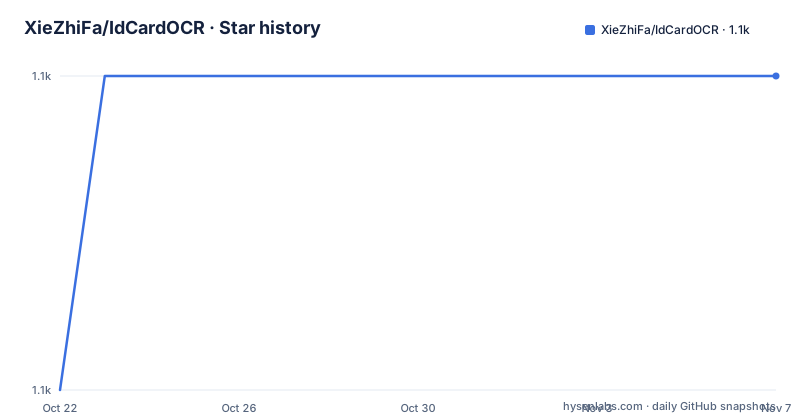
- XieZhiFa/IdCardOCR1,134 ★ · +1
| Repository | 2026-10-22 | 2026-11-07 |
|---|---|---|
| XieZhiFa/IdCardOCR | 1.1k | 1.1k |
1 Stars in the last 16 days, measured from the daily GitHub snapshot. Compare with other projects
Editorial analysis
What it claims to read, and where
IdCardOCR is an Android library for reading Chinese identity documents. The project description says it recognises the front and back of a second generation ID card, as well as driving licences and passports, offline, with no network access, and the README expands on that.
The document types are chosen through an index: 0 for the identity card, 1 for the driving licence and 2 for the passport. The README also mentions that offline recognition of military officer certificates is available on request.
The fields returned for an ID card are the type, the name, the sex, the ethnicity, the date of birth, the ID number, the address, the issuing authority and the validity period, plus the path of the full scanned image and the path of the cropped portrait. The driving licence adds its own fields: the country, the date the licence was first issued, the vehicle class the holder is licensed for, and the registration date.
The offline claim is the part that matters for the use case this library is for. A document scanning flow in a Chinese app is usually embedded in an identity verification or onboarding step, and a flow that depends on a remote service is a flow that fails on a bad network and a flow that sends identity documents to a third party. Doing the recognition on the device avoids both.
The repository was last pushed to on 2026-09-29, it has no GitHub releases, and the README does not record a licence for the project itself.
The built-in scanner, and two ways to get the result back
The library offers a complete scanning flow out of the box, and the integration has two parts.
The first is initialisation in the Application class, because the engine has to be ready before any activity uses it:
OcrDecodeFactory.initOCR(context);The second is starting the built-in scanner, with a builder that takes a request code, the document type and the broadcast action to send results to:
OcrDecodeFactory.newBuilder(context)
  .requestCode(REQUEST_CODE)
  .ocrType(binding.type.getSelectedItemPosition())    //0身份证, 1驾驶证, 2护照
  .broadcastAction(broadcastAction)                   //扫描结果发送到这个广播上
  .startOcrActivity();                                //使用内置的扫描界面
The result comes back in one of two ways, and the README shows both. The first is through the activity result, where the payload is a JSON string under the extra named `OCRResult`:
if(requestCode == REQUEST_CODE && resultCode == RESULT_OK){
    String result = data.getStringExtra("OCRResult");
    JSONObject jo = new JSONObject(result);
    sb.append(String.format("姓名 = %s\n", jo.opt("name")));
}
The second is through a broadcast, which is what the `broadcastAction` in the builder is for. The receiver reads the same `OCRResult` extra from the intent:
private class ResultReceiver extends BroadcastReceiver {
  @Override
  public void onReceive(Context context, Intent intent) {
    if(broadcastAction.equals(intent.getAction())){
      String result = intent.getStringExtra("OCRResult");
    }
  }
}
The broadcast route is the one to choose if the scan is started from a flow that is not an activity result, for example a screen in a multi step onboarding flow, since it decouples the scan from the calling activity.
Replacing the built-in screen with your own camera UI
If the bundled scanning screen does not fit your design, the library exposes the decoder on its own so you can build your own camera preview.
You initialise the same way, then build a decoder with three options: whether to save the image, which the README notes only takes effect in the ID card mode and means the portrait is cropped automatically, the document type, and a margin for the preview frame. The margin has different defaults per document type, 48dp for the identity card and 20dp for the passport.
OcrDecode ocrDecode = OcrDecodeFactory.newBuilder(context)
  .saveImage(saveImage)       //是否保存图片, 仅身份证模式有效, 表示自动裁剪身份证头像
  .ocrType(ocrType)           //0身份证, 1驾驶证, 2护照
  .margin(getResources().getDimension(R.dimen.public_40_dp)) //预览框边距, 身份证默认48dp, 护照默认20dp
  .build();
Decoding is asynchronous, and it takes either a JPEG byte array or a file path:
ocrDecode.decode(byte[] jpeg, callback);
ocrDecode.decode(String path, callback);
The callback has a success branch that hands you the JSON string, and a failure branch with a cause code. The three codes named in the README are `LibraryInitOCR.DECODE_FAIL`, `LibraryInitOCR.DECODE_UNAUTHORIZED` and `LibraryInitOCR.DECODE_AUTO_FOCUS`.
Two details in the comments matter for a real integration. The callback is asynchronous, so the UI must not be updated from it directly. And the library recommends cropping the data before passing it in, for better recognition speed and accuracy, with the example code in `SimpleCameraActivity` given as the reference for how to do that.
The decoder holds native resources, so it has to be released:
ocrDecode.close();in the activity's `onDestroy`.
Packaging the AAR, and the ABI split you have to decide
Integration is by AAR file rather than from a package repository. The README says to copy the aar into the `libs` directory and add a flat directory repository to the build file:
android{
    repositories {
        flatDir {
            dirs 'libs'
        }
    }

    defaultConfig {
        manifestPlaceholders = [
            //debug.keystore生成, 正式包需要重新生成.
            //**注意: 一个KEY只绑定一个applicationId 多渠道打包需要注意**
            "OCR_API_KEY" : "26f1f6a0d4d7cb0dd0e9b28f4cedef83"
        ]

        ndk {
            //abiFilters 'armeabi', 'x86', 'armeabi-v7a', 'arm64-v8a'

            //armeabi x86 基本上已经是淘汰了, Android11 以上版本请使用这两个架构的ABI
            abiFilters 'armeabi-v7a', 'arm64-v8a'
        }
    }
}
Three things in that block are decisions rather than boilerplate. The `flatDir` repository is what makes the local aar resolvable, and the comment records the Gradle 7 change, where the reference becomes `implementation(files("./libs/library-ocr-2.0-SNAPSHOT.aar"))`.
The `OCR_API_KEY` is a manifest placeholder, and the comment next to it is the important one: the key is bound to a single application id, and the note warns about multi channel packaging. The key in the snippet is a placeholder value, and the README explains further down how a real one is obtained.
The `abiFilters` line is the size decision. The commented-out line shows the four ABIs that were once supported, and the note says armeabi and x86 are largely obsolete and that Android 11 and above should use the two remaining ones, armeabi-v7a and arm64-v8a. The support section repeats the same advice, that if you only use ID card recognition you can delete the driving licence native library and keep only those two ABIs.
The library also needs a ProGuard exclusion, and the README points at the rules in `app/proguard-rules.pro` rather than repeating them.
The licence is a per-application key, which changes the release process
The most consequential part of integrating this library is not the code, it is the key.
The README explains that the key is tied to the application id and to the release signature. To get a key, you send the application id and the sha1 of your release build to the author, and the sha1 can be read from the signing file with `keytool`:
keytool -list -v -keystore 签名文件.keystore -storepass 签名文件密码The support section also says the licence key is not free, and that a demo APK is available. The key mechanism has a direct consequence for a release process: a build signed with a different fingerprint, or with a different application id, will not be the build the key was issued for. That is why the comment in the Gradle block warns that one key binds to one application id and that multi channel packaging needs care, and why the build file in the repository ships a `debug.keystore` with the note that a release build needs a newly generated one.
In exchange, the README states there are no limits: no limit on the number of installations and no limit on the number of calls, and that a later update is handled by dropping in the new aar.
The AAR contains the engines for all three document types, which is why the package is large, and the support section says you can trim it if you do not need all three. That trimming is the practical lever on the size of the library, and it interacts with the ABI filter, since each document type has its own native library.
What the repository shows, and where it falls short
The repository is a Gradle project with an `app/` module, a `gradle/` wrapper, `build.gradle`, `settings.gradle` and `gradle.properties`, plus an `image/` directory for the screenshots the README embeds and a `demo` APK, `idcardOCR-demo-2.2.apk`, committed at the root.
The update log in the README is one line for version 2.1, which fixes the problem where installing the APK on a newer system reports that the application version is too low. That is a small entry, and it is the entire changelog visible in the README, so the README does not document the version history.
The gaps are worth naming. There is no licence recorded for the repository, and the library itself is distributed under a per-application key, so the terms of use are the ones in the support section rather than an open source licence file. There are no GitHub releases, so the aar is obtained by request and the version history lives in that conversation rather than in the repository. The demo APK and the debug keystore are committed, which is convenient for trying the library and for the debug build, and is something to remove from a project that ships.
The accuracy claims are also worth reading carefully. The README says recognition of a screen, such as a monitor, gives a lower rate and recommends testing with the original document, which is an honest admission that the engine is tuned for a physical card under controlled lighting rather than for arbitrary images. For a flow that accepts a photo of a card taken with a phone camera, that difference is the whole risk.
Editorial conclusion
Adopt IdCardOCR if you are building an Android app that has to read a Chinese identity document on device, you need the scan to work without a network connection, and you are willing to obtain a licence key bound to your application id and signing fingerprint. Do not adopt it if you need an open source library with a permissive licence, since the repository records no licence and the key itself is issued per application, or if you need to support a device set broader than the two ABIs the demo filters. Before you integrate, request the key for your release signature, plan the ABI split so you ship only the document types you use, and check the ProGuard rules in app/proguard-rules.pro, because the engine is loaded as native libraries.
Frequently asked questions
Does IdCardOCR work without an internet connection?
Yes. The project description and the README both state that recognition runs offline, with no network access, and the library is a local AAR with the engine bundled rather than a call to a service.
Which documents can IdCardOCR read?
The ocrType parameter selects the document: 0 for the Chinese identity card, 1 for a driving licence and 2 for a passport. The README also mentions that offline recognition of military officer certificates is available on request.
How do I get the recognition result in my Android app?
Either through the activity result, where the JSON string arrives under the extra named OCRResult, or through a broadcast whose action you pass to the builder with broadcastAction. Both carry the same payload.
How is the IdCardOCR licence key obtained?
The README says to send the application id and the sha1 of the release build to the author, and the sha1 can be listed with keytool against the signing keystore. The key is bound to that application id and signature, and the build file notes that a release build needs a regenerated key.
Official sources
Add this badge to your README
If you maintain this project, the badge below links readers to this analysis and shows its maintenance status from the daily GitHub snapshot. Paste the markdown into your README; add ?metric=license or ?metric=stars to the image URL for a different field.

[](https://hysenlabs.com/projects/xiezhifa-idcardocr)Star history chart for your README
[](https://hysenlabs.com/projects/xiezhifa-idcardocr)Was this useful?