BottleJS: a dependency injection container you can read in one sitting
A powerful dependency injection micro container for JavaScript applications
At a glance
- What is it?
- A micro container for JavaScript with lazy loading, factories, providers, decorators and middleware, whose whole surface fits on a page and whose API is modelled on the AngularJS module and on Pimple. The caveat is the release history, because the newest tagged version is v2.0.0 from 2020 while the branch has seen commits into 2026.
- Who is it for?
- BottleJS suits a project that wants dependency injection without a framework, that is happy with a service locator rather than constructor injection, and that values a container whose source fits in a reading session.
- Can I use it commercially?
- Yes. MIT is a permissive licence: you can use, modify and sell software built on it, as long as you keep its copyright and licence notices.
- Is it still maintained?
- Yes. The repository last received commits 32 days ago.
- What is it written in?
- Mainly JavaScript, according to GitHub's language statistics.
Answers come from the project's GitHub data, last synced on November 6, 2026, and from our analysis. They are not legal advice.
Star history
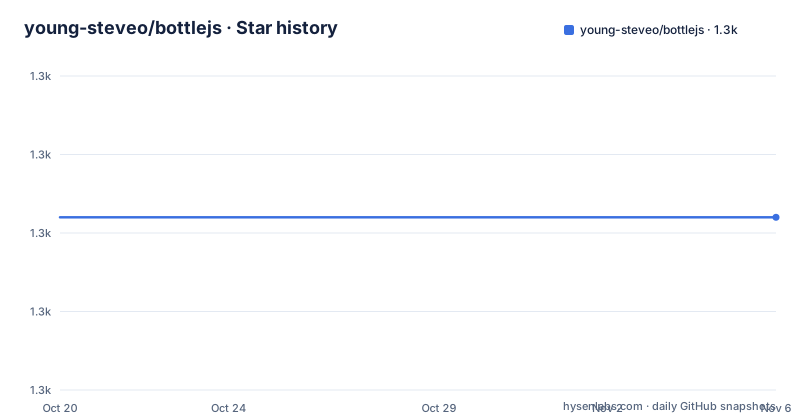
- young-steveo/bottlejs1,302 ★ · +0
| Repository | 2026-10-20 | 2026-11-06 |
|---|---|---|
| young-steveo/bottlejs | 1.3k | 1.3k |
0 Stars in the last 17 days, measured from the daily GitHub snapshot. Compare with other projects
Editorial analysis
What the container does
BottleJS is described as a tiny, powerful dependency injection container, and the repository description calls it a powerful dependency injection micro container for JavaScript applications.
The introduction is where the design position is stated. The API is clean and inspired by the AngularJS Module API and by the simple PHP library Pimple. The list of reasons you would like it is worth reading as a statement of what it is not. You are meant to enjoy building a stack from components rather than a kitchen-sink framework, uncoupled objects and dependency injection, an API that makes sense, lazily loaded objects, and trying cool stuff.
So this is a container, not a framework. It has no notion of a component, a template, a router or a build step. What it has is a registry of providers, a way to resolve them lazily, and two hooks into the resolution process.
The browser support statement is old and revealing. BottleJS supports IE9 and other ECMAScript 5 compliant browsers, which dates the library to the era when that was a requirement worth stating, and it is consistent with the Grunt build and the distribution files described later.
The project is MIT licensed, the primary language is JavaScript, the default branch is master, and the last push was on 2026-10-06. The recent releases are v2.0.0, the ES Module release, from 2020-08-20, then v1.7.2, a maintenance update from 2019, and v1.7.1, a security update from 2018.
Installing, and the two ways to get the file
BottleJS can be used in a browser or in a nodejs app, and it is installed via bower or npm:
$ npm install bottlejsor, on the older path, with bower.
There is also a CDN build, referenced with a script tag pointing at cdnjs:
<script src="https://cdnjs.cloudflare.com/ajax/libs/bottlejs/2.0.1/bottle.min.js"></script>That CDN reference is worth pausing on, because it points at version 2.0.1, while the newest tagged release in the repository metadata is v2.0.0. The `package.json` also says 2.0.1, so the patch version exists in the package and in the CDN but has no release tag of its own in the list. Nothing is broken by that, but it is the kind of small inconsistency that makes it worth checking which artefact you are actually pinning.
The package manifest gives the distribution layout. The `main` entry is `dist/bottle.js`, the `module` entry is `dist/bottle-es.js` for bundlers that understand ES modules, and the typings point at `dist/bottle.d.ts`.
The `devDependencies` describe the build: Grunt with the clean, concat, jasmine, jshint and uglify tasks, plus grunt-wrap, and lodash. The presence of a `grunt/` directory, a `gruntfile.js` and a `dist/` directory at the root confirms it, and the `test` script is a single `grunt test`.
Registration and the lazy lookup that follows it
The simplest recipe to get started is `Bottle#service`. You have a constructor for a service object, register it, and later access it as a property of the container.
var bottle = new Bottle();
bottle.service('Beer', Beer);bottle.container.Beer;The README then explains what happened behind the scenes, and this three-step explanation is the clearest statement of the whole design. Bottle created a provider containing a factory function when the Beer service was registered. When the `bottle.container.Beer` property was accessed, Bottle looked up the provider and executed the factory to build and return the service. The provider and factory were then deleted, and the `bottle.container.Beer` property was set to be the service instance, so accessing it in the future becomes a simple property lookup.
That last step is the one that makes this cheap. The first access costs a provider lookup, a factory call and a cache write, and every access after that is a plain property read on an object. The lazy loading is not a promise of eventual work, it is a mechanism with a measurable cost that pays off once and then stops costing.
It also means the container is a service locator rather than a set of constructor injections. The dependencies are resolved by name at the point of use, which is more flexible and harder to trace, and that trade is the one every user of a container of this kind makes.
Dependencies, factories and the provider underneath both
When a service has dependencies, they are registered by name and passed to the registration call:
var bottle = new Bottle();
bottle.service('Barley', Barley);
bottle.service('Hops', Hops);
bottle.service('Water', Water);
bottle.service('Beer', Beer, 'Barley', 'Hops', 'Water');
When `bottle.container.Beer` is accessed, Bottle lazily loads all of the dependencies and injects them into the Beer service before returning it.
For more complex construction there is a factory, which receives the container as an argument and returns the constructed service, so the factory can pull its own dependencies from the container and do something with them before constructing the object. The README's example halves the barley, doubles the hops and springs the water before returning the new Beer.
Underneath both sits the provider, and the README calls this the meat of the library. The `service` and `factory` methods are described as shorthand for the provider function, and you register one directly when you need more granular control over your services in different environments. A provider is a constructor for a function that exposes a `$get`, and that `$get` is used as the factory to build the service.
The example shows the case that motivates the whole feature, an environment that may not support water, where the provider checks the capability and polyfills it before the service is ever built.
Decorators run once, middleware runs every time
The distinction between decorators and middleware is the sharpest thing in the API, and the README states it precisely.
Decorators are injected into the provider pipeline with the `Bottle#decorator` method. Bottle decorators are simple functions that intercept a service in the provider phase after it has been created but before it is accessed for the first time, and the function should return the service, or another object to be used as the service instead.
var bottle = new Bottle();
bottle.service('Beer', Beer);
bottle.service('Wine', Wine);
bottle.decorator(function(service) {
    // this decorator will be run for both Beer and Wine services.
    service.stayCold();
    return service;
});
The overloaded form takes a service name, and then only that service is affected. The same pattern applies to middleware, where the second argument is the service name.
Middleware are similar to decorators, but they are executed every time a service is accessed from the container, and they are passed the service instance and a `next` function.
var bottle = new Bottle();
bottle.service('Beer', Beer);
bottle.middleware(function(service, next) {
    // this middleware will be executed for all services
    console.log('A service was accessed!');
    next();
});
And the failure path is defined too. Middleware can pass an error object to the `next` function, and bottle will throw the error, so a middleware that detects a spoiled service returns `next(new Error(...))` and the access throws.
The practical difference is one of cost and of intent. A decorator is a construction-time transformation, so it runs once per service and can change what the service is. A middleware is an access-time filter, so it runs on every lookup and can veto the access entirely.
Nested containers, and what is left in the repository
Bottle will generate nested containers if dot notation is used in the service name, and an isolated sub container is created for you based on the name given. So a service registered as `IPA.Something` lives in its own container, and the parent container does not see it.
That is the mechanism that lets a container be split into parts, which is what makes the micro-container idea work for a stack built from components rather than one big registry.
The repository is small and consistent with the era. There is a `src/` directory for the sources, a `dist/` directory with the built files, a `grunt/` directory and a `gruntfile.js` for the build, a `test/` directory, a `bower.json` for the bower distribution, a `.jshintrc` for the linter, a `.npmignore` for the package contents, a `.travis.yml` for continuous integration, and a `package-lock.json`.
The build badge points at Travis CI and the metadata carries a Snyk badge for known vulnerabilities, and the dependencies status badge comes from david-dm, so the security and dependency tracking of a library with no runtime dependencies is visible at a glance.
The `dist/` naming in the manifest tells you the shape of the release: a CommonJS bundle, an ES module bundle and a TypeScript declaration file, built by concatenating and uglifying with Grunt rather than by a modern bundler.
Where BottleJS is the wrong choice
The first wrong case is a project that has standardised on ES modules and tree shaking. The manifest exposes a `module` field, so a bundler can pick the ES build, but the package still ships a concatenated UMD bundle and a separate ES file, built with Grunt and uglify, and the package version sits above the newest release tag. For a library published in 2020, that is what a modern toolchain looks like, and a project with strict bundle size budgets will want to look elsewhere.
The second is a team that wants the type system to enforce the wiring. The typings are a single declaration file, and the whole point of the design is that the service names are strings resolved at run time, so a typo in a dependency name is a run-time failure rather than a compile error. That is the cost of a service locator, and a TypeScript project may find it unacceptable.
The third is a project that needs a container with real scoping, lifetimes or asynchronous factories. There is no notion of a scope beyond the nested sub container, no way to declare a singleton per request, and the factory is synchronous.
The fourth is a team that needs an actively maintained dependency. The newest release is v2.0.0 from August 2020, and the two before it are a 2019 maintenance update and a 2018 security update. The branch has seen commits into 2026, but a pushed commit is not a release, and the artefact people install is from 2020.
The fifth is anyone who wants decorators in the modern sense, meaning the stage 3 proposal, because the decorator here is a container feature and not language syntax.
What BottleJS offers is a container you can read in full, with the three concepts of provider, factory and service doing the work and nothing else in the way, and for an application of a few hundred services that is a reasonable trade.
Editorial conclusion
BottleJS suits a project that wants dependency injection without a framework, that is happy with a service locator rather than constructor injection, and that values a container whose source fits in a reading session. It does not suit a project that needs tree-shakable ES modules in a modern bundler pipeline, because the package still builds with Grunt and ships a UMD bundle plus a separate ES module file, and it does not suit a team that needs an actively released dependency, because the newest tag is from 2020. Before adopting it, check the version you would actually install, since the manifest and the CDN reference a patch release above the latest tag, and read the middleware section, because the difference between a decorator and a middleware is the difference between running once and running on every access.
Frequently asked questions
What is BottleJS?
A tiny, powerful dependency injection container for JavaScript with lazy loading, factories, providers, decorators and middleware. Its API is inspired by the AngularJS Module API and the PHP library Pimple, and it is designed for building a stack from components rather than adopting a framework.
How do I register a service in BottleJS?
With `bottle.service('Beer', Beer)`, optionally listing dependency names as further arguments, and then reading `bottle.container.Beer`. The first access builds the service, the second and later ones are a plain property lookup.
What is the difference between a BottleJS decorator and a middleware?
A decorator intercepts a service in the provider phase after it has been created but before it is first accessed, and it should return the service or a replacement. A middleware runs every time a service is accessed from the container, receives the service and a `next` function, and can pass an error to `next`, which BottleJS then throws.
How do I install BottleJS?
With `npm install bottlejs`, with bower, or from cdnjs with a script tag. The package is built with Grunt and ships `dist/bottle.js` as the main entry, `dist/bottle-es.js` as the module entry and `dist/bottle.d.ts` for the typings, and it has no runtime dependencies.
How do nested containers work in BottleJS?
Bottle generates a nested container when dot notation is used in a service name, creating an isolated sub container based on the name given, so a service registered under a dotted name does not live in the parent container.
Official sources
Add this badge to your README
If you maintain this project, the badge below links readers to this analysis and shows its maintenance status from the daily GitHub snapshot. Paste the markdown into your README; add ?metric=license or ?metric=stars to the image URL for a different field.

[](https://hysenlabs.com/projects/young-steveo-bottlejs)Star history chart for your README
[](https://hysenlabs.com/projects/young-steveo-bottlejs)Was this useful?