MyLayout's position and size objects for Objective-C layout
MyLayout is a powerful iOS UI framework implemented in Objective-C. It integrates functions from Android Layout, iOS AutoLayout, SizeClass, HTML/CSS float and flexbox, and Bootstrap, so you can use LinearLayout, RelativeLayout, FrameLayout, TableLayout, FlowLayout, FloatLayout, PathLayout and GridLayout to build UIView, UITableView and UICollectionView layouts, with RTL support.
At a glance
- What is it?
- MyLayout replaces AutoLayout constraints with two arithmetic objects, MyLayoutPos and MyLayoutSize, and rebuilds the Android layout set on top of them. It suits developers who want nested container views with positional arithmetic, and it is MIT licensed, with a Swift sibling called TangramKit.
- Who is it for?
- Adopt MyLayout if your screen is built from repeated container views with margin arithmetic and you are writing Objective-C. Skip it for Swift targets, since the README points Swift developers to TangramKit instead, and for anything needing Auto Layout's ambiguous-constraint solver and priority handling.
- Can I use it commercially?
- Yes. MIT is a permissive licence: you can use, modify and sell software built on it, as long as you keep its copyright and licence notices.
- Is it still maintained?
- Activity is slowing. The repository last received commits 8 months ago.
- What is it written in?
- Mainly Objective-C, according to GitHub's language statistics.
Answers come from the project's GitHub data, last synced on November 15, 2026, and from our analysis. They are not legal advice.
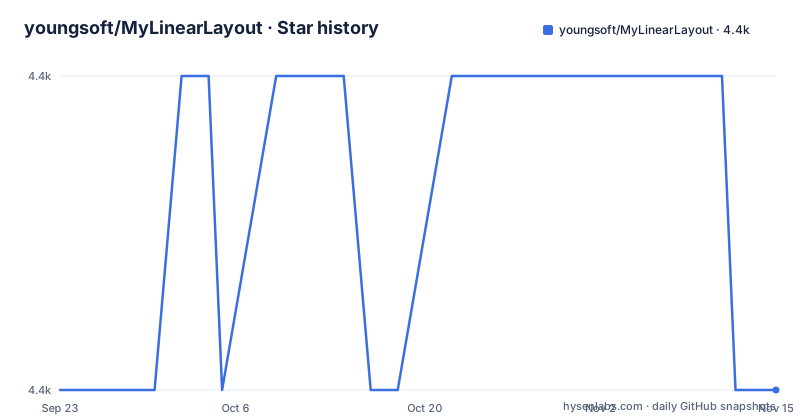
Star history
- youngsoft/MyLinearLayout4,401 ★ · +0
| Repository | 2026-09-23 | 2026-11-15 |
|---|---|---|
| youngsoft/MyLinearLayout | 4.4k | 4.4k |
0 Stars in the last 53 days, measured from the daily GitHub snapshot. Compare with other projects
Editorial analysis
Two arithmetic objects replace AutoLayout constraints
Most iOS layout code is a language of relationships: view A's leading edge equals view B's trailing edge, with a multiplier and a priority. MyLayout removes that vocabulary and gives you two value objects instead. MyLayoutPos represents a position, MyLayoutSize represents a size, and both accept a plain number, another object of their own kind, or an array of them. A UIView gets six position extensions, leftPos, topPos, bottomPos, rightPos, centerXPos and centerYPos, plus two size extensions, widthSize and heightSize. Each has an older C-style twin that takes a raw value: myLeft, myTop, myBottom, myRight, myCenterX, myCenterY, myWidth and myHeight. The README states the equivalence plainly: A.leftPos.equalTo(@10) is the same as A.myLeft = 10.
The consequence is that relationships become arithmetic rather than declarations. B.leftPos.equalTo(A.centerXPos) is legal, and so is B.topPos.equalTo(A.bottomPos).offset(10), where the offset applies after the reference is resolved. A.heightSize.equalTo(A.widthSize) makes height track width, and in the usage example C sets leftPos and rightPos to zero, which is how a child claims the full width of its parent rather than an assumed pixel value. There is no NSLayoutConstraint object to retain, no activate call, and no constraint-breaking step. Positions and sizes are read when the parent container lays out its children.
SubviewSpacing is the only knob on the linear container
MyLinearLayout arranges children in the order you add them, top to bottom or left to right, and the order itself is the layout. Its nearest iOS counterpart is UIStackView, and its Android counterpart is LinearLayout, as the README puts it. The surface area is small. Create the container with linearLayoutWithOrientation and MyOrientation_Vert or MyOrientation_Hor, set subviewSpacing for the gap between consecutive children, and add views in sequence.
Children position themselves. Subview A is given fractional margins, subview B a fixed left offset and a fixed width, subview C fills the container horizontally. Nothing in the parent tells a child how wide it should be; the child states leftPos and rightPos and the container reconciles them. That split of responsibility is the part worth understanding before you adopt it, because it means a child added to the wrong container produces a wrong layout with no error. If you need weighted distribution, you express it in each child's leftPos and rightPos as fractions, which is what the 0.2 and 0.3 margins in the usage sample are doing.
A detail in the README's own walkthrough deserves a second look. The prose describes four children, A, B, C and D, with D at a right margin of 20 and half the container width. The code that follows adds only A, B and C. B is described as filling the residual width, which the code expresses as a fixed B.widthSize.equalTo(@60) after a 40 left margin on a 100-wide container. The sample omits D, so treat the snippet as syntax reference rather than as a worked example.
Relative, Frame, Table, Flow, Float, Path and Grid containers
MyLinearLayout is the entry point, not the whole framework. MyRelativeLayout positions children by mutual constraints rather than by insertion order, which is the README's stated equivalent of iOS AutoLayout and Android RelativeLayout. MyFrameLayout stacks overlapping children against gravity anchors on the parent, with leftPos, centerXPos, rightPos and the vertical counterparts, and the README calls it the counterpart of Android's FrameLayout. MyTableLayout needs an explicit two-level tree: you create row views, add them to the table, then add cells to the rows, and whether rows or cells lead determines the orientation.
Beyond those four the project also ships MyFlowLayout, MyFloatLayout, MyPathLayout and MyGridLayout, and the description ties the set to HTML CSS float and flexbox plus bootstrap conventions. SizeClass support is claimed in the description as well, alongside automatic layout for UIView, UITableView and UICollectionView and right-to-left handling. The repository layout backs this up: MyLayoutDemo, MyLayoutTests and MyLayoutUITests are separate top-level targets, so the sample code is separated from the framework source rather than generated from it.
PathLayout and GridLayout are named in the project description.
CocoaPods and Carthage are the documented install paths
The README carries badges for CocoaPods and Carthage. Both are mainstream iOS dependency routes, so a reader can follow whichever one the surrounding Xcode project already uses. The podspec sits at the repository root as MyLayout.podspec, which is what CocoaPods reads.
The first real use is the usage sample, where a container is built in code and children are attached by hand. Here is the whole shape of it:
MyLinearLayout *S = [MyLinearLayout linearLayoutWithOrientation:MyOrientation_Vert];
S.subviewSpacing = 10;
S.widthSize.equalTo(@100);

UIView *A = UIView.new;
A.leftPos.equalTo(@0.2);
A.rightPos.equalTo(@0.3);
A.heightSize.equalTo(A.widthSize);
[S addSubview:A];
Run this from a view controller's loadView, replacing UIView with the controls you actually want. Fractional margins are accepted the same way fixed ones are, so a child can ask for a fifth of the parent's width in from the left and three tenths in from the right. Note that the sample sets the container width to 100 points. In a real screen you would let the container fill its superview instead of pinning it.
The performance table contradicts its own column headers
The README carries two measurement tables, one for creation time and one for layout time, both in milliseconds per subview, both comparing Frame, MyLayout, AutoLayout, Masonry and UIStackView across five container types. Read them and you will find problems worth knowing about before you cite them anywhere.
In the layout table, the AutoLayout and Masonry columns are identical in every row: 0.269 twice for MyLinearLayout, 0.243 twice for MyFrameLayout, 0.274 twice for MyRelativeLayout, 0.279 twice for MyFlowLayout, 0.208 twice for MyFloatLayout. Identical values to three decimal places across five independent rows are not what two distinct systems produce. Either one column was copied from the other or the harness recorded the same value twice.
The Frame column reads 0 in all five layout rows, which is consistent with manual frame setting being free at layout time. But Frame also posts non-zero creation times of 0.08, 0.05, 0.079, 0.08 and 0.044, so the column is measuring something.
MyLayout's own numbers hold together better. On creation it sits between Frame and AutoLayout in most rows, at 0.164 against AutoLayout's 0.219 for MyLinearLayout, while UIStackView sits at a flat 0.131 everywhere. On layout time MyFlowLayout at 0.036 and MyFrameLayout at 0.042 are the lowest figures, below UIStackView's uniform 0.272. Treat these as the project's own published figures. The README does not state the device, OS version, sample size or measurement date behind them, so they cannot be reproduced from what is written.
Objective-C only, with TangramKit as the parallel path
The framework is written in Objective-C. The README names the Swift equivalent directly: TangramKit, maintained by the same author as a separate repository. That split matters for adoption because the two do not share a codebase you can move between; a Swift team that reads the MyLayout samples and expects an identical API is mistaken about where the Swift version lives.
Within Objective-C, MyLayout is a genuinely different approach from AutoLayout rather than a wrapper over it. AutoLayout builds a constraint graph, solves it globally, and can report that the system is ambiguous. MyLayout resolves geometry through parent containers that walk their children in order and read the positions those children declared. That model gives faster nested layouts on the project's own numbers.
The nearest comparison in approach is UIStackView, which MyLinearLayout calls its equivalent. UIStackView arranges arranged subviews in a line with distribution and alignment properties that the parent owns. MyLinearLayout keeps those concerns with the child, which states its own margins and widths. The trade is real either way and it is a difference in ownership, not a difference in results.
A documentation website sits in the library source tree
The repository root also holds index.html, a stylesheets directory and params.json. That is a documentation website committed into the same tree as the library source. It is harmless to the pod, but it means the top level of the repository is doing two jobs, and it is worth checking whether the website content matches the code you are about to depend on before treating the repository as a single source of truth.
The 1.9.8 tag of 2020-08-04 and the 2.0.0 tag of 2026-03-15 are roughly five and a half years apart, and the repository carries a CHANGELOG.md at the root. A team pinning a version should plan for that break rather than assume a sequence of small upgrades.
Editorial conclusion
Adopt MyLayout if your screen is built from repeated container views with margin arithmetic and you are writing Objective-C. Skip it for Swift targets, since the README points Swift developers to TangramKit instead, and for anything needing Auto Layout's ambiguous-constraint solver and priority handling. Before you commit, verify that the pod resolves to a build you can read and that your own screens do not need constraint priorities, and check whether the README's containers cover the layouts you actually ship.
Frequently asked questions
What is the difference between LinearLayout and RelativeLayout?
In MyLayout, MyLinearLayout arranges subviews in the order they are added, from top to bottom or left to right, so the added order itself establishes each subview's origin and size. MyRelativeLayout ignores the added order and positions children through mutual constraints between them, which is why the README calls it the equivalent of Android's RelativeLayout and iOS AutoLayout.
How do I install MyLayout in an iOS Objective-C project?
The README carries badges for both CocoaPods and Carthage, and the podspec is MyLayout.podspec at the repository root.
Does MyLayout need Auto Layout constraints?
No. Positions and sizes are expressed through MyLayoutPos and MyLayoutSize objects assigned to UIView extensions such as leftPos, topPos and widthSize, or through the older myLeft and myWidth properties. The README states that A.leftPos.equalTo(@10) is equivalent to A.myLeft = 10.
Is there a Swift version of MyLayout?
The README names TangramKit as the Swift version, hosted as its own repository by the same author. MyLayout itself is described as an Objective-C framework.
What containers does MyLayout provide?
The documented ones are MyLinearLayout, MyRelativeLayout, MyFrameLayout and MyTableLayout, with MyFlowLayout, MyFloatLayout, MyPathLayout and MyGridLayout named in the project description. The project description also states that MyLayout handles automatic layout for UIView, UITableView and UICollectionView and supports SizeClass and right-to-left layouts.
How is MyLayout faster than AutoLayout?
The README publishes creation and layout time tables in milliseconds per subview, where MyLinearLayout is listed at 0.164 for creation against AutoLayout's 0.219, and at 0.049 for layout against AutoLayout's 0.269. Those are the project's own figures; the device, OS version and sample size behind them are not stated.
Official sources
Add this badge to your README
If you maintain this project, the badge below links readers to this analysis and shows its maintenance status from the daily GitHub snapshot. Paste the markdown into your README; add ?metric=license or ?metric=stars to the image URL for a different field.

[](https://hysenlabs.com/projects/youngsoft-mylinearlayout)Star history chart for your README
[](https://hysenlabs.com/projects/youngsoft-mylinearlayout)Was this useful?