Planet-Generator is a 2018 LibGDX project whose build instructions are the framework's
Generates random, pixel planets. Built in LibGDX. Inspired by https://managore.itch.io/planetarium
At a glance
- What is it?
- A Java program that generates random pixel planets and lets you customize them, laid out as the standard LibGDX core, desktop and html modules. There is no release, no command and no documented customization surface; the last push was 2018-09-07.
- Who is it for?
- Planet-Generator fits someone who wants a working pixel-planet generator with a desktop build and a browser build already arranged, and who is comfortable following LibGDX's own IDE setup rather than expecting a documented build. It does not fit anyone who needs the customization surface documented, who wants an actively developed dependency, or who prefers to fork.
- Can I use it commercially?
- Yes. MIT is a permissive licence: you can use, modify and sell software built on it, as long as you keep its copyright and licence notices.
- Is it still maintained?
- Probably not. The repository last received commits 98 months ago, on September 7, 2018.
- What is it written in?
- Mainly Java, according to GitHub's language statistics.
Answers come from the project's GitHub data, last synced on October 21, 2026, and from our analysis. They are not legal advice.
Star history
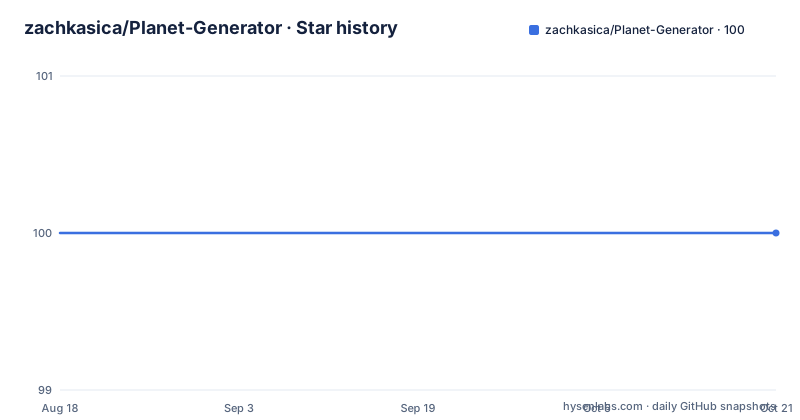
- zachkasica/Planet-Generator100 ★ · +0
| Repository | 2026-08-18 | 2026-10-21 |
|---|---|---|
| zachkasica/Planet-Generator | 100 | 100 |
0 Stars in the last 64 days, measured from the daily GitHub snapshot. Compare with other projects
Editorial analysis
The last push was 2018-09-07 and there is no release to install
The dates settle the question of how to treat this repository.
The last push to the default branch was on 2018-09-07. There are no GitHub releases, so there is no tag, no artifact and no version to pin. The repository is not archived, so nothing has been removed either. It is simply where the work stopped.
That matters more here than it would in most projects, because of what kind of project it is. A LibGDX application does not own its windowing, its input handling or its rendering; the framework does. When the framework moves, an application has to move with it, and an application with no maintainer cannot. So the practical question for anyone evaluating this today is whether the LibGDX version it was written against still resolves and still runs, and the repository offers no evidence either way.
Licence is MIT, recorded in a file named `License.md`, and the default branch is `master` rather than `main`. Both are facts to note and neither is a problem in itself.
There is no build command, because the build instructions belong to LibGDX
The installation section is three sentences long and none of them is a command.
It says that if you want to run the program from source, you clone the repository and then follow the import, run and debug steps for your preferred IDE, which the page links to on the LibGDX website's documentation. So the knowledge required to build this is not knowledge of this project, it is knowledge of LibGDX.
That is the honest description of what a LibGDX repository is: a generated skeleton with application code in it. The framework's own project generator produces this same shape, and the page is effectively telling you to treat the clone the way you would treat a fresh skeleton you had just generated yourself.
There is one thing the tree offers that the page does not mention. A Gradle wrapper is committed, with `gradlew`, `gradlew.bat` and a `gradle/` directory, alongside `build.gradle`, `settings.gradle` and `gradle.properties`. So a command-line build is available even though nobody documented it. Whether you would want to use it is a separate question from whether it is there.
core, desktop and html are the three-module LibGDX layout
The top-level entries are short enough to read as a description of the project's shape.
`core/` holds the platform-independent code, which is where a generator belongs: the code that produces a planet does not care whether the result ends up in a desktop window or a web page. `desktop/` holds the desktop backend. `html/` holds the web target, which in LibGDX means a GWT build. Alongside them sit the root Gradle files and the committed wrapper.
The consequence is that one codebase has two deployment targets, which is a genuine convenience and not a small one. The same generator can be shipped as a desktop application and as a page that runs in a browser, and the repository already contains the wiring for both.
What is not in the listing is as informative as what is. There is no `.github/` directory, so no workflows and no continuous integration of any kind. There is no test directory. There is no `assets/` directory at the top level either, so whatever images or data the program uses lives inside a module rather than shared at the root.
The published build is on itch.io under a different name
There is a download path, and it does not look like the repository.
The page says the game can be downloaded on itch.io, and the link goes to `zyangur.itch.io/observatory`. The itch.io handle is not the GitHub owner name, and the project is called observatory there rather than planet-generator. So the two routes into this project, downloading a build and cloning the source, live under two different names in two different places.
Neither page cross-links the other beyond that one sentence in the README, which means if you start from the itch.io page you have no pointer to the source and if you start from GitHub you have to notice that the repository name does not appear in the link.
The page also credits its inspiration, linking `managore.itch.io/planetarium` and naming it. That is worth reading as a signal about the lineage: this is an itch.io-style creative coding piece built in response to another one, rather than a project that grew out of a toolchain need.
For an adopter the practical question is whether the published build still launches on a current system, given that it and the source have been sitting in the same state since 2018.
The whole feature description is one sentence
The README says the program generates random pixel planets and allows you to customize them. That is the entire claim, and there is no elaboration anywhere on the page.
No parameters are named. No seed control is mentioned, which for a random generator is the first thing anyone would look for. No resolution, no palette, no export format, no window size, no way to save what you generate. The customization is asserted and not described.
There is an Images section, and in the text available the heading is followed by nothing at all. So the intended way to judge the output is to look at it, which is a reasonable choice for a visual toy and an unhelpful one for anyone deciding whether it does what they need.
The result is that the customization surface has to be discovered by reading the code in `core/`, and the README offers no starting point inside it: no file names, no class names, no screenshot captions describing what each control does. For a project of this size that is a reasonable amount of reading. It still means you cannot answer the question from the documentation alone, which is worth knowing before you clone.
No CI, no tests, and a planning document at the root
Three things in the tree tell you this was a solo piece of work rather than a maintained library.
There is no `.github/` directory, so nothing automated runs on a commit. There is no test directory, so there is nothing to run and nothing protecting the generator from a change. And there is a `PlanningDocument.txt` committed at the top level, next to `README.md` and `License.md`, which is the author's own working notes sitting in the repository rather than anything derived from it.
There is a `.gitignore`, which is the one piece of normal hygiene present. The licence file uses the name `License.md` rather than the bare `LICENSE` that tooling looks for, so an automated licence detector will not find it without being told.
None of this is a criticism of a hobby project from 2018. It does tell you what kind of artifact you have: something to read, run and copy rather than something to depend on. If you are going to build on it, the plan that costs least is to fork, read `core/`, and take what you need, rather than to wait for changes that have not arrived in eight years.
Editorial conclusion
Planet-Generator fits someone who wants a working pixel-planet generator with a desktop build and a browser build already arranged, and who is comfortable following LibGDX's own IDE setup rather than expecting a documented build. It does not fit anyone who needs the customization surface documented, who wants an actively developed dependency, or who prefers to fork. Verify four things before you rely on it: whether the LibGDX version this was written against still resolves, what the customization options actually are by reading `core/`, whether the itch.io build at `zyangur.itch.io/observatory` still runs on a current system, and whether you would rather write the generator yourself, since a pixel planet is a small program. Licence is MIT in `License.md`, the branch is `master`, and the last push was on 2018-09-07.
Frequently asked questions
How do I build Planet-Generator from source?
The README gives no command. It says to clone the repository and follow the import, run and debug steps for your IDE from the LibGDX website's documentation. A Gradle wrapper is committed alongside build.gradle, settings.gradle and gradle.properties, so a command-line build is available but undocumented.
Is Planet-Generator still being worked on?
The last push to the master branch was on 2018-09-07, and the repository publishes no GitHub releases. It is not archived, and the licence is MIT, recorded in a file named License.md.
Can I download a Planet-Generator build instead of compiling it?
Yes, from itch.io at zyangur.itch.io/observatory. That handle differs from the GitHub owner name, and the project is called observatory there rather than planet-generator.
Which platforms does Planet-Generator target?
The repository has core/, desktop/ and html/ modules, the standard LibGDX layout, so platform-independent code in core can be built for a desktop window and for the browser through the html module.
What can I customize in Planet-Generator?
The README states that the program generates random pixel planets and allows you to customize them, and describes no options at all: no parameters, no seed control, no export format. Its Images section carries no text beside the heading, so the output has to be tried rather than read about.
Official sources
Add this badge to your README
If you maintain this project, the badge below links readers to this analysis and shows its maintenance status from the daily GitHub snapshot. Paste the markdown into your README; add ?metric=license or ?metric=stars to the image URL for a different field.

[](https://hysenlabs.com/projects/zachkasica-planet-generator)Star history chart for your README
[](https://hysenlabs.com/projects/zachkasica-planet-generator)