jquery-handlebars: A Thin AJAX Layer for Handlebars Templates
A jQuery plugin to render Handlebars.js templates into elements
At a glance
- What is it?
- jquery-handlebars is a small jQuery plugin that fetches, precompiles, and caches Handlebars templates over AJAX, then renders them into DOM elements. It is useful for small projects that want server-side template files without a build step, but it carries the weight of jQuery and offers no error handling.
- Who is it for?
- Adopt jquery-handlebars if you are already using jQuery, have a handful of Handlebars templates served from a static directory, and want a minimal API to load and render them without a build pipeline. Avoid it if you need robust error handling, dynamic partial registration, or a modern module system, or if you are starting a new project without jQuery.
- Can I use it commercially?
- Yes. MIT is a permissive licence: you can use, modify and sell software built on it, as long as you keep its copyright and licence notices.
- Is it still maintained?
- Probably not. The repository last received commits 113 months ago, on June 14, 2017.
- What is it written in?
- Mainly JavaScript, according to GitHub's language statistics.
Answers come from the project's GitHub data, last synced on October 21, 2026, and from our analysis. They are not legal advice.
Star history
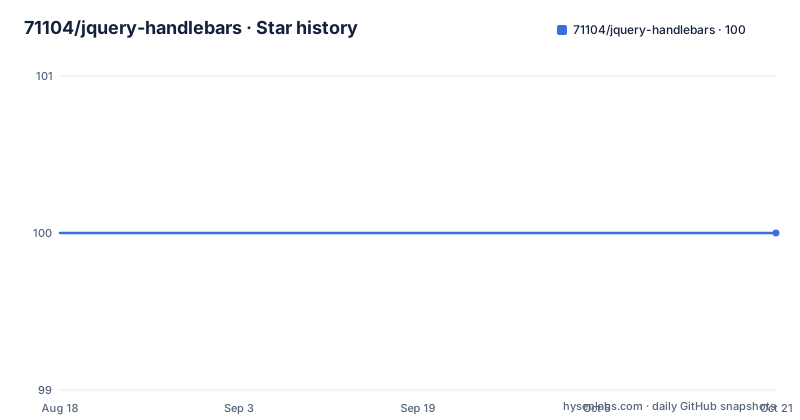
- 71104/jquery-handlebars100 ★ · +0
| Repository | 2026-08-18 | 2026-10-21 |
|---|---|---|
| 71104/jquery-handlebars | 100 | 100 |
0 Stars in the last 64 days, measured from the daily GitHub snapshot. Compare with other projects
Editorial analysis
What the plugin actually does
The README describes a plugin that gives every jQuery object a render method. That method takes a template name and a context object. It looks up the template in an internal cache. If the template is not there, it fetches the file through AJAX, compiles it with Handlebars, and stores it. Then it renders the compiled template with the given context and passes the resulting HTML string to the jQuery html method on the selected element. This is a narrow, single-purpose tool. It does not manage template dependencies, it does not handle rendering errors, and it does not offer a promise-based API. The entire design assumes that a template file is a static resource that can be fetched once and reused many times.
Configuration via the jQuery.handlebars method
Configuration is done through a single method call. The README shows $.handlebars({ templatePath: 'path/to/templates', templateExtension: 'hbs' }). The plugin builds the fetch URL by prepending templatePath and appending templateExtension to the template name. Defaults are an empty base path and a .handlebars extension. The same method accepts partialPath and partialExtension for partial files. This configuration is global, not per-call. That means you cannot mix template directories within one page without changing the global settings. For a small site that is fine, but it becomes a constraint as soon as you have templates in different folders.
How partials are fetched and registered
Partials are handled separately from templates. You call $.handlebars('partial', 'element') to fetch a partial file and register it under the name 'element'. The README shows a partial file containing <li>{{ this }}</li> and then using {{> element }} inside a template. There is also a shorthand: you can pass a partials array in the configuration object, and the plugin will fetch and register all of them at initialization. This is a synchronous, fire-and-forget approach. There is no mention of waiting for partials to load before rendering a template that depends on them. If a template references a partial that has not been registered yet, Handlebars will throw an error at render time. The plugin does not coordinate partial loading with template rendering. That is a real limitation for dynamic pages.
Helpers and partials: the Handlebars namespace is yours
The plugin does not wrap or restrict Handlebars. You can use the global Handlebars object directly to register helpers and partials. The README gives examples of a simple helper and a block helper. This is both a strength and a weakness. It is a strength because you get the full Handlebars API without any plugin-specific abstraction. It is a weakness because the plugin does not help you manage helper registration. If you have many helpers, you must register them all before any render call. There is no lazy loading for helpers. The plugin also does not expose a way to unregister helpers or partials, so once registered, they stay for the life of the page.
Getting started: a minimal example
The README starts with a template file containing <p>{{ field1 }}, {{ field2 }}</p> and a JavaScript call: $('#content').render('template', { field1: 'Hello', field2: 'world!' }). That is the whole API surface. You need jQuery and Handlebars loaded before the plugin. The plugin itself is a single file, distributed as a zip download. There is no package.json, no npm instructions, and no build step mentioned. You would include it with a script tag after jQuery and Handlebars. The version listed is 1.1.4, and the copyright is 2013, which suggests this is an older project. There are no release notes beyond the version number, so you cannot know what changed between versions.
Where it falls short: error handling and cache invalidation
The documentation is silent on what happens when an AJAX request fails. If a template file is missing or the server returns a 404, the plugin will likely throw an error inside the render call, but that is not specified. There is no callback, no error event, and no way to provide a fallback template. The cache is described as precompiled and cached, but there is no mention of cache expiration or a way to force a refresh. If you deploy a new version of a template, users with an already-loaded page will keep the old version until they reload. For a static site that is acceptable. For an application that updates templates frequently, it is a problem. Another limitation is the dependency on jQuery. If you are not already using jQuery, this plugin adds a large dependency just to render templates.
Alternatives: what you could use instead
The obvious alternative is to skip the plugin and use Handlebars directly. You would write a small function that fetches a template with fetch or jQuery.ajax, compiles it with Handlebars.compile, and then calls the compiled function with your context. That gives you full control over caching, error handling, and partial loading. The difference is that jquery-handlebars centralizes the fetch-and-cache logic, but it hides the details. If you need to handle errors gracefully, you would have to write that logic yourself either way. Another alternative is a build-time tool like Handlebars precompilation with a bundler such as Webpack or Vite. That approach compiles templates into JavaScript at build time, eliminating the runtime AJAX fetch entirely. The trade-off is a build step, but you get compile-time error checking and no network latency for templates.
Maintenance and license implications
The project is licensed under MIT, which permits commercial use, modification, and redistribution with attribution. The copyright notice is from 2013, and the repository has no recent releases or known activity. That is not a problem for a stable plugin, but it means there is no active maintainer to fix bugs or adapt to new versions of jQuery or Handlebars. The plugin relies on the global Handlebars object, so if Handlebars changes its API, the plugin may break. You should verify that the version of Handlebars you use is compatible with the plugin's compilation call. The maintenance cost is low if the plugin works for you, but you are on your own if it does not. There is no test suite mentioned, no contribution guidelines, and no issue tracker details in the README.
Editorial conclusion
Adopt jquery-handlebars if you are already using jQuery, have a handful of Handlebars templates served from a static directory, and want a minimal API to load and render them without a build pipeline. Avoid it if you need robust error handling, dynamic partial registration, or a modern module system, or if you are starting a new project without jQuery. Before adopting, verify that your Handlebars version is compatible with the plugin's compilation call, test how the plugin behaves when a template fetch fails, and confirm that the cached template invalidation strategy (or lack of one) matches your deployment flow.
Frequently asked questions
Is handlebars.js still used?
It is the only templating dependency this plugin has. Templates are compiled by Handlebars in the browser, and you register helpers and partials on the Handlebars namespace directly. The repository itself has not been pushed to since 2017-06-14, and its manifest is still at version 1.1.5.
What are handlebars in JavaScript?
They are a templating engine that turns a template plus a context object into an HTML string. This repository describes itself as a templating engine for jQuery based on Handlebars.js, adding the fetching, compiling, caching and DOM insertion around it.
How do you use handlebars in HTML?
The template lives in its own file rather than inside a script tag: jquery-handlebars fetches it over AJAX, using the .handlebars extension by default, compiles it, and passes the output to the jQuery object's html method. A partial file can be plain markup such as <li>{{ this }}</li>, referenced from another template with {{> element }}.
What are the differences between handlebars.js and mustache?
This repository does not compare the two and says nothing about Mustache. It wraps Handlebars.js only: templates are compiled through Handlebars, helpers are registered with Handlebars.registerHelper, and the plugin contributes the AJAX fetch, the cache and the DOM write.
Official sources
Add this badge to your README
If you maintain this project, the badge below links readers to this analysis and shows its maintenance status from the daily GitHub snapshot. Paste the markdown into your README; add ?metric=license or ?metric=stars to the image URL for a different field.

[](https://hysenlabs.com/projects/71104-jquery-handlebars)Star history chart for your README
[](https://hysenlabs.com/projects/71104-jquery-handlebars)