ANXS/postgresql: an Ansible role that provisions the whole PostgreSQL cluster
Fairly full featured Ansible role for Postgresql.
At a glance
- What is it?
- The ANXS/postgresql role installs PostgreSQL and then owns its databases, extensions, schemas, users and privileges through plain Ansible variables. It is a good fit for repeatable host provisioning and a poor fit for clusters that need hand-tuned operational work.
- Who is it for?
- Adopt ANXS/postgresql when a fresh Debian or Ubuntu host has to become a working PostgreSQL server from a playbook, and when the same set of databases and roles should appear on many hosts. Skip it when the target is Rockylinux, when PostgreSQL 11 or 12 is still in use, or when the cluster needs continuous tuning that the role does not model.
- Can I use it commercially?
- Yes. MIT is a permissive licence: you can use, modify and sell software built on it, as long as you keep its copyright and licence notices.
- Is it still maintained?
- Yes. The repository last received commits 161 days ago.
- What is it written in?
- Mainly Jinja, according to GitHub's language statistics.
Answers come from the project's GitHub data, last synced on November 7, 2026, and from our analysis. They are not legal advice.
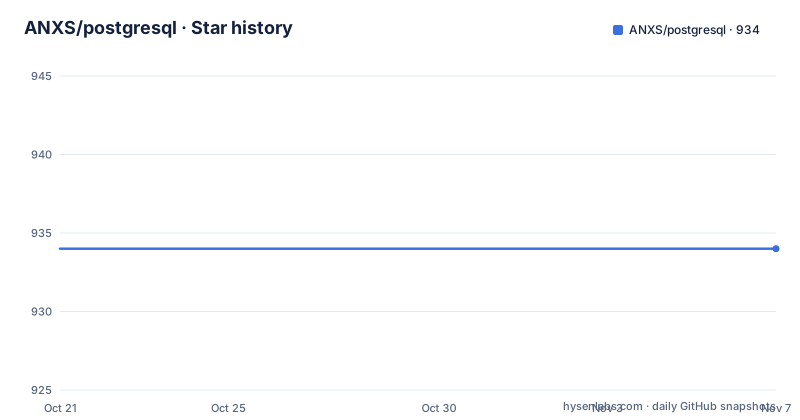
Star history
- ANXS/postgresql934 ★ · +0
| Repository | 2026-10-21 | 2026-11-07 |
|---|---|---|
| ANXS/postgresql | 934 | 934 |
0 Stars in the last 17 days, measured from the daily GitHub snapshot. Compare with other projects
Editorial analysis
The role owns the package, the cluster and the objects inside it
ANXS/postgresql is an Ansible role that installs and configures PostgreSQL, its extensions, databases and users on a target host. That is narrower than a full configuration management suite and much wider than a single install task. The role handles the package, the cluster and the database objects, so a playbook that includes it does not need to carry its own SQL and its own package logic. That is the problem it solves: turning a bare host into a database server whose databases and roles are described in one place instead of scattered across hand-written playbooks.
The users are platform engineers who build the same database host repeatedly, and teams that need a reproducible starting point for PostgreSQL before application code arrives. The primary language is Jinja, which fits a role whose output is templated configuration and templated SQL. The repository layout follows the familiar Ansible arrangement, with defaults, vars, tasks, handlers, templates, meta and tests directories alongside the README and a LICENSE file.
The compatibility matrix rules out most of the Red Hat family
The compatibility matrix is the part of this project worth reading before anything else, because it narrows where the role can be trusted. Debian 11.x, 12.x and 13.x and Ubuntu 22.04.x and 24.04.x are marked as working fine for PostgreSQL 13 through 17. Every listed distribution marks PostgreSQL 11 and 12 as unsupported and end of life, so the role is not a fit for clusters that have not moved off those two major versions.
The Red Hat entries are weaker. Rockylinux 8.x carries a warning for every PostgreSQL version from 13 to 17, which the project defines as known issues. Rockylinux 9.x is marked working for 13 through 16 and warns at 17, the newest version in the matrix. In other words, the newest PostgreSQL release is the least settled combination on the Red Hat side, and no other platform family appears in the matrix at all. That is a narrow support story: two Debian derivatives and two Ubuntu releases are the environments the project actually claims, and everything else is either flagged or absent.
Installing the role and running it as a plain playbook
Installation is a single Galaxy command, and the project states it has been tested on Ansible 2.4.0 and higher. That version floor is old enough that it says nothing about current Ansible releases, which is one of the first things to verify on a modern control node.
ansible-galaxy install anxs.postgresqlThe role is then attached to a host group as a role, with privilege escalation enabled because it installs system packages and writes to the PostgreSQL data directory.
---
- hosts: postgresql-server
  roles:
    - role: ANXS.postgresql
      become: yes
What you should see on a supported host is a PostgreSQL installation with the version, encoding, locale and cluster name taken from the role defaults. Nothing in the playbook itself declares a database or a user, because those are left to the variables described below.
Running the role as a task inside a block instead
The second documented way to use the role is as a task rather than as a role entry, and it exists for a stated reason: the README links a workaround discussion for the behaviour it flags. The form is a block containing an include_role call, with the role variables nested underneath, and privilege escalation set on the block.
---
- hosts: postgresql-server
  tasks:
    - block: # workaround, see https://stackoverflow.com/a/56558842
        - name: PSQL installation and configuration
          include_role:
            name: ANXS.postgresql
          vars:
            postgresql_users:
              - name: abc
                password: abc
      become: true
The practical difference is scope. Included as a role, the whole role runs for the host. Included as a task, it runs inside a block alongside other steps, so it can be sequenced with tasks that run before or after it. The drawback visible in the example is that the variable names differ from the role defaults, since the user entry here uses password rather than the pass key shown in the variables section.
Four separate lists for databases, extensions, schemas and privileges
The configuration surface is built from four independent lists rather than one nested database definition, and that choice drives how you express real requirements.
Databases and their per-database extensions can be declared together, with the extension flags inlined on the database entry.
postgresql_database_extensions:
  - db: foobar
    extensions:
      - hstore
      - citext
Schemas carry their own list keyed by database and schema name, with an optional owner and a state field.
postgresql_database_schemas:
  - database: foobar
    schema: acme
    state: present
User privileges are a fourth list, and each entry takes a privilege string in a documented format with role attribute flags.
postgresql_user_privileges:
  - name: baz
    db: foobar
    priv: "ALL"
    role_attr_flags: "CREATEDB"
Users are declared separately again, and each entry carries a password, an encrypted flag and a state value.
postgresql_users:
  - name: baz
    pass: pass
    encrypted: yes
    state: "present"
The advantage of separate lists is that a privilege change touches one entry rather than a nested block. The cost is that a database, its owner, its schemas and its grants can drift out of alignment across four places in your variables.
State values and encrypted passwords are where runs fail
Two defaults decide whether a run behaves the way you expect. The first is the password flag. PostgreSQL stores role passwords as hashes, while accepting either plaintext input or a supported pre-hashed value. The Ansible PostgreSQL user module describes encrypted as a storage setting: with it enabled, PostgreSQL hashes an unhashed input before storage. Keep plaintext secrets out of source control and logs, and protect database connections in transit; hashing at rest does not protect the input along its path.
The second is state handling. A database entry accepts present, absent, dump or restore, which makes the role usable for taking a logical dump and restoring it during provisioning rather than only for declaring a database that should exist. Users accept present or absent. Schemas and privileges are described with the same present and absent style. Cluster behaviour is controlled by two variables: the cluster name defaults to main, and a cluster reset flag defaults to false, so a re-run does not wipe an existing cluster unless you ask for it.
Authentication defaults to peer for the admin user, and the version default is 17 with UTF-8 encoding and en_US.UTF-8 locale. Those defaults are a coherent starting point on Debian and Ubuntu, but they are the first settings to review when the role is used on a host whose locale or auth method differs.
Molecule and Vagrant are the two ways to test a change
The role ships two test harnesses, and both are documented in the project itself. The primary one is a Molecule configuration, with its own directory and a separate Molecule README at the top of the repository.
molecule testThe second is a Vagrantfile, described as a fast way to try out changes to the role.
vagrant upOnce that machine is running, the README gives two ways to reprovision it.
vagrant provision
ansible-playbook tests/playbook.yml -i vagrant-inventory
The playbook and its variables live under the tests directory, so a contributor changes variables there rather than against a real server. The project also asks that changes be tested in the Vagrant environment first, against the targeted distribution, and, where possible, covered by the tests referenced in the CI configuration. For an adopter, this matters for one reason: it means role behaviour can be reproduced without a production database, which is the practical way to find out whether a change you want to make survives a clean run.
A MIT licence, an optional monit dependency and a release cadence to check
The licence field on the repository says MIT, and the LICENSE file in the repository root is the reference text. An MIT licence is permissive and short, which suits an Ansible role that people tend to copy into their own internal collections and fork for internal changes. This is a note about the terms, not advice, and anyone who needs certainty about their own use should read the file.
There is one optional dependency. The ANXS.monit role is needed if you want monitoring protection, and the role documents that case as setting monit_protection to true. The monitoring question and the database question are therefore separated, which is convenient, but it also means a host under watch runs two roles that must both succeed.
On the release side, the tagged versions listed are v1.17.0 from 2025-03-17, v1.16.0 from 2024-01-23 and v1.15.0 from 2023-12-11, while the last push was on 2026-05-30. That gap is the detail to keep in mind: work has landed on master for more than a year since the newest tag, so the difference between a tagged release and the branch head is likely to matter to you. The repository is not archived, and the README openly asks for help maintaining it, which reads as an honest signal about maintainer capacity rather than a problem in itself.
Editorial conclusion
Adopt ANXS/postgresql when a fresh Debian or Ubuntu host has to become a working PostgreSQL server from a playbook, and when the same set of databases and roles should appear on many hosts. Skip it when the target is Rockylinux, when PostgreSQL 11 or 12 is still in use, or when the cluster needs continuous tuning that the role does not model. Before the first run, check the compatibility matrix row for your exact distribution and PostgreSQL version, check how the role and Ansible module handle password hashing, protect plaintext secrets, and decide whether the optional monit protection is wanted, since enabling it pulls in the separate ANXS.monit role.
Frequently asked questions
Which PostgreSQL versions and distributions does ANXS/postgresql support?
The compatibility matrix marks PostgreSQL 13 through 17 as working on Debian 11.x, 12.x and 13.x and on Ubuntu 22.04.x and 24.04.x. Rockylinux 9.x is marked working for 13 through 16 with known issues at 17, Rockylinux 8.x carries known issues for all listed versions, and PostgreSQL 11 and 12 are marked unsupported on every listed distribution.
How do I install the ANXS/postgresql Ansible role?
The project gives one command, run with ansible-galaxy, that installs the role from Galaxy under the name anxs.postgresql. It has been tested on Ansible 2.4.0 and higher. After installation you can attach it to a host group as a role or include it as a task inside a block.
Can ANXS/postgresql create users, databases and extensions for me?
Yes. Databases, extensions, schemas, users and user privileges are each declared in their own Ansible list, and a user entry carries a password, an encrypted flag and a state value. PostgreSQL stores role passwords as hashes, but accepts a plaintext password as input or a supported pre-hashed value. The Ansible module’s encrypted option concerns storage; protect plaintext secrets in automation and in transit.
How do I test changes to the ANXS/postgresql role before applying them?
The repository ships a Molecule configuration and a Vagrantfile. The project documentation shows running molecule test, bringing up a machine with vagrant up, and then reprovisioning it either with vagrant provision or with ansible-playbook against the test playbook and the vagrant inventory.
What licence is ANXS/postgresql released under?
The licence field on the repository says MIT, and the LICENSE file at the repository root holds the details. The project also lists the ANXS.monit role as an optional dependency for monitoring protection.
Official sources
Add this badge to your README
If you maintain this project, the badge below links readers to this analysis and shows its maintenance status from the daily GitHub snapshot. Paste the markdown into your README; add ?metric=license or ?metric=stars to the image URL for a different field.

[](https://hysenlabs.com/projects/anxs-postgresql)Star history chart for your README
[](https://hysenlabs.com/projects/anxs-postgresql)Was this useful?