asdf plugins, a shortname table where each row is a git URL
Convenience shortname repository for asdf community plugins
At a glance
- What is it?
- The asdf plugins repository is data, not code: a directory of small files that map a tool name to the git URL of the plugin that manages it, so `asdf plugin add <name>` resolves. The asdf core team recommends the long-form command instead, and the gap between those two positions explains most of what this repository is.
- Who is it for?
- The asdf plugins repository suits a developer who wants one-word plugin installs, works on a shared team machine where typing full git URLs is a nuisance, and accepts that the shortname resolves through someone else's list. It does not suit a team that wants reproducible, reviewable toolchain setup, because nothing here is a release and the mapping is a community table.
- Can I use it commercially?
- Yes. MIT is a permissive licence: you can use, modify and sell software built on it, as long as you keep its copyright and licence notices.
- Is it still maintained?
- Yes. The repository last received commits 79 days ago.
- What is it written in?
- Mainly Shell, according to GitHub's language statistics.
Answers come from the project's GitHub data, last synced on October 23, 2026, and from our analysis. They are not legal advice.
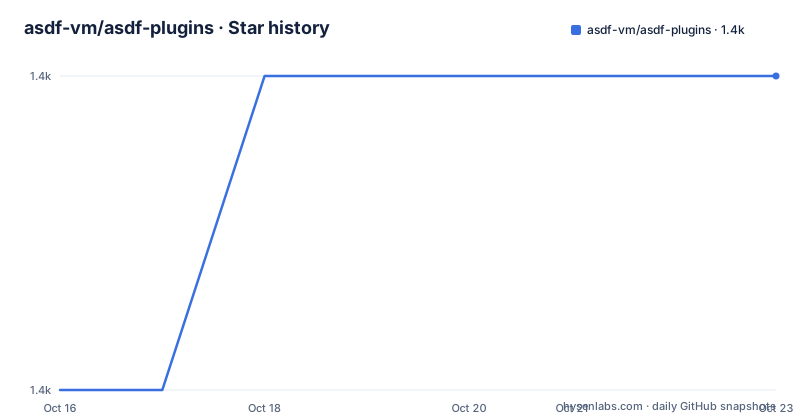
Star history
- asdf-vm/asdf-plugins1,447 ★ · +1
| Repository | 2026-10-16 | 2026-10-23 |
|---|---|---|
| asdf-vm/asdf-plugins | 1.4k | 1.4k |
1 Stars in the last 7 days, measured from the daily GitHub snapshot. Compare with other projects
Editorial analysis
Each file in plugins/ is one line of configuration
Strip away the plugin list table and this repository is a lookup service. The purpose stated at the top is to enable shorthand installation of plugins with a single command:
asdf plugin add <name>For that to work, asdf has to know where the plugin for `<name>` lives. That knowledge is a file per plugin under the plugins/ directory, and the format is a single key with the git URL as its value. The contribution guide states it directly: create a file with the shortname you want asdf to use, and the contents should be `repository = <your_repo>`, with a working example given for the Node.js plugin.
printf "repository = https://github.com/asdf-vm/asdf-nodejs.git\n" > plugins/nodejsSo the architecture is a shell-readable directory of one-line files that asdf fetches and parses. That is the whole mechanism, and it is worth understanding because it explains both the convenience and the trust question. Nothing in the file is verified. The mapping from `nodejs` to that particular git URL is exactly as trustworthy as the pull request that added it.
The core team recommends the form that ignores this repository
The README states that the asdf core team recommends using the long form, which does not rely on this repository:
asdf plugin add <name> <git_url>That recommendation is the honest centre of this project, and it deserves to be read before the convenience argument. With the long form, you name the source. The URL is in your shell history, in your dotfiles, in your provisioning script, and it is auditable by whoever reads the setup. Nothing resolves through a community list you did not choose, and nothing changes under you because a row in a table was edited.
The short form exists anyway, and the reason is ergonomics. Typing a full git URL for every tool in a polyglot setup is tedious, and the short form turns that into a name you already know. The list is curated under a stated contract, and the README asks that plugins listed there be stable and actively maintained, with issues about a specific plugin raised on that plugin's own repository first, and with deprecated entries replaced by a pull request pointing at the most used alternative.
For a personal machine, that trade is usually fine. For a team whose setup is written down, audited, or reproduced from a script, the long form costs a few extra characters and removes a layer you would otherwise have to trust.
Adding a plugin means a pull request, a test script and a format script
Contributing a shortname is a small, well-defined process, and the repository ships the tooling for it. The steps in the contribution guide are: install the repository dependencies with `asdf install`, add the plugin to the Plugin List table in README.md, create the shortname file, test it, format it, and open a pull request following the PR template.
asdf install
scripts/test_plugin.bash --file plugins/<name>
scripts/format.bash
The test script is invoked with a `--file` argument pointing at the shortname file you just created, so the check is scoped to your entry rather than the whole table. The format script covers both the plugin file and the README, which matters because the README is a Markdown table that has to stay aligned as entries are added and removed.
The repository root holds a .tool-versions file, which is how the project pins the asdf version its own scripts expect, along with .editorconfig, .gitattributes, a LICENSE, CONTRIBUTING.md and SECURITY.md. The primary language of the repository is Shell, which fits a project whose real content is a directory of one-line files and a couple of Bash scripts.
For a plugin author, the project also points at a template repository that has the core functionality for tools published to GitHub releases, with CI for GitHub, GitLab and CircleCI already wired up.
Pinning a plugin to a commit, and the update that undoes it
The security section is the most practically useful part of the README, and it starts with an admission of scope. The asdf core provides a security policy that covers the core asdf tool. Plugins are the responsibility of their creators and are not covered by that policy, including those published in the asdf-community repositories. It is stated plainly that it is the user's responsibility to evaluate each plugin for security concerns.
There is a mechanism for reducing the exposure of that responsibility, and it has a catch. You can pin a plugin to a commit of its source repository:
asdf plugin update <name> <git-ref>Pinning is what turns a moving target into a fixed input, and the README points at it as the way to hold a plugin steady. The catch is written in the same paragraph: running `asdf plugin update <name>` or `asdf plugin update --all` will change the sha you previously set. A bulk update, run without thinking, quietly moves every plugin you had pinned.
This is the practical reason the long form is the safer default. When you name the URL yourself you are still exposed to a plugin repository that can change its content, but at least the mapping from name to source is yours. The short form adds a second indirection, and the security section makes clear that the responsibility for evaluating what runs on your machine does not move to anyone else.
Curation rules and the asdf-community consolidation
The README sets expectations for what belongs in the list. Listed plugins are supposed to be stable and actively maintained. Problems with a specific plugin belong on that plugin's repository, not here, which keeps this repository a directory rather than a support desk. Deprecation is handled by letting the maintainers know and by opening a pull request that adds the most used alternative, so the list should be a map of the current landscape rather than a historical archive.
The contribution guide adds a second path for plugin authors. If you are creating a new plugin, you are asked to consider creating it as part of the asdf-community project, described as a separate community project with consolidated maintenance. The plugin list already reflects that structure, with entries such as alp pointing at an asdf-community repository while many others point at individual maintainers' forks.
That consolidation is a plausible answer to the core team's preference for the long form. If a shortname resolves to a repository inside a community organisation with consolidated maintenance, the trust question becomes smaller than when it resolves to a personal repository. It is not eliminated, since the README still puts the evaluation burden on the user, but it narrows the number of parties you have to reason about when a plugin needs to be replaced.
A README table and a directory of files, with no release to pin
The structural weakness of the repository is that the authoritative content is duplicated in two places. The Plugin List table in README.md gives a human-readable mapping from tool name to plugin repository, and the plugins/ directory gives the machine-readable mapping. The contribution steps require keeping both in step, and the format script is there partly to help with the README, but the table is the visible surface and the directory is the functional one. Nothing in the documentation says which one asdf actually reads, which is a small sign of a table that can drift from the files beside it.
The other weakness is release discipline. The repository has no tagged releases, and the last push was on 2026-08-05. A shortname added or repointed on the main branch takes effect for anyone who fetches the current state, with no version marker to tell you what changed or when. For a list of pointers that is tolerable, since the pointers themselves point at versioned artefacts elsewhere. For anything that treated this repository as a dependency it would not be.
Taken together, the design is coherent for what it is: a convenience index with community review, a stated curation contract, and a stable core tool that deliberately does not depend on it. The inconvenience is that the index is the only thing here, so its value depends entirely on the people updating it.
Editorial conclusion
The asdf plugins repository suits a developer who wants one-word plugin installs, works on a shared team machine where typing full git URLs is a nuisance, and accepts that the shortname resolves through someone else's list. It does not suit a team that wants reproducible, reviewable toolchain setup, because nothing here is a release and the mapping is a community table. Before relying on it, pin the plugin you care about to a commit with `asdf plugin update <name> <git-ref>`, since a later `asdf plugin update --all` changes that sha, and read the plugin's own code, which the project asks you to do before installing anything. The last push was on 2026-08-05 and the repository has no tagged releases.
Frequently asked questions
How do I install an asdf plugin with a shortname?
Run `asdf plugin add <name>`. The shortname is resolved through the plugins repository, where each file under plugins/ holds a single `repository = <your_repo>` line pointing at the plugin's git repository.
Why does the asdf core team recommend the long-form plugin command?
The README says the core team recommends `asdf plugin add <name> <git_url>` because that form does not rely on the plugins repository. Naming the source yourself keeps the mapping visible in your setup rather than in a community table.
Can I pin an asdf plugin to a specific commit?
Yes, with `asdf plugin update <name> <git-ref>`. Be aware that running `asdf plugin update <name>` or `asdf plugin update --all` afterwards changes the sha you pinned.
Who is responsible for the security of an asdf plugin?
Plugins are the responsibility of their creators and are not covered by the asdf security policy, which covers the core tool only. The README states that evaluating each plugin for security concerns is the user's responsibility, and it advises reading each plugin's code before installation and use.
How do I contribute a new plugin shortname?
Install the repository dependencies with `asdf install`, add the plugin to the Plugin List table in README.md, create a file under plugins/ containing `repository = <your_repo>`, test it with `scripts/test_plugin.bash --file plugins/<name>`, run `scripts/format.bash`, and open a pull request using the PR template.
Official sources
Add this badge to your README
If you maintain this project, the badge below links readers to this analysis and shows its maintenance status from the daily GitHub snapshot. Paste the markdown into your README; add ?metric=license or ?metric=stars to the image URL for a different field.

[](https://hysenlabs.com/projects/asdf-vm-asdf-plugins)Star history chart for your README
[](https://hysenlabs.com/projects/asdf-vm-asdf-plugins)Was this useful?