Nuxt Auth Utils puts the session in a sealed cookie and calls it done
Add Authentication to Nuxt applications with secured & sealed cookies sessions.
At a glance
- What is it?
- A Nuxt module that adds authentication with encrypted cookie sessions, more than forty OAuth providers, password hashing and WebAuthn, with few dependencies and no external session store. The 4096-byte cookie limit is the constraint everything else is shaped around.
- Who is it for?
- Adopt nuxt-auth-utils if you are building a Nuxt application with a server and want OAuth, passkeys and password login without standing up a session store, because the session is an encrypted cookie and the module works across Node, Deno and Workers. Do not adopt it for a fully static site, since the README states the module needs server API routes and therefore cannot be used with nuxt generate.
- Can I use it commercially?
- Yes. MIT is a permissive licence: you can use, modify and sell software built on it, as long as you keep its copyright and licence notices.
- Is it still maintained?
- Yes. The repository last received commits 3 days ago.
- What is it written in?
- Mainly TypeScript, according to GitHub's language statistics.
Answers come from the project's GitHub data, last synced on October 23, 2026, and from our analysis. They are not legal advice.
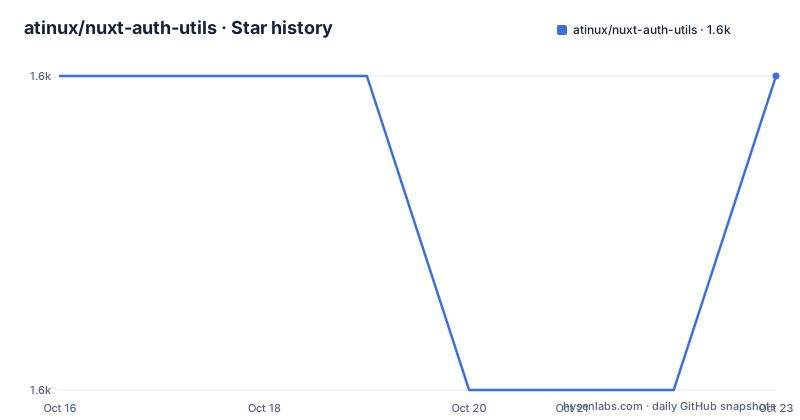
Star history
- atinux/nuxt-auth-utils1,603 ★ · +0
| Repository | 2026-10-16 | 2026-10-23 |
|---|---|---|
| atinux/nuxt-auth-utils | 1.6k | 1.6k |
0 Stars in the last 7 days, measured from the daily GitHub snapshot. Compare with other projects
Editorial analysis
The session is a cookie, and that is the whole design
The module is described as adding authentication to Nuxt applications with secured and sealed cookie sessions. There is no session table, no Redis and no database requirement for session storage.
What that buys is operational simplicity. A Nuxt app gains login, logout and identity checks with no extra service to run and nothing to migrate when you deploy. The dependency list backs this up: there are no adapters for a session backend because there is no backend.
What it costs is a hard ceiling the README calls out twice. Since session data is encrypted and stored in cookies, the module is constrained by the 4096-byte cookie size limit, and the instruction is to store only essential information. A session that holds a profile, permissions and a token has to be designed, not accumulated.
The mitigation offered is the secure section of the session object, described as private data accessible only on server routes. Whatever goes there never leaves the server, so it does not consume the cookie budget.
It needs a server, which rules out static generation
The Requirements section is short and worth repeating because it is the most common adoption mistake. The module only works with a Nuxt server because it uses server API routes and therefore requires nuxt build. The README states plainly that you cannot use it with nuxt generate.
The suggested alternative is Hybrid Rendering. You can pre-render pages of an application that still runs a server, or you can disable server-side rendering completely while keeping the server for the auth routes.
So the boundary is not between serverless and server, it is between a server and no server. A static marketing site does not need this module, and a Nuxt app deployed to a platform that runs the Nitro server is exactly the case it is built for.
It also runs on multiple JavaScript environments, with Node, Deno and Workers named, which matters for anyone deploying to an edge runtime.
Two commands to get started
The setup is deliberately minimal. Add the module to a Nuxt project.
npx nuxi@latest module add auth-utilsThen set a session password in your .env file with at least 32 characters.
NUXT_SESSION_PASSWORD=password-with-at-least-32-charactersThere is a third detail that saves a support ticket: Nuxt Auth Utils generates one for you when running Nuxt in development the first time if no NUXT_SESSION_PASSWORD is set. So you can try it immediately and only need to think about the secret before deploying.
The length floor exists because the secret is the key protecting the sealed cookie. A short password means a weak seal, and the README treats 32 characters as the minimum rather than as a suggestion.
useUserSession gives components a typed view of the login
On the client side the module adds plugins that fetch the current session, and a composable exposes it.
const { loggedIn, user, session, fetch, clear, openInPopup } = useUserSession()The TypeScript interface documents what each member is. ready is a computed boolean indicating the session has loaded, loggedIn is a computed boolean, user is a computed User or null, and session is the session object itself. fetch pulls the session from the server, clear clears the session and removes the session cookie, and openInPopup opens an OAuth route in a popup that closes itself on success, optionally with a size object.
openInPopup is the detail that changes a user experience. Social login in a popup rather than a full redirect keeps the page the user came from intact, which is the difference between a login flow that feels like a detour and one that does not.
The template example reads session.loggedInAt to show when the user signed in, which requires you to store that field yourself at login time.
Server helpers distinguish merging from replacing
Inside the server directory the helpers are auto-imported, and the distinction between two of them catches people out.
setUserSession merges new data into the existing session using the defu library from UnJS, while replaceUserSession has the same behaviour except that it does not merge. If you are clearing a field by setting it to undefined, merging is what will leave the old value in place.
await setUserSession(event, {
  user: { login: 'atinux' },
  secure: { apiToken: '1234567890' },
  loggedInAt: new Date()
})
The session has three zones and each has a rule. User data should contain only what lets you recognise a user, and the README says explicitly not to store sensitive data there because it is encrypted into the cookie and can be decrypted with an API call. secure holds server-only data. Any extra fields are merged into the session as-is.
Reading side: getUserSession returns the current session, clearUserSession removes it, and requireUserSession sends back a 401 when there is no user key in the session, which is the guard you want on protected server routes.
You can extend the types by augmenting the User, UserSession and SecureSessionData interfaces in a type declaration file such as shared/types/auth.d.ts.
Forty-plus OAuth providers through one naming pattern
Each provider gets a generated event handler following a single pattern, defineOAuth<Provider>EventHandler with onSuccess, an optional config and an optional onError. The handler redirects to the provider authorization page and then calls the right callback, so you write one file per provider under server/routes/auth.
Credentials come from runtimeConfig in nuxt.config.ts under an oauth key with the provider name in lowercase and a clientId and clientSecret per provider. The same values can be set with environment variables instead.
export default defineNuxtConfig({
  runtimeConfig: {
    oauth: {
      github: {
        clientId: '...',
        clientSecret: '...'
      }
    }
  }
})
The environment variable form is NUXT_OAUTH_<PROVIDER>_CLIENT_ID and NUXT_OAUTH_<PROVIDER>_CLIENT_SECRET with the provider in uppercase, which is the convention Nuxt uses to map runtimeConfig onto environment variables.
The list is long: Apple, Atlassian, Auth0, Authentik, AWS Cognito, Azure B2C, Battle.net, Bluesky through the AT Protocol, Box.com, Discord, Dropbox, Facebook, GitHub, GitLab, Gitea, Google, Heroku, Hubspot, Instagram, Kick, Keycloak, Line, Linear, LinkedIn, LiveChat, Microsoft, a generic OIDC handler, Okta, Ory, osu!, PayPal, Polar, Riot Games, Salesforce, Seznam, Shopify Customer, Slack, Spotify, Steam, Strava, TikTok, Twitch, VK, WorkOS, X (Twitter), XSUAA, Yandex and Zitadel.
Adding one you need that is missing means creating a new file under src/runtime/server/lib/oauth in your own project, which is the documented extension path.
Passkeys, password hashing and hooks for the gaps
Beyond OAuth the feature list names password hashing and WebAuthn passkeys, and the dependency list shows how both are done. Hashing comes from @adonisjs/hash, and passkeys come from the SimpleWebAuthn browser and server packages.
Those WebAuthn packages are peer dependencies rather than direct dependencies, and peerDependenciesMeta marks the browser one as optional. The Bluesky and AT Protocol packages are peer dependencies too, which means you install them yourself if you use that provider and do not otherwise carry them.
There are two more mechanisms in the feature list that matter for extending behaviour rather than using it as-is. A useUserSession composable covers components, and there is an AuthState component plus tree-shakable server utils. Hooks are listed as a way to extend the session, which is the mechanism for adding your own data or behaviour at login and logout without forking.
WebSocket support is also in the feature list, which is unusual for a session module and suggests the session helpers are usable from a WebSocket handler rather than only from HTTP routes.
Version 0.5.x, heavy peer dependencies, MIT
The package is at version 0.5.31, with v0.5.30 on 2026-08-04 and v0.5.29 on 2026-02-17. The last push was on 2026-10-16. The repository is not archived.
A 0.x version with regular releases is worth reading carefully. Because the project is on 0.x, pin the version carefully and review release notes before upgrading.
The dependency set is small and comes almost entirely from UnJS, as the README says. @nuxt/kit and @nuxt/schema for module authoring, h3 for the event handling, defu for merging, scule for serialisation, pathe for path handling, ofetch for HTTP, hookable for the hooks, uncrypto for crypto primitives and jose for the token work. openid-client handles the generic OIDC path, which is why a provider that is not on the list can usually still be supported through the generic handler.
The build runs on pnpm 10.29.3 as declared packageManager, with a pnpm-workspace.yaml and a lockfile. Tests are Vitest, linting is ESLint, and the type check runs vue-tsc over both the module and the playground. Releases go through changelogen and a release script that runs lint, tests and the build first.
The licence is MIT.
Editorial conclusion
Adopt nuxt-auth-utils if you are building a Nuxt application with a server and want OAuth, passkeys and password login without standing up a session store, because the session is an encrypted cookie and the module works across Node, Deno and Workers. Do not adopt it for a fully static site, since the README states the module needs server API routes and therefore cannot be used with nuxt generate. Verify first that you can set a NUXT_SESSION_PASSWORD of at least 32 characters in production, plan session contents against the 4096-byte cookie ceiling, and keep your API middleware away from /api/_auth/session, which the module owns.
Frequently asked questions
Can I use nuxt-auth-utils with a statically generated Nuxt site?
No. The README states the module only works with a Nuxt server because it uses server API routes, so nuxt generate is not supported. It suggests using Hybrid Rendering to pre-render pages or disabling server-side rendering while keeping the server for the auth routes.
How large can a nuxt-auth-utils session be?
Since session data is encrypted and stored in cookies, the module is constrained by the 4096-byte cookie size limit. Store only essential information, and use the secure section for server-only data so it never enters the cookie.
What is the difference between setUserSession and replaceUserSession?
setUserSession merges the new data into the existing session using the defu library, while replaceUserSession has the same behaviour except that it does not merge. Use the replace form when you need to discard existing session data.
Which path does nuxt-auth-utils use for session management?
It uses the /api/_auth/session route. The README warns you to ensure your API route middleware does not interfere with that path.
Official sources
Add this badge to your README
If you maintain this project, the badge below links readers to this analysis and shows its maintenance status from the daily GitHub snapshot. Paste the markdown into your README; add ?metric=license or ?metric=stars to the image URL for a different field.

[](https://hysenlabs.com/projects/atinux-nuxt-auth-utils)Star history chart for your README
[](https://hysenlabs.com/projects/atinux-nuxt-auth-utils)Was this useful?