The Defender for Cloud repo is a shelf of community automations, not a product
Welcome to the Microsoft Defender for Cloud community repository
At a glance
- What is it?
- Azure/Microsoft-Defender-for-Cloud collects remediation scripts, Azure Policy definitions, Logic App templates and workbooks contributed by users for Defender for Cloud, the service formerly called Azure Security Center. The automations are provided as is, without SLA or official support, and some security recommendations are in private preview.
- Who is it for?
- Cloud security engineers running Defender for Cloud across many subscriptions should mine this repository for remediation automation they would otherwise write themselves, and should pin any artifact they adopt to a specific commit since there are no releases to version against. Anyone who needs a programmatic path outside this repository should consult the product documentation instead.
- Can I use it commercially?
- Yes. MIT is a permissive licence: you can use, modify and sell software built on it, as long as you keep its copyright and licence notices.
- Is it still maintained?
- Yes. The repository last received commits 31 days ago.
- What is it written in?
- Mainly PowerShell, according to GitHub's language statistics.
Answers come from the project's GitHub data, last synced on November 6, 2026, and from our analysis. They are not legal advice.
Star history
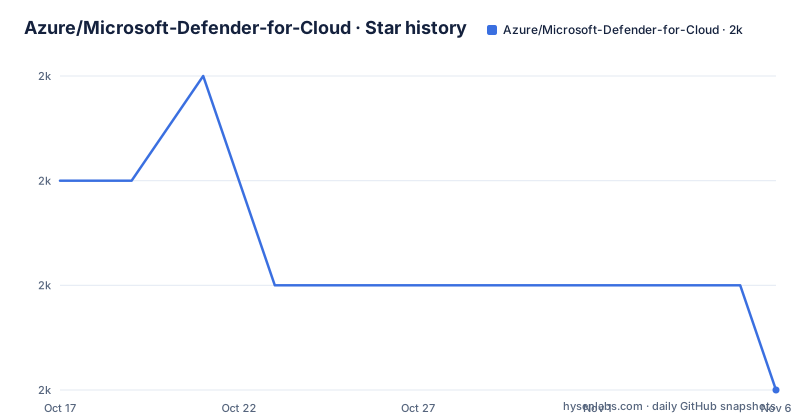
- Azure/Microsoft-Defender-for-Cloud1,959 ★ · -2
| Repository | 2026-10-17 | 2026-11-06 |
|---|---|---|
| Azure/Microsoft-Defender-for-Cloud | 2k | 2k |
-2 Stars in the last 20 days, measured from the daily GitHub snapshot. Compare with other projects
Editorial analysis
What actually lives in the repository
This is a content repository, not a library. The repository is primarily a collection of community automation and documentation. The top level directory listing is the documentation. You will find `Remediation scripts/` and `Remediation Policies/` for fixing findings, `Security Recommendations/` holding recommendation definitions including ones in private preview, `Workflow automation/` for Logic App templates that respond to alerts and recommendations, `Workbooks/` for Azure Monitor workbooks that visualise Defender for Cloud data, `PowerBI/` for reporting, `Powershell scripts/` for programmatic management, `Policy/` for Azure Policy custom definitions used to manage settings at scale, `Translate Recommendations/` for localisation work, `Onboarding/` for getting a subscription enrolled, `Labs/` for hands-on material, `Simulations/` for attack simulation exercises, `Kusto/` for query samples, `Secure Score/` for score tracking, `Pricing & Settings/` for configuration, and `DemoAutomation/` plus `azure-storage-av-automation` for demonstration and storage antivirus automation.
There is also a `Container Image Scan Vulnerability Assessment/` directory and a `Legacy Log Analytics dashboards/` folder, the latter hinting that some content predates the current naming. The repository also includes a `Terraform/` directory.
So the mental model matters: you are browsing a shelf of other people's automation, picking the piece you need, and adapting it to your tenant. Nothing here plugs itself into your subscription.
Every artifact ships without SLA
The README states the boundary in one line: all automations within this repository are provided as is, without SLA or official support. That is not boilerplate, because these scripts act on security posture in production Azure. If a remediation script fails halfway, no one owes you a fix.
The issue tracker is the support channel that does exist. The README asks you to file a bug report and reference the automation artifact so the community can try to solve it. That is a different promise from a support contract, and it means you should read the code before running it against a subscription with real resources.
A second caveat sits in the first bullet of the contents list: security recommendations that are in private preview. Anything you copy from that area may describe a recommendation shape that is not yet generally available, so it can fail or change without notice. The README also says some of what is here has not yet been embedded into the product, which is the honest framing. Treat the repository as a source of patterns and starting points rather than as supported tooling.
There is a wiki with a What's New page for the newest automations, and it is where the release notes for this content effectively live.
A thin Node toolchain hides under a PowerShell repository
The primary language is PowerShell, but the root carries a `package.json` and a `tsconfig.json`, and the real test suite is TypeScript. The manifest is still named `azure-security-center`, the description still says Azure Security Center, and the repository URL points at the older `Azure/Azure-Security-Center` name, so the tooling was never renamed after the product did.
The dependency set explains what the internal tooling does: `@azure/avocado` for the test harness, `mocha` plus `ts-node` for running tests, `typescript` and `prettier` for compiling and formatting, and `@types/chai` with `chai` and `chai-as-promised` in the dev dependencies for assertions.
Two npm scripts exist. `tsc` runs the compiler, and the test script wires mocha to ts-node and points at the test tree:
"scripts": {
  "tsc": "tsc",
  "test": " mocha --recursive --require ts-node/register .script/tests/**/*.test.ts"
}
Contributors clone the repo, install dependencies and run that test command. The hidden `.script/` directory holds the tests the glob targets. There is no build step for the PowerShell content itself, and no lint step named in the manifest.
Azure Policy definitions are the piece that scales
Of the seven content categories the README lists, the Azure Policy custom definitions are the one that actually changes behaviour at scale rather than providing a script you run once. A policy definition in this repository can be assigned across every subscription in an estate, which turns a recommendation that a team might otherwise ignore into something enforced and auditable.
The `Remediation Policies/` directory sits next to `Policy/`, which suggests the intended workflow: define the policy, then attach the remediation so that a non-compliant resource is fixed automatically rather than merely reported.
The README does not document a deployment command. There is no documented `az policy deployment` invocation, no stated parameters for the policy files in the repository, and no version pinning guidance. If you plan to adopt a definition, you need to read the file's parameters block and supply values for your own subscription IDs and resource groups. That work is yours.
The same applies to the Logic App templates under `Workflow automation/`. They are described as working with Defender for Cloud's Logic App connectors, which means the deployment prerequisite is a connector configured in your tenant, not just a JSON file.
Where this repository is the wrong tool
If you need a stable programmatic interface to Defender for Cloud, this repo is not it. The README points readers to the Defender for Cloud API documentation and to the product documentation as the place to learn the actual surface. Building a pipeline against hand-copied PowerShell from a community repo is a different and riskier bet than calling the documented REST API.
The same goes for enablement. If your question is how to turn on a plan or configure a setting for the first time, the `Onboarding/` and `Pricing & Settings/` directories are starting material, not a contract.
There is also no versioning story. The repository has no GitHub releases, so there is nothing to pin to and no changelog to diff against except the commit history and the wiki What's New page. In a security context that matters: you need to be able to say which version of a remediation script was in your pipeline six months ago, and the artifact itself will not tell you.
Finally, the private preview recommendations should rule out any use that depends on their exact schema. They are described as in private preview, which means the shape can move before it is generally available.
Contributing runs through a CLA bot
The contribution path is more formal than a typical community repo, and the formalities are worth knowing before you start. Most contributions require agreeing to a Contributor License Agreement, which the README describes as declaring that you have the right to, and do, grant the rights to use your contribution. A CLA bot then evaluates each pull request automatically and decorates it accordingly, and the README notes you only need to do this once across all repos using that CLA.
The mechanics are otherwise ordinary: fork the repository, add your Logic App, Policy or other automation artifact to your fork, and submit a pull request. After pushing, you check the pull request page for comments, make the requested changes or explain why none are needed, and resolve the thread.
The bar for what you contribute is low in one sense and specific in another: the README says anyone can contribute and that you do not need to be a pro, but it also asks you to review `Contributing.md` before submitting so your work aligns with the contribution guideline. The project has adopted the Microsoft Open Source Code of Conduct, with a code of conduct FAQ and a contact address for questions.
The licence on the repository itself is MIT, per `LICENSE`. That covers the repository contents; each Azure resource type you deploy through them is governed by its own service terms.
Editorial conclusion
Cloud security engineers running Defender for Cloud across many subscriptions should mine this repository for remediation automation they would otherwise write themselves, and should pin any artifact they adopt to a specific commit since there are no releases to version against. Anyone who needs a programmatic path outside this repository should consult the product documentation instead. First verify that the artifact you copy matches your tenant's region and your subscription layout, because the repository contains no schema check and no SLA.
Frequently asked questions
Is Microsoft Defender for Cloud the same as Azure Security Center?
Yes, it is the renamed service. The README describes Microsoft Defender for Cloud as formerly known as Azure Security Center, and parts of the repository still use the old Azure Security Center name, including the package manifest.
Is anything in this repository supported by Microsoft?
Not officially: the automations are provided as is, without SLA or official support. Bugs can be filed as issues so the community can try to resolve them.
What can I automate with the Logic App templates in this repo?
Two categories. One set automates response to security alerts and recommendations through Defender for Cloud's Logic App connectors, and another set runs regular tasks or reports within the scope of Defender for Cloud.
How do I run the tests in this repository?
The root package.json defines a test script that runs mocha with ts-node registered over the test files under .script/tests. There is also a tsc script for the TypeScript compiler.
Can I use the Azure Policy definitions here across many subscriptions?
The repository provides Azure Policy custom definitions intended for at-scale management, and a separate Remediation Policies directory, but the README documents no deployment command or parameters. You supply your own subscription identifiers when assigning them.
Official sources
Add this badge to your README
If you maintain this project, the badge below links readers to this analysis and shows its maintenance status from the daily GitHub snapshot. Paste the markdown into your README; add ?metric=license or ?metric=stars to the image URL for a different field.

[](https://hysenlabs.com/projects/azure-microsoft-defender-for-cloud)Star history chart for your README
[](https://hysenlabs.com/projects/azure-microsoft-defender-for-cloud)Was this useful?