Windows11_Hardening: a checklist of Defender settings to turn on
a collection about Windows 11
At a glance
- What is it?
- Windows11_Hardening is a checklist repository for hardening Windows 11, pointing at the specific Defender and Windows settings to enable, the hardware requirements some of them need, and the software to avoid. It suits someone who wants a defensible baseline configuration, and it is a list of references rather than a tool that applies anything.
- Who is it for?
- Adopt Windows11_Hardening as a baseline document when you want a written account of which Windows 11 security features to enable and what each one depends on, because the repository links each setting to the official Microsoft documentation and flags the hardware requirements for Credential Guard, memory integrity and System Guard.
- Can I use it commercially?
- Yes, with conditions. GPL-3.0 is a copyleft licence: if you distribute software that includes it, you must release that software's source code under the same licence. Running it internally without distributing it does not trigger that obligation.
- Is it still maintained?
- Yes. The repository last received commits 20 days ago.
- What is it written in?
- GitHub does not report a main language for this repository.
Answers come from the project's GitHub data, last synced on November 6, 2026, and from our analysis. They are not legal advice.
Star history
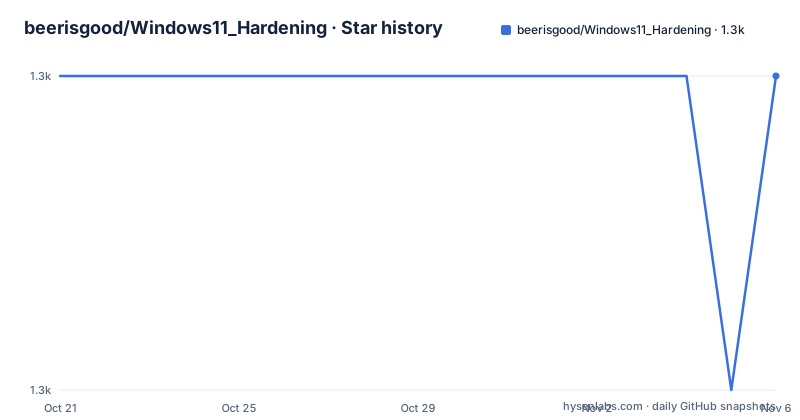
- beerisgood/Windows11_Hardening1,308 ★ · +0
| Repository | 2026-10-21 | 2026-11-06 |
|---|---|---|
| beerisgood/Windows11_Hardening | 1.3k | 1.3k |
0 Stars in the last 16 days, measured from the daily GitHub snapshot. Compare with other projects
Editorial analysis
A list of links, not a set of scripts
Windows11_Hardening is described simply as a collection about Windows 11, and the repository layout matches that description precisely. The top level is a README, a LICENSE, a .github directory, and then a set of directories that are named after the individual settings: Attack Surface Reduction (ASR) Rules.png, Microsoft recommendations for the average home use, Software Restriction Policies, TrueCrypt-VeraCrypt, always display file type extension, harden ASLR, and maximum UAC level.
There is no code here. There is no script, no configuration file to import, no policy package. Each directory and each link in the README is a pointer to a specific piece of documentation, and the value of the project is the selection and the ordering rather than any automation.
That makes it a different kind of artefact from the hardening tools it points at. The README opens by recommending two of them, Hard_Configurator, a GUI application to configure Windows security features and apply recommended defaults, and Harden-Windows-Security, which the README says provides even more hardening and is better maintained. That sentence is the honest framing of the whole project: this is the reasoning, and those are the tools that act on it.
The licence is GPL-3.0, the default branch is master, and the last push was on 2026-10-18. There are no GitHub releases, which for a documentation repository is unremarkable, and the page carries a badge indicating it targets Windows version 26H2.
The requirements section is the part most people skip
The requirements checklist at the top of the README is the most useful and least glamorous part of the project, and it starts with the boring conditions that have to hold before any of the settings mean anything.
Windows must be up to date, Microsoft Defender must be up to date, and the latest driver and program updates must be installed. Only the necessary programs, apps and games should be present. There is a Secure-Core minimum standard for a highly secure Windows device, and the README requires the hardware requirements for System Guard and hardware-based isolation, the baseline protections for memory integrity, and the hardware requirements for Defender Credential Guard.
Those last three matter more than they look. Credential Guard, memory integrity, or HVCI, and System Guard Secure Launch are all hardware-backed protections, and on a CPU or firmware that does not support them the setting either fails to turn on or turns on without doing anything. A checklist that lists the toggle without the requirement produces a machine that looks configured and is not.
There is also a requirement to avoid insecure software. The README names 7-Zip, because it lacks Anti-Exploit and Mark of the Web support, and it points at forks of common applications that carry local privilege escalation vulnerabilities, along with Open and LibreOffice, Firefox, and TrueCrypt or VeraCrypt, which has a directory of its own in the repository. The list is a judgement about specific applications rather than a general rule, which is the part worth reading rather than applying mechanically.
No tuning tools, no anti-spying utilities, and no tiny Windows builds
Three negative requirements stand out because they are the opposite of what most hardening guides tell you to do.
The first is to stay away from anti-spying and anti-telemetry tools and to use the official documentation instead, which the README links to a separate Windows11_Privacy repository. The reasoning is that a third party tool that claims to remove telemetry is a third party tool with deep access to the machine, and the vendor's own documentation is the version you can verify.
The second is not to use insecure third party Windows tiny tools, and instead to use the answer files, unattend.xml, from Microsoft, with the documentation link included. This is the same argument in a different place. A tool that rebuilds a Windows image to strip components is doing surgery on the update path and the servicing stack, and the supported way to configure a deployment is the file the vendor already provides.
The third is no tuning tools at all, and the README is emphatic about it, calling out even things like Ccleaner. A cleaner that rewrites the registry and deletes files is exactly the class of software that breaks a system in exchange for a small performance gain, and on a machine where the goal is a defensible configuration, that trade is a bad one.
These three positions are what separate this checklist from the wider hardening genre, and they are the reasons to read it even if you never enable a single setting from it.
The hardening list, and what each toggle actually turns on
The hardening section is a checklist of Windows and Defender features, each linking to the relevant Microsoft documentation. Going through it in order shows the shape of the recommendations.
User Account Control is set to its maximum level, with the repository holding a page for the maximum UAC level. A separate administrator account is created and the current account is transformed into a limited, restricted or standard user, and the README says not to use administrator access for your tasks.
Then come the Defender features, which is where most of the value is. Smart App Control is used. All incoming connections are blocked with the Windows firewall. File type extensions are always displayed. Defender Credential Guard is managed. Memory integrity, which is HVCI, is enabled, as are Network Protection, SmartScreen along with SmartScreen Logs, Controlled Folder Access, and Attack Surface Reduction rules. Mandatory ASLR and Bottom-Up ASLR are enabled for Address Space Layout Randomization. System Guard Secure Launch is enabled, cloud-delivered protection is turned on, and protection against Potentially Unwanted Apps is enabled.
Two of those deserve a note. SmartScreen Logs is the one people skip, and it is the one that tells you what SmartScreen blocked, which is the difference between a silent block and a useful signal. And Smart App Control, unlike the other Defender features, is a reputation-based allow list that is on by default on a fresh Windows 11 install and can be turned off, which is worth knowing before you go looking for a toggle that is not there.
The repository also holds supporting pages for ASR rules, Software Restriction Policies, ASLR hardening, always displaying file type extensions, the maximum UAC level, and the TrueCrypt and VeraCrypt situation.
What to verify before you trust a checklist like this one
There is a reasonable objection to hardening checklists in general, and this repository does not fully answer it, so it is worth stating plainly.
A list of settings is a list of settings. It is not a configuration you can diff against a known good baseline, and it is not tested by running it. The items that carry the most weight, like Controlled Folder Access and Attack Surface Reduction rules, are also the ones most likely to break a workflow you did not think about, a development tool writing to a project directory, a game installer, an IDE writing to a temp folder. The README links to the Microsoft documentation for each of them, which is where the actual behaviour is described, but it does not tell you what will break for you.
The hardware requirements are the part that most often decides whether the list is usable, and they are stated clearly here, which is better than most. If your CPU, firmware or TPM does not support Credential Guard, memory integrity or System Guard, several of these settings are decorative, and you need to check that first rather than tick them off and believe you are protected.
The Windows build matters as well. The page carries a badge for Windows 26H2, and several of the Defender features, Smart App Control in particular, have changed behaviour between releases, so a list written for one build is not automatically right for another.
What the project does give you is a defensible written baseline, a set of links you can follow to the primary source, and a position on tuning tools and telemetry tools that is unusual and worth adopting regardless of whether you enable anything else on the list.
Editorial conclusion
Adopt Windows11_Hardening as a baseline document when you want a written account of which Windows 11 security features to enable and what each one depends on, because the repository links each setting to the official Microsoft documentation and flags the hardware requirements for Credential Guard, memory integrity and System Guard. Do not adopt it as something you can run, since it applies nothing and contains no scripts, and do not treat it as a complete guide, because it explicitly defers to two other projects it considers better maintained. Before you work through it, confirm your CPU and firmware support the hardware-backed features, since several of the settings silently do nothing without them, and check the Windows build the page targets, because behaviour differs across recent releases.
Frequently asked questions
What is Windows11_Hardening and what does it contain?
It is a checklist repository about Windows 11, with a README covering requirements, hardening steps and the software to avoid, plus supporting directories for ASR rules, Software Restriction Policies, TrueCrypt and VeraCrypt, always displaying file type extensions, hardening ASLR and the maximum UAC level. It contains no scripts and applies nothing itself.
Which Windows 11 security features does Windows11_Hardening recommend enabling?
User Account Control at its maximum level, a separate administrator account with your daily account changed to a standard user, Smart App Control, blocking all incoming connections with the firewall, always displaying file type extensions, Defender Credential Guard, memory integrity or HVCI, Network Protection, SmartScreen with SmartScreen Logs, Controlled Folder Access, Attack Surface Reduction rules, Mandatory ASLR and Bottom-Up ASLR, System Guard Secure Launch, cloud-delivered protection and Potentially Unwanted App protection.
Does Windows11_Hardening need special hardware?
Yes for several of its items. The README lists hardware requirements for System Guard and hardware-based isolation, the baseline protections for memory integrity, and the hardware requirements for Defender Credential Guard, so a machine without the supporting CPU and firmware will not get the benefit from those settings even if they appear to be enabled.
Does Windows11_Hardening use tuning or privacy tools?
No. The README says to stay away from anti-spying and anti-telemetry tools and to use the official documentation instead, to avoid insecure third party Windows tiny tools in favour of Microsoft's own answer files, and to use no tuning tools at all, explicitly naming Ccleaner as an example of what to avoid.
Official sources
Add this badge to your README
If you maintain this project, the badge below links readers to this analysis and shows its maintenance status from the daily GitHub snapshot. Paste the markdown into your README; add ?metric=license or ?metric=stars to the image URL for a different field.

[](https://hysenlabs.com/projects/beerisgood-windows11-hardening)Star history chart for your README
[](https://hysenlabs.com/projects/beerisgood-windows11-hardening)Was this useful?