google-sre-ebook: Building EPUB, MOBI, and PDF Editions
Google SRE Book Generator (EPUB/MOBI/PDF).
At a glance
- What is it?
- captn3m0/google-sre-ebook packages two Google SRE books into downloadable ebook and document formats. It is most useful to readers who want generated copies and to maintainers willing to depend on the upstream Google pages and a dated build stack.
- Who is it for?
- Adopt this project if you specifically need the Site Reliability Engineering or Site Reliability Workbook in generated media formats and can accept changes in the upstream Google pages. Do not treat it as a general-purpose ebook pipeline or a maintained distribution channel.
- Can I use it commercially?
- Yes. WTFPL is a permissive licence: you can use, modify and sell software built on it, as long as you keep its copyright and licence notices.
- Is it still maintained?
- Yes. The repository last received commits 6 days ago.
- What is it written in?
- Mainly Shell, according to GitHub's language statistics.
Answers come from the project's GitHub data, last synced on November 7, 2026, and from our analysis. They are not legal advice.
Star history
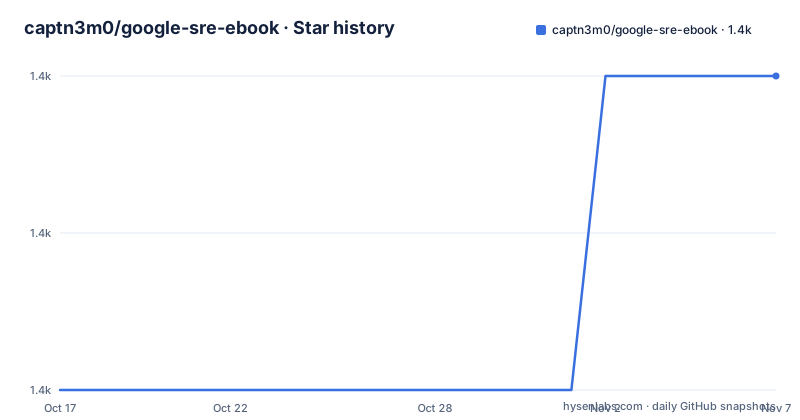
- captn3m0/google-sre-ebook1,406 ★ · +2
| Repository | 2026-10-17 | 2026-11-07 |
|---|---|---|
| captn3m0/google-sre-ebook | 1.4k | 1.4k |
2 Stars in the last 21 days, measured from the daily GitHub snapshot. Compare with other projects
Editorial analysis
The two Google SRE editions handled by google-sre-ebook
captn3m0/google-sre-ebook solves a packaging problem rather than an authoring problem. It builds downloadable EPUB, MOBI, and PDF editions of two Google SRE books: Site Reliability Engineering and The Site Reliability Workbook. The intended audience is split between readers who want these titles in formats suited to e-readers or local document workflows, and technically capable maintainers who need to regenerate a local copy. The README also collects links to other SRE books and reports, but those resources are not described as generated by this project.
The repository draws its original sources from the books section of `sre.google`. That distinction matters because this is a generator, not a repository containing a complete, independently versioned source manuscript for every page. Its output depends on content available from the upstream site and on a conversion process that turns that material into packaged files.
The project is tightly scoped to two `BOOK_SLUG` values. `sre_book` selects Site Reliability Engineering, while `srw_book` selects The Site Reliability Workbook. That narrow scope makes configuration predictable. It also limits the repository's usefulness as a general EPUB builder. The README does not describe arbitrary source selection, custom templates, or user-defined metadata, so those features should not be inferred from the Ruby implementation and its supporting scripts.
For ordinary reading, the README directs users to the Releases page and tells them to inspect the Assets attached to each release. This matters because the project name does not provide a permanent download URL for one particular format or edition.
generate.sh, Ruby, Pandoc, and Calibre form the build chain
The build is organized around a small set of files visible in the repository layout. `generate.sh` is the entry point used by Docker, while `generate.rb` holds Ruby-side generation logic. `books.sh` is a separate shell entry point, and `Gemfile` and `Gemfile.lock` declare the Ruby dependencies. The repository topic includes Nokogiri, although the README does not identify the exact points at which it parses or transforms content.
The output toolchain is explicit in the container definition. The Debian Bookworm image installs Pandoc, Calibre, XeTeX-related packages, fonts, Ruby, `wget`, build tools, and related system libraries. This supports a document pipeline in which upstream content is obtained, converted into intermediate document formats, and then rendered as ebook or PDF assets. The README does not publish the complete internal command sequence, so the exact conversion flow should be read from `generate.sh`, `books.sh`, and `generate.rb` rather than inferred further.
Docker supplies `/src` as its working directory, copies the repository into that location, installs the bundle, and declares `generate.sh` as the entry point. It also exposes `/output` as a volume. That arrangement separates build code from generated files. The user mounts a host directory at `/output`, allowing the resulting EPUB, MOBI, and PDF files to remain outside the container filesystem after it exits.
The Docker image is more than a wrapper around a script. It packages several document-processing dependencies and their native build requirements. This improves setup consistency, but it also makes source changes at upstream pages or within this repository dependent on a build image that may not track every current dependency.
Generating The Site Reliability Workbook through Docker
Docker is the preferred route documented by the project. The first use is to create an output directory, mount it at `/output`, and set `BOOK_SLUG` to the desired book. The following command generates The Site Reliability Workbook:
docker run --rm --volume "$(pwd):/output" -e BOOK_SLUG='srw_book' captn3m0/google-sre-ebook:latestAfter the container finishes, the README says to look in the current directory for the final EPUB, MOBI, and PDF files. Because Docker is run as the container's user, an output file may be owned by `root`. The README also warns that Docker must have access to the mounted local directory.
For systems that require the SELinux container access label, the documented alternative uses `/tmp/sreoutput` and the GitHub Container Registry image:
mkdir /tmp/sreoutput
chcon -Rt svirt_sandbox_file_t /tmp/sreoutput
docker run --rm --volume "/tmp/sreoutput:/output" -e BOOK_SLUG='srw_book' ghcr.io/captn3m0/google-sre-ebook:ruby
This sequence creates the destination, assigns the context label, mounts it at `/output`, selects `srw_book`, and removes the container after the run. The reader should inspect `/tmp/sreoutput` for the generated files. The README says that Docker Hub builds are no longer maintained and presents the `ruby` image from GitHub Container Registry as the safer documented choice. It does not publish image tags beyond those shown or specify an image digest, so reproducibility depends on retaining the chosen tag or digest.
The macOS and Linux path exposes the native dependency set
A native build is documented for macOS and Linux. The prerequisites are Make, Ruby, Bundler, Pandoc, Calibre, and `wget`. The README presents Homebrew package commands for Pandoc, Calibre, and `wget`, although that installation syntax is macOS-specific and does not establish an apt-based Linux sequence.
The documented dependency commands are:
gem install bundler
brew install pandoc
brew cask install calibre
brew install wget
After those packages are available, dependencies declared by the repository can be installed with Bundler:
bundle installThe repository then uses `generate.sh` as the local generation entry point. The README shows this complete example for Site Reliability Engineering:
# To download Site Reliability Engineering.
BOOK_SLUG='sre_book' ./generate.sh
The second native command shown in the README is truncated after `BOOK_SLUG='srw_bo`, so this review does not reconstruct it. The Docker tutorial remains the most complete documented first-use path. The native route suits contributors who already have the required converters, but it places responsibility for compatible Ruby, Calibre, Pandoc, and font installations on the reader.
Upstream availability and release age constrain generated output
The largest practical limitation is the dependency on original sources hosted at `sre.google/books/`. The repository does not present the books as immutable build inputs, and the README does not document checksums, mirrored inputs, or a rollback procedure for changed or unavailable upstream pages. If Google changes a URL, removes an asset, or changes the HTML consumed by the scripts, generation may fail or produce different output. That is a real operational boundary for a project whose core job is repackaging remote material.
The resource catalog in the README also shows that upstream availability varies. Several links use Internet Archive, and one MOBI link is marked as currently down. Those entries are not described as products of `captn3m0/google-sre-ebook`, but they demonstrate why a broad collection of SRE links cannot be treated as permanently accessible.
The maintenance picture requires separate consideration. The repository is not archived, and its last push was on 2026-09-20. However, the listed releases are older: `v1.1` is dated 2020-04-30, and the other release is dated 2019-03-18. Recent repository activity therefore does not establish that every generated asset or Docker Hub image was refreshed. The README explicitly states that Docker Hub builds are no longer maintained.
For the wrong-tool case, use the project's release Assets when all you need is one existing edition. Building locally makes sense when file placement, regeneration, or contribution to the scripts matters. Neither route is appropriate if you require a current commercial edition, DRM, publisher metadata guarantees, or a general conversion framework.
WTFPL covers the software, not automatic rights to the books
The repository declares the WTFPL license. That is a permissive software license and, under its stated terms, places few restrictions on copying, modification, and redistribution of the project code. It does not grant rights to the books themselves. Generated EPUB, MOBI, and PDF files contain or derive from Google-published material, so permission to reuse the generator code should not be treated as permission to redistribute those documents independently of their publication terms.
This distinction is relevant because the README links to Google Books, Amazon, Kobo, and other purchase options. The repository's purpose is format generation, but it is not the rights holder of Site Reliability Engineering or The Site Reliability Workbook. Users planning organizational distribution need to determine how that use aligns with the applicable book and publisher terms. This review does not interpret those terms or provide legal advice.
Upgrade cost is partly operational. Changes can involve Ruby dependencies in `Gemfile.lock`, document converters inside the Docker image, scripts such as `generate.sh` and `generate.rb`, or upstream page structure. The release history does not show a recent published artifact despite the push on 2026-09-20. A maintainer running an internal image should pin and inspect its inputs rather than assuming that `:latest` represents newly generated and checked files.
Why release assets differ from rebuilding the books
The closest alternative is downloading the existing Assets attached to the project's GitHub releases instead of running the generator. That approach skips Docker, Ruby, Bundler, Pandoc, Calibre, and the upstream fetch or conversion steps. It is faster for a single reader and removes dependence on the local build environment at the moment of download.
The distinction is control. Release assets are prepared outputs, while a local build gives the user control over when and where generation occurs. It also exposes more of the failure path to the user. If the goal is contribution work, script changes, automation, or repeated local generation, rebuilding is the relevant approach. If the goal is simply to read one of the two books, the README points to the Releases page first.
Google and publishers also distribute some material directly in PDF or EPUB form. Those files follow a different distribution approach because they come from the publisher or Google rather than from this repository's packaging scripts. Based on the README, no exact claim can be made about layout fidelity, metadata parity, accessibility, or file size for each route. Those properties require inspection of the chosen asset.
Editorial conclusion
Adopt this project if you specifically need the Site Reliability Engineering or Site Reliability Workbook in generated media formats and can accept changes in the upstream Google pages. Do not treat it as a general-purpose ebook pipeline or a maintained distribution channel. Verify `BOOK_SLUG`, source availability, and the selected release asset before standardizing on its output.
Frequently asked questions
Which books can captn3m0/google-sre-ebook generate?
It generates Site Reliability Engineering when `BOOK_SLUG='sre_book'` and The Site Reliability Workbook when `BOOK_SLUG='srw_book'`. The README does not document arbitrary book selection.
How do I generate EPUB, MOBI, and PDF files with Docker?
Run the documented `docker run` command with a host directory mounted at `/output` and set `BOOK_SLUG`. The README says the finished files appear in the mounted host directory after the container exits.
Is the captn3m0/google-sre-ebook image on Docker Hub maintained?
The README states that Docker Hub builds are no longer maintained. It documents `ghcr.io/captn3m0/google-sre-ebook:ruby` in its SELinux access example.
Official sources
Add this badge to your README
If you maintain this project, the badge below links readers to this analysis and shows its maintenance status from the daily GitHub snapshot. Paste the markdown into your README; add ?metric=license or ?metric=stars to the image URL for a different field.

[](https://hysenlabs.com/projects/captn3m0-google-sre-ebook)Star history chart for your README
[](https://hysenlabs.com/projects/captn3m0-google-sre-ebook)Was this useful?