angular-material-time-picker: A Time Picker for AngularJS That Stopped in 2018
Material design time picker for 12 and 24 hour time.
At a glance
- What is it?
- This MIT-licensed component adds a time picker to Angular Material, supporting 12 and 24 hour formats via three separate text inputs. It works, but the project is unmaintained and looking for a new lead maintainer.
- Who is it for?
- Adopt this component if you are stuck on AngularJS 1.x with Angular Material and need a 12 or 24 hour time picker that does not depend on moment.js. Do not adopt it for new projects or if you expect ongoing fixes, since the repository has been inactive since March 2018 and the README explicitly asks for maintainers.
- Can I use it commercially?
- Yes. MIT is a permissive licence: you can use, modify and sell software built on it, as long as you keep its copyright and licence notices.
- Is it still maintained?
- Probably not. The repository last received commits 92 months ago, on March 9, 2019.
- What is it written in?
- Mainly HTML, according to GitHub's language statistics.
Answers come from the project's GitHub data, last synced on October 22, 2026, and from our analysis. They are not legal advice.
Star history
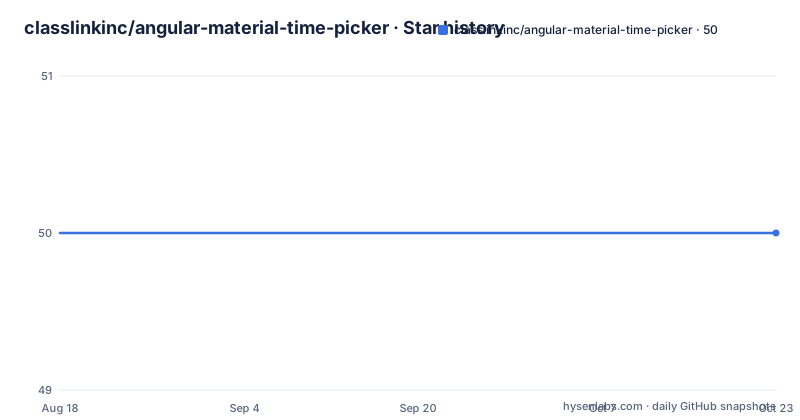
- classlinkinc/angular-material-time-picker50 ★ · +0
| Repository | 2026-08-18 | 2026-10-22 |
|---|---|---|
| classlinkinc/angular-material-time-picker | 50 | 50 |
0 Stars in the last 65 days, measured from the daily GitHub snapshot. Compare with other projects
Editorial analysis
What This Component Solves and Who Needs It
Angular Material, the AngularJS 1.x implementation of Material Design, ships with a date picker but no time picker. That gap is the exact problem this module addresses. It gives you a time picker that works inside an Angular Material form, with a modal popup and inline input fields. The target user is a developer maintaining an AngularJS application that already uses Angular Material and needs to let users enter a time without pulling in a heavier date/time library. The README states that the modal popup is based on mdPickers, but with modifications for 24 hour time and removal of the moment.js dependency. That last point matters: many time pickers from that era required moment.js, and this one avoids it, which simplifies bundling and reduces load. If you are on AngularJS 1.x and Angular Material, this component is aimed squarely at you.
How the Input Fields Work: Three Text Inputs Instead of One
The most distinctive design decision is that the time input field is not a single input. The README says it is made up of three individual text inputs for hour, minute, and meridiem. This is a deliberate choice for cross-browser support, especially for older browsers that do not support the HTML5 time input type. In practice, this means the user tabs or clicks through three boxes. The component then binds the combined value to a JavaScript Date object via ng-model. This approach avoids the inconsistent rendering and parsing of native time inputs in legacy browsers, but it also means you cannot use a standard input mask or a single-field autocomplete. The modal popup, which is based on mdPickers, offers a clock-like interface for selecting the hour and minute. The no-auto-switch attribute stops the modal from jumping to the minute view after an hour is selected, which is a small usability tweak that some users will appreciate.
Installation and Setup: npm, Webpack, and ES5 or ES6
Getting it running is straightforward if you have npm. The README gives the command: npm install angular-material-time-picker --save. It also mentions that you may use Webpack to inject the module into your application. For ES5, you require the CSS file and then the module: require('angular-material-time-picker/dist/md-time-picker.css'); var ngTimePicker = require('angular-material-time-picker'); then add ngTimePicker to your Angular module dependencies. For ES6, you use import statements instead. The requirements are specific: AngularJS greater than 1.5.0 and less than 2, plus angular-messages, angular-animate, angular-aria, Angular Material above version 1, and Material Icons. That is a fixed set of dependencies. You cannot use this with Angular 2 or later. The CSS file is separate, so you must ensure your build pipeline includes it. The demo is available on Codepen, and the same HTML/CSS file is in the demoApp folder, which gives you a working example to copy.
Configuration Attributes and Validation
The component exposes several optional attributes, all shown in the README. The message attribute takes an object with keys for hour, minute, and meridiem, and displays a message below each input field. The read-only attribute accepts true or false and sets the inputs to read-only. The mandatory attribute, when true, makes the input validated as required. The no-meridiem attribute switches the picker to 24 hour time; without it, the default is 12 hour time with a meridiem selector. The no-auto-switch attribute, as mentioned, controls the modal's behavior after an hour selection. These attributes are simple and cover the common needs. However, the documentation is thin on how validation integrates with the parent form. The release notes for version 1.0.7 mention support for nested forms, which suggests that the component had issues with form validation in complex form structures. That is a concrete area to test if you have nested forms in your application.
Maintenance Status and the Call for Maintainers
The most important fact about this project is its maintenance status. The last push was on March 14, 2018, and the most recent release, 1.0.8, came on the same day. The README opens with a section titled 'Looking for maintainers,' stating that people still use the project and that there are open issues and pull requests. It explicitly says the project is open to new lead maintainers and asks to contact the current maintainer. This is an honest admission that the project is not actively developed. Since 2018, AngularJS itself has reached end-of-life, which means the entire ecosystem around it is frozen. If you adopt this component, you are adopting code that will not receive updates for security or compatibility fixes. The license is MIT, which gives you the freedom to fork and fix it yourself, but you should budget for that if you depend on it.
Limitations and When It Is the Wrong Tool
The component has several limitations that are evident from the README. First, it is tied to AngularJS 1.x, so it is useless for any Angular 2+ project. Second, the three-input design may feel clunky on mobile devices, where a single native time input is often more touch-friendly. The README does not mention touch optimization. Third, the dependency on Angular Material version 1 means you cannot use it with newer Material components. Fourth, the project is unmaintained, so any bugs you encounter are yours to fix. If you need a time picker for a modern Angular application, or if you want a component with active community support, this is the wrong tool. Even for AngularJS projects, you should consider whether the native HTML5 time input, with appropriate polyfills, might suffice for your users. The component exists because older browsers lacked that input, but if your user base is modern, you may not need it.
Alternatives and a Comparison in Approach
The README itself names mdPickers as the basis for this component. mdPickers, found at github.com/alenaksu/mdPickers, is a more complete time and date picker for Angular Material, but it depends on moment.js. That is the key difference: this component removed that dependency and added 24 hour support. So if you are already using moment.js in your project, mdPickers might offer a more feature-rich option with a similar modal UI. Another alternative is to use a generic AngularJS directive that wraps a native input, but that does not give you the Material Design modal experience. The choice comes down to whether you want to avoid moment.js and accept a less maintained component, or take on the moment.js dependency for a project that may have a larger community. Since this component is a fork of mdPickers, you could also consider contributing your improvements back to mdPickers instead of maintaining a separate fork.
Editorial conclusion
Adopt this component if you are stuck on AngularJS 1.x with Angular Material and need a 12 or 24 hour time picker that does not depend on moment.js. Do not adopt it for new projects or if you expect ongoing fixes, since the repository has been inactive since March 2018 and the README explicitly asks for maintainers. Before using it, verify that the open issues and pull requests do not affect your use case, and test the no-auto-switch and no-meridiem attributes in the browsers you must support, because the component relies on three separate text inputs that may behave differently across older browsers.
Frequently asked questions
What is the Angular Material time picker in this repository?
It is md-time-picker, an AngularJS 1.x module that adds the time picker Angular Material was missing while keeping its date picker. It offers 12 hour and 24 hour modes through a no-meridiem attribute, and its modal is based on mdPickers with momentjs removed.
Why is the md-time-picker input made of three text fields?
The field is split into individual text inputs for hour, minute and meridiem to get better cross-browser support, especially for older browsers that do not support a time input. That split is also why the message attribute takes an object keyed by hour, minute and meridiem.
How do I install angular-material-time-picker?
Run `npm install angular-material-time-picker --save`, then import the stylesheet and the module with require or import and add it to your application module. Webpack can inject it. Requirements are AngularJS above 1.5.0 and below 2, Angular Material above 1, and the Material Icons font.
What optional attributes does the md-time-picker element accept?
Five: message, taking an object with hour, minute and meridiem keys; no-meridiem, which switches the picker to 24 hour time since 12 hour is the default; no-auto-switch, which stops the modal moving to minutes by itself; read-only; and mandatory. Each accepts true or false where relevant.
Official sources
Add this badge to your README
If you maintain this project, the badge below links readers to this analysis and shows its maintenance status from the daily GitHub snapshot. Paste the markdown into your README; add ?metric=license or ?metric=stars to the image URL for a different field.

[](https://hysenlabs.com/projects/classlinkinc-angular-material-time-picker)Star history chart for your README
[](https://hysenlabs.com/projects/classlinkinc-angular-material-time-picker)