Angular Universal on Firebase: A Thin Cloud Function Wrapper
A packaged Cloud Function to serve Angular Universal apps.
At a glance
- What is it?
- This package wraps an Express server inside a Firebase Cloud Function to serve Angular Universal apps. It is a small, focused tool for a narrow deployment path, not a general-purpose SSR solution.
- Who is it for?
- Adopt this package if you already run Angular Universal on Firebase Hosting and want a single Cloud Function to handle SSR with basic CDN and browser caching. Skip it if you need advanced caching strategies, dynamic route handling, or a maintained project, since the repository shows no recent releases and the README points to an older Angular CLI workflow.
- Can I use it commercially?
- Not without permission. GitHub finds no licence file in the repository, and without a licence all rights are reserved by default: you may read the code but not reuse it. Check the README, or ask the authors, before using it.
- Is it still maintained?
- Probably not. The repository last received commits 109 months ago, on October 11, 2017.
- What is it written in?
- Mainly TypeScript, according to GitHub's language statistics.
Answers come from the project's GitHub data, last synced on October 22, 2026, and from our analysis. They are not legal advice.
Star history
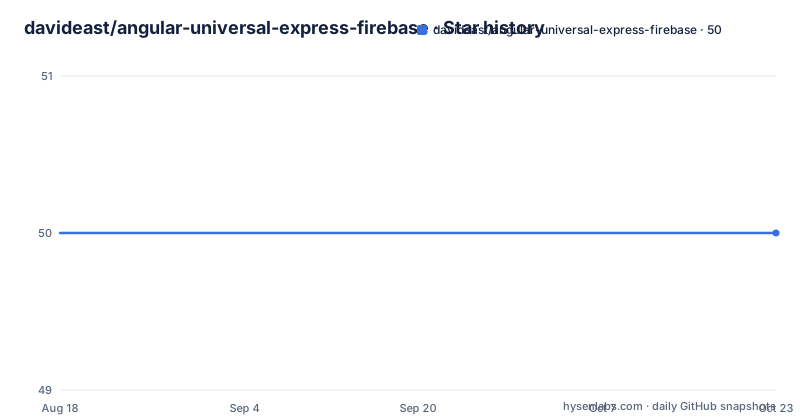
- davideast/angular-universal-express-firebase50 ★ · +0
| Repository | 2026-08-18 | 2026-10-22 |
|---|---|---|
| davideast/angular-universal-express-firebase | 50 | 50 |
0 Stars in the last 65 days, measured from the daily GitHub snapshot. Compare with other projects
Editorial analysis
What This Package Actually Does
The package is a single Cloud Function wrapper. It takes an Angular Universal server bundle and an index.html path, and it returns a Firebase Cloud Function that serves rendered HTML. The README describes it as "a packaged Cloud Function to serve Angular Universal apps." That is the entire scope. There is no CLI, no build tooling, no configuration file beyond the options object passed to trigger. The value is convenience: you do not write the Express boilerplate yourself. You call angularUniversal.trigger with a few paths and cache settings, and you get a deployable function. The intended user is an Angular developer who already has a Universal server build and wants to put it on Firebase Hosting without learning Cloud Functions internals.
How the Data Flow Works
The mechanism is straightforward. The trigger function receives a request from Firebase Hosting via a rewrite rule. It uses the provided index and main paths to locate the server bundle and the base HTML template. The main file is the compiled Angular Universal server bundle, which contains the Express app and the rendering logic. The function runs that bundle, which renders the requested route to HTML on the server, and returns that HTML as the response. The cache options control response headers. cdnCacheExpiry sets how long the CDN caches the response, browserCacheExpiry sets the browser cache, and staleWhileRevalidate allows serving a stale copy for a short window while the CDN refreshes in the background. The README gives concrete values: 600 seconds CDN, 300 seconds browser, 120 seconds stale. This is a classic stale-while-revalidate pattern, but implemented only via cache headers, not a separate worker.
Installation and Configuration Steps
Installation is one npm command, but the README warns to run it after initializing functions and from inside the functions folder. The basic usage example shows a CommonJS require, and a TypeScript variant uses import * as angularUniversal. The trigger function takes an options object. The required keys are index and main. index points to the generated index.html in the dist-server folder, and main points to the server bundle file. The README notes that the bundle hash changes with each build, so you either update the path manually or use the --output-hashing none flag on ng build to avoid that. Other options are enableProdMode, cdnCacheExpiry, browserCacheExpiry, and staleWhileRevalidate. There is also extraProviders, which is used to pass the LAZY_MODULE_MAP for lazy-loaded routes. The setup requires Firebase CLI, initializing hosting and functions, and adding a rewrite in firebase.json that maps all sources to the function named trigger. Local testing uses firebase serve --only functions,hosting, and deployment is firebase deploy.
A Real Limitation: The Hash Problem and Static Index
The README itself points to a friction point: the main path must match the generated bundle hash. The suggested workaround is to disable output hashing, which is a blunt solution. It means every deploy overwrites the same file name, which can cause stale caches in the browser or CDN if not handled carefully. The index.html in dist is deleted because the server build generates its own HTML. That works, but it means the hosting public directory is not a complete static site. If the Cloud Function fails, there is no fallback static index. The package is also tied to a specific Angular CLI workflow described in a link to the Angular CLI docs for universal rendering. That documentation is from an older CLI version, so the steps may not match current Angular versions. The package itself has no release history in the provided material, so you cannot verify compatibility with recent Angular or Firebase SDK versions.
When This Is the Wrong Tool
This package is the wrong choice if you need more than a single SSR entry point. It serves every route through one function. That means you cannot have different caching rules for different routes, nor can you handle API endpoints separately within the same function. If you need middleware for authentication, logging, or custom headers, you would have to modify the package or write your own Cloud Function. The package also assumes you are using Firebase Hosting with rewrites. If you are on Cloud Run or App Engine, this wrapper does not help. The stale-while-revalidate behavior is set globally, so you cannot fine-tune it per route. For a simple site with uniform caching needs, that is fine. For a complex app with dynamic content, the lack of granularity will surface quickly.
A Real Alternative: Firebase App Hosting or a Custom Express Server
A direct alternative is to skip this package and write your own Express server as a Cloud Function. That is more code, but you control every route and middleware. The Angular Universal documentation shows a standard Express server using ngExpressEngine. You can wrap that in a Cloud Function with the same trigger pattern. The difference is that this package hides the Express setup, but you lose visibility into how the request is handled. Another alternative is Firebase App Hosting, which is a managed service for Angular Universal apps. It handles the server build and serving without you writing a Cloud Function at all. The trade-off is that App Hosting is a separate product with its own configuration and pricing, whereas this package works within the existing Firebase Hosting and Cloud Functions setup. The choice depends on whether you want a minimal wrapper or a more managed approach.
Maintenance and Upgrade Cost
The repository shows no recent releases and no archived flag, but the last push is unknown. The README references an Angular CLI version that is likely outdated. That is a warning sign. The package is a thin wrapper, so the maintenance cost is mostly in the surrounding toolchain. When Angular updates its server rendering API, this package may break if it relies on internal paths. The license is unknown, which is a concern for commercial use. You cannot assume you are free to modify or redistribute it. The code is small enough that you could fork it, but without a license you have no legal basis to do so. Before adopting, check the package.json in the npm tarball for a license field, and inspect the source to see how it requires the Angular bundle. The cache header logic is simple enough to replicate if needed.
Editorial conclusion
Adopt this package if you already run Angular Universal on Firebase Hosting and want a single Cloud Function to handle SSR with basic CDN and browser caching. Skip it if you need advanced caching strategies, dynamic route handling, or a maintained project, since the repository shows no recent releases and the README points to an older Angular CLI workflow. Before adopting, verify the package works with your current Angular version, check the exact bundle hash handling, and test the local emulation with firebase serve. The package is a thin wrapper, so your real cost is in the surrounding Angular Universal setup, not in this code.
Frequently asked questions
What is Firebase used for in angular-universal-express-firebase?
It is used for both halves of the deployment: Cloud Functions run the Angular Universal server as a single function named trigger, and Firebase Hosting serves the static output while rewriting every path to that function so non-file requests are rendered.
Is Firebase used for the backend in angular-universal-express-firebase?
In this package the Cloud Function takes the role of the server for an Angular Universal app, generating the initial HTML from the assets in the dist-server build. The Angular side of the application is what you supply; the repository contains no application code, only the function wrapper.
What cache options does angular-universal-express-firebase expose?
Three numbers passed to trigger: cdnCacheExpiry for how long the CDN caches, browserCacheExpiry for the browser, and staleWhileRevalidate for serving a stale version after the CDN expiry while refreshing in the background. The examples use 600, 300 and 120 seconds.
How do I install angular-universal-express-firebase?
With `npm i angular-universal-express-firebase`, run after initialising Firebase functions and from within the functions folder. The Firebase CLI itself is installed globally with npm or yarn, and the repository also ships a yarn.lock.
Official sources
Add this badge to your README
If you maintain this project, the badge below links readers to this analysis and shows its maintenance status from the daily GitHub snapshot. Paste the markdown into your README; add ?metric=license or ?metric=stars to the image URL for a different field.

[](https://hysenlabs.com/projects/davideast-angular-universal-express-firebase)Star history chart for your README
[](https://hysenlabs.com/projects/davideast-angular-universal-express-firebase)