Jampack rewrites your SSG output, including images you hosted on someone else's CDN
Optimizes static websites for best user experience and best Core Web Vitals scores.
At a glance
- What is it?
- Jampack is an MIT licensed TypeScript post-processor for static sites: point it at the output directory of a static site generator and it generates responsive image variants, inlines critical CSS, lazy loads what is below the fold and prefetches links. The most consequential thing it does is download and rewrite images that live on third party CDNs.
- Who is it for?
- Adopt Jampack when your site is built by a static site generator that emits plain img tags with no dimensions and no responsive sources, and you want those fixed without touching your templates. Do not adopt it if your generator already produces responsive markup, since the tool's value is exactly the markup it has to add, and be deliberate about the external image pass because it copies third party assets into your own output.
- Can I use it commercially?
- Yes. MIT is a permissive licence: you can use, modify and sell software built on it, as long as you keep its copyright and licence notices.
- Is it still maintained?
- Yes. The repository last received commits 34 days ago.
- What is it written in?
- Mainly TypeScript, according to GitHub's language statistics.
Answers come from the project's GitHub data, last synced on November 7, 2026, and from our analysis. They are not legal advice.
Star history
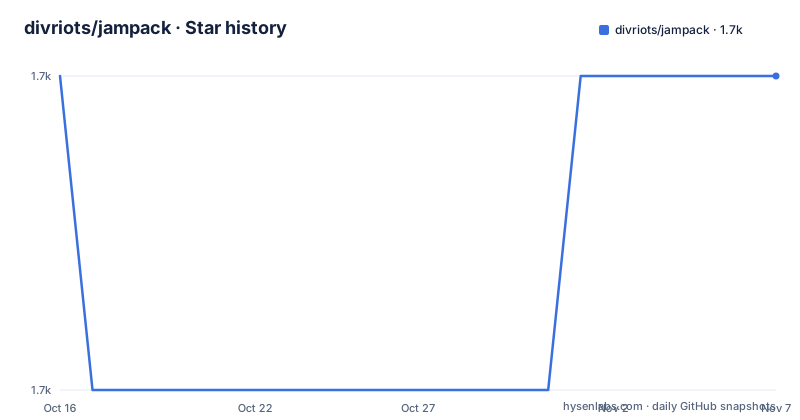
- divriots/jampack1,696 ★ · +0
| Repository | 2026-10-16 | 2026-11-07 |
|---|---|---|
| divriots/jampack | 1.7k | 1.7k |
0 Stars in the last 22 days, measured from the daily GitHub snapshot. Compare with other projects
Editorial analysis
Not a bundler, not a framework, a second pass over a directory
The README states the positioning in three words: not a bundler, not a framework. Jampack is a post-processor. It consumes what a static site generator already produced and rewrites the HTML and the assets around it.
That boundary is what makes it low risk and also what limits it. Because it works on files rather than on your source templates, you can adopt it without changing your generator, and you can drop it without a rewrite. But it can only work with what the generator emitted, so if your templates already emit a hand written `srcset`, you now have two tools touching the same attribute.
The package is `@divriots/jampack` at version 0.34.2, is ESM with `"type": "module"`, and exposes a single binary named `jampack` mapped to `dist/index.js`. The development script in the manifest shows how the CLI is invoked during development, taking a directory and a flag:
node ./dist/index.js ./demo --nocacheThat directory argument is the generator output directory. The README does not give a copy-paste install line for the CLI, so take the binary name from the manifest and run it from wherever you invoke local tools.
The library surface is also exported, with four entry points: `./optimize`, `./compress`, `./config` and `./state`. Those names match the two phase structure the README describes, where a first pass optimizes assets and a second pass compresses everything the first pass did not touch.
A plain img tag becomes a ten entry srcset
The clearest demonstration in the README is what happens to a single image with no dimensions and no source set. A plain tag like `<img src="./redpanda.jpg" alt="Red panda">` comes out as a WebP source with a `srcset` of ten widths, from 3872w down to 872w, plus a `sizes` of `100vw`, `loading="lazy"`, `decoding="async"` and explicit `width` and `height` attributes.
Those last two attributes are the reason to pay attention. Explicit dimensions are what let a browser reserve layout space before the image loads, which is what layout shift metrics measure. A tool that adds them for free is fixing a class of problem that is otherwise invisible in a build log.
Inside a `<picture>` element the tool goes further and emits AVIF and WebP sources alongside the original JPEG, with each format getting its own narrower set of widths.
The naming convention is mechanical: a source image produces `<name>@<width>w.<format>` files next to the rewritten `<name>.<format>`, and the original filename becomes the largest variant. That means your output directory grows by roughly a factor of ten per image, which is a hosting cost decision rather than a build cost decision.
Three kinds of image source, and the third one changes your rights
Not all images are handled the same way, and the difference between the second and third case is the one to think about.
A local image in the build directory is optimized and rewritten in place, as described above. A CDN image is handled without downloading anything: the README shows an Unsplash URL gaining `srcset` entries built by appending query parameters to the same remote URL, in this case `w` and `fit=min` and `auto=format`, with the ampersands correctly escaped to `&` in the attribute. That is a provider-specific API assumption baked into a srcset, and it only works for CDNs that support those parameters.
The third case is different in kind. An external image with no usable transformation API gets downloaded by Jampack and rewritten to point at a local path under `_jampack/`, named by a content hash such as `_jampack/ab99b9d280ce4cf7cfc810b59f3a7739.jpg.webp`. The bytes now live in your deployment.
That is the behaviour to decide on deliberately. Your build becomes dependent on an external fetch that can fail or rate limit, and a photo you hotlinked under someone else's licence is now copied into your repository output. The README describes the mechanism without discussing licensing, so check your own content policy before enabling it.
Above the fold is prioritised, below it is deferred
The tool makes a positional decision about assets and applies different policies on each side. Above the fold, images are loaded with higher priority and small images are embedded directly in the HTML as data. Below the fold, images and iframes are lazy loaded.
Whether that is right depends on your content: a page where users scroll fast to a comment thread may load later than you would like.
Above the fold, the small image embedding means an icon set inlined as base64 in your HTML. That removes requests at the cost of making the HTML itself larger and no longer cacheable separately from the document. If your markup is already large, that trade can flip.
The prefetch pass is different again. It uses quicklink from GoogleChromeLabs, which prefetches links as they enter the viewport, so navigation to the next article page starts fetching before the click. That is a real improvement for a documentation or blog site where navigation is the dominant action, and it is wasted bandwidth on a page most visitors leave.
Critical CSS and the second compression pass
Flash of unstyled content is the problem the critical CSS pass targets. Jampack inlines the CSS needed to render the initial viewport and lazy loads the remainder, so the page paints styled before the full stylesheet has arrived.
The implementation is critters, which is in the dependency list. Critters works by reading the stylesheets your HTML references and computing which rules apply to the rendered markup, which means it parses CSS and HTML together. That is why critical CSS extraction is a build time concern rather than something to do at request time.
Compression is deliberately a separate pass. The README describes it as a second pass that compresses all untouched assets, which is a sensible way to avoid re-encoding images the first pass already produced. The tooling there is svgo for SVG, html-minifier-terser for HTML, lightningcss for CSS, mini-svg-data-uri for inlining small SVGs, esbuild and swc for JavaScript, and terser through the html minifier. Image work is done with sharp, and file type detection uses file-type.
Because of sharp and the CDN fetching path, Jampack is not a pure JavaScript tool in practice. On a machine where the native sharp binary does not match the platform, the install fails rather than degrading.
Against doing it in the generator and against a CDN image service
The first alternative is templates. You also avoid a build directory with ten copies of every image.
The second alternative is doing it at the edge. The cost is a per request service dependency and a vendor.
Jampack's case is the middle: a generator with no image pipeline at all, output committed as plain HTML, and a team that wants the fixes without touching templates. The `--nocache` flag in the development script is a clue about how this is used, since a post-processor that regenerates variants on every run is unpleasant in a watch loop.
One gap to note: the manifest has a `cache-version` object with `img` and `img-ext` keys, both currently `v1`. That is the mechanism for invalidating previously generated images when the pipeline changes, and it means bumping a cache version rewrites every processed image.
Editorial conclusion
Adopt Jampack when your site is built by a static site generator that emits plain img tags with no dimensions and no responsive sources, and you want those fixed without touching your templates. Do not adopt it if your generator already produces responsive markup, since the tool's value is exactly the markup it has to add, and be deliberate about the external image pass because it copies third party assets into your own output. Verify first by diffing one build directory before and after a run, and check the cache-version keys in package.json, because those strings are what invalidate previously generated variants when the image pipeline changes.
Frequently asked questions
What is Jampack and how is it run?
It is a post-processor for the output directory of a static site generator, published as @divriots/jampack. The package exposes a single binary named jampack mapped to dist/index.js, and the CLI takes the build directory as its argument.
What does Jampack do to images?
It generates responsive variants with a srcset, adds explicit width and height attributes, lazy loads images below the fold, and inlines small images above the fold. Inside a picture element it also emits AVIF and WebP sources.
Does Jampack download images from other websites?
Yes. An external image with no usable CDN transformation is downloaded and rewritten to a local path under _jampack/ named by a content hash. CDN images that support transformation parameters get a srcset built by appending those parameters instead.
How does Jampack avoid a flash of unstyled content?
It inlines the critical CSS for the initial viewport and lazy loads the rest of the stylesheet, using critters to work out which rules apply to the rendered markup.
Official sources
Add this badge to your README
If you maintain this project, the badge below links readers to this analysis and shows its maintenance status from the daily GitHub snapshot. Paste the markdown into your README; add ?metric=license or ?metric=stars to the image URL for a different field.

[](https://hysenlabs.com/projects/divriots-jampack)Star history chart for your README
[](https://hysenlabs.com/projects/divriots-jampack)Was this useful?