dropbox/pyannotate: Runtime Types to Python Annotations
Auto-generate PEP-484 annotations
At a glance
- What is it?
- PyAnnotate observes call arguments and return types during selected test execution, writes the results as JSON, and proposes PEP 484 annotations for Python source files. It suits maintainers who want observed runtime types as a starting point for manual typing work.
- Who is it for?
- Adopt PyAnnotate when Python 2 or older Python 3 code needs a starting inventory of types observed by existing tests and your team accepts an alpha, manually reviewed workflow. Do not use it as an automatic type solution for uncovered code paths or as a substitute for mypy.
- Can I use it commercially?
- Yes. Apache-2.0 is a permissive licence: you can use, modify and sell software built on it, as long as you keep its copyright and licence notices.
- Is it still maintained?
- Yes. The repository last received commits 109 days ago.
- What is it written in?
- Mainly Python, according to GitHub's language statistics.
Answers come from the project's GitHub data, last synced on October 23, 2026, and from our analysis. They are not legal advice.
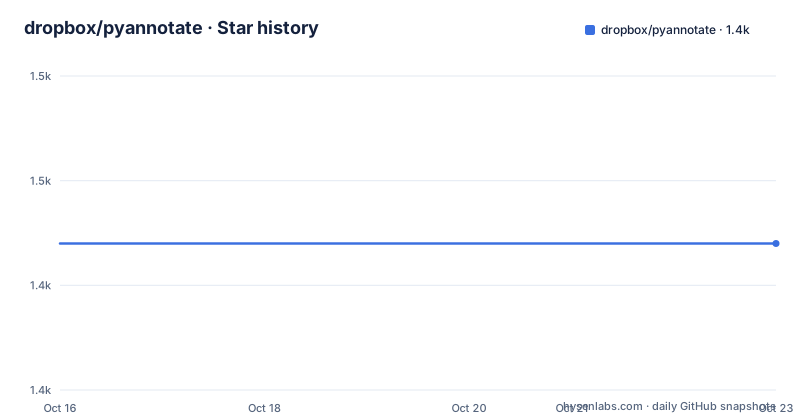
Star history
- dropbox/pyannotate1,444 ★ · +0
| Repository | 2026-10-16 | 2026-10-23 |
|---|---|---|
| dropbox/pyannotate | 1.4k | 1.4k |
0 Stars in the last 7 days, measured from the daily GitHub snapshot. Compare with other projects
Editorial analysis
PyAnnotate’s Runtime Observation Boundary
PyAnnotate addresses a specific typing problem: a Python codebase may exercise functions with predictable argument and return types without documenting those types in the source. The runtime collector observes selected calls and records their types. A separate command reads that data and prepares PEP 484 annotations for the requested source files. The intended audience is a maintainer bringing Python 2 or older Python 3 code toward static typing, particularly one who already has tests that execute useful code paths.
That boundary matters. PyAnnotate can report only values that the selected execution actually encounters. It cannot establish types for branches that no test reaches. It also cannot decide whether several observed concrete types represent a deliberate public contract or unrelated behavior that should be restricted. The output therefore requires human interpretation.
The README is direct about the next stage: run mypy after inserting annotations and iterate because the generated changes may need adjustment. setup.py classifies version 1.2.0 as `Development Status :: 3 - Alpha`. The README also lists better documentation, Python 3 code generation, and refactoring the legacy architecture as unfinished work. PyAnnotate is an annotation drafting tool, not a complete typing policy or migration system.
Runtime Collection and Source Rewriting in PyAnnotate
PyAnnotate separates runtime collection from source modification. The installation supplies `pyannotate_runtime/collect_types.py`, which uses a profiling hook to collect and dump types observed while collection is active. It also supplies `pyannotate_tools`, whose code reads the JSON output and inserts annotations. The `pyannotate` console entry point calls `pyannotate_tools.annotations.__main__:main`.
The JSON file is the interface between these phases. During runtime collection, a test initializes type collection and executes relevant code between `start()` and `stop()`, or through the documented context manager. The collector then writes observed types to a filename passed to `dump_stats()`. Multiple start and stop pairs can contribute to the same dump.
During source rewriting, the CLI accepts that JSON file through `--type-info FILE`. Source filenames are positional arguments. Without another flag, the command prints a proposed diff and leaves the files unchanged. Adding `-w` permits it to update the source. This separation gives the maintainer a review point, but it does not guarantee that an observed value maps cleanly to the intended public type. The repository layout, with separate `annotations` and `fixes` packages, also reflects the legacy architecture noted in the README.
Installing PyAnnotate for a First Collection Pass
The README gives pip as the normal installation method and says the project should work for Python 2.7 as well as Python 3.4 and higher. This command installs the runtime collector, the annotation library, and the `pyannotate` entry point:
pip install pyannotateThe next step is to import `collect_types` and place collection around relevant test execution. The README gives this exact context manager form, with `filename` representing the output destination:
from pyannotate_runtime import collect_types
collect_types.init_types_collection()
with collect_types.collect():
    <your code here>
collect_types.dump_stats(<filename>)
The source text of `collect()` supplies the collection boundary, while `dump_stats()` writes the observed data in JSON form. The reader should replace the placeholders with relevant test execution and an output filename. For automatic collection during `pytest`, the README directs users to `example/example_conftest.py` and `example/README.md`. It does not describe a project-wide configuration file or support for collecting types from a production process.
Reviewing PyAnnotate’s Proposed Source Diff
After collection, the annotation phase needs the JSON report and the source file to inspect. The README documents `--type-info FILE` for the report and source filenames as positional arguments. Its central safety behavior is the default diff-only mode. With no write flag, `pyannotate` prints what it proposes and does not modify the file.
The README advises annotating one file at a time until the user is comfortable with the tool. This is sensible because runtime observations can produce a substantial diff even when collection itself was limited. It also helps isolate questionable edits to a specific module rather than mixing them with changes across the codebase.
PyAnnotate leaves functions that already have an annotation untouched. For output style, the README says the command can generate Python 2 style type comments or Python 3 inline annotations through `--py3`. That option is documented as available in v1.0.7 and later, while setup.py identifies the distributed metadata as version 1.2.0.
The project does not present the generated annotation as a final result. After a reviewed update, the documented next step is to run mypy and correct any remaining problems. In particular, observed return types may be narrower than intended, while a parameter may legitimately accept several types across untested or untested-so-far paths. The diff must be read as evidence, not as an authoritative interface declaration.
Why Runtime Coverage Limits PyAnnotate
Coverage is the central limitation. A function outside every active collection window has no observations in the JSON report. Even a function that is called may be reached through only one branch. PyAnnotate cannot fill that evidence gap from runtime data alone. This makes test selection as important as installation and annotation generation.
Observed concrete types can also collapse distinctions that matter to a programmer. Two instances may share a runtime class but belong to different logical domains. Several observed classes may suggest a union, or they may expose a caller that should have supplied a more specific type. PyAnnotate does not document a policy for resolving those cases. A maintainer must compare the proposed annotation with existing callers, expected inputs, and the behavior documented for the module.
There are cases where it is plainly the wrong tool. A project with sparse tests may have too little runtime evidence. A library defining generic relationships may need `TypeVar`, protocols, or overloads rather than straightforward observed values. A codebase already under active type checking may gain less from this workflow because mypy diagnostics and explicit annotations can provide a more direct editing target.
The README’s own recommendation to run mypy and iterate exposes the limitation. PyAnnotate creates candidate annotations from execution evidence, but static analysis determines whether those annotations and the surrounding code form a coherent typed program.
Manual mypy Annotation Versus PyAnnotate Inference
A real alternative is to annotate functions manually from their intended contracts, call sites, and existing documentation, then use mypy to identify inconsistencies. That approach takes longer when contracts are undocumented, but it lets the programmer encode intent directly. It can also express relationships that runtime observation cannot settle, such as a collection and its element type or a callback’s expected signature.
PyAnnotate approaches the same task from execution data. It is more convenient when representative tests already exercise legacy functions, because it can surface concrete types and prepare an initial diff. The tradeoff is that the starting types reflect what happened during collection. A manual pass can start from what should happen. PyAnnotate starts from what did happen.
The two approaches can be combined without treating generated output as permanent. A maintainer can collect types, inspect a small diff, retain annotations supported by the intended contract, discard accidental observations, and then use mypy for the wider code. This workflow suits gradual typing where the immediate goal is to identify candidates. It does not suit teams that require authoritative signatures without domain review.
PyAnnotate Compatibility, Maintenance, and License
The repository is not archived. Its last push was on 2026-07-06, and there are no GitHub releases. setup.py identifies the package as version 1.2.0, but the repository documentation does not include a release history or published upgrade notes. The maintenance picture is therefore limited to repository activity and the project’s visible alpha status rather than a sequence of maintained releases.
The README says installation should work for Python 2.7 and Python 3.4 and higher. setup.py lists Python 2.7 and Python 3 through 3.7 among its classifiers and lists POSIX as a platform. It does not claim support for newer Python releases. The install dependencies are `six`, `mypy_extensions`, and `typing >= 3.5.3; python_version < "3.5"`. `requirements.txt` additionally lists `pytest>=3.3.0`, `setuptools>=28.8.0`, and `six>=1.11.0`.
The repository identifies the project as licensed under Apache 2.0. It also states that external contributions should be subject to Dropbox’s Contributor License Agreement. Those terms affect software use and contribution separately. Teams must review the license and CLA for their intended distribution or contribution process, but this article does not provide legal advice.
Most of the practical upgrade cost lies in reviewing generated code and resolving disagreements with mypy. PyAnnotate skips already annotated functions, so adopting it later may produce fewer edits, but it will not automatically annotate all gaps in an evolving codebase.
Editorial conclusion
Adopt PyAnnotate when Python 2 or older Python 3 code needs a starting inventory of types observed by existing tests and your team accepts an alpha, manually reviewed workflow. Do not use it as an automatic type solution for uncovered code paths or as a substitute for mypy. Verify the Python version, choose between type comments and Python 3 annotations, and inspect the first proposed diff before using `-w`; the last push was on 2026-07-06, and the repository has no GitHub releases.
Frequently asked questions
How do I install PyAnnotate?
The README gives `pip install pyannotate` as the installation command. This installs the runtime collector, annotation tools, and the `pyannotate` entry point.
How does PyAnnotate collect types at runtime?
Import `collect_types` from `pyannotate_runtime`, initialize collection, execute code between `start()` and `stop()` or inside `collect_types.collect()`, and call `collect_types.dump_stats(filename)`. The observations are written as JSON.
Does PyAnnotate change source files by default?
No. Without additional flags, the command prints a proposed diff and leaves the source unchanged. The documented `-w` option allows it to write the proposed annotations, and the README recommends keeping a backup.
Can PyAnnotate generate Python 3 inline annotations?
Yes. The README says `--py3` generates Python 3 style inline annotations and that the option is available in v1.0.7 and later. Without it, PyAnnotate can generate Python 2 style type comments.
Does PyAnnotate generate complete type annotations automatically?
No. It uses types observed during selected execution, so code paths that are not exercised provide no evidence. The README also recommends running mypy and iterating because generated annotations may require manual correction.
Official sources
Add this badge to your README
If you maintain this project, the badge below links readers to this analysis and shows its maintenance status from the daily GitHub snapshot. Paste the markdown into your README; add ?metric=license or ?metric=stars to the image URL for a different field.

[](https://hysenlabs.com/projects/dropbox-pyannotate)Star history chart for your README
[](https://hysenlabs.com/projects/dropbox-pyannotate)Was this useful?