edeliver: shell script releases for Elixir, and the build host you have to maintain
Deployment for Elixir and Erlang
At a glance
- What is it?
- edeliver builds Erlang and Elixir releases on a remote host that mirrors production, then ships them with ssh and scp, including hot code upgrades. It is written in shell, uses ssh and scp, and puts the deployment model in your `.deliver/config` file.
- Who is it for?
- edeliver fits a team that already runs a dedicated build host, understands the Erlang release and appup model, and wants deployment to be a shell script it can read rather than an orchestrator with its own runtime. It does not fit a project starting Elixir today, because the compatibility table stops at edeliver 1.9 with Elixir 1.13, the latest tag is v1.9.1 from 2022-06-16, and the recommended release tool named in the setup is distillery.
- Can I use it commercially?
- Not without permission. GitHub finds no licence file in the repository, and without a licence all rights are reserved by default: you may read the code but not reuse it. Check the README, or ask the authors, before using it.
- Is it still maintained?
- Yes. The repository last received commits 124 days ago.
- What is it written in?
- Mainly Shell, according to GitHub's language statistics.
Answers come from the project's GitHub data, last synced on November 7, 2026, and from our analysis. They are not legal advice.
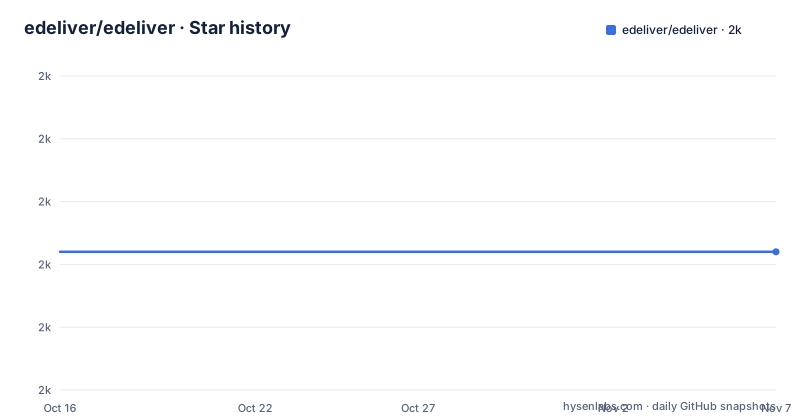
Star history
- edeliver/edeliver1,972 ★ · +0
| Repository | 2026-10-16 | 2026-11-07 |
|---|---|---|
| edeliver/edeliver | 2k | 2k |
0 Stars in the last 22 days, measured from the daily GitHub snapshot. Compare with other projects
Editorial analysis
A release is built remotely, on a machine that resembles production
edeliver is derived from gerhard's deliver and its organising idea is that the release is built somewhere else. The README is explicit that Erlang releases are built on a remote host similar to the production machines, or in a docker container, and that after being built the release can then be deployed to one or more production machines.
That constraint is the tool's main operational requirement and it is a real one. A release built on a different operating system from the target can carry a native port driver that will not load. The README states the rule plainly: if production is Linux, the release must also be built on Linux.
What ends up inside the release is what an embedded node needs: the full erts Erlang runtime system, all dependencies as Erlang or Elixir applications, the Elixir runtime, native port drivers and your own applications. Because the runtime ships with it, Erlang and Elixir do not have to be installed on the production machine, which the README also states.
Transport is ssh and scp. The README recommends key plus passphrase only, and suggests `ssh-add` if you do not want to type the passphrase on every run.
Everything about your topology lives in .deliver/config
The configuration is a shell file, not YAML, and the reason is that it can contain shell functions. A minimal setup from the README:
# .deliver/config

APP="myapp"

BUILD_HOST="my-build-server.myapp.com"
BUILD_USER="builder"
BUILD_AT="/tmp/edeliver/myapp/builds"

STAGING_HOSTS="stage.myapp.com"
STAGING_USER="web"
DELIVER_TO="/home/web"
`APP` names the application, `BUILD_HOST`, `BUILD_USER` and `BUILD_AT` describe where the release is assembled, and `STAGING_HOSTS`, `STAGING_USER` and `DELIVER_TO` describe where it lands. `STAGING_HOSTS` is plural because one release can go to several machines.
The flexibility comes from the fact that it is sourced as a script. The Phoenix example in the README defines a `pre_erlang_get_and_update_deps()` hook that, when `TARGET_MIX_ENV` is `prod`, calls the built-in `__sync_remote` helper to symlink a secrets file into the build directory:
pre_erlang_get_and_update_deps() {
  local _prod_secret_path="/home/builder/prod.secret.exs"
  if [ "$TARGET_MIX_ENV" = "prod" ]; then
    __sync_remote "
      ln -sfn '$_prod_secret_path' '$BUILD_AT/config/prod.secret.exs'
    "
  fi
}
The result is that your production secrets stay on the build host and are linked in rather than committed, and the hook runs before dependencies are fetched. The cost is that this file is code, and the `docker/` directory and the `docker` container option in the README exist so the same logic runs somewhere reproducible.
Four build systems, autodetected from files in your project root
edeliver supports mix with distillery, mix with relx, rebar3, and legacy rebar, and it decides which to use by looking at what is in your project.
If `./mix.exs` and `rel/config.exs` both exist, mix fetches dependencies and compiles while distillery generates releases and upgrades. If `./mix.exs` exists together with `./relx.config`, mix does the same and relx generates the releases. If `./rebar.config` exists but no `./relx.config`, rebar3 is used for everything. Otherwise plain rebar is used, and the README recommends migrating to rebar3 in that case.
Detection is convenient and also invisible, which is why the override exists. In `.deliver/config` you can set `BUILD_CMD=rebar3|rebar|mix`, `RELEASE_CMD=rebar3|rebar|mix|relx` and `USING_DISTILLERY=true|false`. If you ever add a `relx.config` to a project that was silently building with distillery, that override is what stops the build changing underneath you.
The quick start reflects the mix path. It asks you to add `:edeliver` to the end of the `applications` list in `mix.exs`, and to add dependencies:
{:edeliver, ">= 1.9.2"},
{:distillery, "~> 2.1", warn_missing: false},
update, start, migrate: three commands and one skipped step
Once configured, the quick start ends with three commands, and the order is the whole deployment story:
mix edeliver update
mix edeliver start
mix edeliver migrate
`update` builds the release on the build host and deploys it, `start` starts the application, and `migrate` runs migrations. Hot code upgrades are the other main capability the project advertises, which is the feature that justifies the distillery or relx release machinery.
The setup also expects you to ignore the built releases in git:
echo ".deliver/releases/" >> .gitignoreThat directory is named in the quick start because edeliver writes the release into it, and edeliver reads the git working tree on the build host. The README notes that you may need to install and configure git on the build host, and that you may have to clone the repository initially at the `BUILD_AT` path, although edeliver tries to handle that itself.
The build user also needs Erlang and Elixir installed on `BUILD_HOST`, and its default shell should be `bash` or `zsh`.
The table of contents lists the command groups beyond these three: build commands, deploy commands, admin commands and a help entry, plus an examples section.
The version table is the first thing to check
The compatibility table is short and it is the most important thing in the README:
| Edeliver | Elixir | |----------|--------| | 1.9.* | 1.13.* | | 1.8.* | 1.10.* | | 1.7.* | 1.9.* | | 1.6.* | 1.8.* |
The pattern is one edeliver line per Elixir minor generation, and it stops at Elixir 1.13. The most recent tags are v1.9.1 and v1.9.0, both from 2022-06-16, with v1.8.0 from 2020-02-22 before that. The repository is not archived and the last push was on 2026-07-07, so work is still landing, but no version after 1.9 is listed as compatible with a newer Elixir.
Two things follow. A project on a current Elixir is outside the documented range, and the setup instructions name distillery, which the wider Elixir ecosystem moved away from. Whether that combination still works is not something the README answers.
There is also no licence stated for the repository itself, even though the README carries an MIT badge. The repository layout includes `CHANGELOG.md`, `guides/`, `strategies/`, `src/`, `libexec/`, `bin/`, `test/` and a `.deliver/` directory holding the deployment strategy scripts, which is consistent with a shell project that ships its own library of helper functions.
Editorial conclusion
edeliver fits a team that already runs a dedicated build host, understands the Erlang release and appup model, and wants deployment to be a shell script it can read rather than an orchestrator with its own runtime. It does not fit a project starting Elixir today, because the compatibility table stops at edeliver 1.9 with Elixir 1.13, the latest tag is v1.9.1 from 2022-06-16, and the recommended release tool named in the setup is distillery. Verify first that the build host matches your production OS, that the release builds there from a clean clone, and that your Elixir version is on the supported list before wiring `mix edeliver update` into any pipeline.
Frequently asked questions
What does edeliver need to build a release?
A remote build host similar to your production machines, with Erlang and Elixir installed and available on it, git installed and configured, and a default shell of bash or zsh for the build user. Releases are transferred with ssh and scp.
Which Elixir versions does edeliver support?
The compatibility table lists edeliver 1.9.* with Elixir 1.13.*, 1.8.* with 1.10.*, 1.7.* with 1.9.*, and 1.6.* with 1.8.*.
Which build systems can edeliver use?
mix with distillery, mix with relx, rebar3, or legacy rebar. edeliver autodetects from the presence of mix.exs, rel/config.exs, relx.config and rebar.config, and the choice can be forced with `BUILD_CMD`, `RELEASE_CMD` and `USING_DISTILLERY` in `.deliver/config`.
What are the three commands in the edeliver quick start?
`mix edeliver update`, `mix edeliver start` and `mix edeliver migrate`, run in that order after configuring `.deliver/config`.
How do I keep production secrets out of a Phoenix release built by edeliver?
The README shows a `pre_erlang_get_and_update_deps()` shell hook in `.deliver/config` that symlinks a prod.secret.exs on the build host into the build directory when `TARGET_MIX_ENV` is `prod`, so the file never has to be committed.
Does edeliver need Erlang installed on the production machine?
No. The README states the release contains the full erts runtime, all dependencies, the Elixir runtime and native port drivers, so Erlang and Elixir do not have to be installed separately on production.
Official sources
Add this badge to your README
If you maintain this project, the badge below links readers to this analysis and shows its maintenance status from the daily GitHub snapshot. Paste the markdown into your README; add ?metric=license or ?metric=stars to the image URL for a different field.

[](https://hysenlabs.com/projects/edeliver-edeliver)Star history chart for your README
[](https://hysenlabs.com/projects/edeliver-edeliver)Was this useful?