Transcrypt is one Bash script that encrypts what .gitattributes tells it to encrypt
transparently encrypt files within a git repository
At a glance
- What is it?
- Transcrypt is an MIT licensed shell script that configures Git clean and smudge filters so selected files are encrypted at commit time and decrypted at checkout, using OpenSSL symmetric ciphers rather than its own cryptography. The unusual part is the salt derivation, and the unusual constraint is that collaborators without the password can still commit.
- Who is it for?
- Adopt Transcrypt when a small team needs to keep a handful of secrets and keys in a Git repository that is pushed somewhere the whole team does not control, and everyone can install Bash, Git and OpenSSL. Do not adopt it as a secret manager, because every collaborator with the password can read every encrypted file and the password distribution is a manual copy-paste.
- Can I use it commercially?
- Yes. MIT is a permissive licence: you can use, modify and sell software built on it, as long as you keep its copyright and licence notices.
- Is it still maintained?
- Yes. The repository last received commits 110 days ago.
- What is it written in?
- Mainly Shell, according to GitHub's language statistics.
Answers come from the project's GitHub data, last synced on November 6, 2026, and from our analysis. They are not legal advice.
Star history
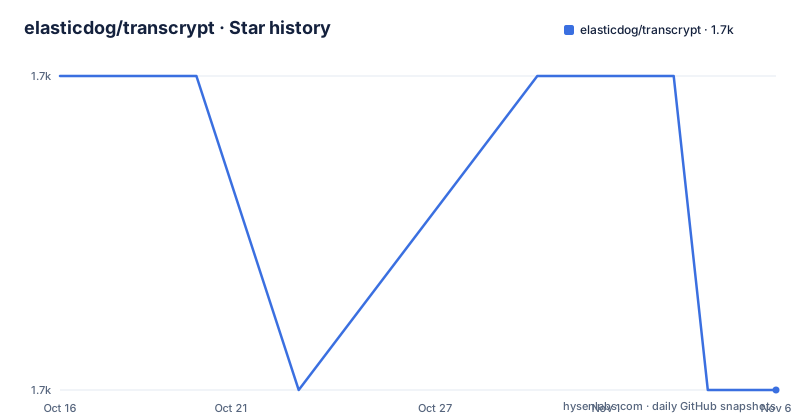
- elasticdog/transcrypt1,711 ★ · -1
| Repository | 2026-10-16 | 2026-11-06 |
|---|---|---|
| elasticdog/transcrypt | 1.7k | 1.7k |
-1 Stars in the last 21 days, measured from the daily GitHub snapshot. Compare with other projects
Editorial analysis
Clean and smudge filters, configured by a script
Transcrypt does not add a new Git concept. It configures Git's clean and smudge filters, the same mechanism git-crypt and git-encrypt use, which is the mechanism Git's own documentation describes. When a file matches an encrypted pattern, the clean filter encrypts it as it is staged and the smudge filter decrypts it as it is checked out.
The script is Bash. No compilation, no daemon, no hook installer that survives a reinstall. Once a clone is configured, the README states that transcrypt does not have to remain installed, because the filter command lives in the repository configuration, not in the script's own installation.
The filter, diff and merge attributes are all set to the crypt filter on a gitignore style pattern in the top-level .gitattributes file. That file is committed with the repository so every clone knows which paths are encrypted, and the README warns not to add a pattern that would encrypt the .gitattributes file itself, which would be self locking.
The interesting design goal is graceful degradation. A collaborator without the password can still work in the working copy and commit changes to files that are not encrypted, because the failure happens only when a file that is actually encrypted crosses the filter.
The salt derivation is the part to read twice
Transparent encryption has a hard constraint: decrypting then re-encrypting an unchanged file must produce identical bytes, otherwise every commit would show the whole file as changed. That means the cipher must be deterministic, which means no random salt per write.
Transcrypt's answer is a per file salt rather than one salt for the repository. It has OpenSSL generate an HMAC-SHA256 keyed with a combination of the filename and the transcrypt password, then uses the last 16 bytes of that HMAC as the salt for that file. Change the content and you change the salt.
The README argues why that is acceptable: since an HMAC has been proven to be a pseudorandom function, deriving the salt this way does not leak information about the original contents while still being deterministic. That is the correct shape of argument, and it is the specific reason to choose transcrypt over a static salt.
The counterpoint is the filename binding. Because the filename is part of the key, renaming an encrypted file changes its salt and therefore re-encrypts the content, which shows up in the diff as a full rewrite of that file. The README does not call this out.
The cipher itself is delegated. Transcrypt uses OpenSSL's symmetric cipher routines rather than implementing its own cryptography, and the example configuration shows `aes-256-cbc` as the cipher value.
Initialising, adding a file, and listing what is encrypted
On an unconfigured repository, running the script inside the repository prompts interactively for the values it needs:
cd <path-to-your-repo>/
transcrypt
Adding a file is a one-liner plus the normal Git dance:
transcrypt --add sensitive_file
git add .gitattributes sensitive_file
git commit -m 'Add encrypted version of a sensitive file'
The --add flag writes the pattern into .gitattributes, which is why that file is staged in the same commit.
Listing is deliberately easy. The script installs a Git alias, so `git ls-crypt` prints the currently encrypted files, and `transcrypt --list` does the same thing. The README notes this works on staged files too, which makes it a way to check a pattern before you commit it rather than after.
Requirements are modest and specific: Bash, Git, OpenSSL and the `column` command, which on Ubuntu and Debian comes from bsdmainutils. With OpenSSL 3 or newer you also need one of `xxd`, a `printf` supporting the %b directive, or perl, because older hex dump idioms no longer work. GnuPG is optional and only used for secure configuration import and export.
Cloning a configured repository means pasting a password
This is the workflow to think about before you adopt the tool, because it is manual by design.
When you clone a repository containing encrypted files, you need the same cipher and password as the origin. The owner produces the credentials with the display option, which prints the context, cipher and password, plus a ready to paste command:
transcrypt -c aes-256-cbc -p 'correct horse battery staple'Running that in the clone stores the matching credentials and forces a checkout of the existing encrypted files so they get decrypted.
So the password travels over whatever channel you use, by copy and paste, with no verification of who receives it. That is defensible for a password protecting a few files inside a repository you already have commit access to. It is not a substitute for a secrets manager, where you would issue scoped credentials per person and get an audit trail of who read what.
The repository also supports rekeying, so you can rotate the password later, and the README covers setting up additional clones alongside the initial one. Packages are available for Arch Linux, NixOS, Homebrew on OS X and Heroku buildpacks, with the INSTALL document carrying the details.
Verifying what actually reaches the remote
Before the first push to a remote you do not control, the README gives you a way to see the bytes that will be stored. The Git form is:
git show HEAD:<path-to-file> --no-textconvThe path must be relative to the top level of the repository. There is also a script form that takes a path relative to your current directory:
transcrypt --show-raw sensitive_fileThe `--no-textconv` flag is the important part. Without it, Git may apply the text conversion filter when displaying, which is precisely the thing you are trying to bypass.
This matters more than usual for Transcrypt specifically, because the clean filter fires silently on commit. A misconfigured pattern means a plaintext secret goes to the remote with no error, and the only reliable detection is looking at the stored object.
One more thing the repository itself demonstrates. The top-level entries include a file literally named sensitive_file, which is the example the README points at when it says the repository has been configured following those exact steps. That is a convenient reference for what a working configuration looks like.
Against git-crypt, and against a secrets manager
The README positions Transcrypt against git-crypt and git-encrypt and claims improvements in usability and safety. The specific claims are checkable: no compilation, OpenSSL doing the crypto, no need to keep the tool installed after setup, per file salts, safety checks against clobbering or duplicating configuration data, help with additional clones and rekeying, and the ls-crypt alias.
Against git-crypt, the practical differences are that git-crypt is a C program with per platform binaries, while Transcrypt is a script you can read end to end, and that Transcrypt's salt is derived per file rather than shared. git-crypt has its own well documented key rotation and multiple recipients model, which is a real feature when your collaborators set is more than a handful.
Against a secrets manager such as Vault or a cloud secret store, Transcrypt wins on nothing except that the secret travels with the repository and needs no running service. It loses on scoping, on audit, on revocation and on the fact that history retains every past version of every encrypted file, so rotating the password does not remove an old plaintext from a commit someone already cloned.
That last point is the one to be honest about. Encryption at rest in Git is a containment measure for the remote copy, not a way to make a leaked secret unrecoverable.
Maintenance: a CHANGELOG, a workflow badge and uneven release dates
The repository is not archived and the last push was on 2026-07-21. The three most recent releases are v2.3.2 on 2026-05-18, v2.3.1 on 2025-02-24 and v2.3.0 on 2024-09-09.
That release history is lumpy: about five months between 2.3.0 and 2.3.1, then fifteen months again to 2.3.2. Meanwhile the default branch kept moving between those tags, including the July push this year. So the tags tell you when stable points were cut, not when the script stopped changing.
For a script that most people install once from a package manager or from a clone, that pattern is workable but worth naming. If you pin a package version, you are pinning to code from May 2026, not to the current master.
There is a Tests workflow badge in the README, and the repository root carries tests/ and contrib/ directories along with man/ pages and shell completion, so the shell script is exercised in CI rather than only by hand. The licence is MIT, carried in a LICENSE file at the root.
Editorial conclusion
Adopt Transcrypt when a small team needs to keep a handful of secrets and keys in a Git repository that is pushed somewhere the whole team does not control, and everyone can install Bash, Git and OpenSSL. Do not adopt it as a secret manager, because every collaborator with the password can read every encrypted file and the password distribution is a manual copy-paste. Verify first that no pattern in.gitattributes covers the.gitattributes file itself, since encrypting the filter configuration would cause problems, and inspect the raw blob with git show HEAD:<path-to-file> --no-textconv before your first push to a remote you do not control.
Frequently asked questions
What does Transcrypt do to files in a Git repository?
It configures Git clean and smudge filters on patterns you list in .gitattributes, so matching files are encrypted when staged and decrypted when checked out. Non-encrypted files stay fully usable for collaborators who do not have the password.
How do I install and run Transcrypt?
Clone the repository and put the transcrypt script on your PATH, or install a package for Arch Linux, NixOS, Homebrew or Heroku buildpacks. Then run transcrypt inside an unconfigured Git repository and answer the interactive prompts.
How do I list which files are encrypted?
Run git ls-crypt, which the script installs as an alias, or transcrypt --list. Both work on staged files too, which makes them a way to check a .gitattributes pattern before committing it.
How do I check that a file is really encrypted before pushing?
Use git show HEAD:<path-to-file> --no-textconv, where the path is relative to the top level of the repository, or transcrypt --show-raw with a path relative to your current directory. The --no-textconv flag stops Git applying the filter back to the output.
Official sources
Add this badge to your README
If you maintain this project, the badge below links readers to this analysis and shows its maintenance status from the daily GitHub snapshot. Paste the markdown into your README; add ?metric=license or ?metric=stars to the image URL for a different field.

[](https://hysenlabs.com/projects/elasticdog-transcrypt)Star history chart for your README
[](https://hysenlabs.com/projects/elasticdog-transcrypt)Was this useful?