react-performance: a workshop app for diagnosing React slowdown
Let's make our apps fast ⚡
At a glance
- What is it?
- The epicweb-dev/react-performance repository is the workshop material behind the React Performance course, built around an app with deliberate performance problems you profile and fix in the browser's performance profiler and the React DevTools profiler. It suits a React developer who wants to practise measurement rather than memorise optimisation tricks, and it ships as exercises and examples rather than a library.
- Who is it for?
- Adopt this repository if you want hands-on practice at profiling a React app rather than a list of optimisation rules, since the app ships with problems you are meant to find and measure. Skip it if you need a production-ready React setup, because this is teaching material with an instructor, a Discord channel and exercise scaffolding rather than a project template.
- Can I use it commercially?
- Check first. The repository uses a licence we do not classify automatically, so read its LICENSE file before any commercial use.
- Is it still maintained?
- Yes. The repository last received commits 29 days ago.
- What is it written in?
- Mainly TypeScript, according to GitHub's language statistics.
Answers come from the project's GitHub data, last synced on November 7, 2026, and from our analysis. They are not legal advice.
Star history
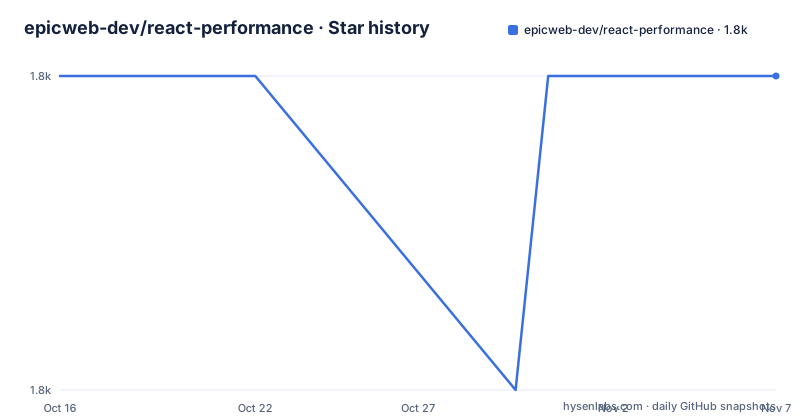
- epicweb-dev/react-performance1,814 ★ · +0
| Repository | 2026-10-16 | 2026-11-07 |
|---|---|---|
| epicweb-dev/react-performance | 1.8k | 1.8k |
0 Stars in the last 22 days, measured from the daily GitHub snapshot. Compare with other projects
Editorial analysis
A workshop, with the problems left in
The pitch is one line: React is fast, until it isn't. Let's make your React app fast. The stated goal is to learn everything needed to diagnose, profile and fix performance problems in a React application using the Browser Performance Profiler, the React DevTools Profiler, and proven React optimization techniques. What makes the repository interesting is what it is not. It is not a component library and not a performance utility package, and the dependencies are almost bare, with React and React DOM at version 19.1.1 and `@epic-web/workshop-utils` doing the workshop scaffolding. The repository layout gives the structure away: there is an `exercises/` directory, an `examples/` directory containing a project called unnecessary-rerenders, a `shared/` directory, and an `epicshop/` directory that holds the tooling. The subject matter is the app's behaviour, and the app is deliberately slow in the places you are meant to notice.
The setup runs through the Epic Workshop CLI
Getting the project onto your machine is a single command, and the tool doing the work is the Epic Workshop CLI rather than a git clone and a hand-written install:
npx --yes epicshop@latest add react-performanceIf that errors, the documentation asks you to open an issue with as many details as you can offer, which tells you how much of the setup is automated. After the setup finishes, the app starts with `npm start`, and the package manifest shows that the start script is not a plain dev server but a call into the epicshop directory with a package manager prefix, `pkgmgrx --prefix ./epicshop epicshop start`. There is a matching `dev` script and a `setup` script that runs `pkgmgrx epicshop setup`, plus a `setup:custom` variant that runs a local setup script directly. The `postinstall` hook installs the workshop tooling by changing into the epicshop directory and running its own package manager install, which is why the CLI step has to come first.
The toolchain floor, and the gap between the two lists
The README's system requirements are git v2.18 or greater, NodeJS v20 or greater and npm v8 or greater, all of which must be available in your `PATH`. The verification is three version commands:
git --version
node --version
npm --version
The package manifest then states its own `engines` block, and the numbers are higher: Node `>=22`, npm `>=9.3.0` and git `>=2.18.0`. So the README and the manifest disagree about the Node and npm floor, and the manifest is the one that will refuse to install for you. The git requirement is identical in both. That gap is a small thing to know before you spend an afternoon on a version error, and it is the kind of drift you get when a workshop runs across many versions of its own tooling.
Prerequisites are about the tooling, not the code
The listed prerequisites are the React DevTools, with the Chrome extension recommended and the Firefox one listed as the alternative, and experience with React and all hooks. The tooling requirement is the substantive one. The whole method of the workshop depends on having a profiler open next to the code, and the React DevTools profiler is one of the two instruments named in the description. The React experience requirement is about the exercises rather than the code, since the techniques under test are hook-level concerns and a workshop that had to teach useEffect would have no room left for measurement. There is also a pre-workshop reading list, with the Chrome DevTools page on analyzing runtime performance, the performance features reference, and Kent C. Dodds's post on profiling a React app for performance. Reading them first is what makes the exercises land, because the vocabulary they use is the vocabulary the exercises assume.
The workshop app and its examples
The application itself is not described in the README, which instead points at the Epic Web Getting Started Guide for learning about the workshop app. That is deliberate, since the app is the course material and the guide explains it. What the repository does show is the `examples/` directory with a project called unnecessary-rerenders, and the name is the lesson. Unnecessary re-renders are the most common performance complaint in a React codebase, and the workshop's premise is that you find them by measurement rather than by pattern matching. The `examples/` directory being separate from `exercises/` means the two have different jobs: examples are reference solutions, exercises are the work you do. The `shared/` directory at the root holds code that both use, and the repository root also carries `public/`, a `tsconfig.json`, an `eslint.config.js` and a `.npmrc`.
The build script points at a playground, not the app
There is a detail in the scripts worth noticing because it looks like a bug until you know what it is. The `build` script is `cd./playground && npm run build` and `preview` is `cd./playground && npm run preview`, and there is no `playground` directory in the top-level listing. The other scripts are conventional: `lint` runs ESLint through node with a raised old space size of 6144, `format` runs Prettier over the tree, and `typecheck` runs `tsc -b`.
Where this material stops
The obvious boundary is that none of this transfers to your production code without the discipline. The repository gives you an app with problems and a way to find them, but the value is entirely in the practice of profiling before changing anything, and the techniques are only useful if you keep the profiler open afterwards. A second limitation is the version coupling. The workshop pins React 19.1.1 and the workshop-utils package, and a profiler workflow depends on the React DevTools extension matching the React version, so the exercises and your actual application can drift apart. The third is that the app is deliberately broken in ways a real codebase is not. It has a small number of identifiable performance bugs, which makes them findable, and a real application usually has the opposite problem, where the cost is spread across hundreds of small decisions rather than a handful of obvious ones. That is also why the workshop is worth doing, since the practice is what transfers, not the fixes.
Editorial conclusion
Adopt this repository if you want hands-on practice at profiling a React app rather than a list of optimisation rules, since the app ships with problems you are meant to find and measure. Skip it if you need a production-ready React setup, because this is teaching material with an instructor, a Discord channel and exercise scaffolding rather than a project template. Before you start, install the React DevTools, with the Chrome extension recommended over the Firefox one, and check the toolchain, since the package manifest requires Node 22 or newer, npm 9.3.0 or newer and git 2.18 or newer even though the README's system requirements list an older Node floor.
Frequently asked questions
How do I set up the react-performance workshop?
Run `npx --yes epicshop@latest add react-performance` to use the Epic Workshop CLI, then start the app with `npm start`. The postinstall hook installs the workshop tooling from the epicshop directory.
What tools do I need for the React Performance workshop?
The React DevTools, with the Chrome extension recommended over the Firefox one, plus experience with React and all hooks. The workshop uses the Browser Performance Profiler and the React DevTools Profiler.
What version of Node do I need for react-performance?
The README lists NodeJS v20 or greater and npm v8 or greater, while the package manifest engines field requires node >=22, npm >=9.3.0 and git >=2.18.0. Verify with git --version, node --version and npm --version.
What is in the examples directory of react-performance?
The repository includes an examples project called unnecessary-rerenders, alongside an exercises directory for the work you do and a shared directory used by both. Learning about the workshop app itself is covered by the Epic Web Getting Started Guide.
Official sources
Add this badge to your README
If you maintain this project, the badge below links readers to this analysis and shows its maintenance status from the daily GitHub snapshot. Paste the markdown into your README; add ?metric=license or ?metric=stars to the image URL for a different field.

[](https://hysenlabs.com/projects/epicweb-dev-react-performance)Star history chart for your README
[](https://hysenlabs.com/projects/epicweb-dev-react-performance)Was this useful?