geerlingguy.certbot: an Ansible role for Let's Encrypt certificates
Ansible Role - Certbot (for Let's Encrypt)
At a glance
- What is it?
- The geerlingguy.certbot Ansible role installs Certbot, configures a daily renewal cron, and can generate certificates for a list of domains using either the standalone or the webroot method. It has no dependencies, it can install Certbot from a package, from Snap or from Git source, and the Snap path is labelled experimental.
- Who is it for?
- geerlingguy.certbot suits a team running Ansible over servers that need a real certificate rather than a self signed one, and that wants renewal handled by a cron job running as a non-root user. It does not suit a team that needs wildcard certificates, since the process is more involved and the role points at a comment thread rather than documenting it, and it does not suit anyone on a distribution without a Certbot package unless they use the source or Snap install.
- Can I use it commercially?
- Yes. MIT is a permissive licence: you can use, modify and sell software built on it, as long as you keep its copyright and licence notices.
- Is it still maintained?
- Yes. The repository last received commits 101 days ago.
- What is it written in?
- Mainly Shell, according to GitHub's language statistics.
Answers come from the project's GitHub data, last synced on November 7, 2026, and from our analysis. They are not legal advice.
Star history
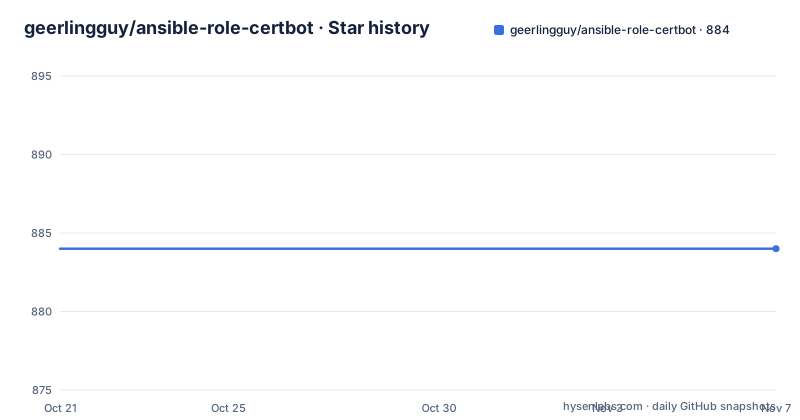
- geerlingguy/ansible-role-certbot884 ★ · +0
| Repository | 2026-10-21 | 2026-11-07 |
|---|---|---|
| geerlingguy/ansible-role-certbot | 884 | 884 |
0 Stars in the last 17 days, measured from the daily GitHub snapshot. Compare with other projects
Editorial analysis
A role with no dependencies and three install routes
This is an Ansible role that installs and configures Certbot for Let's Encrypt, and the primary language of the repository is Shell, which is a hint about where the work sits. The dependency section says None, and the requirements section says that if installing from source, Git is required, and that you can install Git using the geerlingguy.git role, which is the usual way this author's roles are composed. The install method is a variable, certbot_install_method, defaulting to package, with the available options being package, snap and source. The choice has a real consequence, because the role states that installing from source generally leads to a better experience using Certbot and Let's Encrypt, especially if you are using an older OS release. The source route exists for that case: when older distributions do not have Certbot packages available, with CentOS older than 7, Ubuntu older than 16.10 and Debian older than 8 named as examples. The Snap route came later, after the Certbot maintainers decided in December 2020 to recommend installing from Snap rather than maintaining scripts like certbot-auto, and the role is explicit that this install method is currently experimental and may or may not work across all Linux distributions.
Renewal is a cron job, and the defaults are a starting point
The renewal configuration is the part you will want to change. By default the role configures a cron job to run under the provided user account at the given hour and minute, every day, and the defaults run certbot renew, or certbot-auto renew, via cron every day at 03:30 in the morning by the user you use in your Ansible playbook. The role's own recommendation is that you set a custom user, hour and minute so the renewal is during a low-traffic period and done by a non-root user account. The variables are certbot_auto_renew, which defaults to true, certbot_auto_renew_user, which defaults to the ansible_user variable or a lookup of the USER environment variable, certbot_auto_renew_hour at 3, certbot_auto_renew_minute at 30, and certbot_auto_renew_options, which defaults to --quiet. The non-root point is not incidental, because a renewal that runs as root on a busy server is a renewal that competes with your traffic.
Generating certificates for a list of domains
Certificate generation is off by default and turned on with a single variable, certbot_create_if_missing, set to yes or True. The method is chosen with certbot_create_method, whose allowed values are standalone and webroot, and the domains come from a list, certbot_certs, which defaults to empty. Each list item is a mapping with a domains key holding one or more domain names, and an optional email key that overrides the role-wide certbot_admin_email for that item. The admin email itself defaults to [email protected], and the role says it should be customised and set to an address you or your organisation regularly monitors, because it is the address used to agree to the Let's Encrypt terms of service and to subscribe to certificate related notifications. The webroot method adds one requirement: every item needs a webroot key naming the directory used for the authentication, and your webserver has to correctly deliver contents from that directory. The standalone method instead needs the services that hold ports 80 and 443 stopped while certbot runs its own server, and those are listed in certbot_create_standalone_stop_services, with nginx as the default and apache2 on Ubuntu or httpd on RHEL named as alternatives.
The create command is a template you can extend
The actual certbot invocation is a variable rather than a hardcoded command, and that is the escape hatch for arguments the role does not know about. The default is:
certbot_create_command: "{{ certbot_script }} certonly --standalone --noninteractive --agree-tos --email {{ cert_item.email | default(certbot_admin_email) }} -d {{ cert_item.domains | join(',') }}"The certbot_script placeholder is what lets the same role drive the package install, the Snap install and the source install without three separate code paths. The full default command is in defaults/main.yml, and you can add extra arguments that are not in the default with the certbot_create_extra_args variable. Two of the flags in the default are worth understanding before you change them. The noninteractive flag is what lets the run work unattended in a playbook, since the terms of service have to be agreed to without a prompt, and the domains are joined with commas into a single -d argument. The email flag is what the certificate gets registered against. A test mode exists for the cautious path, certbot_testmode, which when enabled runs only a test request without actually creating certificates, which is the setting to use on a first run.
Source install, the cron schedule and a worked example playbook
The source install has three variables. certbot_repo points at the Certbot Git repository, certbot_version defaults to master, and certbot_keep_updated defaults to true, which means the repository is updated every time the role runs. certbot_dir sets the directory Certbot is cloned into, defaulting to /opt/certbot. The example playbook shows the shape of a real use, with the renewal schedule overridden to a quieter hour and a named user:
    - hosts: servers

      vars:
        certbot_auto_renew_user: your_username_here
        certbot_auto_renew_minute: "20"
        certbot_auto_renew_hour: "5"

      roles:
        - geerlingguy.certbot
More examples are kept in the tests directory, and there is a fully functional test playbook in the molecule directory, in a file named playbook-standalone-nginx-aws.yml, which shows the standalone method against a real server on AWS. The repository layout is the standard Ansible role shape, with defaults, tasks, templates, vars, meta and molecule directories, plus an .ansible-lint configuration and a .yamllint file, so both the role and its YAML are linted in CI. The role is also published on Ansible Galaxy under the geerlingguy namespace.
Where the role stops and you take over
Two boundaries are worth being explicit about. The first is wildcard certificates. Let's Encrypt supports generating them, and the role links to the community announcement, but the process for generating and using them is described as slightly more involved, and the role points at a comment on a pull request for an example of maintaining wildcard certs with it, plus a third party walkthrough that specifically uses Cloudflare. So the role can be part of a wildcard setup but does not encapsulate one, and the DNS challenge that wildcards require is outside what the role does. The second is that the role is about Certbot only. It does not install a web server, it does not configure TLS termination in nginx or Apache, and it does not deploy the certificate anywhere, so the renewal cron and the service that consumes the certificate are two separate pieces you still have to connect. The role also documents the manual route, where you run the certbot script yourself with the --apache option to add certificates for all Apache virtual hosts, with a caution in the comment, or generate certs without modifying the Apache configuration.
Editorial conclusion
geerlingguy.certbot suits a team running Ansible over servers that need a real certificate rather than a self signed one, and that wants renewal handled by a cron job running as a non-root user. It does not suit a team that needs wildcard certificates, since the process is more involved and the role points at a comment thread rather than documenting it, and it does not suit anyone on a distribution without a Certbot package unless they use the source or Snap install. Before you use it in production, set a custom renewal hour and minute so the run lands in a quiet period, set the admin email to a mailbox you actually read, and set certbot_testmode to true on the first run to see the request without creating anything.
Frequently asked questions
How do I install Certbot with the geerlingguy.certbot Ansible role?
The certbot_install_method variable chooses it: package by default, snap, or source. The Snap route is described as currently experimental and may not work across all distributions, and the source route is the recommendation for older OS releases where Certbot packages are not available, such as CentOS older than 7 or Ubuntu older than 16.10.
How does the role handle certificate renewal?
It configures a cron job that runs certbot renew, or certbot-auto renew, daily as a non-root user, by default at 03:30. The role recommends setting a custom user, hour and minute so renewal happens during a low-traffic period and is done by a non-root account.
How do I make the role generate certificates for my domains?
Set certbot_create_if_missing to yes, list your domains under certbot_certs, and choose standalone or webroot with certbot_create_method. The webroot method needs a webroot key per item and a webserver that serves that directory, while standalone needs the services on ports 80 and 443 listed in certbot_create_standalone_stop_services.
Can the geerlingguy.certbot role issue wildcard certificates?
Not directly. The role links to the announcement that Let's Encrypt supports wildcard generation and notes the process is more involved, pointing at a comment on a pull request and a third party walkthrough for the approach. The DNS challenge a wildcard needs is outside what the role handles.
Official sources
Add this badge to your README
If you maintain this project, the badge below links readers to this analysis and shows its maintenance status from the daily GitHub snapshot. Paste the markdown into your README; add ?metric=license or ?metric=stars to the image URL for a different field.

[](https://hysenlabs.com/projects/geerlingguy-ansible-role-certbot)Star history chart for your README
[](https://hysenlabs.com/projects/geerlingguy-ansible-role-certbot)Was this useful?