PythonNumericalDemos: course notebooks for geostatistics and spatial data
Well-documented Python demonstrations for spatial data analytics, geostatistical and machine learning to support my courses.
At a glance
- What is it?
- Around seventy Jupyter notebooks built for lecture rooms rather than production, covering kriging, variograms, Monte Carlo methods and machine learning, with the datasets living in a separate repository.
- Who is it for?
- What distinguishes this repository from a curated course notes archive is that the notebooks are interactive, so a reader changes a parameter and immediately sees the geometric or statistical consequence rather than reading a description of it. The variogram and kriging material is the strongest part, and the naming convention makes it easy to find the model behind a lecture slide.
- Can I use it commercially?
- Yes. MIT is a permissive licence: you can use, modify and sell software built on it, as long as you keep its copyright and licence notices.
- Is it still maintained?
- Activity is slowing. The repository last received commits 7 months ago.
- What is it written in?
- Mainly Jupyter Notebook, according to GitHub's language statistics.
Answers come from the project's GitHub data, last synced on October 24, 2026, and from our analysis. They are not legal advice.
Star history
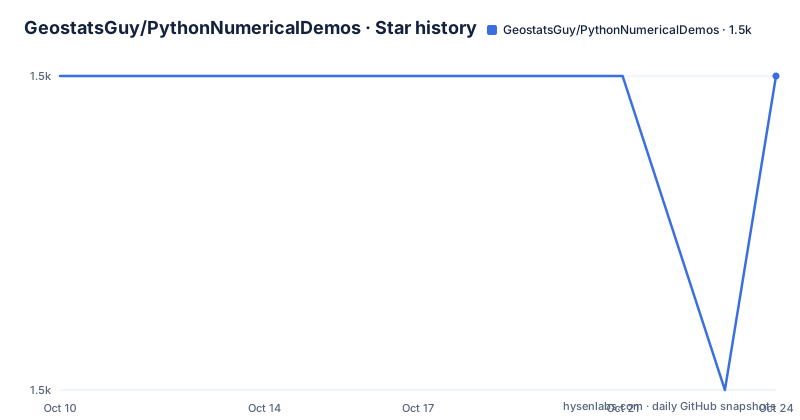
- GeostatsGuy/PythonNumericalDemos1,474 ★ · +0
| Repository | 2026-10-10 | 2026-10-24 |
|---|---|---|
| GeostatsGuy/PythonNumericalDemos | 1.5k | 1.5k |
0 Stars in the last 14 days, measured from the daily GitHub snapshot. Compare with other projects
Editorial analysis
A teaching repository, not a library
The README is explicit about the intent: these are well-documented Python workflows developed to support lecture courses in data analytics, geostatistics, spatial data analytics and machine learning. The stated trigger for adding a notebook is that a student struggled with a concept, so the author writes one up and shares it so they can repeat the examples from the lecture.
That origin story explains nearly every design choice. The notebooks are numbered by topic rather than packaged into an importable API, they assume you are reading alongside lecture notes, and several are named after the question they answer rather than the algorithm they use. `Interactive_Spurious_Correlations.ipynb` and `Interactive_Correlation_Coefficient_Issues.ipynb` exist because students hit exactly those.
The repository is MIT licensed, primarily Jupyter Notebook, with 1474 stars and 498 forks. The fork count is roughly a third of the star count, which is unusual for a code library and ordinary for teaching material people copy into their own coursework.
The language field says Jupyter Notebook rather than Python, which is a fair signal: what you clone is a folder of notebooks, not a package you install.
The environment requirement traces back to Numba
The README lists a minimum environment, and one line in it explains the whole dependency story: Python 3.7.10, due to the dependency of GeostatsPy on the Numba package for code acceleration.
Numba compiles Python at runtime and is sensitive to version, which is why a minimum is pinned to a specific patch release rather than a floor like 3.7. That constraint then propagates outward to anyone who wants to run the notebooks on a current Python, and it is the single most practical thing to know before cloning.
The rest of the stack is the standard scientific Python set: NumPy for array math and gridded data, Pandas for tabulated data, MatPlotLib for plotting, SciPy for statistics, and ipywidgets for the interactivity that a dozen of the notebook names promise.
GeostatsPy is the substantive dependency rather than a convenience. It provides the geostatistical algorithms and functions, and the README cites it as Pyrcz et al., 2021, linking the PyPI project. In other words the notebooks are the teaching layer over a package the same author maintains.
Datasets are not in this repository. They live in the separate GeoDataSets repository, and each workflow links to what it needs. Splitting data from notebooks keeps the clone small, but it does mean two repositories to get in sync before anything runs.
Variograms and kriging are the deep end of the collection
The geostatistics material is where a working subsurface modeller would start, and the notebooks cover the chain rather than isolated pieces. `Interactive_Variogram_Calculation.ipynb` handles empirical variogram computation, `Interactive_Variogram_Calculation_Modeling.ipynb` covers fitting a model to it, and `Interactive_Variogram_Modeling.ipynb` separates the modelling step. Two more extend that into kriging: one named with `Krige` in the filename and one for the behaviour of simple kriging.
That progression is the teaching method in miniature: empirical variogram, fitted model, then the estimator that consumes it. A variogram describes how correlation between nearby samples falls off with distance, and kriging uses that description to predict values at unsampled locations with an associated uncertainty.
`Interactive_Simple_Kriging_Behavoir.ipynb` is a nice touch, because most students can run kriging without understanding why the result looks the way it does, and a notebook devoted to the behaviour of the simplest case is a direct answer to that.
Other spatial topics sit alongside: `Interactive_Spatial_Aggregate_Uncertainty.ipynb` for uncertainty in aggregated quantities, `Interactive_Declustering.ipynb` for correcting the sampling bias that arises when data are unevenly distributed in space, and `Interactive_PreDrill_Prediction.ipynb`, which is the most applied of the set and predicts outcomes before drilling.
Classical statistics, machine learning and simulation sit next to them
The rest of the collection is the standard data science curriculum, arranged the same way: one concept per interactive notebook.
The statistics cluster includes `Interactive_Central_Limit_Theorem.ipynb`, both a probability plot and a quantile quantile plot notebook, `Interactive_Hypothesis_Testing.ipynb`, `Interactive_Confidence_Interval.ipynb` plus a step-by-step version that builds the interval a piece at a time, and `Interactive_Bootstrap.ipynb` with a Monte Carlo comparison notebook alongside it.
Regression and its regularised variants have their own cluster: `Interactive_LASSO_Regression.ipynb`, `Interactive_Ridge_Regresion.ipynb` (with the typo in the filename preserved across the repository), `Interactive_Linear_Solutions.ipynb` and `Interactive_Polynomial_Solution.ipynb`.
The machine learning entries are `Interactive_DecisionTree.ipynb`, `Interactive_DBSCAN.ipynb` for density-based clustering, `Interactive_NeuralNetwork_SingleLayer.ipynb`, and `Interactive_RadialBasisFunctions.ipynb`. Classical decomposition appears as `Interactive_PCA.ipynb` with an eigenvalue companion notebook.
Simulation and sampling methods are well represented: `Interactive_Monte_Carlo_Methods.ipynb`, `Interactive_Monte_Carlo_Simulation.ipynb`, `Interactive_Simulation.ipynb`, `Interactive_Sampling_Methods.ipynb`, `Interactive_Gibbs_Sampler.ipynb`, `Interactive_Bayesian_Updating.ipynb` and an interactive Bayesian linear regression notebook. There is also `Interactive_Convolution_kNearest.ipynb` for convolution in the signal-processing sense and `Interactive_DecisionMaking.ipynb` for decision analysis under uncertainty.
A parallel set of repositories covers the same ground elsewhere
The README links a family of sibling repositories, and together they explain the shape of the whole effort. There is an R workflow repository at GeostatsGuy/geostatsr, an Excel workflow repository at GeostatsGuy/ExcelNumericalDemos, and the GeostatsPy package itself. The notebooks, the R versions and the spreadsheets are the same demonstrations in three different tools.
That is a deliberate pedagogical choice rather than an accident of scope. The same variogram concept gets expressed in a notebook, an R script and a spreadsheet, and a student who understands it in one medium can check whether they understand it in another. It also means the material survives tooling changes: if notebooks become less appealing, the Excel demonstrations still exist.
The related notebooks make the same point from another angle. `Interactive_Convolution_Simulation_Demo.ipynb` sits beside the interactive convolution notebook, and `Bootstrap.ipynb` and `Experiential_Bootstrap_MCS.ipynb` sit beside `Interactive_Bootstrap.ipynb`. The `Experiential_` prefix appears on several files, which reads as a distinction between a walkthrough with a specific assigned task and a more open-ended interactive exploration.
Citation, versioning and the author's reasons for coding
The repository asks to be cited, and gives a DOI-backed reference: Pyrcz, Michael J. (2021). PythonNumericalDemos: Educational Data Science Python Demonstrations Repository (0.0.1). Zenodo, with a doi of 10.5281/zenodo.5564966. A `CITATION.cff` file in the tree supports automated citation tooling. Version 0.0.1 is the only release, published 2021-10-12, and it is associated with lectures from the author's YouTube channel.
The version number has stayed at 0.0.1 while the notebook count grew, which is the correct way to read a teaching repository. The last push was on 2026-03-03 and the repository is not archived, so notebooks are still being added.
The README also contains a long, unusually personal section on why to code at all, with nine reasons including transparency, reproducibility, quantification, breaking down barriers and efficiency. It is worth reading as an author's note rather than as documentation. The framing is that a compiled language cannot accept hand waving, so coding forces your logic out where another scientist can review it, and that reproducibility is a main principle of the scientific method.
The honesty extends to the author's background: more than twenty years coding in FORTRAN, C++ and VBA before starting with Python a couple of years ago, and more than seventeen years in subsurface consulting before returning to academia. That is context for why the examples are subsurface-flavoured even when the statistics are general.
Editorial conclusion
What distinguishes this repository from a curated course notes archive is that the notebooks are interactive, so a reader changes a parameter and immediately sees the geometric or statistical consequence rather than reading a description of it. The variogram and kriging material is the strongest part, and the naming convention makes it easy to find the model behind a lecture slide. What it is not is a library: the dependency on Python 3.7.10 traces back to Numba through GeostatsPy, there is no packaging, and the version stays at 0.0.1. Pick the notebook matching the concept you are stuck on, clone the matching datasets, and run it top to bottom before changing anything.
Frequently asked questions
What is the PythonNumericalDemos repository and who is it for?
It is a set of well-documented Python Jupyter notebook workflows for data analytics, geostatistics, spatial data analytics and machine learning. It was built to support lecture courses and is aimed at students and anyone learning these topics, with each notebook written after a concept proved difficult to explain.
What dependencies do I need to run these notebooks?
The minimum environment is Python 3.7.10, pinned because GeostatsPy depends on Numba for code acceleration, plus MatPlotLib, NumPy, Pandas, SciPy, ipywidgets and GeostatsPy itself. The data itself is not included: the datasets live in the separate GeoDataSets repository and are linked from each workflow.
Which notebooks cover kriging and variogram modelling?
There is a progression of notebooks: variogram calculation, then variogram calculation with modelling, then variogram modelling on its own, then two on kriging including simple kriging and one specifically about its behaviour. Additional spatial topics include declustering, spatial aggregate uncertainty and pre-drill prediction.
Is there an R or Excel version of these workflows?
Yes. The README links a parallel R workflow repository, an Excel workflow repository, and the GeostatsPy package. The same demonstrations exist in each, which makes them usable from whichever tool you already know.
How do I cite PythonNumericalDemos?
The README asks for the reference Pyrcz, Michael J. (2021). PythonNumericalDemos: Educational Data Science Python Demonstrations Repository (0.0.1). Zenodo, with a doi of 10.5281/zenodo.5564966. A CITATION.cff file at the repository root supports citation tooling that reads metadata automatically.
Official sources
Add this badge to your README
If you maintain this project, the badge below links readers to this analysis and shows its maintenance status from the daily GitHub snapshot. Paste the markdown into your README; add ?metric=license or ?metric=stars to the image URL for a different field.

[](https://hysenlabs.com/projects/geostatsguy-pythonnumericaldemos)Star history chart for your README
[](https://hysenlabs.com/projects/geostatsguy-pythonnumericaldemos)Was this useful?