sentry-react-native splits releases across three channels, and SwiftPM has two hard limits
Official Sentry SDK for React Native
At a glance
- What is it?
- The Sentry React Native SDK is a TypeScript and native package under MIT that reports both JS and native crashes, with autolinking and Expo support. Its most useful documentation is the release channel scheme and the SwiftPM section, which names two failure modes you will hit on iOS.
- Who is it for?
- Adopt sentry-react-native if you ship a React Native app and want JS exceptions and native crashes in one place, since the SDK wraps the browser SDK for JS and the Cocoa and Java SDKs for native and handles offline storage between them. Do not adopt it if your app is on the macOS, tvOS or visionOS form factors and you want SwiftPM, because those platforms stay on CocoaPods.
- Can I use it commercially?
- Yes. MIT is a permissive licence: you can use, modify and sell software built on it, as long as you keep its copyright and licence notices.
- Is it still maintained?
- Yes. The repository last received commits 1 day ago.
- What is it written in?
- Mainly TypeScript, according to GitHub's language statistics.
Answers come from the project's GitHub data, last synced on November 7, 2026, and from our analysis. They are not legal advice.
Star history
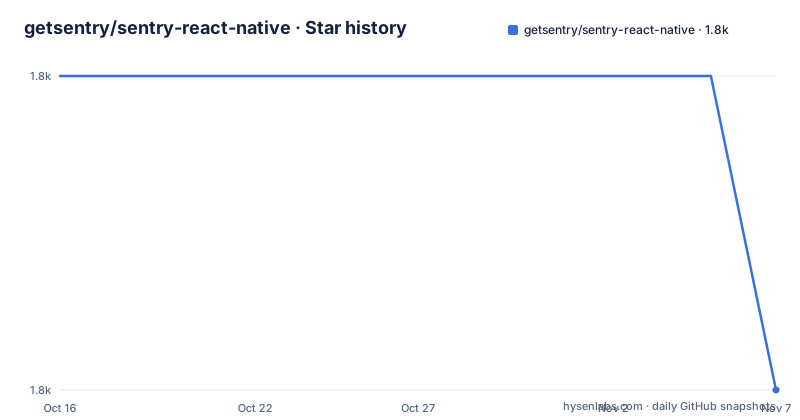
- getsentry/sentry-react-native1,823 ★ · -1
| Repository | 2026-10-16 | 2026-11-07 |
|---|---|---|
| getsentry/sentry-react-native | 1.8k | 1.8k |
-1 Stars in the last 22 days, measured from the daily GitHub snapshot. Compare with other projects
Editorial analysis
Two error sources, two upstream SDKs
The SDK covers both halves of a React Native failure. Automatic JS error tracking is done using `@sentry/browser`, and automatic native crash error tracking works through sentry-cocoa and sentry-android under the hood. That split is the technical core of the package: a JavaScript error and a native signal fault are different classes of event arriving over different transports, and the SDK's job is to get both to the same project.
Around that sit the capabilities that decide whether it is usable offline. Events are stored on the device, so a user who loses connectivity still gets their report when the connection returns. Events carry enriched device data. There is on-device symbolication for JS in Debug builds.
Platform coverage is stated plainly: `react-native >= 0.65.0` is the requirement, with Hermes support, RAM bundle support, RN New Architecture support and Expo support listed as features. Autolinking is included, so there is no manual native module registration step for a standard React Native project.
The licence is MIT, and the code is published on npm as `@sentry/react-native`.
The wizard does the setup, and init takes a DSN
Installation is one command that sets up the package and the project:
npx @sentry/wizard -s -i reactNativeManual initialisation is a single `init` call with your DSN:
import * as Sentry from "@sentry/react-native";

Sentry.init({
  dsn: "__DSN__",

  // Set tracesSampleRate to 1.0 to capture 100%
  // of transactions for performance monitoring.
  // We recommend adjusting this value in production
  tracesSampleRate: 1.0,
});

Sentry.setTag("myTag", "tag-value");
Sentry.setExtra("myExtra", "extra-value");
Sentry.addBreadcrumb({ message: "test" });

Sentry.captureMessage("Hello Sentry!");
The sample rate line is worth attention. `tracesSampleRate: 1.0` captures 100% of transactions for performance monitoring, and the comment in the sample says to adjust it in production. That is not boilerplate advice, it is a quota and cost decision, and it is the first thing to change before shipping.
`setTag` is for values you filter on, `setExtra` for context you want attached but will not query, and `addBreadcrumb` records a trail of events leading up to an error. Those three calls are where the return on the SDK is actually earned, since an untagged error in a large app is a report you will read once and never find again.
SwiftPM works if every dependency opts in
React Native 0.87 and newer can autolink iOS dependencies through Swift Package Manager instead of CocoaPods, and the SDK ships a `Package.swift`, so no extra configuration is needed:
npm install @sentry/react-native
cd ios && npx react-native spm add --deintegrate
`--deintegrate` removes an existing CocoaPods setup. The README is careful here: drop that flag on a project that never had CocoaPods, and then build as usual with `npx react-native run-ios` or by opening the `.xcodeproj`, since a SwiftPM project has no `.xcworkspace`.
Two limitations are named directly. First, every autolinked dependency must ship a `Package.swift`, and `react-native spm add` stops if one does not; many community libraries still do not support SwiftPM. The README attributes this to React Native rather than to Sentry, which is the right attribution and also the reason it is not going away on your timeline. Second, the path is iOS only: macOS, tvOS and visionOS keep building through CocoaPods.
CocoaPods remains the default and is unaffected, so this is an opt-in migration rather than a deadline. For a team on a mixed dependency set, the check to run first is which of your current native modules lack a `Package.swift`, not which Sentry version you are on.
Three release channels, and only one is recommended
The release scheme is the part of this README worth reading twice, because picking a channel wrongly is how SDK upgrades surprise you.
`Pre-release` covers alpha, beta and release candidate builds, created for larger and potentially more impactful changes such as new features or major versions. `Latest` is described as continuous releases of major, minor and hotfix versions from `main`, going through all internal quality gates and intended as the default for most teams. `Stable` is not a separate build: it is the promotion of a `Latest` release after it has been used in the field for some time and at scale, considering time since release, adoption and other quality and stability metrics. Promoted releases are marked with a `Stable` suffix on the releases page.
So there are two moving streams and one label. If you want the fixes that have survived real usage, wait for the `Stable` suffix. If you want the newest patch immediately, take `Latest` as the README recommends. `SDK-VERSIONS.md` at the repository root lists which SDK versions are bundled with each release, which is the file to check when the Cocoa and Java SDKs inside move independently of the JavaScript one.
The cadence is high. Recent tags are 8.30.0 on 2026-10-08, 8.29.0 on 2026-10-01 and 8.28.0 on 2026-09-24, and the last push was on 2026-10-16. A weekly minor means you should pin and read release notes rather than track latest.
What the repository tells you about scope
The layout is broader than a single SDK. `packages/` holds the workspaces, listed in the root `package.json` alongside `dev-packages/` and `performance-tests/`. `samples/` contains five separate sample apps, one each for `expo`, `react-native`, `react-native-macos`, `react-native-tvos` and `react-native-visionos`, which lines up exactly with the CocoaPods-versus-SwiftPM split described above.
Build and lint tooling runs across four languages through lerna, which is a reasonable read on what the package contains:
"fix": "run-s fix:lerna fix:android fix:kotlin fix:clang fix:swift"
"lint": "run-s lint:lerna lint:android lint:kotlin lint:clang lint:swift "
Android has both Google Java Format and PMD, Kotlin has ktlint, C has clang-format and Swift has SwiftLint, with the corresponding `.clang-format` and `.swiftlint.yml` files at the root. There is also an `api-report` script that generates an API report for `@sentry/react-native`, which means breaking changes to the public interface are surfaced as diffs during review rather than discovered by consumers.
The comparison is against running the browser SDK alone, which gets you JS errors and nothing native, or against a dedicated crash reporter, which gets you native crashes without the JS and transaction data in the same project. Sentry's trade is the assumption that you want one vendor across the stack. The cost is that native crash reporting depends on sentry-cocoa and sentry-android tracking alongside the JavaScript package, so a version mismatch in those transitive SDKs is a failure mode you inherit. If you are already inside the Sentry ecosystem for your backend, that cost is close to zero. If you are not, it is a real decision rather than a default.
Editorial conclusion
Adopt sentry-react-native if you ship a React Native app and want JS exceptions and native crashes in one place, since the SDK wraps the browser SDK for JS and the Cocoa and Java SDKs for native and handles offline storage between them. Do not adopt it if your app is on the macOS, tvOS or visionOS form factors and you want SwiftPM, because those platforms stay on CocoaPods. Verify first which release channel you want, since Latest is the recommended default while Stable is only promoted after time and scale, and check that every one of your iOS dependencies ships a `Package.swift` before running `npx react-native spm add --deintegrate`.
Frequently asked questions
How do I install the Sentry React Native SDK?
Run `npx @sentry/wizard -s -i reactNative`, which installs the package and configures the project. Then call `Sentry.init` with your DSN. React Native 0.65.0 or newer is required.
Does sentry-react-native report native crashes as well as JS errors?
Yes. JS errors are captured through `@sentry/browser` and native crashes through sentry-cocoa and sentry-android under the hood, with offline storage of events on the device.
What is the difference between the Latest and Stable release channels?
Latest is continuous major, minor and hotfix releases from main and is the recommended default. Stable is not a separate build but a Latest release promoted after time in the field and at scale, marked with a Stable suffix on the releases page.
Can I use Swift Package Manager for sentry-react-native on iOS?
Yes, on React Native 0.87 and newer, by running `npx react-native spm add --deintegrate` in the ios directory. Every autolinked dependency must ship a `Package.swift` or the command stops, and the path is iOS only.
Official sources
Where developers are discussing it
Posts on Hacker News, dev.to and Lobsters that link to this repository, found by our scan of those communities. 1 in the last 30 days; newest first.
- This Week In React #301 : TanStack Start, React Aria, Base UI, Next.js | RN Web, Tamagui, One, Skia | Deno, Bun, TS, JPEG XLdev.to · Oct 16, 2026 · 2 points · 0 comments
Add this badge to your README
If you maintain this project, the badge below links readers to this analysis and shows its maintenance status from the daily GitHub snapshot. Paste the markdown into your README; add ?metric=license or ?metric=stars to the image URL for a different field.

[](https://hysenlabs.com/projects/getsentry-sentry-react-native)Star history chart for your README
[](https://hysenlabs.com/projects/getsentry-sentry-react-native)Was this useful?