SATySFi treats typesetting as a typed program
A statically-typed, functional typesetting system
At a glance
- What is it?
- SATySFi is a typesetting system built on a statically typed, functional programming language with OCaml-like syntax, so a document is a program that the compiler can check before it produces a PDF. It suits people who want LaTeX-like authoring with real static analysis.
- Who is it for?
- SATySFi fits a writer or researcher who already thinks in functions, wants a document program the type checker can inspect, and is prepared to own a small toolchain rather than inherit a large package ecosystem.
- Can I use it commercially?
- Yes, with conditions. LGPL-3.0 is a weak copyleft licence: you can use it inside commercial and closed-source software, but if you distribute changes to its own files, you must publish those changes under the same licence.
- Is it still maintained?
- Activity is slowing. The repository last received commits 6 months ago.
- What is it written in?
- Mainly OCaml, according to GitHub's language statistics.
Answers come from the project's GitHub data, last synced on November 7, 2026, and from our analysis. They are not legal advice.
Star history
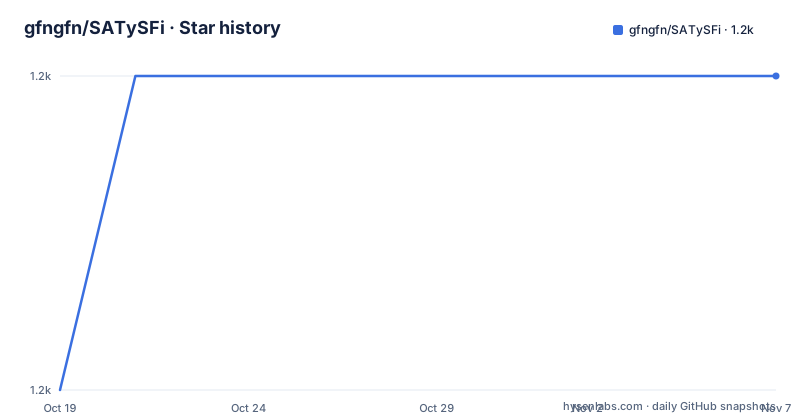
- gfngfn/SATySFi1,248 ★ · +1
| Repository | 2026-10-19 | 2026-11-07 |
|---|---|---|
| gfngfn/SATySFi | 1.2k | 1.2k |
1 Stars in the last 19 days, measured from the daily GitHub snapshot. Compare with other projects
Editorial analysis
A document is a program with two layers
SATySFi is pronounced like the English verb satisfy, and the project describes itself as a new typesetting system equipped with a statically typed, functional programming language. The architecture rests on two layers. The text layer is for writing documents in LaTeX-like syntax. The program layer has OCaml-like syntax and is for defining functions and commands.
That split is the whole idea. In a conventional LaTeX workflow the document text is interleaved with macro calls, and the meaning of a macro depends on definitions that are expanded at compile time with a large amount of implicit context. In SATySFi the commands you call are ordinary values with types, so a typo in a command name or a wrong argument type is a compile error rather than a surprise in the output.
The project states the benefit in terms of writing: SATySFi lets you mark up documents with flexible commands of your own making, and its informative type error reporting is meant to help with that writing. The emphasis is on a document being source code with a checker, not on producing a nicer page.
The implementation is OCaml. The repository has a dune-project file, a satysfi.opam file, src and lib-satysfi directories, a bin directory and a Makefile that calls dune build, dune install and dune uninstall with a PREFIX defaulting to /usr/local. The library sources live under lib-satysfi, which is also the directory the setup scripts populate.
The type checker can stop before a page is produced
Because the markup is a program, the compiler has something to check. The command line options show how far that goes. There is a --type-check-only flag that stops after type checking, which means a document can be validated as a program without rendering a single page. That is the feature that makes the type system useful in practice rather than decorative.
Two debugging options exist for the layout side. --debug-show-bbox outputs the bounding box of each glyph, and --debug-show-space outputs the boxes for spaces. When a page looks wrong, these two flags give you the geometry that the engine computed rather than asking you to guess from the PDF.
Performance is handled with -b or --bytecomp, which uses the byte compiler to enhance the performance of computation, so the default is native compilation and the byte compiler is the opt in. -v and --version print the version. The -o or --output option names the output PDF file, and if it is not given the output name is the concatenation of the base name of the input file and the extension .pdf. --full-path makes the tool display file names with their absolute path when it writes to stdout, which matters when several files with the same name exist in different directories.
The output is PDF. The project topics list PDF generation and OpenType among its concerns, and the default file extension in the command line is .pdf.
Installing the prebuilt distribution with Satyrographos
The README offers two routes, and the first one is aimed at people who do not want to build anything. Satyrographos is a package manager for the project, and the non developer path is a set of opam commands after the basic toolchain is in place.
On Ubuntu 20.04 the prerequisites are installed with apt, then opam itself is bootstrapped:
# For Ubuntu 20.04
sudo apt-get update
sudo apt-get install build-essential git m4 unzip curl pkg-config
sh <(curl -sL https://raw.githubusercontent.com/ocaml/opam/master/shell/install.sh)
On a Mac the README asks you to have Homebrew installed, following the instructions at brew.sh if you do not:
# For Mac
# Please make sure homebrew is installed. Otherwise, follow https://brew.sh/
brew update
brew install opam
The common part then configures opam, adds two repositories, one of them the satysfi-external repo, and installs the three packages:
# Common: Set up OPAM
opam init
eval $(opam env)
opam repository add satysfi-external https://github.com/gfngfn/satysfi-external-repo.git
opam repository add satyrographos https://github.com/na4zagin3/satyrographos-repo.git
opam update

# Common: Install SATySFi
opam depext satysfi satysfi-dist satyrographos
opam install satysfi satysfi-dist satyrographos

# Common: Set up the SATySFi standard library
satyrographos install
The last command is the one that matters most for a first run. It sets up the SATySFi standard library, and without it the tool has no fonts or document classes to work with. The opam depext line pulls in the system packages the build needs before opam install runs.
Building from a clone with opam pin
The developer path builds the repository itself. The README lists the minimally required software: bzip2, cc, git, m4, make, unzip, wget or curl, opam 2 and ocaml 4.10.0 installed by opam. On Windows, the recommendation is Windows Subsystem for Linux 2, specifically to avoid bubblewrap related issues.
The external opam repository has to exist before a build, and the command for that is short:
opam repository add satysfi-external https://github.com/gfngfn/satysfi-external-repo.git
opam update
The Ubuntu example in the README shows the full sequence, with opam initialised against a specific compiler version:
opam init --comp 4.10.0
eval $(opam env)
opam repository add satysfi-external https://github.com/gfngfn/satysfi-external-repo.git
opam update
The OS X example follows the same shape with brew providing opam. The README warns that the opam init command asks permission to modify files such as ~/.bash_profile, and that environment variables will not be set if you skip those instructions.
The build itself clones the repository with its submodules and pins the local directory:
# clone
git clone https://github.com/gfngfn/SATySFi.git
cd SATySFi

# build
opam pin add satysfi .
opam install satysfi
Reinstalling and removing are handled by opam reinstall satysfi and opam uninstall satysfi. A commented out section of the README also describes a manual build path involving ocamlbuild, ocamlfind and Menhir, with make, make install and make install-lib, and a PREFIX variable for the install location. It is commented out, so treat it as a note about the past rather than a supported route.
Fonts and the standard library are a separate setup step
Before writing anything, the fonts and libraries have to be placed on disk. The README gives two commands that must be run in order:
./download-fonts.sh
./install-libs.sh
The first downloads the fonts required by the default settings into lib-satysfi/dist/fonts/, and the second copies lib-satysfi/ to /usr/local/share/satysfi/. The default install location matches the LIBDIR in the repository Makefile, which is set to $(PREFIX)/share/satysfi with PREFIX defaulting to /usr/local.
Four fonts are downloaded by that script: Junicode, IPA Font, Latin Modern and Latin Modern Math. The README instructs you to consult their license before using them, which is a reasonable request given that a typesetting system shipping fonts puts the font licence in your document's output. This is the point where the LGPL-3.0 licence of the project itself is only half the story, since the fonts carry their own terms.
The same install-libs.sh mechanism is what the Satyrographos route automates, which is the practical difference between the two installation paths: the manual route leaves you with two shell scripts to run and a copy into a system directory that may need elevated permissions, while the package manager route handles the same work.
First run starts with the demo and the compiled reference
The quickest check that a installation is complete is the demo. The README says to compile the demo file, which sits in the demo folder and comes with its own MakeFile:
cd demo
make
If demo.pdf is created, the setup has finished correctly. That is a good first test because the demo exercises the font setup and the library path at the same time, and a failure there is almost always one of the two rather than a broken compiler.
The reference is written in SATySFi itself and lives in the doc folder, so it also has to be compiled before it can be read:
cd doc
make
Having the manual in the target language is unusual and worth calling out. For a project whose selling point is a typed language for documents, the documentation being a SATySFi program means the reference doubles as a large worked example. It also means the first thing you do after installing is compile the manual, which is a fair amount of setup before reading anything.
Compilation of your own document follows the same simple shape:
satysfi doc.saty -o output.pdfOr, following the general form in the README:
satysfi <input file> -o <output file>The version number and the repository history tell the real story
The project is not archived and the last push to the repository was on 2026-04-12, though the version tags tell a different story about releases. The listed releases are SATySFi Version 0.0.4 from 2020-01-25, 0.0.3 from 2018-10-09 and 0.0.2 from 2018-08-08. A 0.0.x tag means the author has not claimed API stability, and the gap between the newest tag and the most recent push is not matched by any release.
The README says development continues to this day, and gives a parenthetical date of Feb 2024 for that statement. The support history is a list of named sponsors rather than a company backing: the IPA Mitou Project 2017 from June 2017 to February 2018, Dwango Co., Ltd. from October 2018 to March 2019, and people who bought the SATySFi book. A project maintained by one author with periods of funded work and long stretches of unfunded work is a different maintenance model from a team with continuous funding, and that difference is what the tag history shows.
The repository also has an obsolete/ directory and a CHANGELOG.md, which together suggest the author keeps old code around rather than deleting it. For an adopter, the practical consequence is that the API you code against is whatever is on master, and that the documentation, being compiled from the same tree, matches that same master rather than a tagged release.
Editorial conclusion
SATySFi fits a writer or researcher who already thinks in functions, wants a document program the type checker can inspect, and is prepared to own a small toolchain rather than inherit a large package ecosystem. It does not fit someone who needs an off the shelf LaTeX class, a conference template or a mature bibliography workflow, since the SATySFi standard library is installed separately and the project's own release tag is still 0.0.4 from 2020-01-25, with the last push on 2026-04-12. Before adopting it, run the demo build first, because a successful `make` in the demo folder is the quickest way to confirm the toolchain works on your machine, and check the licences of the four downloaded fonts, since the README asks you to consult them before use.
Frequently asked questions
How do I install SATySFi?
There are two documented routes. Non developers can use the Satyrographos package manager, which needs opam and the satysfi-external and satyrographos repositories added, then opam install satysfi satysfi-dist satyrographos and satyrographos install to set up the standard library. Developers can clone the repository and use opam pin add satysfi . followed by opam install satysfi.
What is the difference between the text layer and the program layer in SATySFi?
The text layer is for writing documents in LaTeX-like syntax, and the program layer, which has OCaml-like syntax, is for defining functions and commands. The project states that this lets you mark up documents with commands of your own making and benefits from informative type error reporting.
Can SATySFi check a document without producing a PDF?
Yes. The command line option --type-check-only stops after type checking, so the document is validated as a program without rendering. For layout debugging there are also --debug-show-bbox for per glyph bounding boxes and --debug-show-space for the boxes of spaces.
What licence is SATySFi released under and what about the bundled fonts?
The project is released under LGPL-3.0, with the LICENSE file at the root of the repository. The setup script downloads Junicode, IPA Font, Latin Modern and Latin Modern Math, and the README asks you to consult the license of each font before using it, since those terms apply to the output as well as the tool.
How do I know the SATySFi installation worked?
Compile the demo. The demo folder contains a MakeFile, so running make there should produce demo.pdf, and the README states that if demo.pdf is created then the setup has been finished correctly. The reference in the doc folder is compiled the same way with make.
Official sources
Add this badge to your README
If you maintain this project, the badge below links readers to this analysis and shows its maintenance status from the daily GitHub snapshot. Paste the markdown into your README; add ?metric=license or ?metric=stars to the image URL for a different field.

[](https://hysenlabs.com/projects/gfngfn-satysfi)Star history chart for your README
[](https://hysenlabs.com/projects/gfngfn-satysfi)Was this useful?