HandyControls: a WPF control library that extends HandyControl with Persian calendar support
Contains some simple and commonly used WPF controls based on HandyControl
At a glance
- What is it?
- HandyControls is an MIT-licensed C# WPF control library built on top of the HandyControl project, adding controls, styles and a Persian calendar and PersianDate toolkit that the original does not carry. The judgement is that its identity is a maintained fork with a genuine localisation feature rather than a from-scratch component library, and that the fork relationship is the first thing to understand before adopting it.
- Who is it for?
- HandyControls fits a WPF developer who has already chosen the HandyControl look and wants the extra controls and styles this fork carries, or who needs the Persian calendar and PersianDate tooling that the original project does not provide, and who is prepared to track a fork rather than an upstream.
- Can I use it commercially?
- Yes. MIT is a permissive licence: you can use, modify and sell software built on it, as long as you keep its copyright and licence notices.
- Is it still maintained?
- Yes. The repository last received commits 61 days ago.
- What is it written in?
- Mainly C#, according to GitHub's language statistics.
Answers come from the project's GitHub data, last synced on November 6, 2026, and from our analysis. They are not legal advice.
Star history
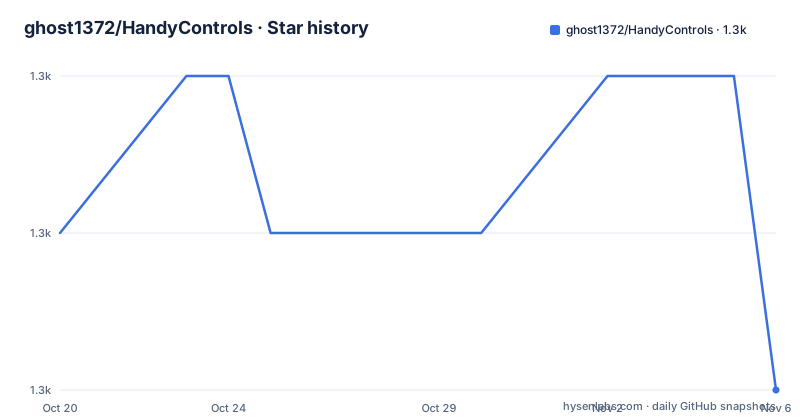
- ghost1372/HandyControls1,314 ★ · -1
| Repository | 2026-10-20 | 2026-11-06 |
|---|---|---|
| ghost1372/HandyControls | 1.3k | 1.3k |
-1 Stars in the last 17 days, measured from the daily GitHub snapshot. Compare with other projects
Editorial analysis
A fork with a stated reason for existing
HandyControls is not an independent component library. The project states plainly that it is based on HandyControl, the WPF control library published under the handyOrg organisation, and that it includes controls and features not present in the original.
Two things are named specifically. The first is support for the Persian Calendar and PersianDate. The second is more controls and more styles. The documentation links a dedicated Persian toolkit page as the place to see what is there, which suggests the Persian work is a substantial feature rather than a token addition.
For a WPF developer this is a familiar situation. HandyControl established a particular visual language for desktop .NET applications, and a fork appears when somebody needs that language plus something the upstream does not carry. The trade-off is the one that always comes with a fork: you get the delta, and you take on the merge burden when upstream moves.
The scope of the addition is visible in the topic tags, which list badge, cardview, color-picker, components, control, dark-theme, mvvm, navigation, notifyicon, persian, style, styled-components, tabcontrol, theme, wpf, wpf-controls, wpf-theme, wpf-ui and xaml. That list reads like a component library feature matrix, and the persian and dark-theme entries are the differentiators rather than the generic ones.
The primary language is C#, the licence is MIT, and the default branch is `develop`, which is the branch the build workflow badge points at and the branch the samples link points to.
Where the code and the samples live
The repository layout is the standard WPF library arrangement with a few additions.
The `src/` directory holds the library sources, and there is an `extension/` directory alongside it, which in a WPF library is where the XAML markup extensions and behaviours live. `build/` holds the build configuration, `doc/` the documentation content, and `.vscode/` the editor settings. There is a `.editorconfig` and a `.gitattributes` for formatting and line-ending normalisation.
The samples are pointed at a specific path in the README, `src/Shared/HandyControlDemo_Shared`, which is a shared demo project rather than one demo per platform. That is a deliberate choice for a WPF library: the demo is a single desktop application that exercises the controls, so a designer or developer can see every control in its real context rather than in isolation.
There is also a Microsoft Store gallery app, listed in the header links with the package identifier `9nxrsbg32mff`. Publishing a gallery app is how the WPF community normally demonstrates that a library works on a current Windows release with the current .NET runtime, and it gives a user something to install before deciding to take the dependency.
The governance files are worth noting for anyone evaluating an open source dependency. There is a `CODE_OF_CONDUCT.md`, a `SECURITY.md` and a `Policy` directory, plus a second README, `README-cn.md`, which is a Chinese-language version of the same document. The presence of a security policy is a good sign for a library that gets referenced by other people's applications.
Distribution through NuGet and the cost of following the fork
The package is published on NuGet as `HandyControls`, and the header links to the package page, the release notes, the documentation site and the Store gallery app.
The versioning tells you how the project is run. The tagged releases are v3.5.2 on 2024-03-07, v3.6.0 on 2025-05-19 and v3.7.0 on 2026-09-07. The last push to the repository was on 2026-09-07, the same day as the v3.7.0 tag.
So the project is being worked on, and the gap between releases is irregular: about fourteen months between 3.5.2 and 3.6.0, then about sixteen months to 3.7.0. That is the pace of a project maintained by a small group of contributors around one primary maintainer rather than a full-time team, and it has an implication for a production application. An upgrade is not a routine operation, it is an event you plan for, because the gap between the version you have and the version you would move to spans a long period of accumulated change.
The `.net >= 4.0` badge in the header is the framework floor the project advertises. That is a wide target range, and it is worth checking what it means in practice for your build, since the classic .NET Framework and current .NET have different packaging and deployment models and a library that supports both does not force a choice on you.
The contributor list in the README is long and includes well-known names from the WPF and Windows development community, which is a reasonable signal about the kind of codebase you are taking on: it is a real library with external contributions, not a single-person project.
Where the fork relationship shows up in practice
The most important practical question with any control library fork is what happens when the upstream changes, and the documentation's answer is the Persian toolkit plus the extra controls and styles.
That framing has consequences in both directions. If you adopt this fork for the Persian calendar work, the upstream HandyControl project becomes something you have to think about, because the fork inherits from it and will be rebased or reconciled against it at some point. If you adopt it only for a handful of extra controls, you have taken on a dependency and a release cadence for features that a smaller, more focused library might have provided.
The alternative paths are worth naming concretely. Upstream HandyControl alone covers the base library without the Persian work and without the extra controls. A different WPF control library entirely, chosen for its own design rather than for a fork relationship, avoids the merge problem but loses the HandyControl look that the fork builds on. And a plain XAML resource dictionary with your own styles is the third option, viable if the only thing you need from the fork is a theme rather than a control.
The MIT licence is what makes any of this comfortable. It is a permissive grant with no copyleft obligation, so embedding the library in a closed-source commercial desktop application carries no requirement to publish anything, and the `LICENSE` file in the repository is the text that governs. That is a licensing observation rather than legal advice.
The Persian calendar work is also the piece that most affects the dependency decision, because a date and calendar toolkit is exactly the kind of thing that has to be right. A control library is mostly presentation, where a mistake is visible and cheap to fix. A calendar conversion that is subtly wrong is a data bug, and the documentation's decision to give the Persian toolkit its own page is a signal that it deserves separate evaluation rather than a glance at a demo page.
Documentation lives on GitHub Pages, not in the repository
The documentation is hosted at `ghost1372.github.io`, with a section dedicated to the Persian toolkit under `handycontrol/persianToolkit/`. The header links separate the documentation site, the release notes on GitHub, the samples, and the Store gallery app, so each has its own destination rather than everything pointing at the repository.
That separation matters for a WPF library, where the visual result is hard to convey in text. A control library is judged on how it looks and how it behaves in an application, so the sample application and the gallery app do much of the work that documentation would do for a library with an API.
The samples path in the header, `src/Shared/HandyControlDemo_Shared`, also means the demo is compiled as part of the repository's own build rather than being a separate project that can drift. The build workflow badge points at `build.yml` in the repository, so a broken sample fails the build, which is the right arrangement.
What the repository does not contain is worth noting too. There is no test project listed among the top-level entries, no `test/` directory, and no unit test project is referenced in the README. For a visual control library that is not unusual, since the samples carry much of the verification role, but it does mean there is no automated regression suite you can rely on when you upgrade across a fourteen-month gap.
The `Policy` directory at the root, alongside `SECURITY.md` and `CODE_OF_CONDUCT.md`, suggests the project keeps its governance documents separate from the code, which keeps the library tree itself clean for consumers who vendor it.
Editorial conclusion
HandyControls fits a WPF developer who has already chosen the HandyControl look and wants the extra controls and styles this fork carries, or who needs the Persian calendar and PersianDate tooling that the original project does not provide, and who is prepared to track a fork rather than an upstream. It does not fit a team that wants a from-scratch component library with no upstream dependency, and it does not fit a project that cannot accept a library whose update cadence is tied to one maintainer. Verify first that the specific controls and styles you need are in this fork rather than only in the upstream HandyControl project, that the Persian toolkit behaves as you expect for the calendar systems you actually need, since the documentation points at a dedicated Persian toolkit page for details, and that the package version you pin matches the .NET target your application builds against, since the badge states a .NET 4.0 or later requirement and the project ships on NuGet as `HandyControls`.
Frequently asked questions
What is the difference between HandyControls and HandyControl?
HandyControls is based on the HandyControl project and includes controls and features not in the original, specifically support for the Persian Calendar and PersianDate plus additional controls and styles. HandyControl remains the upstream project that this one builds on.
How do I get the HandyControls WPF library?
The package is published on NuGet as `HandyControls`, linked from the project header along with the documentation site, the release notes and a Microsoft Store gallery app. The project targets .NET 4.0 or later according to its badge.
Does HandyControls support a Persian calendar?
Yes. Persian Calendar and PersianDate support is the feature the project highlights as its main addition to the original HandyControl project, and the documentation points at a dedicated Persian toolkit page describing what is included.
How often is HandyControls released?
The tagged releases are v3.5.2 on 2024-03-07, v3.6.0 on 2025-05-19 and v3.7.0 on 2026-09-07. The gaps are long, so an upgrade to a newer version is a planned event rather than a routine dependency bump.
Can I use HandyControls in a commercial application?
The project is licensed under MIT, so there is no copyleft requirement to publish your own source when you embed the library. The `LICENSE` file at the repository root is the text that governs the terms.
Official sources
Add this badge to your README
If you maintain this project, the badge below links readers to this analysis and shows its maintenance status from the daily GitHub snapshot. Paste the markdown into your README; add ?metric=license or ?metric=stars to the image URL for a different field.

[](https://hysenlabs.com/projects/ghost1372-handycontrols)Star history chart for your README
[](https://hysenlabs.com/projects/ghost1372-handycontrols)Was this useful?