Ghostwriter turns red team findings and assets into Word reports
The SpecterOps project management and reporting engine
At a glance
- What is it?
- Ghostwriter is a SpecterOps platform for offensive security operations that tracks clients, projects, findings, evidence and covert infrastructure, then generates DOCX, XLSX, PPTX and JSON deliverables from Jinja2 report templates. It suits red teams and consultancies that repeatedly produce the same report structure, and it needs a database and a Hasura-backed GraphQL layer rather than being a single script.
- Who is it for?
- Adopt Ghostwriter if you are a red team or consultancy that repeats engagement reports and needs client, asset and finding data reused across them, and you have somewhere to run Django with Hasura. Do not adopt it as a note-taking tool for a single engagement, and do not treat its Mythic C2 and Cobalt Strike integrations as automatic coverage of activity logging.
- Can I use it commercially?
- Yes. BSD-3-Clause is a permissive licence: you can use, modify and sell software built on it, as long as you keep its copyright and licence notices.
- Is it still maintained?
- Yes. The repository received new commits within the last day.
- What is it written in?
- Mainly Python, according to GitHub's language statistics.
Answers come from the project's GitHub data, last synced on October 23, 2026, and from our analysis. They are not legal advice.
Star history
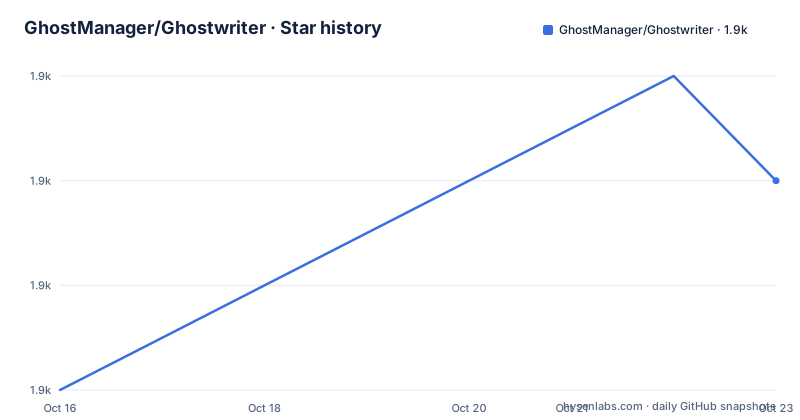
- GhostManager/Ghostwriter1,946 ★ · +4
| Repository | 2026-10-16 | 2026-10-23 |
|---|---|---|
| GhostManager/Ghostwriter | 1.9k | 1.9k |
4 Stars in the last 7 days, measured from the daily GitHub snapshot. Compare with other projects
Editorial analysis
What the platform actually manages
Ghostwriter is described as a platform for offensive security operations that simplifies report writing, asset tracking and assessment management. The objects it tracks are specific: clients and projects, a reusable findings library, covert infrastructure assets such as servers and domain names, finding templates, report templates and evidence files.
The findings library is the piece with the highest return on investment. A finding you have written once, with its description, impact and remediation, can be reused across engagements instead of being rewritten each quarter. Report templates sit above that and control the document structure.
Collaborative writing is called out as a first-class capability, so two consultants can be in the same report. Customisable templates are the other half: the platform generates the document, and you decide what a deliverable looks like.
It is a management and reporting engine, not a collection of offensive tooling. Nothing in the README describes executing anything.
The reporting engine produces four formats from Jinja2 templates
Data held in the platform flows into a reporting engine that generates Word documents through Jinja2 templating with your own templates. XLSX, PPTX and JSON output are also supported.
DOCX being first and named first is the right priority for this audience, since the deliverable of a penetration test is a Word document that goes to a client. The Jinja2 layer is what makes the output yours rather than the platform's: you write the template, the platform fills it, and a client that wants a specific executive summary section gets that section in every report without anyone editing a document by hand.
XLSX and PPTX cover the other common deliverables, an evidence spreadsheet and a presentation, and JSON exists for machine consumption.
There is also a GraphQL API, described as the way to integrate custom project management, reporting workflows and external tools into the platform. That is the extension point to plan around, because it is what lets you push data into Ghostwriter from an internal tool instead of retyping it.
Access control, SSO, MFA, and C2 integrations for activity logging
The features described as enterprise level are role-based access controls, single sign-on authentication and multi-factor authentication. For a consultancy where several people touch client findings, role-based access is not decoration: it is how a contractor gets access to one project and not the whole client list.
The integrations named are Mythic C2 and Cobalt Strike, for automatic activity logging. The intent is clear, tying command and control activity to the project so the report can show what happened without someone transcribing it. The practical caveat is that these are integrations with specific tools, and a team running something else gets no activity log from Ghostwriter at all. Nothing in the README describes a generic way to ingest activity.
The repository is sponsored by SpecterOps.
It is a Django application with Hasura, Docker Compose and three CLI binaries
The stack is Python 3.13 with Django 5.2, and the repository layout shows a full deployment rather than a package. manage.py sits at the root next to the ghostwriter/ application directory, with config/, requirements/, scripts/, locale/ and DOCS/ alongside. pytest.ini, .coveragerc, .pylintrc and .isort.cfg describe the test and lint setup.
The presence of hasura-docker/ and the GraphQL API claim together indicate that Hasura supplies the GraphQL layer over the database. That is an additional service to run and secure, and it is the piece most likely to be overlooked when sizing a deployment.
Deployment files are present in several forms: compose/, local.yml, production.yml, ci.yml, ssl/ and merge_production_dotenvs_in_dotenv.py. That set covers local development, production and TLS, which is more than most projects ship.
Interestingly, there are prebuilt CLI binaries checked into the repository, ghostwriter-cli-linux, ghostwriter-cli-macos and ghostwriter-cli.exe, with gw-cli.yml describing it. So the GraphQL API has a command line client, and you can use it without writing HTTP calls yourself.
AGENTS.md, CODE_OF_CONDUCT.md, SECURITY.md and PULL_REQUEST_TEMPLATE.md make this a conventionally run community project.
Release cadence, hosting expectations and documentation as the real manual
The repository is not archived and the last push was on 2026-10-14. Tagged releases show a fast cadence: v7.3.2 on 2026-10-14, v7.3.1 on 2026-10-06 and v7.3.0 on 2026-10-01. Three releases in the first half of October of a 7.x line is a project shipping often, which is good for fixes and means you should pin a version.
Documentation is hosted at ghostwriter.wiki and the README is explicit that it holds everything needed to use or customise the platform, from installation for first time users through database schemas, the code style guide and how to expand or customise parts of the project. A project this size cannot document itself in a README, and it does not try.
Help comes through Slack first, specifically a #ghostwriter channel on the BloodHound Slack team and a #reporting channel for report and finding practices. Issues are accepted with the template.
The README's own troubleshooting note is worth repeating: most issues new users hit come from a missing installation step or a Docker problem on the host system. Read the wiki installation pages before debugging.
Where Ghostwriter is the wrong tool
For a single engagement with one report, this is too much machinery. A consultant doing one assessment a year is better served by a document template, and the setup cost of Django, a database and Hasura is not justified.
For teams that already have a working reporting pipeline in a ticketing or CRM system, the GraphQL API may be a reason to skip it. If your findings already live in a tracker with fields that map to a report template, integrating Ghostwriter means maintaining a second system of record.
The data sensitivity question deserves attention too. Ghostwriter holds client findings, covert infrastructure details including domain names and servers, and evidence files, and it is a networked Django application with an SSO and MFA story. Running it well requires the same operational care as any system holding client confidential information, and that includes backups of the database holding the findings library, which is the asset you would least like to lose.
The project uses the BSD-3-Clause licence, and its README includes CII Best Practices, CodeFactor and coverage badges.
Editorial conclusion
Adopt Ghostwriter if you are a red team or consultancy that repeats engagement reports and needs client, asset and finding data reused across them, and you have somewhere to run Django with Hasura. Do not adopt it as a note-taking tool for a single engagement, and do not treat its Mythic C2 and Cobalt Strike integrations as automatic coverage of activity logging. Before deploying, read the wiki's installation and database schema pages, because the README says many common issues trace back to a missed install step or a Docker problem on the host, and pin a version such as v7.3.2 rather than tracking master.
Frequently asked questions
What output formats can Ghostwriter generate?
The reporting engine generates Word DOCX documents through Jinja2 templating with your own report templates, and can also produce XLSX, PPTX and JSON.
Which offensive tools does Ghostwriter integrate with?
Mythic C2 and Cobalt Strike, for automatic activity logging so command and control activity can be tied to a project. The README does not describe a generic way to ingest activity from other tools.
How do I get help with Ghostwriter?
The README points to Slack first, where the BloodHound Slack team has a #ghostwriter channel and a #reporting channel. Issues are also accepted using the issue template, and the wiki at ghostwriter.wiki should be checked first because many common problems are missing installation steps or Docker issues on the host.
Does Ghostwriter have an API for integration?
Yes. A GraphQL API is provided for integrating custom project management, reporting workflows and external tools, with a hasura-docker/ directory in the repository and CLI binaries for Linux, macOS and Windows plus a gw-cli.yml configuration.
Official sources
Add this badge to your README
If you maintain this project, the badge below links readers to this analysis and shows its maintenance status from the daily GitHub snapshot. Paste the markdown into your README; add ?metric=license or ?metric=stars to the image URL for a different field.

[](https://hysenlabs.com/projects/ghostmanager-ghostwriter)Star history chart for your README
[](https://hysenlabs.com/projects/ghostmanager-ghostwriter)Was this useful?