django-storages: one library for S3, Azure, Google Cloud, Dropbox and SFTP backends in Django
https://django-storages.readthedocs.io/
At a glance
- What is it?
- django-storages replaces Django's default file storage with S3, Azure, Google Cloud, Dropbox, libcloud or SFTP backends from a single PyPI package. It is a thin adapter layer, and the trade-offs sit in the backend configuration rather than the code.
- Who is it for?
- Adopt django-storages if you run Django 4.2 or newer and need one storage backend behind the standard FileField and ImageField API, and if you are willing to read the per-backend documentation because the README does not carry it. Do not adopt it expecting a managed service or a migration tool: it ships adapters, not data movement, and the security process routes reports through Tidelift rather than the public issue tracker.
- Can I use it commercially?
- Yes. BSD-3-Clause is a permissive licence: you can use, modify and sell software built on it, as long as you keep its copyright and licence notices.
- Is it still maintained?
- Yes. The repository last received commits 105 days ago.
- What is it written in?
- Mainly Python, according to GitHub's language statistics.
Answers come from the project's GitHub data, last synced on November 15, 2026, and from our analysis. They are not legal advice.
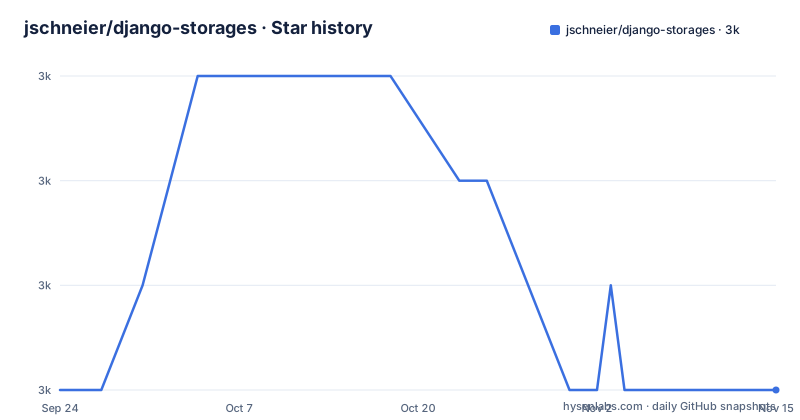
Star history
- jschneier/django-storages2,959 ★ · +0
| Repository | 2026-09-24 | 2026-11-15 |
|---|---|---|
| jschneier/django-storages | 3k | 3k |
0 Stars in the last 52 days, measured from the daily GitHub snapshot. Compare with other projects
Editorial analysis
What django-storages actually replaces
Django ships a default file storage system built on the local filesystem. Every FileField and ImageField in a project writes through that layer. django-storages provides alternative storage backends for the same layer, so the model fields and the code that reads and writes files stay unchanged while the bytes land somewhere else: an S3 bucket, Azure Blob Storage, Google Cloud Storage, Dropbox, an SFTP server, or anything apache-libcloud can reach.
The target audience is a Django developer who has outgrown local disk. That usually means a deployment where several application processes or several machines need to see the same uploaded files, or where media has to be served from object storage rather than from the web server's filesystem. The library does not manage buckets, does not provision credentials, and does not move existing files between backends. It is the adapter between Django's storage API and a service you already have.
One library, six optional dependency sets
The packaging is the clearest statement of the design. pyproject.toml declares a single required dependency, Django>=4.2, and then separates every backend into an optional extra: azure pulls azure-core and azure-storage-blob, boto3 and s3 both pull boto3, dropbox pulls the dropbox SDK, google pulls google-cloud-storage, libcloud pulls apache-libcloud, and sftp pulls paramiko. Installing the base package therefore gives you the storage classes without any cloud SDK, and a missing SDK only matters when you actually select that backend.
This is a deliberate trade-off. The project keeps its own dependency tree small and pushes version compatibility for each vendor SDK onto the user. The README states that the library is usually compatible with the currently supported versions of Django and points at the Trove classifiers in setup.py to be sure, which is the honest way to put it: compatibility is a range, not a guarantee. The classifiers list Django 4.2, 5.2 and 6.0, and Python 3.10 through 3.14, with requires-python set to >=3.10.
Installing django-storages and configuring an S3 backend
The README gives the PyPI install as a single command. It installs the library itself; the per-backend dependencies are declared as optional extras in pyproject.toml, so the backend you select determines what else has to be present.
pip install django-storagesIf you need a fix that is on master but not yet released, the README offers an editable install straight from the repository instead.
pip install -e 'git+https://github.com/jschneier/django-storages.git#egg=django-storages'Configuration happens in Django settings, and the README does not show it. It says to consult the documentation for detailed instructions on how to configure the backend of your choice. That is the honest boundary of this page: the backend class paths, the bucket and credential settings, and the signature options all live at https://django-storages.readthedocs.io/ rather than in the README. The repository layout confirms where the code lives: the storages package and a storages.backends subpackage, with a tests directory alongside.
Where the abstraction leaks
A common storage interface cannot hide the differences between a filesystem and an object store. Operations that are cheap locally, such as renaming, listing a directory, or appending to a file, map poorly onto S3-style APIs, and the backend has to emulate them or refuse. If your application code assumes it can seek within an open file, rewrite part of it, or rely on POSIX path semantics, switching the backend will expose that assumption.
There is a second failure mode in the packaging. Because every vendor SDK is optional, an environment that installs the base package and then selects a cloud backend will fail at the point the backend is imported, not at install time. The error surfaces at runtime in whichever process touches storage first. Declaring the matching extra in your requirements file rather than relying on the base package avoids this, and it is the reason the extras exist at all.
The third limitation is scope. The library does not migrate files between backends, does not provide a management command to copy an existing media directory into a bucket, and does not run a local emulator. Moving a live project onto object storage is your migration problem, and the README does not document rollback for it either.
django-storages compared with django-s3-storage and direct boto3
The obvious alternative for an S3-only project is django-s3-storage, which targets S3 alone rather than offering a family of backends. The difference in approach is breadth against depth: django-storages gives you one configuration pattern that you repeat for Azure, Google Cloud, Dropbox, SFTP or libcloud, at the cost of an interface that has to be general enough for all of them. A single-vendor library can expose that vendor's specific behaviour more directly.
The other alternative is skipping the storage layer and calling boto3 yourself. That gives you full control over multipart uploads, presigning and error handling, but it also means your FileField no longer writes anywhere useful, and every upload path in the project has to be rewritten by hand. django-storages exists precisely to avoid that rewrite. It is the wrong tool when you need only one or two object operations in one view and have no interest in routing Django's file fields through a remote service.
Maintenance, licensing and upgrade cost
The repository is not archived, and the last push was on 2026-08-02, which is recent enough that the project is still receiving changes. The README describes the project as backed in part by Tidelift, which offers commercial support for the package, and it asks that security vulnerabilities go through the Tidelift security contact rather than the public issue tracker. That is an unusual arrangement for a small library and worth knowing before you file a public report.
The licence is BSD-3-Clause, declared both in pyproject.toml and in the LICENSE file at the repository root, and the classifiers include the OSI Approved :: BSD License entry. BSD-3-Clause is permissive and imposes no copyleft obligation on your application; it does require that the copyright notice and licence text be retained in redistributions. That is a description of the licence terms, not legal advice, and your own counsel should confirm how it applies to your distribution.
The upgrade cost is dominated by the vendor SDKs, not by django-storages itself. The base dependency is Django>=4.2, so a Django upgrade is the gate. Beyond that, each backend tracks a separate library: boto3, azure-storage-blob, google-cloud-storage, dropbox, paramiko or apache-libcloud. A breaking change in any one of those lands on you, and the library's own version number will not tell you which vendor moved. The repository's CHANGELOG.rst is the place to check, and the contributing guide explicitly asks contributors not to bump the version in CHANGELOG.rst or storages/__init__.py, since the maintainer does that on release.
What the project does not tell you
The README is short and mostly points elsewhere. It does not enumerate the available backends, does not show a settings example, and does not describe the storage API surface. Everything practical lives in the Read the Docs site linked from the top of the page. That is a reasonable split for a mature library, but it means a reader who only sees the README cannot judge whether the SFTP backend supports the operations they need, or what the Azure backend does about container creation.
The history section is the one piece of context the README does supply: the repository began as a fork of the original library under the name django-storages-redux and became the official successor, releasing under django-storages on PyPI, in February 2016. Anyone who finds an old tutorial referencing django-storages-redux is looking at the same lineage under a retired name. The repository has no published GitHub releases, so the changelog and PyPI are the sources for version history rather than anything quoted here.
Editorial conclusion
Adopt django-storages if you run Django 4.2 or newer and need one storage backend behind the standard FileField and ImageField API, and if you are willing to read the per-backend documentation because the README does not carry it. Do not adopt it expecting a managed service or a migration tool: it ships adapters, not data movement, and the security process routes reports through Tidelift rather than the public issue tracker. Verify first that your Django version appears in the setup.py Trove classifiers, that the extra matching your backend installs cleanly (for example the s3 extra pulling boto3), and that your chosen backend's page in the documentation covers the settings you need before you commit to it.
Frequently asked questions
How do I use django-storages with S3?
Install the package with the s3 extra so boto3 is present, then configure the S3 backend in your Django settings. The README directs you to the documentation for the individual backend settings such as bucket and credentials.
What is django-storages?
It is a Django library that provides a variety of storage backends in a single package, so FileField and ImageField can write to S3, Azure, Google Cloud, Dropbox, SFTP or libcloud instead of the local filesystem. The README describes it as a project to provide a variety of storage backends in a single library.
What can I use as an alternative to django-storages?
For an S3-only project, django-s3-storage targets that one service instead of offering a family of backends, which lets it expose S3 behaviour more directly. The other option is calling boto3 yourself, which gives full control but means rewriting every upload path that currently goes through a FileField.
Official sources
Add this badge to your README
If you maintain this project, the badge below links readers to this analysis and shows its maintenance status from the daily GitHub snapshot. Paste the markdown into your README; add ?metric=license or ?metric=stars to the image URL for a different field.

[](https://hysenlabs.com/projects/jschneier-django-storages)Star history chart for your README
[](https://hysenlabs.com/projects/jschneier-django-storages)Was this useful?