ES Module Shims: import maps for the browsers that still lack them
Shims for new ES modules features on top of the basic modules support in browsers
At a glance
- What is it?
- ES Module Shims is a browser polyfill that gives older engines import maps, JSON and CSS modules, Wasm imports, TypeScript type stripping and loader hooks, while deliberately doing nothing in browsers that already support the baseline. The interesting part is the boundary it draws around dynamic import, where it refuses to polyfill and hands the problem back to the application.
- Who is it for?
- ES Module Shims suits sites that must serve a browser population without native import maps while still wanting bare specifiers, JSON or CSS modules, Wasm imports, TypeScript stripping and a Vite style import.meta.hot API from one script tag.
- Can I use it commercially?
- Yes. MIT is a permissive licence: you can use, modify and sell software built on it, as long as you keep its copyright and licence notices.
- Is it still maintained?
- Yes. The repository last received commits 47 days ago.
- What is it written in?
- Mainly JavaScript, according to GitHub's language statistics.
Answers come from the project's GitHub data, last synced on October 24, 2026, and from our analysis. They are not legal advice.
Star history
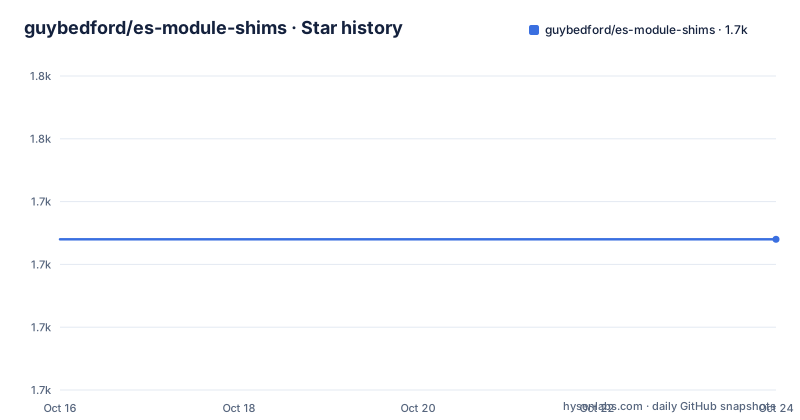
- guybedford/es-module-shims1,734 ★ · +0
| Repository | 2026-10-16 | 2026-10-24 |
|---|---|---|
| guybedford/es-module-shims | 1.7k | 1.7k |
0 Stars in the last 8 days, measured from the daily GitHub snapshot. Compare with other projects
Editorial analysis
The polyfill stays out of the way once a browser meets the baseline
The premise of this library is that import maps are now supported by all major browsers, so the hardcoded work of rewriting every module specifier on every page is wasted for most visitors. The project states that it entirely bypasses processing for over 94% of users, and that only for the remaining share does the shim kick in to rewrite module specifiers, driven by the Web Assembly ES Module Lexer.
The detection is described in two stages. The polyfill analyses the browser for fine grained support across import maps and other module features. If the browser is deemed to support a baseline set of features, and multiple import maps are not in use, the polyfill does no further work at all. Otherwise it scans the module scripts on the page for static module syntax that would fail, and if it finds such a graph, that graph is reexecuted through the shim with internal rewriting of import statements.
The reexecution trick rests on a specific browser behaviour. In a browser without import map support, a bare specifier produces a link time failure before any code runs.
Uncaught TypeError: Failed to resolve module specifier "react". Relative references must start with either "/", "./", or "../".
  at <anonymous>:1:15
Because nothing executed yet, the shim can reexecute the module graph without risking a double run of the same code. When it does take over, it logs a line that can be disabled or customised through the polyfill hook.
^^ Module error above is polyfilled and can be ignored ^^Only static link-time failures can be polyfilled
The clearest limitation in the project is also the most instructive. Only static link-time errors are polyfilled, not runtime errors, so a dynamic import that fails at runtime simply bypasses the detection.
The documentation demonstrates this with two scripts in one module: a relative import that the native loader can always resolve, and a dynamic import of a specifier that only an import map could satisfy.
<script type="module">
  import './supported-relative-import.js';
  console.log('Static Ok');
  import('unsupported-import-map').then(x => {
    console.log('Dynamic Ok');
  }, err => {
    console.log('Dynamic Fail');
  });
</script>
The three outcomes are listed explicitly. With native import maps you get `Static Ok` then `Dynamic Ok`. Without native import maps you get `Static Ok` then `Dynamic Fail`, and the same result appears when ES Module Shims is running, because it does not polyfill the dynamic import.
The reason given is a design decision rather than an oversight. Polyfilling the dynamic import would require reexecuting the entire outer module, producing `Static Ok`, `Dynamic Fail`, `Static Ok`, `Dynamic Ok`. The project rejects that as double execution, which it says would not be suitable for calling it a polyfill.
importShim is the sanctioned route for runtime module resolution
Because the polyfill will not touch dynamic import, the library exposes a separate top level loader for that case. The documented workaround is to use the `importShim` ES Module Shims top-level loader instead of a bare dynamic import.
<script type="module">
  import './supported-relative-import.js';
  console.log('Static Ok');
  importShim('unsupported-import-map').then(x => {
    console.log('Ok');
  }, err => {
    console.log('Fail');
  });
</script>
The stated behaviour is a pass-through: `importShim` automatically hands off to the native dynamic import or to the polyfill as necessary, just as it does for script tags. That is the point of it. Rather than pretending the runtime case is equivalent to the static case, the library routes it through a function that knows which path to take.
There is a second consequence worth planning for. The documentation advises always ensuring modules use a bare specifier early, to avoid non-execution. In other words, the entry module needs at least one static import that would fail without a mapping, because that is what triggers the whole reexecution path. A module graph that only ever uses relative paths never gives the polyfill anything to act on, so nothing gets polyfilled and any bare specifier reached later through a dynamic import fails.
Two loaders end up on the page, sharing modules where they can
Running in polyfill mode effectively puts two loaders on the page, the ES Module Shims polyfill loader and the native one. The project addresses what that means for instance identity, which is the question that decides whether a polyfill is safe to ship.
The polyfill loader shares native modules whenever possible, so a module that the browser can already execute is not reexecuted and there is only one instance of it. There is one exception per module, tied to the previous section: modules that use dynamic import and are imported as dependencies of modules that require polyfill features.
The documentation illustrates this with two shimmed modules, each importing a mapped dependency.
import 'mapped-dep-a';and a dependency that itself performs a dynamic import.
console.log('dep b');
import(expr);
The pattern to keep in mind is that a dependency with a dynamic import inside it is the one that cannot be shared cleanly with the native loader, because the native loader would fail on the mapped specifier while the polyfill loader would not.
Live bindings, dynamic import expressions such as `import('src/' + varname')` and circular references are listed as working because the native module loader is still doing the loading, with the exception that live bindings are disabled for the first unexecuted circular parent.
One script tag carries import maps, JSON, CSS, Wasm and TypeScript
The feature list is broader than import maps alone, and the shipping artefacts reflect that. Import maps are polyfilled, and JSON and CSS modules are polyfilled with import assertions. Wasm modules are supported, including Source Phase Imports when that feature is enabled. Import defer is handled by syntax stripping so modern browsers can run the code with a polyfill fallback, again when enabled. TypeScript type stripping is included, as is hot reloading through a Vite style `import.meta.hot` API, and custom loader hooks for customising module resolution and sources, including virtual module sources.
The package exports map in package.json shows how these are separated. The default entry is `dist/es-module-shims.js`, with a `./debug` entry pointing at `dist/es-module-shims.debug.js`, a `./wasm` entry pointing at `dist/es-module-shims.wasm.js` and a `./typescript-transform` entry pointing at `dist/es-module-shims-typescript.js`. TypeScript types are published as `index.d.ts` for the main, `./debug` and `./wasm` entries.
The build uses Chomp, configured in chompfile.toml, and the test suite runs on mocha with tachometer for benchmarks. The source lives under src/, with a test directory, a bench directory and a resources directory at the top level of the repository.
The CSP angle matters for anyone serving this from a production site. The shim is described as CSP-compatible, because it works through rewriting rather than through eval, and the loader script itself is a plain script that the page includes with an async attribute.
Adding the loader is one async script tag above your import map
The usage pattern is short enough to be worth reading in full. You include ES Module Shims with an `async` attribute on the script, then include an import map and module scripts normally.
<script async src="https://ga.jspm.io/npm:[email protected]/dist/es-module-shims.js"></script>The import map itself is a standard `importmap` script, and the version pinned in the example is 2.8.4, matching the latest release.
<script type="importmap">
{
  "imports": {
    "react": "https://ga.jspm.io/npm:[email protected]/index.js"
  },
  "scopes": {
    "https://ga.jspm.io/npm:[email protected]/": {
      "object-assign": "https://ga.jspm.io/npm:[email protected]/index.js"
    }
  }
}
</script>
Module scripts then use the bare specifier as usual, with no changes to the import statement itself.
<script type="module">
  import react from 'react';
  console.log(react);
</script>
The scopes block in that map is worth noting because it is the mechanism for giving a dependency its own resolution table, so a transitive package can resolve its own bare specifiers independently of the top level map. Because the script tag is async, it does not block the parser, and the polyfill decides at runtime whether it needs to act on the page at all.
Releases are frequent, but the shim rewrites a live page rather than a build
The repository is not archived and the last push was on 2026-09-07. Published versions are close behind that: 2.8.4 on 2026-07-26, 2.8.2 on 2026-07-05 and 2.8.1 on 2026-05-11. The version numbering in the project is a plain semver patch series, and the loader script in the usage example pins an exact version, which is the right habit since the shim sits in the critical path of every module script on the page.
The upgrade cost sits in a different place than a normal library. There is no bundler step and no build configuration to change, but the behaviour of the page can change between versions, because a new release can add feature detection, alter which browsers are considered to meet the baseline, or change the rewriting rules. The console message about a polyfilled module error and the polyfill hook exist so that a site can customise that surface, and the network caching behaviour is worth testing too: in older Firefox and Safari the fetch network cache is not fully shared with the polyfill, so separate entries appear in the network tab, with network level cache coalescing seen at the very least.
The licence is MIT, and the package is published under the name `es-module-shims` with the author listed as Guy Bedford.
Editorial conclusion
ES Module Shims suits sites that must serve a browser population without native import maps while still wanting bare specifiers, JSON or CSS modules, Wasm imports, TypeScript stripping and a Vite style import.meta.hot API from one script tag. It does not suit code that depends on dynamic import resolving through an import map in an old browser, because the project states plainly that dynamic import is not polyfilled, and it does not suit projects that can target a single modern browser. Before adopting it, check that your entry point is a static module graph, that your dynamic imports use importShim rather than import, and that the release you pin matches the loader script you serve, since the published version is 2.8.4 from 2026-07-26 and the last push was on 2026-09-07.
Frequently asked questions
How do I add ES Module Shims to a page?
Include the loader with an async script tag, then add a standard import map and your module scripts. The documented example points at https://ga.jspm.io/npm:[email protected]/dist/es-module-shims.js.
Does ES Module Shims polyfill dynamic import?
No. The project states that it does not polyfill dynamic import, because doing so would require reexecuting the entire outer module and cause double execution. Use the importShim loader instead, which passes through to the native dynamic import or the polyfill as needed.
What happens in a browser that already supports import maps?
The polyfill analyses the browser for fine grained support and, if the baseline is met and multiple import maps are not in use, it does no further work. The project states that processing is bypassed entirely for over 94% of users.
Which module features can ES Module Shims polyfill?
Import maps, JSON and CSS modules with import assertions, Wasm modules with Source Phase Imports when enabled, import defer through syntax stripping when enabled, TypeScript type stripping, hot reloading with a Vite style import.meta.hot API, and custom loader hooks including virtual module sources.
Which package entry points does es-module-shims publish?
The default export is dist/es-module-shims.js, with ./debug pointing at dist/es-module-shims.debug.js, ./wasm at dist/es-module-shims.wasm.js and ./typescript-transform at dist/es-module-shims-typescript.js. TypeScript types are published as index.d.ts.
Official sources
Add this badge to your README
If you maintain this project, the badge below links readers to this analysis and shows its maintenance status from the daily GitHub snapshot. Paste the markdown into your README; add ?metric=license or ?metric=stars to the image URL for a different field.

[](https://hysenlabs.com/projects/guybedford-es-module-shims)Star history chart for your README
[](https://hysenlabs.com/projects/guybedford-es-module-shims)Was this useful?