ggstatsplot: ggplot2 plots that carry their own statistical results
Enhancing {ggplot2} plots with statistical analysis 📊📣
At a glance
- What is it?
- An R package extension that puts the test, the effect size and the confidence interval into the subtitle of the plot instead of leaving you to remember which model you ran.
- Who is it for?
- ggstatsplot earns its place when the reader of your figure is supposed to see the statistics, because it removes the transcription step where a test result gets copied by hand into a caption and drifts out of sync. Its nine plot families cover most of what an exploratory analysis reaches for, and the four analysis columns in the README let you see immediately which method applies to which comparison.
- Can I use it commercially?
- Check first. The repository uses a licence we do not classify automatically, so read its LICENSE file before any commercial use.
- Is it still maintained?
- Yes. The repository last received commits 4 days ago.
- What is it written in?
- Mainly R, according to GitHub's language statistics.
Answers come from the project's GitHub data, last synced on October 20, 2026, and from our analysis. They are not legal advice.
Star history
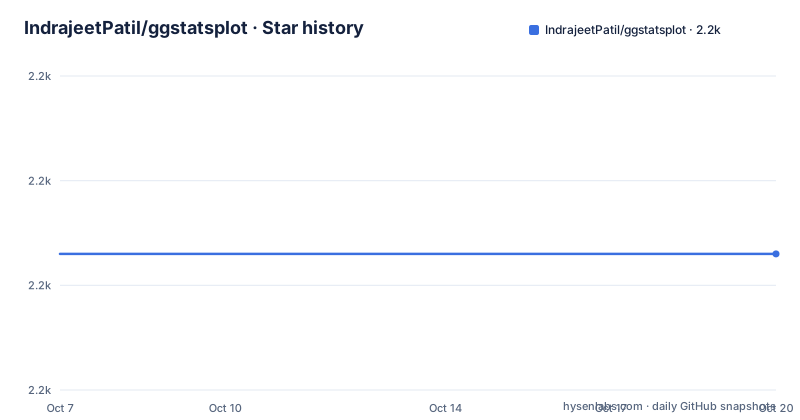
- IndrajeetPatil/ggstatsplot2,206 ★ · +0
| Repository | 2026-10-07 | 2026-10-20 |
|---|---|---|
| IndrajeetPatil/ggstatsplot | 2.2k | 2.2k |
0 Stars in the last 13 days, measured from the daily GitHub snapshot. Compare with other projects
Editorial analysis
Merging the visualize and model phases
The premise is stated in the README as a description of ordinary exploratory work. Data visualization and statistical modeling are two separate phases: visualization informs modeling, modeling suggests a different visualization, and the cycle repeats. ggstatsplot's central idea is to combine the two phases into graphics that carry statistical details in the plot itself.
What that means concretely is that the output is an ordinary ggplot2 object, so you can keep layering on it, but the statistical result is already drawn. The subtitle carries the test statistic, degrees of freedom and p-value in a format the README calls the gold standard for statistical reporting, and the plot carries effect sizes and confidence intervals. The worked example given is Yuen's test for trimmed means, which is the trimmed-mean t-test, so the default presentation is not hiding which test ran.
The package sits on `{ggplot2}` and is published on CRAN with a stable lifecycle badge and a DOI badge pointing at a Journal of Open Source Software paper, 6(61), 3167. The README quotes Edward Tufte on the clear portrayal of complexity as the design goal, which is a reasonable ambition for a package that puts numbers on pictures.
One structural detail worth knowing: `README.md` is generated from `README.Rmd`, so the README is itself rendered output. That is a sign of an R package with its documentation-as-code habits in order.
Two install commands and a moving R requirement
Installation is the usual split between the released package and the development version:
install.packages("ggstatsplot")
pak::pak("IndrajeetPatil/ggstatsplot")
The first is for the CRAN release, the second pulls from GitHub through pak. Above that table the README states the support policy plainly: the package supports R-devel, the current R release, and the previous R release. That is a three-version window, which is a sensible thing for a package to commit to, and version 1.1.0 moved the floor to R 4.5.
The repository layout shows a complete R package rather than a script collection. `DESCRIPTION` and `NAMESPACE` define it, `R/` holds the source, `man/` the generated documentation, `vignettes/` the long-form guides, `tests/` the test suite, `paper/` the JOSS submission, and `pkgdown/` the documentation site. There is a `data/` directory and a `data-raw/` directory for the scripts that build it, `hextools/` for the package hex sticker, and `API` and `CRAN-RELEASE` as marker files for the release process.
The development tooling is unusually complete for a research package: `Makefile` targets, `.lintr` and `air.toml` for linting and formatting, `.pre-commit-config.yaml`, `codecov.yaml` for coverage, `_typos.toml` for spell checking, `lychee.toml` for link checking, `codemeta.json` for metadata, `cran-comments.md` for submission notes, `NEWS.md` for the changelog, and an `AGENTS.md` for automated contributors.
The `Makefile` shows the release path: `all` runs `check`, `check` runs `R CMD check --no-manual` on the built tarball, and `update_deps` points the dependency resolution at the Posit Public Package Manager CRAN snapshot and reruns roxygen2 and codemetar. That last detail tells you dependency versions are refreshed deliberately rather than drifted.
Nine plot families and their grouped variants
The README's summary table maps nine functions to plot types, which is the fastest way to understand the package's scope.
`ggbetweenstats()` and `ggwithinstats()` produce violin plots, one for comparisons between groups and conditions and one for comparisons within them. `gghistostats()` produces histograms for the distribution of a single numeric variable, and `ggdotplotstats()` produces dot plots for the same job when the values are labelled. `ggscatterstats()` handles correlation between two variables and `ggcorrmat()` produces correlation matrices across many variables at once.
The categorical pair is `ggpiestats()` for pie charts and `ggbarstats()` for bar charts. `ggcoefstats()` is the odd one out, producing dot-and-whisker plots for regression model coefficients and for meta-analysis, which is the piece that reaches beyond exploratory description into fitted models.
Each of these also has a `grouped_` prefixed version, and the README explains why: it makes it easy to repeat the same analysis for any grouping variable. That is a convenience with a consequence. Grouping multiplies the number of comparisons, so a grouped plot can be running a battery of tests where a reader sees one figure, which is exactly the situation where the adjustment method for multiple comparisons stops being optional.
The dot plots deserve a mention because they are the answer to a real plotting problem. A histogram is the default for showing a distribution, but when you have a small number of observations, or the values are meaningful labels, a dot plot shows the actual data where a binned histogram hides it.
Where the outlier-resistant option is missing
The second table in the README maps each plot type against four analysis families: parametric, non-parametric, outlier-resistant and Bayesian. Reading across the rows shows the package's real coverage rather than its aspirations.
Most rows carry a check in all four columns. `ggbetweenstats()` and `ggwithinstats()` support between-group and within-group comparisons parametrically, non-parametrically, with an outlier-resistant option, and Bayesianly. The distribution plots for `gghistostats()` and `ggdotplotstats()`, the correlation matrix from `ggcorrmat()`, the correlation plot from `ggscatterstats()`, and both regression rows for `ggcoefstats()` are similarly complete.
The gaps are specific and worth planning around. Both categorical rows, for `ggpiestats()` and `ggbarstats()`, have a cross in the outlier-resistant column, across both the association analysis and the equal proportions analysis. If your category data has an outlier problem or you are working with small ordinal groups, there is no such test behind those two functions.
The random-effects meta-analysis row of `ggcoefstats()` is missing the non-parametric column, which is not surprising for a method that already assumes a random-effects model structure. The Bayesian summary table adds a further constraint: the paired contingency table row has a check under hypothesis testing but a cross under estimation, so the Bayesian side covers the test but not the estimate for that case.
Reading the two tables together gives a fair picture. For the categorical and ordinal cases, the fallback is to do the test yourself and plot the geometry with plain ggplot2, which loses the integration but keeps the analysis honest.
Release history and the road to 1.0
Version 1.0.0 arrived on 2026-04-23, which is a late first stable release for a package with 2,207 stars and 200 forks. The feature list in that release is what the accumulated issue backlog had been building toward.
The headline item is one-sample goodness-of-fit testing. `ggbarstats()` and `grouped_ggbarstats()` now support one-sample goodness-of-fit tests when only `x` is specified, with `y = NULL` as the new default. The result is a single stacked bar chart carrying chi-squared goodness-of-fit results in the subtitle, deliberately mirroring the one-sample support `ggpiestats()` already had. The change also changes a default, which is the kind of thing worth knowing if you have existing scripts that passed both arguments.
The same release added pairwise contingency table analysis to `ggpiestats()` and `ggbarstats()`, using Fisher's exact tests through a `pairwise_contingency_table()` function, exposed via `extract_stats(plot)$pairwise_comparisons_data`. A new `p.adjust.method` parameter controls the p-value adjustment and defaults to `holm`. The release notes are explicit that pairwise results are not drawn on the plots, since bar and pie charts have no natural place for significance brackets.
Two smaller changes round it out: `ggscatterstats()` now sets a default number of bins for its marginal histograms, which suppresses the `stat_bin()` message about picking a better binwidth, and it gains `xsidehistogram.scale` and `ysidehistogram.scale` parameters for controlling breaks, limits and transform on those histograms.
Version 1.1.0 followed on 2026-08-22 and raised the minimum supported R version to 4.5. Version 1.1.1 came on 2026-08-25 with a single visual fix: pairwise significance brackets are now positioned correctly above outcomes whose values are all negative. That is a small release, but it is the kind of bug that would otherwise force someone to drop the feature. The repository reports zero open issues and the last push was on 2026-09-16.
Editorial conclusion
ggstatsplot earns its place when the reader of your figure is supposed to see the statistics, because it removes the transcription step where a test result gets copied by hand into a caption and drifts out of sync. Its nine plot families cover most of what an exploratory analysis reaches for, and the four analysis columns in the README let you see immediately which method applies to which comparison. The two things to check before relying on it are that the categorical plots do not offer an outlier-resistant option, and that a grouped analysis multiplies the tests you run, so the default multiple-comparison adjustment matters. Start with one function, `ggbetweenstats()`, read its own documentation on the package site, then read the vignettes for the grouping and Bayesian options. Version 1.1.1 was released on 2026-08-25 with a last push on 2026-09-16.
Frequently asked questions
What is the difference between ggstatsplot and ggplot2?
ggplot2 is the graphics engine and draws only what you tell it to. ggstatsplot is an extension layer that picks an appropriate statistical test for the plot you asked for, runs it, and draws the test statistic, degrees of freedom, p-value, effect size and confidence interval into the figure. The result is still a ggplot2 object you can keep adding layers to.
How do I install ggstatsplot?
From CRAN with `install.packages("ggstatsplot")`, or the development version straight from GitHub with `pak::pak("IndrajeetPatil/ggstatsplot")`. The README states the package supports R-devel, the current R release and the previous one, and version 1.1.0 raised the minimum supported R version to 4.5.
Which ggstatsplot functions lack an outlier-resistant test?
The categorical plots, meaning both `ggpiestats()` and `ggbarstats()`, have no outlier-resistant column in the README's analysis table, for either association between categorical variables or equal proportions across levels. The random-effects meta-analysis row of `ggcoefstats()` has no non-parametric option, and the Bayesian summary shows estimation is not available for the paired contingency table.
Does ggstatsplot adjust for multiple comparisons?
Version 1.0.0 added a `p.adjust.method` parameter for the pairwise contingency table analysis in `ggpiestats()` and `ggbarstats()`, defaulting to `"holm"`. This matters most with the `grouped_` variants, since adding a grouping variable multiplies the number of tests behind a single figure.
Is ggstatsplot on CRAN?
Yes, and it carries a stable lifecycle badge along with a DOI badge for a Journal of Open Source Software paper, 6(61), 3167. Its first 1.0 release was version 1.0.0 on 2026-04-23, followed by 1.1.0 on 2026-08-22 and 1.1.1 on 2026-08-25.
Official sources
Add this badge to your README
If you maintain this project, the badge below links readers to this analysis and shows its maintenance status from the daily GitHub snapshot. Paste the markdown into your README; add ?metric=license or ?metric=stars to the image URL for a different field.

[](https://hysenlabs.com/projects/indrajeetpatil-ggstatsplot)Star history chart for your README
[](https://hysenlabs.com/projects/indrajeetpatil-ggstatsplot)