LibCST for Format-Preserving Python Codemods
A concrete syntax tree parser and serializer library for Python that preserves many aspects of Python's abstract syntax tree
At a glance
- What is it?
- LibCST gives Python codemods an AST-like tree while retaining comments, whitespace, parentheses, and other concrete syntax. It is best suited to targeted source transformations that should leave untouched code visually intact.
- Who is it for?
- Adopt LibCST for automated Python refactoring when formatting preservation matters and targeted edits to a typed tree are preferable to text replacement. Do not choose it merely for ordinary semantic analysis or when a source installation on an unsupported platform cannot supply the required Rust toolchain.
- Can I use it commercially?
- Check first. The repository uses a licence we do not classify automatically, so read its LICENSE file before any commercial use.
- Is it still maintained?
- Yes. The repository last received commits 75 days ago.
- What is it written in?
- Mainly Python, according to GitHub's language statistics.
Answers come from the project's GitHub data, last synced on October 24, 2026, and from our analysis. They are not legal advice.
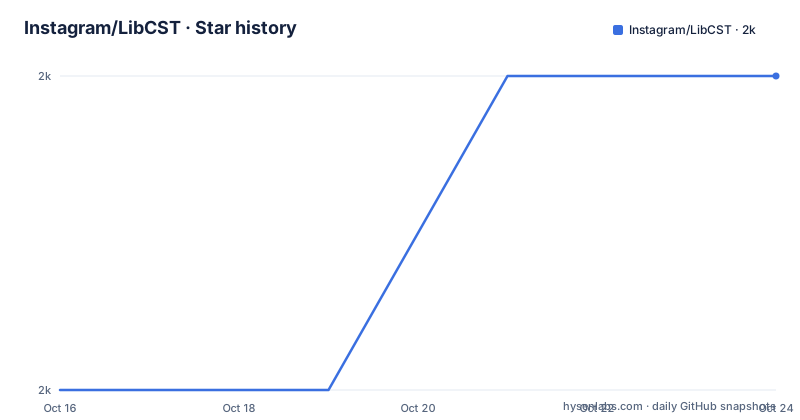
Star history
- Instagram/LibCST1,963 ★ · +1
| Repository | 2026-10-16 | 2026-10-24 |
|---|---|---|
| Instagram/LibCST | 2k | 2k |
1 Stars in the last 8 days, measured from the daily GitHub snapshot. Compare with other projects
Editorial analysis
Why LibCST Targets Format-Sensitive Python Changes
LibCST addresses a specific weakness in the standard Python `ast` module for source-changing tools. An abstract syntax tree is useful when code only needs to be analyzed, but it does not preserve the full written form of a program. A codemod that renames an imported symbol, changes a call, or rewrites a selected expression still has to serialize the rest of the module. Formatting fidelity becomes part of the tool's correctness when comments, line breaks, parenthesization, and spacing must survive the round trip.
The project is aimed at developers building automated refactoring applications and linters. Its tree keeps concrete syntax details such as comments, whitespace, and parentheses while organizing nodes and fields in an AST-like way. That combination makes structural navigation possible without reducing a module to plain text or an abstract representation that discards presentation.
The distinction matters most for narrow transformations. LibCST is a poor fit for a script whose job is to locate arbitrary substrings regardless of Python grammar. It is also excessive when the intended result is only an import graph, symbol table, or set of diagnostics. The library earns its complexity when a tool must understand syntax and reconstruct source without normalizing untouched regions.
How LibCST Represents Expressions and Modules
LibCST parses Python source into concrete syntax tree nodes. The README describes support for Python 3.0 through 3.15 syntax, while the installed package itself requires Python 3.9 or newer. Parsing a file produces a module tree; parsing a smaller unit can produce an expression tree. A serializer then renders the modified tree as Python source.
The README's example for `1 + 2` produces a `BinaryOperation` containing an `Integer` on each side and an `Add` operator. The operator node includes `whitespace_before` and `whitespace_after` fields, each holding a `SimpleWhitespace` value. Parentheses are represented by fields such as `lpar` and `rpar`. This is the practical reason for using a CST: an AST-oriented transformer can identify or replace the operation while the surrounding concrete details remain represented.
The parenthesized REPL example shows the same distinction in compact output. `(1 + 2)` retains `LeftParen` and `RightParen` nodes rather than reducing the expression to an unparenthesized binary operation. For a module-level codemod, a developer traverses relevant statement and expression nodes, constructs replacement nodes with appropriate whitespace or syntax wrappers, and asks LibCST to serialize the resulting module.
This architecture introduces a more involved API than direct text matching. A node field such as `whitespace_before` must be handled deliberately during edits, and a correct transformation depends on selecting the right level of the tree. LibCST preserves syntax, but it does not decide which syntax a refactoring should change.
Installing LibCST and Inspecting a First Tree
The README recommends installing the latest stable release from PyPI into Python 3.9 or newer. On a supported system, installation is a normal `pip` operation.
pip install libcstThe package includes a native extension distributed through binary wheels. The README lists wheel coverage for Linux and Windows on x86 or x64, plus Mac x64 and arm. If no binary wheel matches the target system, the installation requires a recent Rust toolchain. That requirement applies to building from source and should be checked before packaging automation is designed around a less common platform.
After installation, the command-line tool can print the tree for an existing Python file. Replace the file name with the path the reader wants to inspect:
python -m libcst.tool print <some_py_file.py>The expected result is a readable tree representation of that file. This is the quickest first check because it exposes the concrete nodes before any refactoring logic has been written.
For an interactive expression-level check, import `libcst`, parse an expression, and use the included `dump` helper. The parentheses around the expression appear in the dumped tree as `LeftParen` and `RightParen`, demonstrating that the parser is retaining concrete syntax.
Building a Parentheses-Preserving Refactoring
A first real codemod should change a narrow node and serialize the complete module rather than editing source text. The project provides parser and serialization functions, while its node fields retain the syntax needed to reconstruct the rest of the file. The README does not include a complete third-party codemod script, so it would be misleading to prescribe a particular transformer class or visitor as the only supported route.
The useful starting point is therefore visible in the API example itself. Parse an expression with `cst.parse_expression`, inspect its concrete children, and print it through the documented helper. The following REPL example comes directly from the README:
import libcst as cst
from libcst.tool import dump
print(dump(cst.parse_expression("(1 + 2)")))
In an interactive Python session, this prints a `BinaryOperation` whose integer operands have associated left and right parentheses. A developer can use this representation to confirm that parentheses and operator spacing have entered the tree as explicit nodes before implementing a module transformation.
For a file-based codemod, parse the file, transform the tree, and serialize the resulting module. Check the linked tutorial for current visitor patterns and node construction APIs rather than copying an outdated codemod template.
LibCST is therefore less convenient than a regex for a one-line textual cleanup. Its advantage appears when the edit is syntax-aware and unrelated source should remain as written.
LibCST Boundaries Against AST Parsers and Text Tools
The standard Python `ast` module and a regular expression serve different purposes, and LibCST sits between them. `ast` models Python semantics without retaining comments, whitespace, or parentheses, so it is the simpler choice for analysis that never writes source back. A regular expression can find exact text without first constructing a syntax tree, but it does not reliably account for nested expressions, string contents, comments, or grammatical structure.
LibCST changes that decision by retaining concrete syntax and exposing it through structured nodes. Its README gives the exact compromise: a lossless CST that is organized to resemble an AST. This approach is appropriate for codemods and linters that need structural edits with controlled formatting changes.
There are corresponding failure cases. Calling LibCST with direct string replacement logic bypasses its principal advantage and leaves the developer responsible for every formatting edge case. Using an AST parser for formatting-preserving rewrites forces another layer to recover information that was discarded. Conversely, adopting LibCST for analysis that only needs semantic structure adds large syntax-aware nodes and serialization concerns without a corresponding benefit.
Syntax preservation does not mean byte-for-byte output from every possible modification, because the README does not claim such a guarantee. It says the CST keeps formatting details and is lossless. Application authors still need to construct replacement nodes correctly and confirm the emitted diff.
Release Cadence, Native Packaging, and License Review
The repository is not archived, and its last push was on 2026-08-11. Recent releases listed in the repository context are v1.9.0 on 2026-07-29, v1.8.6 on 2025-11-03, and v1.8.5 on 2025-09-26. Those dates indicate recent development activity, although release frequency alone does not establish compatibility for every Python version or platform.
Installation cost depends on packaging. Binary wheels avoid requiring the user to compile LibCST's native extension. A source build instead requires a recent Rust toolchain and the build dependencies declared in `pyproject.toml`, including `setuptools-rust`. This is a concrete deployment consideration for systems without a matching wheel, particularly when a build image must be kept small.
The license metadata needs a direct check rather than an assumption from the classifier. `pyproject.toml` identifies the package as MIT in its classifier and points `license` to the root `LICENSE` file, while the repository description flags that file as a custom license that GitHub cannot classify. The repository listing does not include the full `LICENSE` contents, so the exact obligations and any additional terms cannot be quoted or assessed here. Teams incorporating LibCST into a distributed product should read the root `LICENSE` file directly and treat the classifier as metadata, not a substitute for its text.
The practical first checks are therefore concrete: select an official `pip` release, verify whether a wheel covers the deployment platform, and review the root `LICENSE` file before packaging it with an application.
Editorial conclusion
Adopt LibCST for automated Python refactoring when formatting preservation matters and targeted edits to a typed tree are preferable to text replacement. Do not choose it merely for ordinary semantic analysis or when a source installation on an unsupported platform cannot supply the required Rust toolchain. Before adoption, inspect the exact terms in `LICENSE`, confirm a binary wheel covers the target platform, and build a transformation around the concrete node fields that must remain unchanged.
Frequently asked questions
Does LibCST preserve formatting when rewriting Python code?
LibCST retains comments, whitespace, parentheses, and other concrete syntax in its CST. A refactoring must still construct replacement nodes correctly, so inspect the emitted diff for the specific transformation.
What are the installation requirements for LibCST?
LibCST requires Python 3.9 or newer and is installed from PyPI with `pip install libcst`. A matching binary wheel is available for the platforms listed in the README, while a source build requires a recent Rust toolchain.
How can I inspect a Python file's LibCST tree?
Run `python -m libcst.tool print <some_py_file.py>`, substituting the target file path. For an expression in a Python REPL, use `cst.parse_expression` and print the result with `libcst.tool.dump`.
Official sources
Add this badge to your README
If you maintain this project, the badge below links readers to this analysis and shows its maintenance status from the daily GitHub snapshot. Paste the markdown into your README; add ?metric=license or ?metric=stars to the image URL for a different field.

[](https://hysenlabs.com/projects/instagram-libcst)Star history chart for your README
[](https://hysenlabs.com/projects/instagram-libcst)Was this useful?