BottomNavigation with ViewPager: A Minimal Android Pattern, Not a Library
A sample app for Bottom Navigation View with ViewPager in Android
At a glance
- What is it?
- This sample app shows the manual wiring between BottomNavigationView and ViewPager in Android. It is a teaching aid, not a drop-in component, and its value depends on how much you need the pattern rather than the code.
- Who is it for?
- Adopt this sample if you are learning the classic BottomNavigationView-to-ViewPager pattern and want a small, readable reference in Java. Do not adopt it if you need a production-ready component with state handling, animations, or modern APIs like Navigation Component.
- Can I use it commercially?
- Not without permission. GitHub finds no licence file in the repository, and without a licence all rights are reserved by default: you may read the code but not reuse it. Check the README, or ask the authors, before using it.
- Is it still maintained?
- Probably not. The repository last received commits 107 months ago, on December 19, 2017.
- What is it written in?
- Mainly Java, according to GitHub's language statistics.
Answers come from the project's GitHub data, last synced on October 22, 2026, and from our analysis. They are not legal advice.
Star history
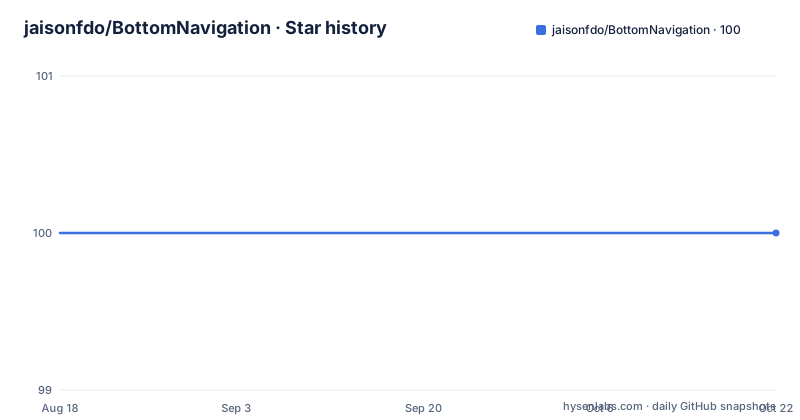
- jaisonfdo/BottomNavigation100 ★ · +0
| Repository | 2026-08-18 | 2026-10-22 |
|---|---|---|
| jaisonfdo/BottomNavigation | 100 | 100 |
0 Stars in the last 65 days, measured from the daily GitHub snapshot. Compare with other projects
Editorial analysis
What This Sample Actually Solves
The problem is a common one in Android: BottomNavigationView and ViewPager are separate widgets that do not talk to each other. Tapping a tab does not move the page, and swiping a page does not highlight the tab. This repository provides a minimal Java sample that wires the two together. The intended user is a developer who has seen the Material Design pattern and wants a concrete, small example of the glue code. It is not a library, not a Gradle artifact, and not a reusable component. It is a single sample app with a README that lists seven steps. For a beginner, that is exactly the right size. For a team building a complex app, it is too thin.
The Mechanism: Manual State Sync in Two Callbacks
The core mechanism is visible in the README's code snippet. The sample uses OnNavigationItemSelectedListener on the BottomNavigationView to change the page, and OnPageChangeListener on the ViewPager to update the selected menu item. The critical piece is onPageSelected. It keeps a reference to the previously selected menu item, clears its checked state, then sets the checked state on the item at the current position. The code handles the first page by falling back to item 0 when prevMenuItem is null. This is a manual, two-way sync. There is no data binding, no custom view, no ViewModel. The state lives in a field named prevMenuItem, which is a plain member variable. That simplicity is the point, but it also means the logic is fragile if the number of tabs changes or if the ViewPager is reused in a different lifecycle.
Getting It Running: Seven Steps, One Dependency
The README gives a clear sequence. First, add the Design Support Library version 25 to build.gradle. That is the only external dependency mentioned. Then add color and drawable resources to the resource directory. Create a layout with a ViewPager and a BottomNavigationView. Create one fragment per tab. Set up the ViewPager with a fragment adapter. Add an OnNavigationItemSelectedListener and override onNavigationItemSelected. Finally, add an OnPageChangeListener and override onPageSelected with the code shown. The steps are numbered, and the code snippet is complete enough to copy. What is missing is the actual fragment adapter code and the layout XML. The README links to a blog post for more details, but the repository itself does not include those files in the text. You would need to clone the repository to see the full implementation.
The First Limitation: It Is Stuck on Design Support Library 25
The README explicitly says to use the latest Design Support Library, version 25. That version is from 2016. The Android ecosystem has moved to AndroidX and Material Components. If you try to use this sample in a modern project, you will face a migration. The package names change, the dependency coordinates change, and some methods may be deprecated. The sample's manual state sync might still work, but you cannot just copy the build.gradle line. The repository has no recent releases and no information about maintenance. The default branch is master, but there is no last push date. This is a static artifact, not an actively maintained project. For a learning exercise, that is fine. For a production app, it is a liability.
A Real Alternative: Navigation Component with Built-In State
A genuine alternative is the Android Navigation Component, which is part of Jetpack. Instead of manually syncing a BottomNavigationView and a ViewPager, you define a navigation graph with destinations, and the NavigationUI class connects the bottom bar to the graph. The approach is declarative: you specify which destinations appear in the bottom bar, and the framework handles the selection and back stack. The difference in approach is significant. The Navigation Component moves the state management into the framework, so you do not write onPageSelected or track a prevMenuItem. You also get type-safe arguments and deep linking. The trade-off is that the Navigation Component works with fragments, not with a ViewPager directly. If you need a swipeable ViewPager with tabs, the Navigation Component does not replace it. You would still need a ViewPager2 and a TabLayoutMediator, which is another pattern. So the alternative is better for simple tab navigation, but not a drop-in replacement for this sample's swipe-and-tab combination.
Maintenance and License: What You Get and What You Do Not
The repository does not declare a license. The README does not mention one. That is a practical problem. Without a license, you have no explicit permission to use, modify, or distribute the code. Even though the code is on GitHub and publicly visible, the default copyright rules apply. If you want to copy the pattern into your own app, you should either contact the author or rewrite the logic in your own words. The code itself is small, so rewriting is easy. The maintenance cost is low because there is nothing to update. But that also means no bug fixes. The sample is from the era of Design Support Library 25, so you should expect to adapt it. The blog post linked in the README might have more context, but the repository itself gives no release history, no issues, and no contribution guide. You are on your own.
What to Verify Before You Use It
Before you rely on this sample, verify three things. First, check the actual repository files, not just the README. The README shows the onPageSelected method, but not the adapter, the layout, or the fragment classes. Second, confirm the behavior of setChecked in your Android version. The sample resets the checked state manually, which is a workaround for a known issue where BottomNavigationView does not update its selected item when the ViewPager changes. In newer Material Components, the behavior may be different, and the workaround might be unnecessary or even harmful. Third, test the state sync when the activity is recreated, for example on rotation. The sample uses a field prevMenuItem, which will be null after recreation. The code handles that with the else branch, but the behavior is not documented. If you adopt this pattern, you must add your own state saving. The sample does not show that.
Editorial conclusion
Adopt this sample if you are learning the classic BottomNavigationView-to-ViewPager pattern and want a small, readable reference in Java. Do not adopt it if you need a production-ready component with state handling, animations, or modern APIs like Navigation Component. Before using it, verify your project's Design Support Library version and confirm that the manual state sync in onPageSelected works with your target Android version, since newer Material Components may change behavior. The repository is a starting point, not a dependency.
Frequently asked questions
what is bottom navigation in this Android sample?
It is the BottomNavigationView, a view you get from the Design Support Library, version 25, combined with a ViewPager. The sample's whole purpose is keeping the tab bar and the pager pages showing the same position.
What is the bottom navbar called?
BottomNavigationView in Android. The sample drives its items through the view's menu, calling getMenu().getItem(position).setChecked(true) to highlight the tab that matches the current page.
how to use bottom navigation bar in android
Add the Design Support Library 25 to build.gradle, add colour and drawable resources, create a view with a ViewPager and a BottomNavigationView, make a fragment per tab with a ViewPager adapter, then add OnNavigationItemSelectedListener for the tab bar and OnPageChangeListener for the pager.
Why is the bottom navigation bar missing on my Android phone?
This repository does not cover that case. What it does require is an application created with the latest Design Support Library, version 25, so BottomNavigationView is available, plus colour and drawable resources added to the resource directory.
Official sources
Add this badge to your README
If you maintain this project, the badge below links readers to this analysis and shows its maintenance status from the daily GitHub snapshot. Paste the markdown into your README; add ?metric=license or ?metric=stars to the image URL for a different field.

[](https://hysenlabs.com/projects/jaisonfdo-bottomnavigation)Star history chart for your README
[](https://hysenlabs.com/projects/jaisonfdo-bottomnavigation)