ImagePicker: A WeChat-style Android picker that stopped evolving in 2017
GitHub describes it as An image picker that fully mimics WeChat's, with multiple image-loading interfaces. After selecting an image you can rotate it and crop it into a rectangle or circle, with many other configurable parameters. The repository metadata lists Java as its primary language. The metadata lists the Apache-2.0 license. This article stays within the project description and details documented in the GitHub repository README.
At a glance
- What is it?
- jeasonlzy/ImagePicker is a Java library that mimics WeChat's photo selection UI with cropping, rotation, and pluggable image loaders. It is stable but unmaintained, and its own README admits the preview screen's 'original image' checkbox has no compression logic behind it.
- Who is it for?
- Adopt ImagePicker if you need a WeChat-like multi-select gallery with built-in rectangular or circular cropping and you can live with a frozen codebase from 2017. Do not adopt it if you require active maintenance, original-image compression, or modern AndroidX compatibility without forking.
- Can I use it commercially?
- Yes. Apache-2.0 is a permissive licence: you can use, modify and sell software built on it, as long as you keep its copyright and licence notices.
- Is it still maintained?
- Probably not. The repository last received commits 72 months ago, on October 27, 2020.
- What is it written in?
- Mainly Java, according to GitHub's language statistics.
Answers come from the project's GitHub data, last synced on October 23, 2026, and from our analysis. They are not legal advice.
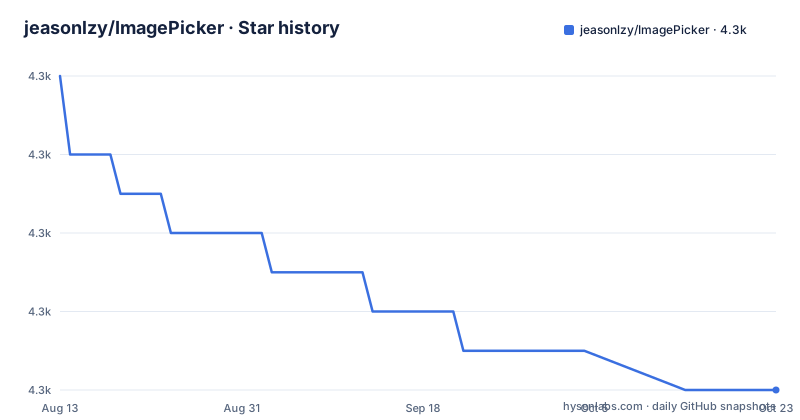
Star history
- jeasonlzy/ImagePicker4,294 ★ · -8
| Repository | 2026-08-13 | 2026-10-23 |
|---|---|---|
| jeasonlzy/ImagePicker | 4.3k | 4.3k |
-8 Stars in the last 71 days, measured from the daily GitHub snapshot. Compare with other projects
Editorial analysis
What ImagePicker solves and who it targets
ImagePicker is an Android library that reproduces the visual and interaction pattern of WeChat's photo album picker. It handles the tedious parts of selecting images from the device, taking a photo directly, cropping a single selection into a rectangle or circle, and rotating the result. The intended user is an Android developer who wants a drop-in gallery screen without building the grid, the folder list, and the crop view from scratch. The README positions it as a complete custom album, and the demo project is the primary documentation. The library is written in Java and targets the classic support-library era, which matters if your app has already moved to AndroidX.
The actual mechanism: a singleton config, an activity, and a callback
The design follows a simple flow. You configure a global ImagePicker instance once, typically in Application.onCreate. That instance holds the image loader, the crop style, the selection limit, and flags like showCamera. Then you start ImageGridActivity with an Intent, either to browse the album or, by adding EXTRAS_TAKE_PICKERS, to open the camera directly. The selected images come back through onActivityResult as an ArrayList<ImageItem> in the Intent extra ImagePicker.EXTRA_RESULT_ITEMS. The result code is ImagePicker.RESULT_CODE_ITEMS. This is a classic startActivityForResult pattern, not a modern Activity Result API. The library's internal change log shows it replaced GridView with RecyclerView in version 0.5.1 to avoid full-list refreshes when the selection state changes, but the external API stayed the same.
Getting it running: the exact dependency and configuration keys
For Android Studio, the README gives one line: compile 'com.lzy.widget:imagepicker:0.6.1'. The version in the repository's release list stops at 0.5.1, but the README references 0.6.1, so verify which artifact is actually published. After adding the dependency, you implement the ImageLoader interface. The README shows a Picasso-based loader that calls displayImage with an Activity, a file path, an ImageView, and width and height. You then configure the picker through setters: setImageLoader, setShowCamera, setCrop, setSaveRectangle, setSelectLimit, setStyle, and setFocusWidth. The crop style is CropImageView.Style.RECTANGLE or the circular equivalent. Output dimensions come from setFocusWidth and setFocusHeight for the crop frame, and outPutX and outPutY for the saved image size. The README warns that the preview screen has an 'original image' checkbox that is UI-only, with no compression implemented.
The sharp edges: unmaintained, no compression, and provider conflicts
The most obvious limitation is the project's own status. The README states, '由于个人时间有限,该项目停止维护', which means the project has stopped being maintained. The last push was April 2017. That is not a problem if the library works for your use case, but it is a real risk for anything involving newer Android versions. The README also explicitly says the 'original image' checkbox is only UI, so users who tap it will not get an uncompressed image. That is a functional gap, not a cosmetic one. The change log mentions provider conflicts with the host app, and a fix in version 0.5.0, but the FileProvider setup still requires attention. The log also notes that using Picasso can cause images to reload after selection changes, and recommends Glide instead. These are concrete caveats that any adopter should test before shipping.
Where ImagePicker is the wrong tool
If your app needs to handle large image sets with performance tuning, or if you need to apply filters or edit metadata, this library is not the right fit. It is a picker and cropper, not an image processing pipeline. The crop operation is limited to rectangle and circle shapes, with no freeform or aspect-ratio presets beyond what you set manually. The lack of compression logic means you cannot rely on it to reduce file size before upload; you would need a separate step. The library also assumes a traditional Activity result flow, so if you are building with Jetpack Compose or the Activity Result API, you will have to wrap it yourself. The unmaintained status makes it a poor choice for a greenfield project that expects to track Android platform changes.
A real alternative: GalleryFinal, the stated reference
The README credits GalleryFinal as one of the projects ImagePicker was based on. GalleryFinal is a similar Android image selection library, also in Java, with a broader feature set that includes folder management, multiple selection, and cropping. The key difference in approach is that GalleryFinal appears to have a more active history and a different configuration model, though you should verify its current maintenance status before choosing. The README explicitly says '喜欢原作的可以去使用', which translates to 'if you like the original, you can go use it'. That is an honest admission that the original may suit some users better. For a developer who needs a maintained library, GalleryFinal is worth evaluating against ImagePicker's simpler API.
Maintenance and license implications
The project is under Apache-2.0, which allows commercial use, modification, and distribution, provided you keep the license notice. The copyright line in the license block is 'Copyright 2016 jeasonlzy(廖子尧)'. The maintenance situation is clear: the repository is not archived, but the README says maintenance has stopped. The change log shows a series of fixes up to 0.6.1, including memory leaks, Android 7.0 camera crashes, and provider conflicts. Those fixes are valuable, but they stopped in 2017. If you adopt ImagePicker, you take on the cost of forking it for any future bug. The license permits that, but you will need to maintain the fork yourself. There is no indication of a migration path or a successor project.
Editorial conclusion
Adopt ImagePicker if you need a WeChat-like multi-select gallery with built-in rectangular or circular cropping and you can live with a frozen codebase from 2017. Do not adopt it if you require active maintenance, original-image compression, or modern AndroidX compatibility without forking. Before integrating, verify the FileProvider setup against your target SDK, test camera capture on Android 7.0 and above, and check that the unmaintained preview UI's 'original image' checkbox does not mislead your users. The project's own README says it is no longer maintained, so treat any merge request as your only path to fixes.
Frequently asked questions
How to use photo picker on Android?
Add one Gradle line to your app module, implement com.lzy.imagepicker.loader.ImageLoader, then configure ImagePicker.getInstance() and start ImageGridActivity with startActivityForResult. Read the results back from ImagePicker.EXTRA_RESULT_ITEMS.
how to use image picker
For jeasonlzy/ImagePicker the flow is four steps: install the dependency, write an ImageLoader, set the singleton options such as setShowCamera, setCrop and setSelectLimit, then override onActivityResult and cast the extra to an ArrayList of ImageItem.
Does jeasonlzy/ImagePicker compress the original image?
No. The docs warn that the preview screen has an original-image checkbox with UI only and no compression logic behind it, and version 0.5.1 hid that display entirely because the feature was unfinished.
Why does jeasonlzy/ImagePicker report a FileProvider exported exception?
The 0.3.5 entry names the exact error, a RuntimeException about android.support.v4.content.FileProvider failing with Provider must not be exported, and answers it with a clean build followed by another run rather than a code change.
Is jeasonlzy/ImagePicker still maintained?
The README says maintenance stopped because the author's free time is limited, and that tested merge requests get merged and released. The last commit on the default branch is dated 2020-10-27.
Official sources
Add this badge to your README
If you maintain this project, the badge below links readers to this analysis and shows its maintenance status from the daily GitHub snapshot. Paste the markdown into your README; add ?metric=license or ?metric=stars to the image URL for a different field.

[](https://hysenlabs.com/projects/jeasonlzy-imagepicker)Star history chart for your README
[](https://hysenlabs.com/projects/jeasonlzy-imagepicker)Was this useful?