DreamOmni2 for multimodal image editing and generation
This project is the official implementation of 'DreamOmni2: Multimodal Instruction-based Editing and Generation (CVPR2026 Highlight)''
At a glance
- What is it?
- DreamOmni2 is an open-source Python project for generating and editing images from natural-language instructions plus one or more reference images. It separates editing from generation because editing must preserve unedited regions, while generation can reconstruct the scene around the requested identity or concept.
- Who is it for?
- DreamOmni2 fits researchers and image-pipeline developers who need one model to cover reference-guided editing and generation, especially when text alone cannot describe the desired subject or attribute. It is a poor fit for unattended production use until hardware requirements, memory needs, output determinism, and deployment packaging are documented.
- Can I use it commercially?
- Yes. Apache-2.0 is a permissive licence: you can use, modify and sell software built on it, as long as you keep its copyright and licence notices.
- Is it still maintained?
- Activity is slowing. The repository last received commits 7 months ago.
- What is it written in?
- Mainly Python, according to GitHub's language statistics.
Answers come from the project's GitHub data, last synced on November 6, 2026, and from our analysis. They are not legal advice.
Star history
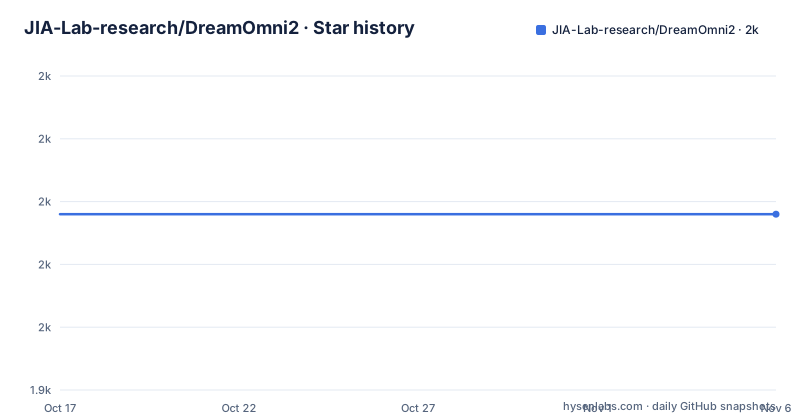
- JIA-Lab-research/DreamOmni21,968 ★ · +0
| Repository | 2026-10-17 | 2026-11-06 |
|---|---|---|
| JIA-Lab-research/DreamOmni2 | 2k | 2k |
0 Stars in the last 20 days, measured from the daily GitHub snapshot. Compare with other projects
Editorial analysis
DreamOmni2's distinct editing and generation paths
DreamOmni2 addresses two image tasks that often receive similar natural-language instructions but have different consistency requirements. In editing, the source image is an existing composition that must largely remain intact outside the requested modification. The repository gives the example of taking a woman from a second image and placing her on a road in the first image. Here, preservation of the road scene matters as much as inserting the referenced subject.
Generation starts from references but does not have to reproduce an existing composition. DreamOmni2 can retain an identity, intellectual property subject, or attribution while regenerating the overall image around a requested scene. Its generation example combines two characters in a spaceship interior, with one standing on the left, the other on the right, and the two shaking hands.
That distinction explains why the repository ships separate entry points, `inference_edit.py` and `inference_gen.py`, plus separate web applications, `web_edit.py` and `web_generate.py`. The intended users are researchers and developers working on instruction-based image creation who need both concrete objects and abstract attributes, including material, texture, makeup, hairstyle, posture, design style, and artistic style. DreamOmni2 is not limited to references that can be named precisely. The README says references may represent abstract concepts as well as ordinary objects.
Reference-image and instruction flow in DreamOmni2
The documented inference interface receives three main values: an ordered list of image paths, one instruction string, and an output path. For generation, additional `--height` and `--width` arguments control the requested canvas size. The README's example uses two reference images and one sentence that describes both their roles and the target arrangement.
Ordering is part of the interface rather than incidental syntax. The project explicitly warns that the image to edit must appear first because this ordering comes from the format of the editing training data. An instruction such as "the woman from the second image" therefore resolves against `ref.jpg`, while "the road in the first image" resolves against `src.jpg`. Reversing these paths changes the meaning of the prompt.
The separate scripts embody the task distinction described by the project. Editing preserves the non-edited portions of its source as a core requirement. Generation is free to rebuild the composition because its objective is to retain the requested identity or concept from the references. The README also mentions LoRA paths in its web-demo arguments, but it does not explain the internal model architecture, attention mechanism, VLM integration, checkpoint layout, or data transformation in enough detail to support a more specific account. Based on the repository layout, local inference, model-weight download, and separate web launch scripts are the confirmed operational layers.
Installing DreamOmni2 and running its first inference
The README starts with a clone, a dependency installation, and a Hugging Face model download. Its clone command points to the `dvlab-research/DreamOmni2` URL rather than the repository owner, so that discrepancy should be checked before an automated deployment copies the command unchanged.
Clone the repository and install the packages listed in `requirements.txt`:
git clone https://github.com/dvlab-research/DreamOmni2
cd ./DreamOmni2
pip install -r requirements.txt
The documented dependency set includes `timm`, `peft`, `transformers`, `diffusers`, `opencv-python`, `qwen-vl-utils`, `datasets`, `lmdb`, `numpy`, and `ujson`. The README does not state supported Python versions, operating systems, CUDA versions, GPU models, memory requirements, or individual package versions. A fresh environment will therefore need those details resolved independently.
Download the model weights into `models`:
huggingface-cli download --resume-download --local-dir-use-symlinks False xiabs/DreamOmni2 --local-dir ./modelsAfter the download completes, the documented editing command writes `example_input/edit_tests/edit_res.png`. Preserve the image order because the first path is the source being edited and the second is the reference:
python3 /mnt/bn/unifygen/xiabin_dev/iclr2026/DreamOmni2/inference_edit.py \
    --input_img_path "example_input/edit_tests/src.jpg" "example_input/edit_tests/ref.jpg" \
    --input_instruction "Make the woman from the second image stand on the road in the first image." \
    --output_path "example_input/edit_tests/edit_res.png"
The command contains an absolute development path that will not normally match a clone location. The repository confirms `inference_edit.py` is present, but the README does not provide a checkout-relative version of this example. The intended reader-visible result is the named PNG output file.
Generating a two-reference image with DreamOmni2
Generation uses the same broad reference-plus-instruction format, but it does not preserve an existing source composition. The following documented command combines two images and creates a 1024 by 1024 result:
python3 /mnt/bn/unifygen/xiabin_dev/iclr2026/DreamOmni2/inference_gen.py \
    --input_img_path "example_input/gen_tests/img1.jpg" "example_input/gen_tests/img2.jpg" \
    --input_instruction "In the scene, the character from the first image stands on the left, and the character from the second image stands on the right. They are shaking hands against the backdrop of a spaceship interior." \
    --output_path "example_input/gen_tests/gen_res.png" \
    --height 1024 \
    --width 1024
The output path in the example is `gen_res.png`. The prompt associates each reference with a spatial role and asks for a new scene. This differs from editing because there is no pre-existing scene that the command promises to leave unchanged.
DreamOmni2 also documents two local web applications. They require explicit model paths and can listen on the specified host and port:
CUDA_VISIBLE_DEVICES=0 python web_edit.py \
    --vlm_path PATH_TO_VLM \
    --edit_lora_path PATH_TO_DEIT_LORA \
    --server_name "0.0.0.0" \
--server_port 7860CUDA_VISIBLE_DEVICES=1 python web_generate.py \
--vlm_path PATH_TO_VLM \
--gen_lora_path PATH_TO_GENERATION_LORA \
--server_name "0.0.0.0" \
--server_port 7861The repository does not document authentication for either server. Binding either application to `0.0.0.0` can expose it beyond the local machine, which is a concrete deployment concern for an image-generation interface.
DreamOmni2 deployment gaps and failure boundaries
DreamOmni2's clearest limitation is incomplete deployment documentation. There is no stated hardware matrix, memory estimate, expected inference duration, quantization option, batching contract, API schema, or container recipe. The `requirements.txt` file pins no versions, so dependency compatibility cannot be inferred from the repository. The two web scripts also lack documented access controls.
Image order creates a practical prompt failure mode. If a source and reference are reversed during editing, references such as "first image" and "second image" resolve differently, while the training-data format expects the edited image first. That failure may produce an unintended result rather than an explicit validation error, since the README does not say that the scripts validate ordering.
Separate generation and editing paths can also be inconvenient for applications that want one undifferentiated endpoint. A caller must choose the script or web service according to its consistency requirement. That duplication is justified by the project's stated design, but it means a production integration cannot treat both operations as one interchangeable operation.
The repository has no GitHub releases and the README does not document checkpoint migration, rollback, model compatibility, or upgrade procedures. The last push was on 2026-04-11, and the repository is not archived. That fact supports recent code activity, but it does not substitute for versioned model releases or a documented upgrade policy.
Apache-2.0 terms and DreamOmni2 maintenance cost
The repository identifies its license as Apache-2.0. That designation covers the project code subject to the license text and its conditions, while model weights, datasets, linked services, and third-party dependencies may have separate terms. The README links a Hugging Face model repository and benchmark dataset, but it does not state their licensing details. An organization should inspect those linked assets directly rather than assuming that the repository license settles every component.
Operational maintenance starts before model execution. A deployment must manage several Python packages without documented version pins, store model weights locally, supply VLM and LoRA paths for web use, and account for GPU-specific behavior implied by the `CUDA_VISIBLE_DEVICES` examples. The README does not confirm whether the scripts support CPU execution.
Model maintenance is less defined. There are no GitHub releases, no stated checkpoint-version policy, and no documented rollback procedure. The last push was on 2026-04-11, which is within six months of 2026-10-16, but the project still offers no release-specific upgrade instructions. DreamOmni2 may therefore carry moderate integration work for a research prototype, with larger internal maintenance if it is embedded in a service that needs pinned checkpoints, reproducible dependency sets, and controlled model replacement.
DreamOmni2 versus a single-operation image pipeline
A concrete alternative is a conventional pipeline that uses a text-to-image model for generation and a separate instruction-based image editor for modifications. This approach offers two benefits that DreamOmni2's documentation does not establish: model selection can be independent for each task, and a product can keep existing components when only one operation changes. It also avoids loading two LoRA-specific web services for different consistency requirements.
The trade-off is coordination. A conventional pipeline needs its own mechanism for transferring identities and abstract attributes from references, deciding how instructions map to images, and reconciling output from separate generators and editors. DreamOmni2 presents itself around a unified research model, while still preserving separate editing and generation entry points because their preservation rules differ.
DreamOmni2 is the more focused option when the same project must support reference-guided generation and source-preserving editing under one instruction interface. A multi-model pipeline is easier to reason about when the organization already has specialized systems, independent deployment needs, or service-specific quality requirements. The repository does not provide an official comparison against alternative editors or generators, so claims about output quality should be treated as project claims rather than independently confirmed adoption evidence.
Editorial conclusion
DreamOmni2 fits researchers and image-pipeline developers who need one model to cover reference-guided editing and generation, especially when text alone cannot describe the desired subject or attribute. It is a poor fit for unattended production use until hardware requirements, memory needs, output determinism, and deployment packaging are documented. Before adoption, run both `inference_edit.py` and `inference_gen.py` with representative references, verify that unedited regions remain suitable for your use case, and confirm that the absent release history will fit your upgrade process.
Frequently asked questions
How do I install DreamOmni2?
The README instructs users to clone the repository, run `pip install -r requirements.txt`, and download `xiabs/DreamOmni2` into `./models` with `huggingface-cli`. It does not document Python, CUDA, or GPU version requirements.
Why must the source image come first in DreamOmni2 editing?
The README says editing input order follows the training-data format and requires the image to edit in the first position. The accompanying instruction refers to the first and second images, so their order changes how the prompt resolves.
Does DreamOmni2 combine image editing and image generation?
The project supports both tasks, but provides separate inference and web-demo entry points. Editing is intended to preserve non-edited source areas, while generation can rebuild the composition around identities or concepts from references.
Official sources
Add this badge to your README
If you maintain this project, the badge below links readers to this analysis and shows its maintenance status from the daily GitHub snapshot. Paste the markdown into your README; add ?metric=license or ?metric=stars to the image URL for a different field.

[](https://hysenlabs.com/projects/jia-lab-research-dreamomni2)Star history chart for your README
[](https://hysenlabs.com/projects/jia-lab-research-dreamomni2)Was this useful?