unity-ui-controller: A Minimal UI Panel Controller for Unity That Removes Hidden Logic
Game UI panel controller
At a glance
- What is it?
- A review of johnsoncodehk/unity-ui-controller, a C# package for managing game UI panels in Unity, focusing on the v3 design shift that drops automatic GameObject activation and deactivation.
- Who is it for?
- Adopt unity-ui-controller v3 if you want a panel controller that does not assume activation or deactivation behavior and you are comfortable writing explicit logic for GameObject toggling. Do not use it if you expect out-of-the-box show and hide behavior without extra code.
- Can I use it commercially?
- Not without permission. GitHub finds no licence file in the repository, and without a licence all rights are reserved by default: you may read the code but not reuse it. Check the README, or ask the authors, before using it.
- Is it still maintained?
- Probably not. The repository last received commits 83 months ago, on December 5, 2019.
- What is it written in?
- Mainly C#, according to GitHub's language statistics.
Answers come from the project's GitHub data, last synced on October 22, 2026, and from our analysis. They are not legal advice.
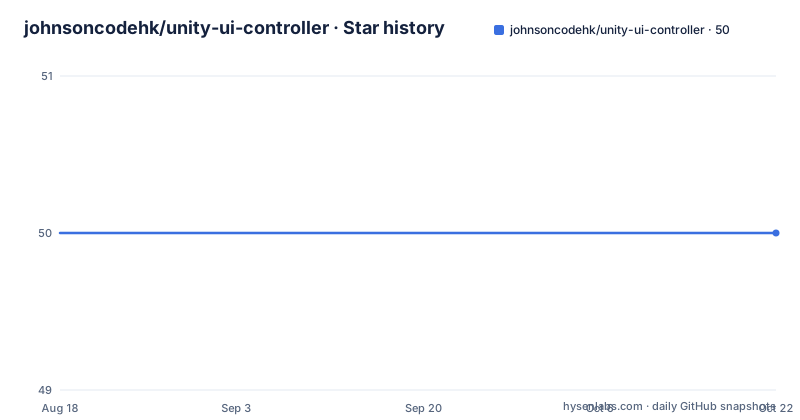
Star history
- johnsoncodehk/unity-ui-controller50 ★ · +0
| Repository | 2026-08-18 | 2026-10-22 |
|---|---|---|
| johnsoncodehk/unity-ui-controller | 50 | 50 |
0 Stars in the last 65 days, measured from the daily GitHub snapshot. Compare with other projects
Editorial analysis
What unity-ui-controller Solves and Who It Is For
Unity projects often end up with UI panels that need to be shown, hidden, and stacked in a predictable order. The typical approach is to write a custom manager class, but that class tends to grow with each new panel and each new transition. unity-ui-controller is a C# package that provides a controller for game UI panels. It is aimed at Unity developers who want a reusable, code-driven way to manage panel visibility and flow, rather than wiring every panel to a bespoke script. The package does not provide a visual editor or drag-and-drop setup. It is for engineers who are comfortable adding a Git dependency to their manifest and writing code against the controller's API. The target user is someone who already understands Unity's UI system and wants a thin layer of control, not a full UI framework.
The v3 Shift: Removing Assumed Behavior
The most significant change in v3, compared to the previous Asset Store version, is that the controller no longer assumes what you want to do with GameObjects. In v2, the controller would automatically activate a GameObject when Show was called and deactivate it on Hide. That sounds convenient, but it also means hidden logic that can surprise you when a panel should stay active but invisible, or when a transition needs the GameObject to remain enabled. The README states that v3 removes that assumption to eliminate hidden intermediate logic. The trade-off is direct: you gain explicit control, but you must write the activation and deactivation yourself. The README notes that v3 can still do the equivalent and that examples show how. This is a deliberate design philosophy. It favors clarity over convenience, which is a reasonable stance for a library that aims to be a building block rather than a finished feature.
How It Works: The Mechanism and Data Flow
The repository does not include source code in the README, so the exact API is not visible from the material. What is clear is that the package is distributed as a Unity package via Git, and it depends on another package called unity-animator-override-controller-extras. That dependency suggests the controller likely works with Animator Override Controllers to handle transitions between UI states. In a typical Unity UI setup, panels are controlled by Animator components that play show and hide animations. The override controller extras package probably allows the controller to swap animations on the fly, which is useful for themed or dynamic UI. The data flow is likely: you call a controller method like Show or Hide on a panel, the controller triggers an Animator state or transition, and the panel's GameObject visibility is left to your own code in v3. Without the source, the precise mechanism remains unconfirmed, but the dependency points to animation-driven control rather than direct GameObject toggling.
Getting It Running: Setup via manifest.json
Setup is straightforward and documented in the README. You need to add two lines to the dependencies section of your Packages/manifest.json file in your Unity project. The first line is for the controller package: "com.johnsoncodehk.unity-ui-controller": "https://github.com/johnsoncodehk/unity-ui-controller.git". The second line is for the required dependency: "com.johnsoncodehk.unity-animator-override-controller-extras": "https://github.com/johnsoncodehk/unity-animator-override-controller-extras.git". After adding those lines, Unity's Package Manager will fetch the packages from GitHub. There is no mention of a setup wizard or configuration file. You will likely need to attach a controller component to a Canvas or a root UI object, but the README does not specify that. The examples repository is linked, but its contents are not described in the README. For a developer, the setup is minimal, but the missing documentation on usage means you will need to inspect the example code or the package source to understand the API.
A Genuine Limitation: What You Must Handle Yourself
The biggest limitation is that v3 does not automatically manage GameObject activation. If you are used to a UI controller that shows a panel and makes it interactable with one call, v3 will feel incomplete. You must write code to enable the panel's GameObject on Show and disable it on Hide, or handle it through an animation event. The README explicitly says that v3 can still do the equivalent, but it requires you to implement it. This is a failure mode for teams that adopt the package expecting a drop-in replacement for their existing manager. It is also a wrong tool for rapid prototyping, where you want minimal code to get a panel on screen. Another limitation is the dependency on a second package. If that package is not maintained or has its own issues, your UI controller breaks. The README does not mention any fallback or embedded alternative. For a small utility, that is a real risk.
A Real Alternative: The v2 Asset Store Version
The README points to a direct alternative: the v2 version, which is the last Asset Store release. It can be downloaded from a separate archive link: https://github.com/johnsoncodehk/unity-ui-controller/archive/asset-store.zip. The difference in approach is that v2 assumes the use case and automatically activates GameObjects on Show and deactivates them on Hide. That means less code on your side, but it also means you inherit hidden behavior. If your project has panels that need to remain active while hidden, or if you rely on a specific order of deactivation, v2's assumptions can cause bugs. Choosing between v2 and v3 is a trade-off between convenience and explicitness. The README does not say that v2 is deprecated or unsupported, only that v3 is the newer version. If you prefer the older behavior, you can still get it, but you will be on a version that may not receive future updates.
Maintenance and Upgrade Cost
The repository has no listed license, which is a warning sign for commercial use. Without a license, you technically have no permission to use, modify, or redistribute the code, so that must be resolved before adoption. The package is not archived and has a default branch of master, but there is no information about release cadence or recent activity. The README mentions the v3 change, which indicates an active development at some point, but the last push is unknown. Upgrading from v2 to v3 is not a simple drop-in because the behavior changes. You will need to adjust any code that relied on automatic activation or deactivation. The examples repository is mentioned as a reference, but it is not included in this package, so you must fetch it separately to see the new patterns. The dependency on unity-animator-override-controller-extras adds an extra component to upgrade and track. For a small package, this is a moderate maintenance cost, especially if you are on a strict Unity version or have security review policies for Git dependencies.
Who Should Adopt It and What to Verify First
Adopt unity-ui-controller if you value explicit control over your UI panel lifecycle and you are willing to write a few lines of code to activate and deactivate GameObjects. It is a good fit for a project where you already have an animation system and you want a controller that does not interfere with your logic. Do not adopt it if you want a zero-code solution or if you cannot tolerate an unlicensed dependency. Before you commit, verify the license by contacting the author or checking the repository directly, since the README does not state one. Also, download the examples repository to confirm that the v3 API matches your expectations. Finally, test the dependency package to ensure it works with your Unity version. The package is small and focused, but its lack of documentation beyond setup means you will spend time reading source code. If that is acceptable, it can serve as a clean base for your UI controller needs.
Editorial conclusion
Adopt unity-ui-controller v3 if you want a panel controller that does not assume activation or deactivation behavior and you are comfortable writing explicit logic for GameObject toggling. Do not use it if you expect out-of-the-box show and hide behavior without extra code. Before adopting, verify the package's license, since the repository does not state one, and check the examples repository to confirm the exact patterns for v3. Also confirm that the Animator Override Controller Extras dependency is acceptable for your project.
Frequently asked questions
Does the Unity UI Controller package support controllers in Unity?
The package is described as a game UI panel controller, not as input device support: the repository documents no gamepad or hardware controller handling. What it does provide is panel show and hide behaviour, with version 3 no longer assuming the use case such as activating a GameObject on Show.
What is UI in Unity, according to the unity-ui-controller package?
The repository does not define the term. What it ships is a package named com.johnsoncodehk.unity-ui-controller with the display name UI Controller at version 3.0.0, containing Runtime, Editor, Animations and Animators folders plus a quick setup settings asset.
How do I install the Unity UI Controller package?
Add two entries under the dependencies section of your project's Packages/manifest.json: one for com.johnsoncodehk.unity-ui-controller and one for com.johnsoncodehk.unity-animator-override-controller-extras, each pointing at its Git repository URL. The package manifest itself declares an empty dependencies object.
What changed between v2 and v3 of the Unity UI Controller?
In v2 the package assumed the use case, for example activating a GameObject automatically on Show or disabling it on OnHide. v3 removes that hidden intermediate logic. The README says v3 can still do the equivalent, with examples in a separate repository, and the last Asset Store version can be downloaded as a zip.
Official sources
Add this badge to your README
If you maintain this project, the badge below links readers to this analysis and shows its maintenance status from the daily GitHub snapshot. Paste the markdown into your README; add ?metric=license or ?metric=stars to the image URL for a different field.

[](https://hysenlabs.com/projects/johnsoncodehk-unity-ui-controller)Star history chart for your README
[](https://hysenlabs.com/projects/johnsoncodehk-unity-ui-controller)