fsql: SQL-style file search from the command line
Search for files using a fun query language
At a glance
- What is it?
- fsql lets you query a filesystem with SELECT, FROM and WHERE clauses instead of find flags. It is a small Go tool with a readable grammar, a few sharp edges, and a last push in July 2026.
- Who is it for?
- Adopt fsql if you already think in SELECT and WHERE and want to filter directories by name, size, time, hash or mode without memorising find's flag grammar. Do not adopt it if you need negation of parenthesised groups, multi-attribute subquery output, or a tool whose README documents rollback and upgrade paths, because the README documents none of those.
- Can I use it commercially?
- Yes. MIT is a permissive licence: you can use, modify and sell software built on it, as long as you keep its copyright and licence notices.
- Is it still maintained?
- Yes. The repository last received commits 44 days ago.
- What is it written in?
- Mainly Go, according to GitHub's language statistics.
Answers come from the project's GitHub data, last synced on November 15, 2026, and from our analysis. They are not legal advice.
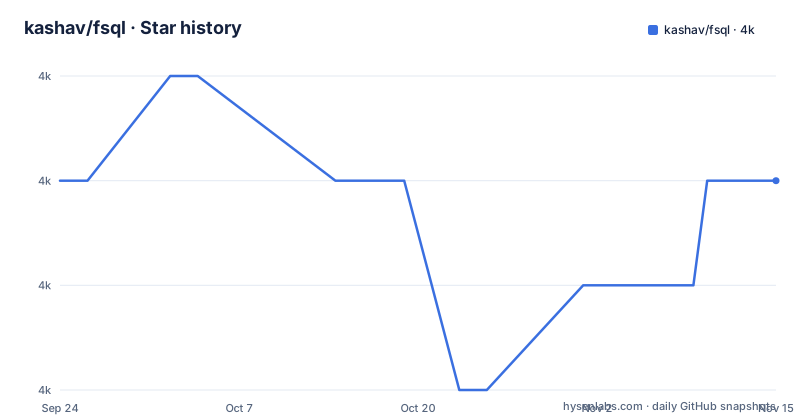
Star history
- kashav/fsql3,988 ★ · +0
| Repository | 2026-09-24 | 2026-11-15 |
|---|---|---|
| kashav/fsql | 4k | 4k |
0 Stars in the last 52 days, measured from the daily GitHub snapshot. Compare with other projects
Editorial analysis
The problem fsql targets: filter files without find's flag grammar
The Unix tool for this job is find, and find's interface is a sequence of flags and predicates that reads nothing like the question you are asking. You want files named main.go larger than 20 bytes; you end up typing a chain of -name and -size arguments with escaped parentheses. fsql replaces that chain with a clause structure most engineers already know from SQL: a SELECT list of attributes, a FROM list of directories, and a WHERE list of conditions. The README describes the tool as a way to "Search through your filesystem with SQL-esque queries."
The audience is narrow and identifiable. It is for people who spend enough time on the command line to resent find's syntax but who do not want to install a full indexer such as a desktop search daemon. fsql walks directories at query time. There is no database, no daemon and no index to keep fresh, which also means there is no speed-up on a second run. If your problem is searching millions of files repeatedly, this is the wrong shape of tool. If your problem is expressing one ad hoc filter clearly, it fits.
How fsql parses and evaluates a query
The repository layout shows the pipeline as separate packages: tokenizer, parser, query, transform and evaluate, with the command entry point in cmd/. That split is the clearest statement of how the tool works. A query string is tokenised, parsed into a query structure, optionally transformed, and then evaluated against the filesystem by the evaluate package. Subqueries are handled recursively during parsing, according to the README.
The attributes available in a WHERE condition are name, size, mode and time. The SELECT clause additionally accepts hash, and the README lists hash, name, size and time as the attributes that support modifiers. Modifiers are applied directly to an attribute in either clause, so you can select a formatted size or match against an upper-cased name. The README gives this example of a formatted selection:
>>> SELECT FORMAT(size, MB) ...The evaluation model is lazy, and the README makes a point of it: it notes that rewriting NOT (a AND b) as NOT a OR NOT b is "actually more optimal, due to lazy evaluation." That is a real design choice with a visible consequence. Conditions are not all computed up front; the engine stops early where it can. It also means the order you write conditions in can affect how much work happens, which is unusual for a query language and worth knowing before you tune a slow query.
Installing fsql and running a first query
The README lists four installation routes: prebuilt binaries from the releases page, go get, Homebrew, and a manual build. The Go route is the one that shows the resulting path, which is useful because fsql does not land in a system directory by default.
$ go get -u -v github.com/kashav/fsql/...
$ which fsql
$GOPATH/bin/fsql
If you prefer Homebrew, the README gives the package name and the installed location, which is /usr/local/bin/fsql. For a manual build, the README clones the repository into GOPATH and runs make, producing a binary named fsql in the repository root.
git clone https://github.com/kashav/fsql.git $GOPATH/src/github.com/kashav/fsql
cd $_
make
./fsql
Once installed, fsql accepts a single query, either as an argument or via stdin, and it also has an interactive mode. The usage dialogue is short; the README shows only -v and -version, both of which print the version and exit. A first real query, taken from the README's examples, searches the current directory for a file named main.go:
>>> ... FROM . WHERE name = main.go ...The README notes that quotes are not required when the query arrives via stdin, but reserved characters such as *, < and > must be escaped. If you pass the query as an argument instead, expect your shell to interpret those characters first.
Where fsql's grammar gets in your way
The most consequential limitation is operator precedence. The README states that precedence is assigned by order of appearance, not by the conventional AND-before-OR rule. It spells out the consequence directly: WHERE a AND b OR c is not the same as WHERE c OR b AND a, and parentheses are the workaround. Anyone arriving from SQL will assume the opposite and get silently wrong results. This is not a bug report; it is documented behaviour, but it is the kind of behaviour that produces a query that runs, returns rows, and is wrong.
The second limitation is that negation of parenthesised conditions is not supported. The README's suggested fix is to apply De Morgan's laws by hand, rewriting NOT (a AND b) as NOT a OR NOT b. That works, and the README argues the rewritten form is faster, but it pushes boolean algebra onto the user at the point where they are trying to express a filter.
Subqueries carry their own restriction: selecting multiple attributes inside a subquery is not currently supported. Treat multi-attribute subqueries as unsupported until you check the source. There is also no rollback story. The README does not document an uninstall path, a downgrade procedure, or a migration between versions, which matters more than usual given the release history.
fsql against find, and against indexed search
The direct alternative is find, which is already installed and needs no build step. The difference is grammatical, not functional: find can express essentially every condition fsql supports, plus negation of arbitrary groups, plus execution of a command per match through -exec. fsql's advantage is that its query reads as a single sentence and its attribute modifiers (FORMAT on size and time, UPPER and LOWER on name, SHA1 on hash) are written inline rather than as separate predicates. If you already have find's syntax internalised, switching costs you more than it saves.
The other alternative is an indexed search tool. fsql walks the tree on every invocation, so its cost scales with directory size and repeats on each run. An indexer pays that cost once and answers later queries from a store. The trade is freshness and setup: an index can be stale and needs a daemon or a scheduled rebuild, while fsql always reflects the filesystem as it is at the moment you run it. That property is the reason to pick fsql for one-off filtering and the reason to avoid it for repeated search over large trees.
Maintenance, release cadence and the MIT licence
The repository is not archived, and the last push was on 2026-07-25. The most recent tagged release, however, is v0.5.2 from 2023-11-08, and the two releases before it, v0.5.1 and v0.5.0, both landed on 2022-10-17. That gap between repository activity and tagged releases is the practical upgrade question: if you install from a release binary or from Homebrew, you are running code from 2023, while the master branch has moved since. The README does not document what changed between the last tag and the current branch, so the safe way to know is to build from source and read the commit history yourself.
Build-time cost is low. The module declares Go 1.21 and two direct dependencies: github.com/oleiade/lane and golang.org/x/crypto, with golang.org/x/sys and golang.org/x/term pulled in indirectly. That is a small dependency surface for a tool that reads your filesystem, which is a point in its favour. The Makefile provides the usual targets: all, install, fmt, vet, lint, test, coverage and build-all, with test running go test -race across all packages. The lint target requires golint and points at make get-tools to install it.
The project is MIT licensed, which permits commercial and closed-source use with the licence and copyright notice retained. That is a statement about the licence text, not legal advice; check the LICENSE file in the repository for the exact terms before you rely on it.
Editorial conclusion
Adopt fsql if you already think in SELECT and WHERE and want to filter directories by name, size, time, hash or mode without memorising find's flag grammar. Do not adopt it if you need negation of parenthesised groups, multi-attribute subquery output, or a tool whose README documents rollback and upgrade paths, because the README documents none of those. Verify first that your query's operator precedence matches your intent, since the README states precedence follows order of appearance and that WHERE a AND b OR c is not the same as WHERE c OR b AND a.
Frequently asked questions
How do I install fsql?
The README lists four routes: prebuilt binaries from the releases page, go get -u -v github.com/kashav/fsql/..., Homebrew via brew install fsql, or a manual git clone followed by make. The Go and Homebrew routes install to $GOPATH/bin/fsql and /usr/local/bin/fsql respectively.
What attributes can fsql select and filter on?
Conditions in the WHERE clause accept name, size, mode and time, while SELECT also accepts hash. Use mode with IS to test whether a file is regular (IS REG) or a directory (IS DIR).
Does fsql require quotes around a query?
The README states that quotes are not required when the query is provided via stdin, but reserved characters such as *, < and > must be escaped. Values containing spaces need quotes or backticks.
How does fsql handle AND and OR precedence?
Precedence follows order of appearance, so WHERE a AND b OR c is not the same as WHERE c OR b AND a. The README says to use parentheses to get around this behaviour.
Official sources
Add this badge to your README
If you maintain this project, the badge below links readers to this analysis and shows its maintenance status from the daily GitHub snapshot. Paste the markdown into your README; add ?metric=license or ?metric=stars to the image URL for a different field.

[](https://hysenlabs.com/projects/kashav-fsql)Star history chart for your README
[](https://hysenlabs.com/projects/kashav-fsql)Was this useful?