RecyclerViewPager: A RecyclerView-Based ViewPager That Stopped Moving in 2018
GitHub describes it as Deprecated. The repository metadata lists Java as its primary language. The metadata lists the Apache-2.0 license. This article stays within the project description and details documented in the GitHub repository README.
At a glance
- What is it?
- RecyclerViewPager replaces android.support.v4.view.ViewPager with a RecyclerView implementation, adding fling control, vertical paging, and infinite loops, but the project is deprecated and last updated in May 2018.
- Who is it for?
- Adopt RecyclerViewPager only if you need a RecyclerView-based pager with custom fling and infinite loop and you can accept the deprecation and lack of updates since 2018. Do not use it for new projects targeting modern AndroidX, because the library depends on the old support library and is not maintained.
- Can I use it commercially?
- Yes. Apache-2.0 is a permissive licence: you can use, modify and sell software built on it, as long as you keep its copyright and licence notices.
- Is it still maintained?
- Probably not. The repository last received commits 68 months ago, on March 11, 2021.
- What is it written in?
- Mainly Java, according to GitHub's language statistics.
Answers come from the project's GitHub data, last synced on October 22, 2026, and from our analysis. They are not legal advice.
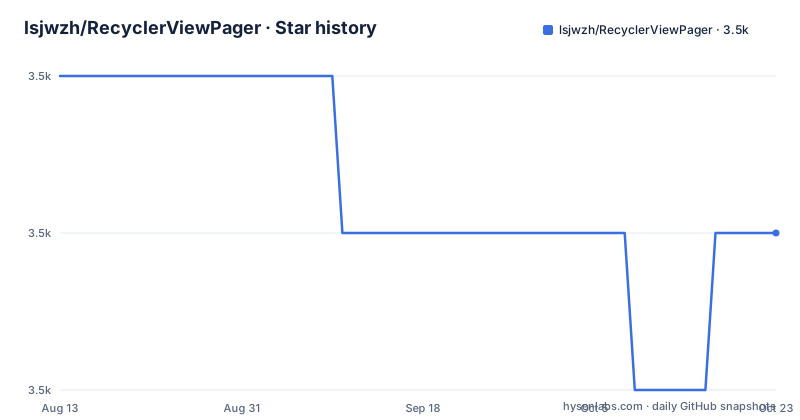
Star history
- lsjwzh/RecyclerViewPager3,498 ★ · -1
| Repository | 2026-08-13 | 2026-10-22 |
|---|---|---|
| lsjwzh/RecyclerViewPager | 3.5k | 3.5k |
-1 Stars in the last 70 days, measured from the daily GitHub snapshot. Compare with other projects
Editorial analysis
What It Solves and Who It Was For
RecyclerViewPager addresses a specific pain: ViewPager in the Android support library is a fixed widget that does not let you control the fling speed or the threshold that triggers a page change. For gallery-style interfaces, where you want each swipe to snap to an item but with a custom feel, ViewPager is rigid. This library rebuilds a pager on top of RecyclerView, so you get the familiar adapter and layout manager pattern plus the ability to tune paging behavior. The target audience is Android developers who already work with RecyclerView and want a pager that behaves like a gallery, supports vertical orientation, and can loop infinitely. The README claims it is a perfect replacement for ViewPager, but that is a strong claim for a project that is now deprecated.
The Mechanism: RecyclerView as the Engine
The core idea is to extend RecyclerView and let its layout manager handle the paging. You still set a LinearLayoutManager, exactly as you would for a normal list. The library intercepts the scroll and fling events to decide when to settle on a page. Two key attributes control this: rvp_triggerOffset and rvp_singlePageFling. The trigger offset is a fraction of the item width or height; when the scroll passes that offset, the view snaps to the next or previous item. The single page fling flag limits a fling to move one page at a time, which is typical for a gallery. Because it is RecyclerView underneath, you use a normal RecyclerView.Adapter, not a PagerAdapter. That means you lose some ViewPager features like fragment lifecycle management, but you gain the RecyclerView view recycling and the ability to use any layout manager, at least in theory. The documentation shows a horizontal example, but it claims vertical support as well.
Getting It Running: JitPack and a Few Lines
The setup is straightforward if you use Gradle with JitPack. Add the JitPack repository and then depend on the library with compile 'com.github.lsjwzh.RecyclerViewPager:lib:v1.2.0@aar'. For TabLayout support, you add a separate artifact: com.github.lsjwzh.RecyclerViewPager:tablayoutsupport:v1.1.2@aar. In XML, you declare the custom view and set attributes like app:rvp_triggerOffset="0.1" and app:rvp_singlePageFling="true". In code, you get a RecyclerViewPager instance, set a LinearLayoutManager, and set an adapter. That is all for basic use. For infinite looping, you swap the class to LoopRecyclerViewPager and use scrollToPosition with any position; the library transforms it to the equivalent position in a virtual loop. To get the real position, you call transformToActualPosition(adapterPosition) or getActualCurrentPosition(). One caveat: the dependency string uses the compile configuration, which is deprecated in modern Gradle. You would need to change it to implementation, and the support library version is 26.0.2, which is old.
Limitations and Failure Modes
The most obvious limitation is that the README starts with the word Deprecated. The last push was in May 2018, and the latest release only updates the support library to 26.0.2. That means no fixes for newer Android versions, no AndroidX migration, and no Kotlin support. The library also depends on the old support library, which can cause conflicts in a modern project that uses AndroidX. Another failure mode is in the infinite loop: the release notes mention a bug fix for LoopViewPager position confusion and non-stop spinning in version 1.1.0. That suggests the loop logic was fragile. The README also notes a potential id conflict in FragmentViewPagerAdapter, fixed in 1.0.6, but you should verify that your fragment IDs do not clash. For a simple gallery, the library works, but if you need complex fragment paging with state preservation, a RecyclerView-based pager is the wrong tool because it does not manage fragment lifecycles like ViewPager does.
The Alternative: ViewPager2 and Its Different Approach
The natural alternative is ViewPager2, which Google introduced as the successor to ViewPager and which is also built on RecyclerView. The difference is architectural: ViewPager2 is an official AndroidX component, actively maintained, and it uses a RecyclerView internally but exposes a PagerAdapter-like API with FragmentStateAdapter for fragments. RecyclerViewPager, in contrast, exposes the raw RecyclerView adapter interface, which is simpler for lists but gives you no lifecycle callbacks for fragments. ViewPager2 supports vertical orientation via the orientation attribute, and it has built-in support for TabLayout through TabLayoutMediator. It does not have a built-in infinite loop, but you can implement one with a large adapter count or a custom RecyclerView.Adapter. The key difference is that ViewPager2 is a supported, stable library, while RecyclerViewPager is a deprecated, unmaintained project. If you are starting fresh, ViewPager2 is the safer choice, even though you lose the custom fling factor that RecyclerViewPager offers.
Maintenance and License Implications
The project is licensed under Apache-2.0, which permits use, modification, and distribution, but you must retain the copyright notice. There is no maintenance happening; the repository is not archived, but the last push is from 2018, and the README explicitly says deprecated. That means you are on your own for bug fixes. The release history shows a series of fixes for specific issues, like item decorations and reverse layout support, but those fixes will not come for newer Android versions. If you adopt this library, you must be prepared to fork it and patch it yourself. The proguard rules are provided: keep class com.lsjwzh.widget.recyclerviewpager.** and dontwarn for the same package. The upgrade cost is high because you cannot simply bump a dependency; you would have to migrate to ViewPager2 or another library, which involves rewriting your adapter and possibly your layout XML. The license itself is permissive, so the legal risk is low, but the technical risk of using an abandoned library is real.
Editorial conclusion
Adopt RecyclerViewPager only if you need a RecyclerView-based pager with custom fling and infinite loop and you can accept the deprecation and lack of updates since 2018. Do not use it for new projects targeting modern AndroidX, because the library depends on the old support library and is not maintained. Before integrating, verify that the AAR from jitpack.io still resolves in your build, test on your target API levels, and confirm that the custom paging trigger and loop behavior work with your item layouts. If you need long-term support, use ViewPager2 or a maintained alternative.
Frequently asked questions
What is RecyclerViewPager?
An Android ViewPager implementation built on RecyclerView, supporting fling behaviour like a gallery, a customisable fling rate and paging trigger, vertical and horizontal orientation, an infinite loop variant and TabLayout integration. Its repository description and its readme both say Deprecated.
Why is RecyclerViewPager deprecated?
The repository declares it deprecated and the last recorded push is dated 2021-03-11. Its newest release note says it updated the Android support library to version 26.0.2, and the library existed as a replacement for that support library's ViewPager, so its platform dependency is what ended it.
How do I add RecyclerViewPager to an Android project?
Add the JitPack repository to your repositories block and depend on the lib artifact at version 1.2.0 with the aar classifier. The readme also gives ProGuard keep and dontwarn rules for the widget package, and a second artifact for TabLayout support documented at version 1.1.2.
How does the infinite loop version of RecyclerViewPager work?
You use LoopRecyclerViewPager in place of RecyclerViewPager with the same usage, and it transforms whatever position you request onto an equivalent one: in a pager of ten items, scrolling to position 1 behaves like positions 11 or 21. You convert back with a transform method, or ask for the current actual position directly.
Official sources
Add this badge to your README
If you maintain this project, the badge below links readers to this analysis and shows its maintenance status from the daily GitHub snapshot. Paste the markdown into your README; add ?metric=license or ?metric=stars to the image URL for a different field.

[](https://hysenlabs.com/projects/lsjwzh-recyclerviewpager)Star history chart for your README
[](https://hysenlabs.com/projects/lsjwzh-recyclerviewpager)