SuggestionsBox: A Swift UI Kit for In-App Feedback, With Strings Attached
SuggestionsBox helps you build better a product trough your user suggestions. Written in Swift. 🗳
At a glance
- What is it?
- SuggestionsBox is an iOS library that renders a suggestion list, voting, and comments inside your app. It is simple to integrate but delegates all data persistence to you, which is both its main attraction and its biggest limitation.
- Who is it for?
- Adopt SuggestionsBox if you need a ready-made Swift 3 UI for suggestion voting and comments and you are comfortable writing your own persistence layer. Do not adopt it if you expect a backend, offline storage, or any test coverage, because the README lists tests as unfinished and the delegate methods only hand you data, they do not store it.
- Can I use it commercially?
- Yes. MIT is a permissive licence: you can use, modify and sell software built on it, as long as you keep its copyright and licence notices.
- Is it still maintained?
- Probably not. The repository last received commits 118 months ago, on February 3, 2017.
- What is it written in?
- Mainly Swift, according to GitHub's language statistics.
Answers come from the project's GitHub data, last synced on October 23, 2026, and from our analysis. They are not legal advice.
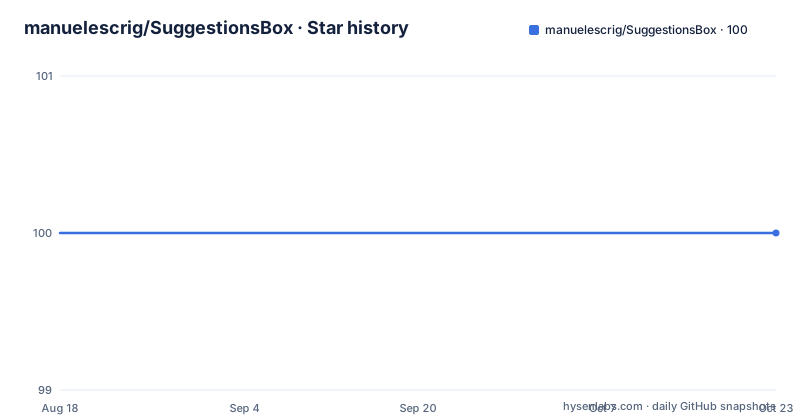
Star history
- manuelescrig/SuggestionsBox100 ★ · +0
| Repository | 2026-08-18 | 2026-10-23 |
|---|---|---|
| manuelescrig/SuggestionsBox | 100 | 100 |
0 Stars in the last 66 days, measured from the daily GitHub snapshot. Compare with other projects
Editorial analysis
What SuggestionsBox Actually Does
SuggestionsBox is an iOS library written in Swift that presents a user feedback interface inside your app. It shows a list of suggestions, lets users add new ones, comment on existing ones, and vote. The README positions it as a way to aggregate customer feedback so you can build the most voted suggestion. The target user is an iOS developer who wants a ready-made UI for this feature without building the screens from scratch. It is not a full feedback platform. There is no server component, no database, and no sync. The library only provides the view layer and the interaction logic, and it hands data back to you through delegate methods.
The Delegate-Only Data Flow
The core mechanism is a delegate protocol. Your view controller conforms to SuggestionsBoxDelegate and implements methods that supply data and receive updates. For example, you must implement suggestions() to return an array of Suggestion objects, and commentsForSuggestion(suggestion:) to return the comments for a given suggestion. When the user adds a new suggestion, the library calls newSuggestionAdded(newSuggestion:), and your code is expected to append that suggestion to your own data store. The same pattern applies to comments and favoriting. This means SuggestionsBox does not manage any state beyond what the user sees. It is a pure presentation component. The README shows the delegate methods returning Swift arrays and filtering comments by suggestionId, so the data model is simple and local. If you want persistence, you have to write it yourself.
Setup: CocoaPods, Carthage, or Manual
The README gives three installation paths. With CocoaPods, you add pod 'SuggestionsBox' to your Podfile and run pod install. Carthage is listed as supported in the roadmap, though no specific Carthage command is shown. Manual installation means copying the files from the Pod/Classes folder into your Xcode project and then adding import SuggestionsBox to your Swift files. The quick guide then shows a typical setup: create a SuggestionsBox instance, set its delegate, and configure theme properties such as SuggestionsBoxTheme.user, SuggestionsBoxTheme.appName, SuggestionsBoxTheme.title, SuggestionsBoxTheme.headerText, and SuggestionsBoxTheme.footerText. There is also a navigationBarHeartColor property, so the visual style is customizable. The demo project requires cloning the repo and running pod install from the Example directory. This is a straightforward integration for a library of this scope, but note that the README incorrectly references 'MEVHorizontalContacts' in one installation link, which is a copy-paste error you should ignore.
Customization and Localization Limits
The feature list claims customizable colors and strings, and the theme properties in the quick guide confirm that you can set text and a heart color. The library is also localizable, which is a plus for international apps. However, the customization is limited to what the theme exposes. You cannot change the layout or the navigation structure without modifying the library source. The README mentions a footer text and a new suggestion footer text, so you can brand the bottom of the list, but the overall design is fixed. This is a trade-off: you get a consistent UI quickly, but you lose control over the interaction details. If your product has a specific design language, you may find the default look too generic.
Swift 3 Only and No Tests
The README states that version 1.5 is compatible with Swift 3, and version 1.2.6 works with Swift 2.2. There is no mention of Swift 4 or later. This is a serious constraint for any new project in 2025. The last push is unknown, and there are no recent releases listed, so the library appears unmaintained. The roadmap shows tests as an unchecked item, meaning there is no test coverage. This is a risk if you rely on this library for critical user interaction. The lack of tests is not a deal-breaker for a small UI component, but it means regressions could go unnoticed. You should also check whether the library compiles under your current Xcode version, because Swift 3 code often requires migration to newer Swift versions.
Where It Fits and Where It Does Not
SuggestionsBox is the right tool if your app already has a backend or a local database where you can store suggestions and comments. The delegate methods give you clean hooks to push new data to your server or pull it down. It is also a good fit for a prototype or an internal tool where you want a feedback board quickly. It is the wrong tool if you need a fully hosted solution with user accounts, moderation, or analytics. For that, you would look at a service like UserVoice or Canny, which provide a web dashboard and an API. Those services handle the backend and the voting logic for you, but they are not open source and they require a subscription. SuggestionsBox gives you the UI only, so you have full control over the data, but you also have full responsibility for it.
Maintenance and License Considerations
The library is released under the MIT license, which allows you to use, modify, and distribute it freely, including in commercial apps. The license file is in the repository, and the README links to it. The author is Manuel Escrig Ventura, and the README lists one app using the library: People Tracker App. The maintenance picture is uncertain. The repository is not archived, but there are no recent releases and the last push date is unknown. The README mentions a buddybuild dashboard, but that is not a reliable indicator of active development. You should expect to maintain the library yourself if you adopt it, especially if you need to upgrade to a newer Swift version. The manual installation path makes it easy to fork the source and adapt it, which is a practical option given the MIT license.
Editorial conclusion
Adopt SuggestionsBox if you need a ready-made Swift 3 UI for suggestion voting and comments and you are comfortable writing your own persistence layer. Do not adopt it if you expect a backend, offline storage, or any test coverage, because the README lists tests as unfinished and the delegate methods only hand you data, they do not store it. Before integrating, verify that your iOS deployment target is above 8.0 and that your project can still compile with Swift 3, since the library has not been updated for later Swift versions. If you need a full feedback solution with a server, look elsewhere; this library is a view layer only.
Frequently asked questions
What is SuggestionsBox used for?
SuggestionsBox is an iOS library written in Swift that aggregates user feedback about suggestions, features, or comments so you can build a better product. It lists and adds suggestions, lets users comment and vote, and searches titles and descriptions.
Does SuggestionsBox store suggestions and comments for me?
No. Your class conforms to SuggestionsBoxDelegate and returns the arrays: suggestions() gives the list and commentsForSuggestion(suggestion:) filters comments by suggestionId. Callbacks such as newSuggestionAdded tell you when to refresh your own data.
How do I add SuggestionsBox to an Xcode project?
With CocoaPods, install it using gem install cocoapods, add source 'https://github.com/CocoaPods/Specs.git' and pod 'SuggestionsBox' to your Podfile, then run pod install. Manually, include the files from the Classes folder and import SuggestionsBox.
What are the requirements for SuggestionsBox?
SuggestionsBox requires iOS SDK version above 8.0 and Swift 3.0. Version 1.5 is the Swift 3 compatible line, and version 1.2.6 was the Swift 2.2 compatible one.
How do I customise the colours and strings in SuggestionsBox?
Set the static properties on SuggestionsBoxTheme, including user, appName, title, headerText, footerText, newSuggestionFooterText, newCommentFooterText, and navigationBarHeartColor, before displaying the box.
Official sources
Add this badge to your README
If you maintain this project, the badge below links readers to this analysis and shows its maintenance status from the daily GitHub snapshot. Paste the markdown into your README; add ?metric=license or ?metric=stars to the image URL for a different field.

[](https://hysenlabs.com/projects/manuelescrig-suggestionsbox)Star history chart for your README
[](https://hysenlabs.com/projects/manuelescrig-suggestionsbox)Was this useful?